1080p Projector Comparison Report
April 2012 - Art Feierman, Editor
A truly exciting year for home theater projectors, with a number of all new projectors and noticeably improved ones. This is a huge difference from last year, where there were first of all, few all new projectors, and several of those with the most potential, came up a bit short.
|
|
![]() |
1080p Home Theater Projector Report Overview
Again this year, we use the same pricing categories as the 2010 and 2011 home theater projector report, three Class tiers: Under $2000, $2000 to $3500, and $3500+. What is different this year, is that we have 3D projectors in all price classes (in 2011, they were all in the $3500+ category).
The other major change this year, is that in the lowest price Class, we'll have a Best In Class 2D, separate from Best In Class 3D awards. This was very necessary, as for example in one price tier, the most impressive projector at 2D, has no 3D abilities. Better to have a best 2D and a best 3D, than to compromise on one projector that may not be the best at either.
For the flexibility I wanted this year, there were a few ties, and just two Special Interest awards. In a couple of cases there are ties for Best In Class, or ties for Runner-Up. One price Class has a 2D only award, but in the other Classes, I didn't feel the need to break out 2D only, so projectors with great 2D but weak 3D, have to deal with that.
We will start with a listing of each projector considered in this report. Below that, a quick summary of each projector. Links will be provided to our specs page (with manufacturer data sheets) and of course to the individual reviews. This includes quite a number of projectors from last year's reports and even a couple in their 3rd year. Many of the older ones really aren't that competitive, but are still actively being sold. In a couple of cases though, really good projectors from previous years, managed an award this year, thanks mostly to significant price drops, to keep them highly competitive.
Many images of movie or HDTV scenes are placed throughout the review. All the images on this page, unless otherwise noted, are from Best In Class winners or Runner-ups. Those that are not, will be tagged, and are there primarily for comparison purposes.
I mentioned Special Interest awards. This award can go to just about any projector that I feel, though not mainstream great, has something special going for it that still makes it an exceptional choice for a smaller group of potential owners. A projector that really works best on smaller screens, might be an example. Another could be a projector with some form of wireless HDMI, for those who opening up their walls to run HDMI cabling is a bigger expense than the projector itself. It might be one that shows movies plug and play by just attaching your iPhone or iPad. (no, not this year - there are two of those, at least, the Epson MG850, and MG50, but neither meets the 1080p minimum native resolution for this report). Even an exceptional gaming projector, might grab one, even if it's just OK on movies as long as its 1080p...
Robert Downey Jr. in Iron Man 2, projector: Sony VPL-VW95ES
Finally, as always, we will add a limited number of direct comparisons between our favorite projectors within each class.
Last year, the number of new home theater an home entertainment projectors was rather limited, a left-over result from the recession. This year, things have been far more interesting. Last year, if it wasn't for the few 3D projectors, there was little really new to impress. Can you say "pretty boring". Not 2012 though (starting with CEDIA 2011 in last Sept.).
This year, it's "almost" a feast of good projectors. There are 5 related, but all new Epson projectors, and two brand new projectors from Panasonic! In addition, there are improved versions of JVC's three projectors (we were a bit disappointed with them last year, due to dim 3D), significantly improved Sony projectors, a new 3D capable BenQ built on the older W6000 projector, but even brighter, than that old "light canon."
I could go on, but let's keep things moving along!
One of the big improvements this year, is that there are finally some pretty bright projectors that can do 3D. Not one of last year's 3D projectors could I recommend for, say a 110" diagonal screen - (or even a 100 inch), when viewing 3D. They were all varying shades of dim, or somewhat dim. This year, we've got a number that qualify as decent, or reasonably bright, when doing 3D. What a difference a year makes! Even the updated versions of some of those really dim ones, have improved noticeably. JVC's X70R, for example is now decent (marginal) in 3D in terms of brightness. At 100" diagonal, it's still a bit dim - but sufficient for most who see 3D as something secondary - a casual interest, and not demanding great (for today) 3D.
We reviewed as many home theater projectors as we could, but still missed a few in the under $10,000 price range, and a couple of more expensive ones as well.
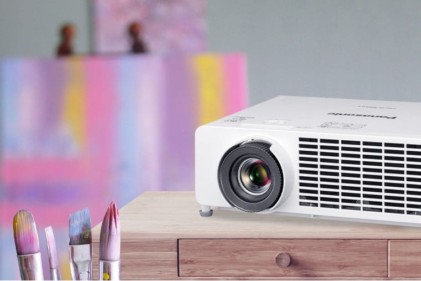
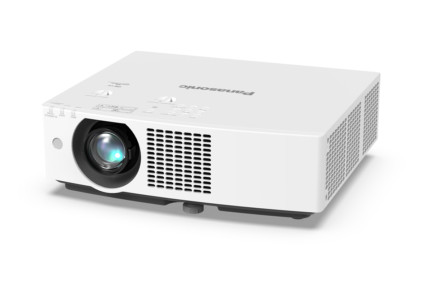
Below, Panasonic's low cost PT-AR100U, the brightest projector in this year's report with a claimed 2800 lumens:

1080p Projector Categories by price:
Let's start by listing the projectors covered in this report, by their price Classes. There are three over $10,000 projectors also covered. In most charts they are included with the $3500-$10,000 projectors
Home Theater Projectors: Street Price under $2000
| Projector | Projector image | Link to review | Technology | Link to specs |
| Acer H9500BD | ![]() |
Click here | DLP | Click here |
| BenQ W1200 | ![]() |
Click here | DLP | Click here |
| BenQ W6000 | ![]() |
Click here | DLP | Click here |
| Epson HC8350 | ![]() |
Click here | 3LCD | Click here |
| Epson HC3010 | ![]() |
Click here | 3LCD | Click here |
| Mitsubishi HC4000 | ![]() |
Click here | DLP | Click here |
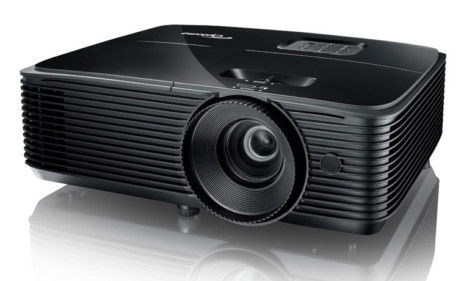
| Optoma HD20 | ![]() |
Click here | DLP | Click here |
| Optoma HD33 | ![]() |
Click here | DLP | Click here |
| Panasonic PT-AR100 | ![]() |
Click here | 3LCD | Click here |
| Viewsonic Pro8200 | ![]() |
Click here | DLP | Click here |
| Vivitek H1080FD | ![]() |
Click here | DLP | Click here |
Home Theater Projectors: Street Price $2000-3500
| Projector | Projector image | Link to review | Technology | Link to specs |
BenQ W7000 |
![]() |
Click here | DLP | Click here |
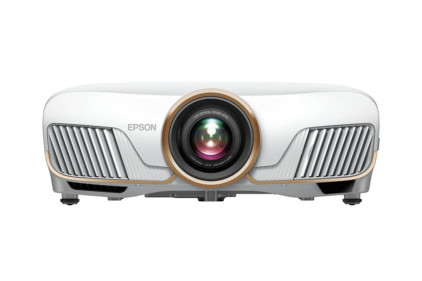
| Epson HC5010 | ![]() |
Click here | 3LCD | Click here |
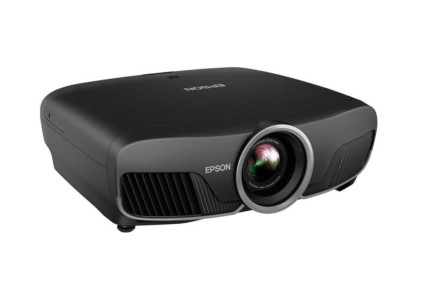
| Epson HC6010 | ![]() |
Click here | 3LCD | Click here |
| JVC DLA-RS45/X30 | ![]() |
Click here | LCoS | Click here |
| LG CF181D | ![]() |
Click here | LCoS | Click here |
| Mitsubishi HC7800D | ![]() |
Click here | DLP | Click here |
Panasonic PT-AE7000U |
![]() |
Click here | 3LCD | Click here |
| Sony VPL-HW30ES | ![]() |
Click here | LCoS | Click here |
| Vivitek H5080 | ![]() |
Click here | DLP | Click here |
Home Theater Projectors: Street Price $3500-10,000+
| Projector | Projector image | Link to review | Technology | Link to specs |
| JVC DLA-X70R | ![]() |
Click here | LCoS | Click here |
| Mitsubishi HC9000D | ![]() |
Click here | LCoS | Click here |
| Optoma HD8300 | ![]() |
Click here | DLP | Click here |
| Runco LS-5 | ![]() |
Click here | DLP | Click here |
| Runco LS-10d | ![]() |
Click here | 3chip DLP | Click here |
| Runco LS-7 | ![]() |
Click here | 3chip DLP | Click here |
| SIM2 Nero 3D-2 | ![]() |
Click here | DLP | Click here |
| Sony VPL-VW95ES | ![]() |
Click here | LCoS | Click here |
1080p Projector Categories by price:
Picking the Winners - the best projectors in each price range:
There really is no one best projector for everyone, not even in a particular price range. There are so many variables that each buyer must consider, in choosing the right projector for their viewing requirements. Our goal this year, is to help you quickly eliminate projectors that may be excellent values overall, but just won't work for you, for one reason or another.
There are many such reasons - limited brightness, placement flexibility, rainbow effect susceptability, fan noise, etc. We'll list many of these issues in the Competitors section, in charts, so that, for example, you need a really quiet projector, you can find a list that only shows you the quieter ones (or if it's simpler, a list of the ones to avoid because they are noisier).
Image above, from The Dark Knight. The projector: BenQ W6000 ($1499)
My point is, that while one projector may be excellent at many things, it may be disqualified by you because of a specific requirement you have. As a result, there needs to be a choice of "best projectors" in this report, so people still have a usable recommendation even if one of our favorites won't work for them.
Due to the concept of "no one perfect projector", we will be giving out "Best In Class", and "Runner-Up" awards in each price category, and an occasional "Special Interest" Award. This means, perhaps 9-11 rewards out of roughly 30 projectors considered. Click here for a list of the winners!
Bottom line - it's still your job as the potential buyer, to consider some of the disqualifying attributes, immediately toss out those projectors from your consideration, and choose the best choice from the remaining ones. Your life will much simpler that way. Otherwise, you might find yourself really wanting a particular projector, get all exited about it, and then remember - oops it won't work for this reason or that..
1080P Home Projector Highlights
Below is a short paragraph or two highlighting key aspects of each projector considered for this review. They are organized by the our three price categories (Classes).
Above HDTV footlball image projected from the Acer H9500BD
$2000 and under 1080p Home Theater Projectors
Acer H9500BD projector:
Perhaps the single greatest surpise I encountered, this year. We've reviewed a few Acer biz projectors, but this was the first home model. I hope Acer decides to stay in the home entertainment and home theater market with projectors. The H9500BD, offered a number of surprises, and my only complaint is something easily corrected in the next generation model - a more capable color management system. That's firmware, so not too tough. Black levels are excellent for the price range. You get the DLP feel, some very respectable placement flexibility, including lens shift.
Overall, the H9500BD is a lot of value for the price. It's rather bright overall, and also offers very respectable 3D.
BenQ W1200 Home Theater Projector
Here's a projector back for the second year. BenQ's W1200. The W1200 performs nicely but is no match for BenQ's W6000 which has now seems to be selling for down around $1500.
The W1200's performance splits the difference between the others. Its black levels are still entry level, not as good as its most direct competition, the Mitsubishi HC4000. With the ability to put up to about 1400 lumens on the screen, it outpowers the HC4000 and also the Epson 8350 but not the newer Epson 3010 which also gives you 3D. A solid family room choice on a budget, but not a serious enthusiast projector.
BenQ W6000 projector:
The BenQ W6000 is back. An impressive 2D only, DLP projector, now selling in the $1500 range, the BenQ W6000 projector is available both online and locally. The W6000 is one of a very few lower cost DLP projectors with lens shift (Acer is the other). The W6000 offers pretty respectable placement flexiblity. The biggest strengths, however of the W6000 projector include its really impressive brightness, and some really good black level performance for a DLP projector in this price class. I consider the W6000 to be an ultra-high contrast projector. Mind you, it just makes that grade in terms of black, but, that's a nice grade to have.
Now that the W6000 is almost $1000 lower than it was just months ago, it establishes itself as a major player in the under $2,000 Class.
For those who enjoy that DLP look, the W6000 remains one of the best values in this price point. While this W6000 is more than bright enough for family room type setups, it is at least equally at home in a dedicated home theater. Its black level performance isn't beat by any other projector we've reviewed in the under $2000 range. 2D only for you? Large screen desired? This one's still "hot"!
Epson Home Cinema 8350 projector:
The Home Cinema 8350 is back for a second year. It's a pretty bright projector, suitable for family room or dedicated home theater. For sheer brightness though, the Home Cinema 8350 has been overshadowed by Epson's own, 3D capable Home Cinema 3010, and the Panasonic PT-AR100U. Price wise it's slightly more than that Panasonic but almost $500 less than the 3010.
Epson Home Cinema 3010, 3010e projectors:
New for this year's report are two slightly different Epson 3LCD powered, 3D capable projectors. The only physical difference is that the "e" has wireless hdmi. From a pricing standpoint there's a $200 difference, but it plays out this way. At $1599 the Home Cinema 3010 comes with 2 pair of 3D glasses. For $200 more, at $1799, the Home Cinema 3010e comes with built in WirelessHD, but no glasses. Assuming you assign a $99 price per pair, then you are roughly paying $400 for the WirelessHD capability.
Every projector needs AC power, but usually, that's not too hard to run to your projector. Many ceilings already have electric in them. More difficult, typically, is getting HDMI from wherever your electronics are, to your projector. This often means opening up several walls/ceilings to run cables.
For the person with the existing home theater, who wired it more than 3-4 years ago, with component video, that person already has power by where his new projector goes, so no new wires to run with WirelessHD, and that can save far more than the $400 difference.
But what these two projectors are really about, is being extremely bright projectors suiltable for family rooms, bonus and living rooms, handling both 2D and 3D. Sure, the Home Cinema 3010 and 3010e are also at home in a dedicated home theater, but with roughly 2000 useable, measured lumens, it's about twice as bright as the average home theater projector. Further, calibrated, with great color, its still much brighter than most other projectors - at their brightest!
3D's impressive, 2D's got really good color. Black levels are decent, nothing exceptional - these Epson 3010 and 3010e projectors are not ultra high contrast.
A warranty with 2 years parts and labor, plus a replacement program for both years, is about unbeatable in the price range, though there are a couple of projectors with 3 year warranties, just no replacement programs.
Mitsubishi HC4000 projector:
While hundreds of dollars more than the true entry level priced projetors in this class, Mitsubishi's HC4000, is definitely a step up in picture quality from home projectors costing as little as $799. For your extra few hundred (under $1200 is typical at this time), there's a lot of extra performance. What really separated the HC4000 from the competition had been the best black levels around from a low cost DLP projector that doesn't offer a dynamic iris. The HC4000 though has been around, its forth year if you count two years of the HC3800 - it's near identical predecessor.
Placement flexibility is limited, as is typical of low cost single chip DLP's, certainly compared to the few 3LCD projectors under $2000.
Ultimately, though, it's the sharp, crisp picture, with extremely good color accuracy for the price, and good brightness, that makes this projector very popular with both enthusiasts and purists lacking significantly larger budgets.
For 2012, however, this Mitsubishi is showing its age. For a few hundred more, you can get 3D, and also better black level performance, for example from the Acer H9500BD. The Mitsubishi can be calibrated for slightly better color than the Acer, however. There are a ton of folks out there who love their HC4000 or, before that, the HC3800. That said, it may need to be under $1000 to remain competitive for another year. To our knowledge, it is still (3/2012) selling in the under $1200 range. I quick search showed one dealer down near $1000 (never heard of them), but most are around $1200.
Optoma HD20 projector:
Optoma's HD20 projector created a lot of fanfare when it shipped more than two ago. It is still in the lineup as Optoma's least expensive 1080p projector. It streets under $900, though for more typically at big box houses like Best Buy or Wal-Mart. It was the first 1080p resolution projector to be launched with an under $1000 price. ($999, of course, but that was, as noted, quite a while ago). The value of the HD20 primarily comes from its price. You get 1080p resolution for a price that got you 720p three years ago.
Black level performance is very entry level. There's a dynamic AI, but its behavior's a bit too noticeable, so we recommended this projector with the assumption that you don't use the AI. If it's action doesn't bother you, leave it on, it's that simple. The Optoma HD20 projector, like a few other under $1000 DLP competitors, has both strengths and weaknesses. Of particular note, the HD20 has the fastest color wheel, to minimize the rainbow effect for those who are sensitive. The faster color wheel is no doubt part of why the HD20 is not quite as bright as some others including the Vivitek, Viewsonic, and BenQ), but it does set it apart from other entry level home entertainment projectors for those who are rainbow sensitive.
Optoma HD33 projector:
When the HD33 was released last year, it was, at $1499, the first under $2000 3D capable, 1080p projector to ship in the US. We were extremely impressed.
A number of additional 3D capable started shipping since, which tended to make the HD33 not stand out, to the degree anticipated by my review. That is, the brighter Epsons and some others made it hard to stay focused on the some of the Optoma HD33's strengths. This Optoma measured in the 1100+ lumen range, both calibrated and "brightest" (not much difference between the two). That said, it is a projector that seems to be extremely well liked by those that now own one. It lacks the brightness of the similarly priced Acer H9500BD, and also the placement flexibility, but calibrated - "tweaked" is capable of more faithful color accuracy, than that Acer.
If you can get past the placement flexibility (basic 1.2:1 zoom, no lens shift), and not too great lens offset, the Optoma HD33, is definitely a serious contender for those who want the look of DLP, and very accurate skin tones and color in general.
As you have already read in this report, we really like that Acer for all it can do, but this Optoma HD33, does offer a more refined picture. Optoma owners seem rather pleased, from the occasional feedback I get. That's always a good sign.
Panasonic PT-AR100 Projector
Hot and new for this year's report is Panasonic's light canon, the 2800 lumen claiming PT-AR100U - sold as the PT-AR100 outside the US. (Guess what "U" stands for?) This dazzling projector is 2D only, and the brightest real home entertainment projector around. Only a couple of Epson 3D/2D projectors, and Panasonic's almost 3 times the price 3D capable PT-AE7000 are close in brightness, and of those, the least expensive is the Epson 3010 at about $500 more (but with 3D, and 2 pair of 3D glasses).
For those "focused" solely on 2D, this has to be the big value projector if brightness is a key requirement.
Nothing wrong with the performance. The blacks are entry level for a 3LCD projector with a dynamic iris, but even that's "not so bad", better than some DLP's lacking a dynamic iris.
Add maximum placement flexibility, and 2D only fans in the $1000 price range shouldn't have much challenge deciding if this is the "one". A one year warranty is decent, but there are better for the price.
Viewsonic Pro8200 projector:
The Pro8200 projector from Viewsonic sees a price reduction down to about $799 this year, and that makes it a particularly good value. Its lack of dynamic iris leaves it with pretty basic black level performance, not quite up to the much more expensive Mitsubishi HC4000, but should be dandy for the right consumers. And those would be folks with brighter rooms - family rooms, etc. We measured about 1650 lumens at brightest, and over 1400 calibrated. In those brighter rooms that can't be fully darkened, the black level advantage of some competitors will be lost, further cementing the value of this Viewsonic Pro8200. This Viewsonic has some cross-over in its pedigree, and that includes a decent speaker. Great if you want to take the Pro8200 out back for a movie night with the kids. And better still, there's an audio out, so you could feed a separate audio system, or, perhaps better for that outdoor movie night, a small powered subwoofer, to add some respectable bass to the overall sound.
The color wheel happens to be faster than a couple of the DLP competitors, I believe only the less bright Optoma HD20 has a faster wheel. (Others not as fast: the BenQ and Vivitek).
The Pro8200 offers a 1.5:1 zoom for better placement flexibility than the usual under $1000 DLP home projectors.
Add to that,what is the best warranty I'm aware of, of any under $1000 home projector - three years parts and labor.
We were impressed last year. At the new lower price, it's more impressive. Since we really didn't find any all new under $1000 DLP projectors to do battle, it remains a strong value.
Vivitek H1080FD projector:
The Vivitek is another of the sub-$1000, entry level single chip DLP projectors to come back again. So far (3/12) pricing hasn't changed much since we updated the review last February (2011) to reflect a drop in price. Today it still seems to be selling in the $899 to $999 range, probably the lower prices from non-authorized dealers, and the higher end, from those authorized, but you can never tell. Adjusting the color on this projector is very different from other projectors. Your choice is basically the CMS (Color Management System) for the individual colors, but not a greyscale adjust. Nonetheless, the end results were not much different from other projectors, when it comes to color.
This Vivitek is 2D only (of course, considering it goes back to 12/2009), extremely bright - claiming 1800 lumens (and getting within a couple dozen lumens of that claim when Mike measured it). Calibrated in Best mode, it offers an impressive 800+ lumens. The 1800 lumens aren't too pretty, but color gets rather good in modes that still produce 1200 lumens or so. We liked this when we first reviewed it, but, now in its third year of shipping, its lack of any meaningful change in price in the last 14 months, tends to make it not the value it once was.
Still, this is a solid looking projector, with a real nice picture, with some good depth to it. At the right price, it can be a great choice. Don't forget the 5 watt speaker and an audio out (think small sub-woofer when portable or for backyard use.
$2000 - $3500 1080p Home Theater Projectors
Above image: Epson Home Cinema 5010
BenQ W7000 projector:
The BenQ W7000 is one of my favorite new projectors for this year. Built on the W6000 platform, this 3D and 2D projector is one of the brightest out there, it has ultra-high-contrast blacks, and that DLP look and feel. Being a bit rainbow sensitive, I have previously owned two BenQ DLPs, and while the "once in a while" rainbows aren't a big thing for me, I have to admit, that were it not for the rainbows, this is a projector I would be considering right now, as I look to choose a mid-priced projector for my great room, which never gets even vaguely dark during the daytime, and I plan to watch both sports and HDTV on it, though most viewing will stay in my theater.
The W7000 has those "ultra-high-contrast" blacks, that the W6000 had, a really sharp looking image, and good, not great brightness for 3D. That is, it could be a bit brighter, not a match for say, the Panasonic or Epson competition in 3D, but brighter than just about everything else in the price range. Lens shift and a good zoom offer placement flexibility
Built from scratch (the W6000 that is) for brightness, the W7000 is about as bright as you will get for a DLP with 3D capabilities short of spending for some super-expensive 3 chip DLPs.
Mitsubishi HC7800D projector:
Mitsubishi's 3LCD designed HC7800D is new for this year. Once again, Mitsubishi has churned out a really nice home theater projector - that really is designed strictly for the Home Theater or "cave". Mitsubishi has done a great job over the years with various excellent home projectors, but, overall, Mitsubishi's three current home theater projectors are all best at "smaller screens" relative to the competition. Even forgetting 3D, this HC7800D should be at its best with screens 110" diagonal or less (think 100" or less), when paired with typical white screens with low gain (1.0 - 1.4). 3D looks very good, but even at 100" diagonal, things are getting a bit dim.
If you are not the big screen type, consider this Mitsubishi HC7800D to be a pretty classy projector with very repectable black level performance, really good color right out of the box without calibration. Overall, the Mitsubishi offers excellent color with especially accurate and "believable" skin tones.
For those not going for the bigger screen sizes, the HC7800D makes a first class choice, definitely if you want that DLP look and feel.
JVC DLA-RS45 / X30 projector:
For this year, JVC abandoned their 2D only "entry level" HD250 and HD250 Pro. The new DLA-RS45 - sold as the JVC DLA-X30 by JVC's Consumer division, gets a serious price drop from last year's RS40 and X3.
This "entry level" for JVC, 3D and 2D capable projector, is anything but entry level. With a street price under $3500, this projector is supposed to only be available from local, authorized dealers, but some online dealers are advertising it as well. I don't recognize any of the few I just spotted with a quick search, as being authorized, and assume they are not. JVC, I believe, does have a MAP program, and these prices would be below that. We of course, recommend buying from authorized dealers, you have to expect better support.
As always with JVC's lowest series projectors, the RS45 and DLA-X30 do not have the full color management system found on the more expensive projectors like the DLA-X70R and X90R, RS55, etc. As with predecessors, we've never been able to get the color quite as accurate as with a number of close competitors. That may well be the primary weakness. Brightness wise, it's brighter than the more expensive JVC's but still a bit underpowered for 3D on typical sized screens. An excellent 2D projector overall, but as a 2D and 3D projector, its 3D, overall, comes up a bit short.
If you aren't into 3D, consider this an excellent projector, with Lens Memory, a 2:1 zoom lens, and a great picture (also very good shadow detail). If you want 3D as well, I believe you can find better choices.
Sony VPL-HW30ES projector:
As with the more expensive Sony projectors, post calibration, not only is color accurate, but the picture, and skin tones seem particularly natural. Black levels are respectable, but definitely not near the top of the pack. Yes they are ultra-high contrast, but projectors like the Epson 5010 and 6010, and the JVC RS45 and X30 can beat this Sony at blacks.
The Sony will provide truly excellent color, though it really needs a calibration to get there.
Post calibration, it's comparable to the Epson's THX mode, which is to say, excellent color overall. Skin tone? Great! That's one area where it pulls away from the JVC. Overall, while lacking some of the Sony VPL-VW95ES's performance, and fully motorized lens, this is the real value projector in the Sony line-up, and an excellent projector for under $3500! The Sony VPL-HW30ES lacks the Lens Memory of their more expensive projector, or for that matter, the PT-AE7000 and the JVC DLA-RS45 / X30 projectors, but its 1.6:1 zoom and plenty of lens shift, still promise great placement flexibility.
Brightness wise, the Sony calibrated to over 800 lumens, and cranked to max, with final color a bit heavy in green, the projector measured over 1200 lumens.
3D is perhaps the best of the lower cost LCoS projectors, though, here, we're leaning towards 3LCD first, and then DLP for having sufficient brightness in 3D, to not be at least a small issue for most of us.
Overall, definitely a better value than last year's Sony VWPro1 aka the VPL-HW20a, which was a perfectly good projector in its own right.
Vivitek 5080FD
A very serious projector that's best in a home theater, but pretty capable in a family room type environment. This single chip DLP offers up over 1200 lumens calibrated, and a couple hundred more lumens at its brightest.
Good, but not great, "out of the box" color accuracy, nonetheless, its very watchable without calibrating it. It just still improves a good bit with calibration.
Skin tones, post calibration are excellent! A classic DLP when it comes to that rich look and feel of the image. Black levels are only very good - borderline being "ultra-high contrast". This projector has to be selling well, just for the great overall DLP color/look/feel.
The thing is, street prices for this projecor have plummeted. Another month or two perhaps the Vivitek H5080FD would qualify for the under $2000 price class, where it should be a fearsome competitor. As it is, try to remember, that this Vivitek is currently selling for near the low end of this Class - down near $2000. By comparison, this year is a bit weird, as just about all the other projectors in this Class start at $2500 or more. We didn't find an award for the Vivitek in this report, but then every projector it had to compete with in the mid-Class, sell for from a few hundred, to more than $1000 more. It certainly can be considered a great, but more expensive competitor to lower cost projectors like the Acer H9500BD.
$3500 - $10,000 Home Theater Projectors
Above image from the DVE-HD test disk. Projector used: Runco LS5
InFocus projectors:
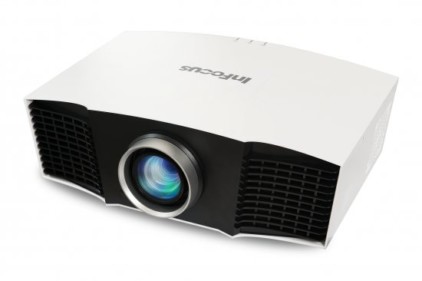
Just an FYI. InFocus has had no projector in our annual report. InFocus has exited the US market at this time, as far as home theater projectors go (concentrating on Education and Business markets), although I understand they still market at least one home theater projector elsewhere.. That may well mean that InFocus will be back selling home theater projectors in the US, sometime in the future.
Above, showing off its great blacks, a scene from Hugo, projected with the JVC DLA-X70R projector
JVC DLA-X70R projector:
Also sold by JVC's Pro group as the JVC DLA-RS55, the JVC DLA-X70R, is the "core" projector in the JVC lineup. There is the less expensive X30 (RS45) which was reviewed, and covered in the $2000 - $3500 price range class.
Then there's this JVC DLA-X70R, and there's also the DLA-X90R, which is identical to the X70R, except that the X90R's are built from the best components on the assembly line. The best lens, the best power supply, etc. You pay thousands extra for the X90R.
It can make a difference, as we saw a couple years ago, comparing the old RS25 to the RS35. You probably need a perfect room, though, and a highly critical eye, to spend thousands more for what is really the same projector with just a slightly better overall image.
The JVC DLA-X70R or simply the X70, is the black level champion. No other projector reviewed can match the black level performance, other than the X90, and the various predecessors in the JVC lineup. World class blacks and more dynamic range to the image than the competion, keep this a major contender.
3D is not a strength of the JVC X70 R. It's not quite as bright as some of the competition, and I find its crosstalk to be worse than the competition. For 2D only, however, this is a top projector, period!
Mitsubishi HC9000D projector:
Using Sony LCoS panels, we were extremely impressed with the HC9000D when it released last spring/summer. At the time it was far less expensive, and a better projector, I thought, than the Sony VPL-VW90ES, we had reviewed previously. Rather than being the last released "1st generation" 3D capable LCoS projector, it seems the Mitsubishi HC9000D, really was the first "2nd generation" LCoS, as it seemes to do some things notably better than the 1st gen JVC and Sony's, but be more similar to those company's "2nd generation" 3D projectors.
The HC9000D remains a serious projector in this price class. It's got improved competition from JVC and in particular from the Sony VPL-VW95ES, the projector most similar to it.
Brightness, not surprising from Mitsubishi, is a bit lower than the other LCoS projectors, and is, for that matter, just above average for a "Best" mode, but below average in "Brightest".
This projector belongs in a dedicated theater - it has little business in a livingroom type environment. It can be done, but it almsot certainly wouldn't be your best choice.
When it comes to black level performance, I stated it well last August, in our last report: "only the two more expensive JVCs are likely able to produce blacks that are visibly darker than the HC9000D". Well, the least expensive of those JVC's I'm talking about is about $2000 more.
3D brightness is an issue, as you would expect, since I've said all the LCoS projectors are thin on lumens when it comes to having fairly bright 3D. Remember though, we like pairing this projector with smaller screens, so at least if you match up with say a 90" diagonal screen, the 3D doesn't have to handle as much square footage as most projectors matched with larger screens.
Runco LS5 projector:
Planar purchased Runco more than a year ago. the Runco LS5 is an upgraded descendant of the Planar PD8150 we liked in previous years. It's a solid, single chip DLP projector, though at this price, it's one of very few projectors to lack a feature like CFI (motion smoothing). An excellent projector for movie watching. For sports and other HD digital content, it offers an exceptionally sharp image.
This is a movie first projector for folks who just want to enjoy. It is designed for a dedicated theater, as it produces a better than average 648 lumens calibrated in Best mode, but it doesn't get much brighter than that. Turn on their SatCo feature (dynamic - think like Brilliant Color), our Brightest mode made it to just shy of 800 lumens.
Runco projectors will be purchased by folks who want a painless experience - a well trained local dealer to do all the work, and a projector that just works well, seamlessly, and that disappears from your radar. Runco's philosophy, it seems, is that projectors should be invisible, neither adding nor subtracting from the experience.
The same Runco owner, also expects superior post sales support and service as needed. It's all part of working with a true high end company. Not for bargain hunters, but one for those who just want to watch!
Sony VPL-VW95ES projector:
The VPL-VW95ES at $6995, is thousands below last year's VW90ES, and it's a much improved projector as well!
The best thing I found about the VW95ES, is the natural look to the picture. Like the Runco, this Sony is good at being "invisible" - not seeming to add to the viewing experience. You know - just you and the movie. Not you, a movie, and a projector that seems hard looking, or noisy, or weak skin tones. Just sort of a smooth everything, from dynamic iris to skin tones. Oh, sure, crank up some of the dyanmic features and those will show through, losing some of the natural qualities, but that's true for any projector.
This Sony is an LCoS (SXRD is Sony's name for LCoS) projector, of medium large size, black finish, and feature laden. It offers Lens Memory for those wanting a "Cinemascope" shaped screen.
The Sony, seems to be the best combination this year, between black levels, natural picture quality, 3D, and brightness, in this price Class, where virtually all the projectors expect to end up in a theater or cave.
Above, from Casino Royale, taken using the Sony VPL-VW95ES.
Special Features
"Ultra-high-contrast" projectors
We cooked up this phrase about 4 years ago, when a new breed of projectors started offering better overall black level performance. I started using it to describe the projectors that, one way or another, end up with black level performance meeting a subjective standard that I have defined as: Having contrast and black level performance that is at least a step up from the rest, but most importantly:
"It describes those projectors whose black level performance is so good, that very dark scenes (and some mixed scenes) are still sufficiently good, that other factors become increasingly more important when choosing a projector."
That is, you reach a point, and might say something like: "The blacks are pretty darn good. I'd like them better still (of course). But, you know what? I would rather have a slightly sharper projector with these blacks, than a different projector this sharp, with better blacks. Or the trade-off might be color accuracy, brightness, etc. The point is, these projectors all have impressive black level performance, even if there is a good deal of difference between the best and least of them.
There are now many projectors with excellent blacks, and they start under $2000.
It gets old using this expression, but, for years, better black levels have been the "holy grail" for home theater projectors.
Of note, only the top end JVC accomplishes truly great black level performance without resorting to using dynamic irises (a topic for another time). Epson, on the other hand, relies on a dynamic iris, but delivers blacker blacks than any other projector I've seen, anywhere near its price.
Above, the Epson Home Cinema 5010 showing off its excellent black level prowess on this somewhat overexposed night train scene from Casino Royale.
The point of this non-feature, but rather, level of performance discussion, is that once you get up to these projectors, blacks are starting to get very black. What that means is that when choosing between these projectors, you may still focus on getting the best black level performance, but the incremental improvement is now less important to many, than other abilities, such as lots of brightness, especially good skin tones, easy placement, better warranty and support.
Those projectors we define as being ultra high contrast include:
Under $2000: Acer H9500BD, BenQ W6000
$2000 - $3500: All but the LG
$3500+: All projectors listed
Lens Shift
Lens shift is all about a projector's placement flexibility. Projectors with adjustable lens shift definitely provide more placement options. Since virtually everyone wants their projector setup, up high, rather than just putting it on a table, lens shift is needed to allow you to place a projector on a shelf (in the rear of your room), instead of restricting it to ceiling mounting. This is a huge plus for many owners. First, it puts the projector behind where most people sit (rather than overhead or just in from of the viewer), which helps in making the projector's fan noise less noticeable. The other advantage for most installations, is that running cabling is usually simpler, and less expensive than ceiling mounting. This is true for several reasons. In most homes, people are likely to have power readily accessible on most walls, on the other hand, most likely people will find that they don't have a power source in the ceiling. Running power to the ceiling to power the projector tends to be an additional, potentially significant expense. Further, if one has high ceilings, getting cabling, as well as power up there, becomes a lot more complicated than to a back wall.
| Closest | Furthest | Adjust | Shift Max | |
| (feet & inches) | (feet & inches) | Lens Shift | Ht. (inches) | |
| Under $2000 | ||||
| Acer H9500BD | 10 ft. 11 in. | 16 ft. 5 in. | Y | 12 in. unequal |
| BenQ W1200 | 10 ft. 2 in. | 15 ft. 7 in. | N | 16 in. |
| BenQ W6000 | 11 ft. 10 in. | 17 ft. 8 in. | Y | 0 in. |
| Epson HC8350 | 9 ft. 10 in. | 20 ft. 11 in. | Y | 22.7 in. |
| Epson HC3010 | 9 ft. 9 in. | 15 ft. 9 in. | N | 0 in. |
| Mitsubishi HC4000 | 11 ft. 1 in. | 16 ft. 5 in. | N | 16.5 in. |
| Optoma HD20 | 10 ft. 11 in. | 13 ft. 1 in. | N | 8 in. |
| Optoma HD33 | 10 ft. 11 in. | 13 ft. 1 in. | N | 7 in. |
| Panasonic PT-AR100 | 9 ft. 10 in. | 19 ft. 7 in. | Y | 32 in. |
| Viewsonic Pro8200 | 10 ft. 4 in. | 15 ft. 7 in. | N | 16.8 in. |
| Vivitek H1080FD | 10 ft. 10 in. | 13 ft. 1 in. | N | 8 in. |
| $2000 - $3500 | ||||
| BenQ W7000 | 11 ft. 10 in. | 17 ft. 8 in. | Y | 0 in. |
| Epson 5010 | 9 ft. 10 in. | 20 ft. 11 in. | Y | 22.7 in. |
| Epson 6010 | 9 ft. 10 in. | 20 ft. 11 in. | Y | 22.7 in. |
| JVC RS45 / X30 | 9 ft. 10 in. | 20 ft. 1 in. | Y | 15 in. |
| LG CF181D | 9 ft. 10 in. | 17 ft. 10 in. | Y | 10 in. |
| Mitsubishi HC7800D | 10 ft. 2 in. | 15 ft. 1 in. | Y | 6 in. |
| Panasonic PT-AE7000 | 9 ft. 11 in. | 19 ft. 9 in. | Y | varies |
| Sony VPL-HW30ES | 9 ft.9 in. | 15 ft. 9 in. | Y | 8 in. |
| Vivitek H5080 | 11 ft. 3 in. | 14 ft. 0 in. | Y | 14 in. unequal |
| $3500+ | ||||
| JVC DLA-X70R | 9 ft. 11 in. | 20 ft. 1 in. | Y | 15 in. |
| Mitsubishi HC9000D | 11 ft. 4 in. | 20 ft. 7 in. | Y | 25 in. |
| Optoma HD8300 | 10 ft. 10 in. | 16 ft. 6 in. | Y | 13 in. |
| Runco LS-5 | 12 ft. 11 in. | 16 ft. 9 in. | Y | 8 in. |
| Runco LS-7 | 13 ft. 5 in. | 17 ft. 5 in. | Y | 8 in. |
| Runco LS-10d | 13 ft. 5 in. | 17 ft. 5 in. | Y | 8 in. |
| SIM2 Nero 3D-2 | 9 ft. 11 in. (T1) | 28 ft. 5 in. (T3) | Y | 0 in. |
| Sony VW95ES | 10 ft. 1 in. | 16 ft. 4 in. | Y | 7 in. |
Another disadvantage of not having adjustable lens shift, is that without it, the projector must be mounted at exactly the right height, instead of over a wide range. As it turns out, those projectors without adjustable lens shift, are designed to be mounted above the screen top. That offset is typically about 18 inches above the top of the screen surface for a 100" screen, and more or less, depending on the screen size. In more than a few cases, people with normal or low ceiling heights (8 foot or less) find they can't use a projector with that much offset. For those going with really large screens, say over 120 inch diagonal, you may need a ceiling height of 9 feet, or more. I receive more than a few emails from folks telling me they really had their heart set on this projector or that (without lens shift), but that they couldn't mount it high enough due to ceiling height.
All projectors with lens shift have vertical lens shift, while not all have horizontal lens shift. Vertical is the important one for most. Horizontal comes into play if you can't mount the projector with the lens centered relative to the center of the screen horizontally. Thus, horizontal lens shift can be important if there is a reason the projector must be mounted slightly to either side.
Adjustable vertical lens shift means you can mount the projector over a wide range of height relative to the top of the screen. Most typically, a projector with lens shift can be placed anywhere from a couple of feet above the top of the screen, all the way down to below the bottom (talk about flexible). A few projectors have less shift range, although all, to my knowledge, can at least be mounted as high as the top of the screen. I won't get into horizontal lens shift here (it's dealt with in the various reviews). In the chart above, projectors that have lens shift have numbers indicating the lens shift range.
Home projectors without lens shift are mostly restricted to lower cost DLP projectors, and an occasional 3LCD projector.
Creative Frame Interpolation
Creative Frame Interpolation (CFI) has been a hot topic around here for the last three years. Today, about half of the projectors in this report offer CFI.
Two years ago, only four projectors in the report offered CFI. Now just about all of the new top of the line models offer it, except for the Runco LS-5, and some lower priced ones as well. The least expensive CFI equipped projectors this year, are under $2000.
Above: HDTV NFL image using the Panasonic PT-AE7000 which offers CFI
While a few people are really enamoured with the idea of CFI, I like it to a point. I think it's great for most sports, and for some other content. With most CFI implementations, I don't like the effect on standard 24 fps film based movies. At its best, it does improve sports viewing, and improve slow panning, but at its worst, it creates visible artifacts, sometimes annoying ones. For you to consider: If a projector smooths out a fast action scene, the scene can become too tame. The director knows what the scene is going to look like without CFI, but if they saw the effect of CFI, they just might say "hmm, the action now seems muted." In other words, CFI may well damage the "director's intent." Only the Panasonic, of these projectors, can do anything with a normal movie shot at 24fps on film, and there are times when it is over the top. One tendency is to make film movies look more like "live digital video" or as some call it, "the soap opera effect."
On the other hand, if your projector offers CFI, no one says you have to use it for content when you don't like the effect.
This year I've seen a couple of CFI's that are virtually free of any of the live digital video look when viewing movies. The Mitsubishi HC9000D is my take on what a great CFI looks like, for movie viewing, if one wants to smooth out 24fps.
Dynamic Iris
The magic of dynamic irises have dramatically improved the overall quality of home theater projectors. We've reached the point where most of the under $10,000 home theater projectors now have a dynamic iris to affect black level performance. Only some of the least expensive projectors and a few of the most expensive, now lack a dynamic iris. In other words, it's a pretty standard feature at this point.
Let's explore the purpose and the effect of a dynamic iris, on the projected image, and your viewing experience.
Since projectors cannot actually produce black, only very dark grays (varying based on the projector's quality), intended blacks on the screen are actually that dark gray. A problem occurs when you are looking at a very dark scene. Without bright areas to cause your iris to close a bit, those blacks start looking mighty gray. When you have a dynamic iris working, on those very dark scenes it shuts down, blocking most of the light. That makes the blacks a lot darker, but slightly brighter areas still remain pretty bright. It's a real plus. If however, your dark scene has some very bright areas, if the iris is to close down a good bit, those whites and near whites are going to get darker too. That means a bright white in an otherwise dark scene, won't be as bright as white on a normal or bright scene. The point is, you are changing the way things are supposed to be.
That's all just fine. The best thing about dynamic irises, is that they are the most effective on those really dark scenes, when you most need blacks to be blacker. On other, mostly dark scenes that have some very bright areas, the eye is drawn to the light, so the blacker blacks are less critical.
The other aspect of dynamic irises that I discuss, is the visibility of their action. If you are looking, it's not hard to spot their action. Of course they are idle - wide open, on bright and mostly bright scenes. When you get scene changes, though, from dark to light, or the other way around, the iris has to react to that - opening or closing. If they wait too long, they can be visible. In the case of one projector, after a change in scene brightness such as that, the iris takes seconds to react, then snaps open, or mostly closed very quickly. Very annoying. Some irises are relatively slow - they average out the change and can take a while perhaps even a second to complete an adjustment. That can cause a yo-yo type effect when scene brightness fades in and out every few seconds (happens a lot on movie credits like Superman, Star Wars, but in real content too.) One thing I look for in particular is when a scene consists of a conversation in a fairly dark room, say one with paneled walls. A person in a conversation, say wearing a bright shirt, who moves around while talking, may cause the iris to open and close slightly as the amount of brightness varies. That can make the scene come off looking like: you, watching a guy in a bright shirt talk - while someone off camera is playing with the light dimmer on the wall.
The viewing experience: Please keep in mind, it's my job to look into these things for you. So, while you realize that dynamic iris action can be visible, try to remember that with most of the irises on these projectors you will rarely notice their action - unless you are looking for it. I'll let you know which ones are those more likely to be bothersome. There are only a few with issues sufficient that I recommend turning the dynamic iris off.
I spend a lot of time watching movies with dynamic irises engaged. The bottom line: While there might be an occasional noticing of iris action, with most projectors, that's a small price to pay for a significant improvement in black levels.
Anamorphic Lens Support and Anamorphic Lens Emulation
First, a brief on what is an anamorphic lens, and why people are interested in it.
An anamorphic lens is a second lens, placed right in front of the projector. Its sole purpose is to stretch the image horizontally (make it wider), while leaving the vertical untouched. All home theater projectors today have 16:9 aspect ratios. That's a perfect match for HDTV content, but it is not as wide an image (relative to height) as most movies. Most movies are shot in Cinemascope - a ratio of 2.35:1 - over twice as wide as tall. When you view them on a standard home theater projector, the movie fills the screen horizontally, but leaves you with a black (ok, near black) letterbox, at the top and bottom of the screen (about 10% of the screen height for each). I'd say everyone would rather not have the letterboxing, but 99% of us get along with it just fine. Because not everything you will be watching is in Cinemascope, you still need to be able to go back to standard viewing for HDTV, movies in 16:9, and even old 4:3 (standard TV). To accomplish that, you need to move the anamorphic lens out of the way. For that reason, almost everyone going anamorphic, buys not only the lens, but a motorized sled to remove the lens from the light path when not needed.
The cost of an anamorphic lens and sled is typically $3000 - $6000 for projectors in this price range, in other words, often costs more than the projector. It also means unless you are buying one with one of the better/more expensive projectors, you are going to get a lot more bang for your buck skipping the lens, and buying a much better projector.
Our classic Gandal image from LOTR The Return of the King. The projector: BenQ W7000. (Yes, it produces this type of accurate color at over 1500 lumens!)
Of the projectors covered in this report, most do have internal support for an anamorphic lens. That means you can buy the lens, etc., and it will work. That internal support consists of the correct aspect ratio for it all to look right. Any projector without that internal support can still work with an anamorphic lens, but you'll need to buy an outboard processor, typically from $800 on up. If you really must have an anamorphic lens, buy a projector that supports one.
Projectors supporting anamorphic lenses start below $1500
Lens Memory - Anamorphic lens emulation:
Panasonic's PT-AE4000 offers support for an anamorphic lens, but it also has something else, which is the ability to "emulate" an anamorphic lens.
The PT-AE4000 doesn't need an anamorphic lens to put a Cinemascope image on a 2.35:1 screen with no letterboxing! This saves thousands of dollars, but has some trade-offs. Panasonic accomplishes this trick by allowing you (once set up) to touch a button to change the lens' zoom to fill that 2.35:1 screen. Press another button and it handles your 16:9 and 4:3 content by zooming out, so the image doesn't extend above or below your widescreen. The trick to making this work, is that you can save the two different zoom settings in a lens memory area.
The downsides are: That letterbox is still there, it's just not hitting the screen, it's above and below it. That shouldn't be a problem if your wall is dark, but if not, you will see the faint light grays, above and below the screen. Also different from using a real anamorphic lens, is that the Panasonic projector still isn't using all its resolution for the image itself. With a "real" anamorphic lens and stretch, every pixel is in use, not just the about 80% that get used for the movie in this case. As a result, you are giving up a fair amount of brightness.
All that considered, it's a really nice feature that allows you to go "Cinemascope" without the big expense. I had expected to see a couple more projectors this year, offering a similar solution to the Panasonic "Lens Memory". Of course you can do the same trick with any 1080p projector with a lot of zoom range, but it is the combination of the ability to save the settings (thus "Lens memory") that makes it convenient. I'd hate to have to get up on a ladder to change the manual zoom lens on, perhaps an Epson, or LG projector, each time I want to go from a Cinemascope movie to HDTV, or other none 2.35:1 aspect ratio content.
With the Panasonic, remember, you need the projector's zoom to stop in two different positions. That effectively cuts down the distance range you can mount the projector, by about 50%. You need to see if you can work with the more limited placement flexibility required for Lens Memory.
I've been more and more enamored with the idea. I now have a 2.35:1 Stewart Studiotek 130 in my theater. I place projectors within their range, so that I can zoom for largest image and fill my screen's width, then for HDTV or 4:3, I zoom the other way, creating a smaller image that fits vertically.
HDMI 1.4a
HDMI 1.4a is the latest and greatest standard. What is particularly important about HDMI 1.4a, is it called for if you want to run Blu-ray 3D. Older 3D capable projectors (typically 720p) can now run Blu-ray 3D by virtue of several HDMI 1.4a 3D Converter boxes - we reviewed the Viewsonic VP3D1, but the real trick is to have HDMI 1.4a capable devices.
Above, last year's Epson Home Cinema 8700UB filling a 128" diagonal 16:9 Stewart Firehawk G3 screen in a room (our old house) with moderate (but controlled) ambient light. Same brightness as the still current Epson Home Cinema 8350, around 1300 lumens
ISF, THX Certification
OK, you've got a new home theater projector and you want to get the most out of it. Some of you are hard core enthusiasts, you'll tweak your projectors constantly trying to improve the picture. Many of you will do this with end user calibration discs, some of you even own light meters (the really hard-core), but many of us, to maximize the investment, will seek out a professional to calibrate their projector and often related other gear.
Today, you see many projectors now sporting an "ISF Certified" label. ISF (Imaging Science Foundation) is an organization of professional, certified calibrators. The projectors that bear that logo, have two things. 1. Sufficient color controls to allow a professional calibrator to do their job properly, and, 2. Two additional saved setting modes, password protected, for the calibrators (ISF Day, ISF Night).
THX is a name you are well familiar with from audio. Just over a year ago, they got into the certification game as well, with their own standards of performance. The first THX certified projectors were $30,000 and up. Today, in this report, we see the under $10,000 THX certified projectors, the JVC DLA-RS25 and RS35. For even less money, the Epson Home Cinema 8500UB, and the Pro 9500UB also are THX certified. At least in the case of the RS20, there is a THX mode pre-calibrated picture mode (and while not perfect, in my opinion), that preset mode is comparable to the best examples of "out of the box" color accuracy.
The Panasonic PT-AR100U looks great doing the Oscars off of HDTV.
Is it critical that a projector be ISF certified? No, not at all, there are fully excellent projectors that aren't. In fact, the lack of ISF certification is intentional with some manufacturers. Take Epson for example: Their Home Cinema projectors (3010 and 5010) are not certified. Those projectors are sold online. To provide "extra value" for their Pro series (7500UB, 7100) which are almost identical, the Pros have ISF certification, while the Home series do not. Considering even the Home Series has 10 presets What is important, is that you realize that there are things you can do to get the most out of your projector, and one of those is to hire a calibrator, or a dealer who has or works with one.
While ISF certification pretty much guarantees a color management system for a calibrator to work with, THX certification indicates that you have a specific mode that is pre-calibrated - not the individual projector but based on the performance of the model. We hadn't seen a THX mode in any projector,, that didn't look great, and wasn't really close to the ideal 6500K grayscale, until recently. The JVC DLA-X70R projector certainly looked great in THX mode, but we did measure a slightly cool white over 7000K. No matter, as I said, it looked great, and lamp variation might be at play here.
Above the Panasonic PT-AR100 ($1199) on the left vs. the Epson Home Cinema 5010 ($2699). This dark night scene is intentionally overexposed. The ultra-high contrast Epson has far more pop to the image, with the lower cost Panasonic seeming flat by comparison.
^ Back to Top
3D Performance
There are several types of viewers: Those of us who have 3D capable projectors and really enjoy the experience any time it's done well, and not just gimmicky. Hugo, Avatar, Ultimate Wave, Revealing China...
Then there are those who are watching occasional 3D on their LCDTV's
Of those without... some have only seen 3D in the theater.
Others by looking through those nailed down glasses at some forty or so inch LCDTV at Costco, or Best Buy, or...whereever, and can't see what the fuss is about.
And those that for one reason or another have just decided 3D isn't for them - a fad, a gimmick.
Or those willing to wait and see.
When it's projector purchase time, then it's time to get off the fence and make a hard decision. There are usually three possible outcomes:
1) Buy a projector that's particularly good at 3D...reasonably bright, etc.
2) Buy a projector that has 3D, but can't deliver the "whole package." Perhaps too dim, or perhaps fairly poor color...with the idea that 2D is what you want to focus on, and a little 3D for fooling around is cool.
3) Buy a 2D only projector, or buy a 2D and 3D capable projector, knowing you'll never put on the glasses.
BTW, if you're running a family operation, those kids are probably more interested in 3D than many adults, and do remember, most new animated films are coming out in 3D, not to mention Disney seems to be dying to bring out all the old classics again, this time in 3D. And don't forget the boxed set now available in 3D: Cars, and so on.
While there can be various issues with 3D, the first thing that's important to consider is familiarity. If you see a movie or two a year in 3D, your brain - you - see it mostly as a gimmick. Perhaps a logical evolution perhaps, but your brain isn't naturally wired for 3D the way its being delivered in this case. 3D's getting pretty second natured for me now. I don't think much about it, beyond when scenes look really great.
What I'm saying is that I think a lot of people might get to watch just a couple of things in 3D, and remain very skeptical. But I suspect those that stick with it, have watched dozens of hours or more, are aclimated to it and get to enjoy it even more for not being something relatively "weird".
Crosstalk varies (DLP projectors mostly are the best), but brightness, I believe is the single main issue. I've had plenty - many folks, pass through my home theater to watch various programming in 3D, to have learned that a dim picture is the number one complaint. Oh, yes, I've had a small percentage of people who really don't like watching 3D - it bothers them, but mostly, people quickly get at least a bit comfortable with the watching of 3D.
Per those folks at the SMPTE (Society of Motion Picture and Television Engineers), the minimum brightness standard for 2D movie theaters should be 12 ft-lamberts. Don't worry about what those are, just note that they also set the minimum standard for 3D as only 2.75 ft-lamberts - less than 1/4th as bright. I suspect the low number was due to that being all the early 3D digital projectors could produce on say, a 40 foot wide cineplex screen.
Well, most people coming through here, are not happy with 2.75 ft lamberts, or even 4 or 5. I agree. I'd love to be watching 3D at 12 ft lamberts but that takes about 1454 lumens to start with based on the assumption right below.
I work with the assumption that between the technology and the glasses, only an average of about 25% of the total light hitting the screen makes it to your two retinae. Here's the numbers for a 100" 16:9 screen:
1000 lumens results in 33 ft-lamberts. (That's the top end of the recommended theater range by the SMPTE). On the other hand, if we're losing 75%, then bingo, now we're down to about 8 ft-lamberts. Keep in mind a 100" diagonal screen is on the small side of average!
In 2D, most of us have 400 to 1000 lumens (calibrated) to fill our screens, with a fresh lamp. Even with 400 lumens that's a bright enough 13+ ft-lamberts. Now, though, in 3D, it would take about 1600 lumens to do what the least bright projector can do with 400. This is why we tend to favor the few very bright 3D projectors - Mostly Epsons and the Panasonic, and a few DLP projectors.
None of the LCoS projectors so far, gets much above 1100 lumens under ideal conditions with a brand new lamp, with almost all under 1000 lumens. My math says that mostly, therefore, with a brand new lamp, they will be capable of only about 8 ft-lamberts, and have less than six after a few hundred hours of use... Not exactly blinding.
And for that reason, brightness tends to be the single biggest factor in our consideration of 3D abilities. You can compensate with high gain screens, but there are trade-offs.
Bottom line: 3D as far as I'm concerned, and more than half the folks who have watched it here, is something to behold. At its best, it can add tremendous impact to the content. Hugo is a good example. Even if the actual production qualities aren't exceptional, watching Hugo in 2D after seeing it in 3D has to be a major disappointment.
So, the free advice is: Give 3D a shot. You just might like it, and your younger kids, if you've got them, almost certainly will (if you haven't traded the kids in for the new projector).
There should be plenty of information for readers at all levels of interest, from those just looking into a projector, to hard core hobbiests. Enjoy.
NEXT: Special Features