Epson Home Cinema 710 HD Home Theater Projector Review
The Home Cinema 710 is Epson's least expensive home entertainment projector. It's list price of only $649 makes it one of the lowest cost options out there, bigger than a 50" LCDTV. When we say one of the lowest cost, we're talking about current model home theater or home entertainment projectors available in the US.
7/24/2012 - Art Feierman
|
|
![]() |
Epson Home Cinema 710 Projector Overview
I want so start off by saying that for under $650, Epson's Home Cinema 710HD projector performs rather admirably! One theme in this review will really be: If you have a room where a projector can do a respectable job, why buy some tiny 40 or 55 inch LCDTV. Folks, in this case, bigger is better! Of course as I watch movies on my own 124" diagonal screen I'm always amazed that today's kids watch movies on 3 inch smart phone displays and 7 and 10 inch tablets. I thought the idea of a 10" diagonal display being suitably large for viewing, went away about 60 years ago. I'll stick to projectors, thanks!
And if your budget is well under $1000 for your next "TV", and you agree, that 10" or 40" is just too small, then this might just be the home entertainment projector you are looking for.
Epson's Home Cinema 710HD is HD - 720p Hi-Definition. About 5 years ago, 720p was about as high a resolution as you could find in projectors. Today, the vast majority (and basically just about all over $900 projectors, except for some very old designs still around from some of the super high end projector companies), of todays home projectors are now 1080p.
After much consideration, we have awarded the Home Cinema 710HD our Special Interest Award. You'll see why as you read on.
It's true a couple to a few hundred more dollars you can buy 1080p projector. But this Epson is going to be the first projector for a great many folks, especially thanks to its rock bottom price. For a little perspective, it was just back in 2006, that I purchased a $4000+ 720p projector - the BenQ PE8720! That projector was a DLP, whereas this Epson is a 3LCD projector.
In this review, I'll be totally unimpressed with the Epson's black level performance (explained elsewhere), but I also want to point out that they aren't drastically worse than that $4000+ BenQ projector, which was one of the best home theater projectors around for the price in its day. I mention, just so you understand that much of what we take for granted now, as entry level performance, may have been cutting edge just five or six years ago, and many times as expensive as almost comparable entry level projectors. Hey! This Epson is 2.5 times as bright as that old BenQ as well!
Below you will find some highlights, and the basic specs. You can also link to more specs and the data sheet. Further down, we'll look at some of the special features of this Epson Home Cinema 710 projector.
Epson Home Cinema 710 Projector Highlights
- Extremely bright home projector
- Best for use in family rooms, living rooms, bonus rooms, basements, outdoors at night
- Dynamic iris for improved black level performance, although still entry level blacks
- Can double as a business portable projector, and has a number of business features
This Epson 710HD a "cross-over" projector, it has business projector siblings - Very low cost of operation
- Exceptionally Long life lamp (4000/5000 hours), and low cost replacements
- Impressive color for such a low cost projector, even out of the box
- HDMI input
- Excellent Two year warranty with replacement program
- MSRP and Street price around $649
Above, Leeloo (the Perfect Being), from The Fifth Element
Basic Specs for Epson Home Cinema 710
MSRP: $649, Street Price: slightly less
Native Resolution: 1080p (1920x1080)
Brightness: Manufacturer claim: 2500 lumens (2513 measured)
Contrast: 3,000:1
Zoom Lens ratio: 1.2:1 manual zoom and focus
Lens shift: None
Lamp life: 5000 hours in eco mode, 4000 hours at full power
Weight: 5.1 lbs. (2.3 Kg)
Warranty: 2 Year Parts and Labor with replacement program
View full specifications here: Epson Home Cinema 710
Epson Home Cinema 710 Special Features
Audio on Board
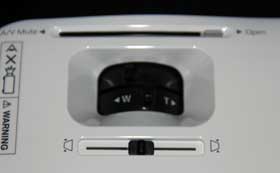
As a small, portable home entertainment projector, the HC710 has some built in sound. This may be due to its ancesteral nature coming from a line of business "cross-overs", but it does come in handy in low cost home projectors. Let's say you are planning a movie night in the back yard. It's nice to have some decent (not great - that's what expensive AV systems are for) sound, without more equipment and hassle. Basically, the built in sound can be very handy!
USB Display and Photos...
You can plug in most computers through the provided VGA (analog) input, or through HDMI. Still another way to hook up a computer, is the USB port which offers USB Display - just a cable from most newer computers to the USB, and you can project or present that way, instead of lugging much bigger, heavier cables.
And, you can also use the USB to hook the Epson 710HD projector to your digital camera or other devices to view photos, etc. Bingo, plug in, and start a slide show. Nice touch for a family room style projector.
Dynamic Iris
Yes, the Epson Home Cinema 710 has a dynamic iris to lower black levels. That said, this is an entry level 3LCD. 3LCD has a number of advantages over other technologies (DLP and LCoS), but also some disadvantages. Contrast which is a key determining factor for black level performance is one of those weaknesses. The dyanmic iris does help, but we're still very entry level in this regard. Due to the inherent DLP advantage in contrast, let's say that a competing DLP projector, even without dyanmic iris, will still have better blacks.
Of course, as I repeat through out the review, this Epson is going to spend most of its life at your house, operating in rooms where there's some ambient light, making black levels much less important.
Above, from Lord of the Rings
Home Cinema 710 Long Lamp Life
I figure anyone purchasing an under $1000 home theater projector should be concerned about overall cost of operation.
The good news is this Epson offers an exceptionally long life lamp. They claim 4000 hours at full power and up to 5000 hours in eco-mode. An Epson replacement lamp has a MSRP (List price) of $199, (part number: V13H010L67), which is far less than many lamps sell for. If you figure 2 hours per movie, even at full power (this projector is bright so many will use eco-mode), that's 2000 movies - a cost of only $.10 per movie. Hard to argue that, when many projector lamps work out to $.25 to $.50+ per movie.
Changing the lamp is easy, it's from the top, so if you have had your Epson ceiling mounted, you won't have to unmount it to change the lamp, or, for that matter, the filter, which should be replaced at the same time, or, if after cleaning the existing filter, the projector signals you to change the filter. The filter costs $15.
Cost of Operation - Electrical
Since we are talking affordability, note that this is a typical 3LCD home projector, in that it uses a 200 watt lamp. DLP projectors typically use 230 - 300 watt lamps. Over all, if it matters to you at all, LCD projectors tend to be more efficient for similar brightness abilities, and likely would draw about 20% less juice. That could add up in expensive electrical states like California that use tiers. Here, (California) residences can pay for incremental electric as much as $.40 kw, vs $.115 (a figure often used as the national average). At 40 hours a week usage at the top CA residential rate, that's almost $4.00 a week. A less efficient home projector might cost an extra $1 a week more for the same usage. On the other hand, for most residents of the US, powering this projector at full power, for 40 hours a week, probably still works out to around $1 a week. This Epson running in Eco mode uses about 2.5 times the typical 40" LCDTV. This projector, therefore, costs less to operate per "square foot of screen size" than virtually any LCDTV or Plasma.
Home Cinema 710 Projector - The Lack of 3D
The Home Cinema 710 is 2D only. If you want 3D, there are plenty of choices, including the more expensive Epson HC3010, which we consider an excellent value at about $1500 There are, however, 3D capable projectors starting mostly from above $1000.
Digital zoom
The digital zoom feature allows you to magnify any portion of the screen up to eight times, essentially at maximum magnification 1/64 of the screen area, and fill the screen. This is a portable business projector type of feature and one of the reasons I call this a crossover type of projector. You certainly can use it to zoom in close when watching those football replays to see if the ball was caught inbounds.
Color Controls
This Epson Home Cinema 710 lacks a full color management system. There's not even a Color Saturation control, although there are a fair number of color adjustments available. On the bright side, this projector is primarily for folks who just want a respectable - not a enthusiasts' or purists' quality picture, and aren't likely to own calibration equipment, or plan to spend up to half of what the projector costs to have someone calibrate it. There are several preset color modes. We will discuss Picture Quality in the Image quality page.
Home Cinema 710 Gaming Abilities
As this goes to press, the Epson Home Cinema 710 will be shipped on its way to one of our Gamer bloggers who will blog about lag times and how well this projector works for various types of gaming. Once that is posted on one of our blogs, (you can access all our blogs from our home page), a link will also be added here, directly to that blog with advice for gamers considering this projector. Look back for gaming results before mid-August (2012).
Overscan
This is a feature that allows the projector to crop the image slightly. It's used for eliminating image noise that appears around the edges (that's not uncommon with standard definition TV channels coming off of satellite or cable). It works as advertised!
HDMI Input
Interesting. There is only one -(that's ok, there are switch boxes or AV receivers). What I did notice was this, This Epson may not be allowing DC power to be pulled from the HDMI port. Mind you, if a cable needs power, (smart cable) it normally pulls it from the source end, rather than the display. The thing is, I use some super thin, super lightweight HDMI cables at times. These are from Redmere, but sold under many brand names (I believe even Monster now OEMs them). Well to get 10 foot runs on something thinner than a strand of spagetti, their cable design pulls power from the display end. I was not able to make the cable work. I've had that same problem with almost every tiny Pico projector, for the same reason. It makes a nice tech story, but otherwise, just don't buy some super thin HDMI cable. OK?