Please visit our sponsors

Epson MovieMate 25 Projector Review - Overview
4/9/2006 -Art Feierman

Overview
Image Quality
General Performance
Warranty
Summary, Pros, Cons

The Epson MovieMate 25 is the 2nd all-in-one home entertainment projector system we have reviewed. Many months ago, we reviewed Optoma's MovieTime DV10, which earned a Hot Product Award. As was the case with the Optoma, the Epson makes several compromises compared to stand alone projectors, but still manages to earn a Hot Product Award. In this case, some of the overshadowing strengths include its very simple, plug and play design, flexibility as a home entertainment system, excellent color handling (without needing adjustment), and solid construction.

Unlike the Optoma, which in some ways offers more features, but focuses on being a projector with built in speakers and DVD player, Epson has approached the MovieMate 25 as a real home entertainment system, making sure its viable to view photos, conveniently play music CD's and more.

Epson's MovieMate 25 truly is an all-in-one solution. When you open the box (rather large), you'll find not only the projector itself (a rather cubish device done in all white), that contains built in speakers and DVD player, but also, you'll find a separate powered subwoofer to enhance sound performance. Epson is currently also bundling an 80" portable, pull up screen, so you have everything you need to get started, except a DVD to play, CD, or television source. That's right, the MovieMate 25 is even designed to efficiently play your CDs.

Basic Information on the Epson MovieMate 25 projector system:

  • MSRP: $1399
  • Technology: 3 LCD Panels
  • Native Resolution: 854x480 (480p)
  • Rated Brightness: 1200 lumens
  • Aspect Ratio: 16:9
  • Contrast Ratio: 1000:1
  • Zoom Lens Ratio: 1.5:1
  • Len Shift: Vertical (50%) Horizontal (25%)
  • Lamp Life: 3000 hours
  • Weight: 15 lbs.
  • Warranty: 2 years Parts/Labor
  • DVD player: Built in, handles DVD, CD, MP3 on CD...
  • Sound system: 2 10 Watt internal speakers, 40 watt external subwoofer
  • Screen: 80" diagonal 16:9 pull-up floor screen

The MovieMate is a versatile home entertainment system, that can project movies, video games, show conventional and Hi-Def television (HDTV), or display any other sources (CD, etc.) that can output traditional composite video or S-video, including VCRs, portable DVD players and more. Resolution is not true HDTV, just like the other couple of all in one projectors, rather it is a widescreen with 854x480 resolution (EDTV), which also happens to be the same resolution as todays standard DVD players, or for that matter, most 42" plasma displays.

What the MovieMate offers, is a low cost solution, complete with sound system (with subwoofer) and screen that sells for around $1000 or slightly more, at the time of this writing, that allows you to project your favorite source to a huge size. You'd be surprised how much larger an 80" diagonal is compared to, say a 55" big screen TV, in fact it's image is over twice the square footage. And of course you can project a much larger image still, if you choose a larger screen or have a large white wall to project the image on. The Epson MovieMate 25, can easily do 100" or handle a 110" diagonal in a darkened room. (That 110" would be the size of four 55" big screen TVs!)

The kids are going to love this projector. I borrowed the old family Dreamcast game machine, and hooked it up to the MovieMate, trying out Crazy Taxi, and SoulCalibre, and it is a whole different experience on the 106" screen in my testing room. Our XBox worked really well, too, I just can't remember the title my daughter provided. That machine is normally buried in my daughter's gameroom. The MovieMate did a great job with the high speed movements in the games, which can sometimes be a problem for DLP based projectors.

Physical tour of the Epson MovieMate 25

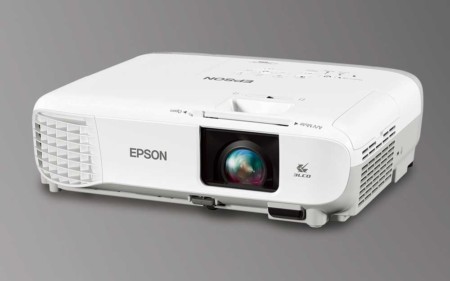
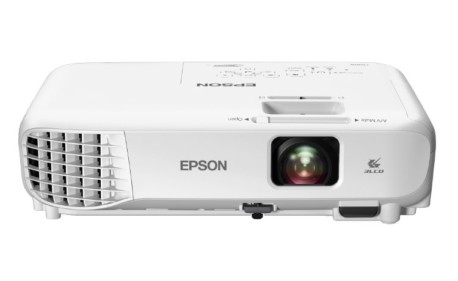
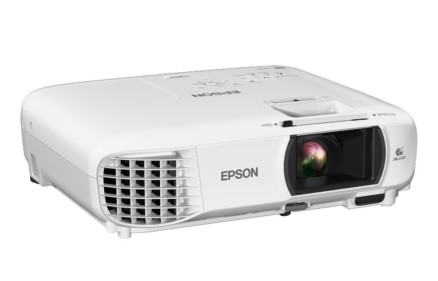
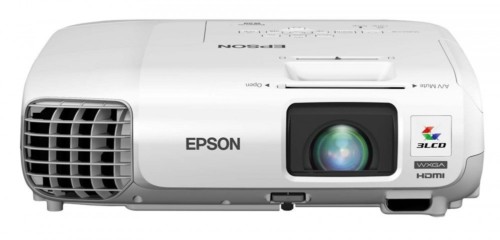
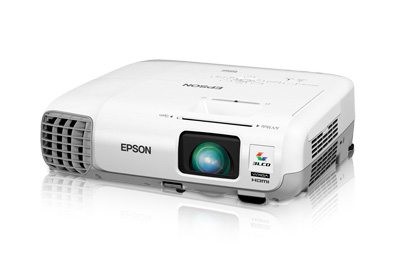
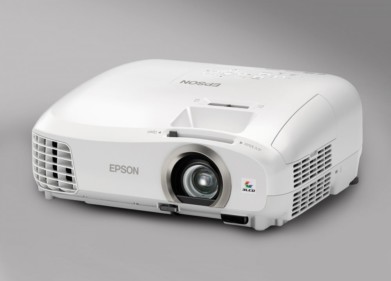
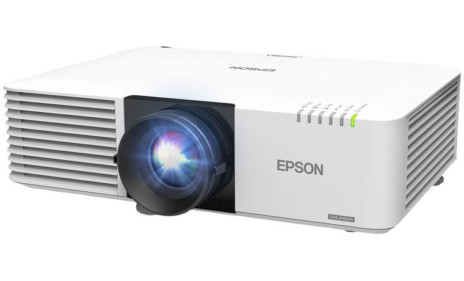
Taking the MovieMate out of it's exceptionally large box, you have two major pieces, the all-in-one MovieMate itself, and the small, powered sub-woofer. Both finished in a lacquered white. The projector is a basic cube, only not quite as tall as wide or deep. That lead another reviewer I know to refer to it as the "Revenge of the Borg", which I found quite amusing and appropriate, despite it being white, not black. In a world where many projectors are cleverly scuptured, (you may want to note the sculptured look of Epson's own Cinema series projectors, or the completely non-boxy shape of one of the MovieMate's competitors, the Optoma MovieTime DV10), the Movietime has more of the flavor of a white microwave oven. Still it has a very clean look to it (even the buttons are white) that many will find attractive, if not award winning. The subwoofer is designed to match its look. Please note, Epson recommends that the sub-woofer face rear.

Starting from the front, we immediately find that Epson has done some things a bit differently than you might expect. In addition to the recessed zoom lens, with it's 1.5:1 zoom, you'll find he powercord plug and master power switch below the lens. To the far left side (facing the projector) is the Infra-red sensor for the remote, and just to the right of it, a recessed door with the projector's inputs and outputs. Opening the door, you find that there is an S-video input, a composite video input, and a pair of audio inputs. There is also an RCA jack for subwoofer out, to connect your subwoofer. In case you want to output the sound to a bigger surround sound system that you already own, there is an digital optical output.

On the top of the projector just behind the lens are the zoom and focus rings, as well as separate lens shift controls for both vertical and horizontal.Vertical lens shift allows you to move the image up or down, without having keystone distortion, so that you can place the Epson MovieMate 25 on a table that might be slightly below the screen, near the top of the screen, or anywhere in between. In case its not convenient to place the projector so that it is straight back from the center of the screen (left to right), the horizontal lens shift will handle that equally well. As mentioned, the zoom is 1.5:1 giving you plenty of placement flexibility front to back.

On the top, toward the back, is the control panel, conisting of a row of buttons. In order (looking at the top of the projector, from the back, from the left, is the Power button, and next, the source select button. That is followed by a chapter back button (that doubles as a fast reverse, if you hold it down, the main Play/pause button, then a stop button and the chapter forward button (yes, it doubles as a fast forward if you hold it down). Next comes the volume up and down, and finally, a very interesting button, the Lamp On/Off, which I must admit is a great idea. Since projector lamps are not cheap, and the MovieMate, as noted can play CDs. By turning off the Lamp button, you can listen to the CD's without the lamp on, saving money, and making CD playing practical.

You'll notice that on the rear of the sides, wrapping around to the back are the built in speakers, with a light gray cloth covering. And that finally, brings us to the "back". That's where you find the built-in JVC DVD player. I mention the brand, only because Epsonis constantly dropping the JVC name, so I thought I'd give JVC a plug too. There is a button to open and close the DVD/CD player drawer, the door itself, and a display window (displays blue on a black background). You can control the brightness of the display, to darken it for movie watching. Also found on the back is the rear infra-red sensor for the MovieMate 25's remote control.

With the flexibility of Lens shift, Epson apparently decided that the feet on the bottom of the MovieMate 25 did not have to be adjustable.

Time to consider the MovieMate 25's image quality.

Overview
Image Quality
General Performance
Warranty
Summary, Pros, Cons


Projector Search
Projector Packages