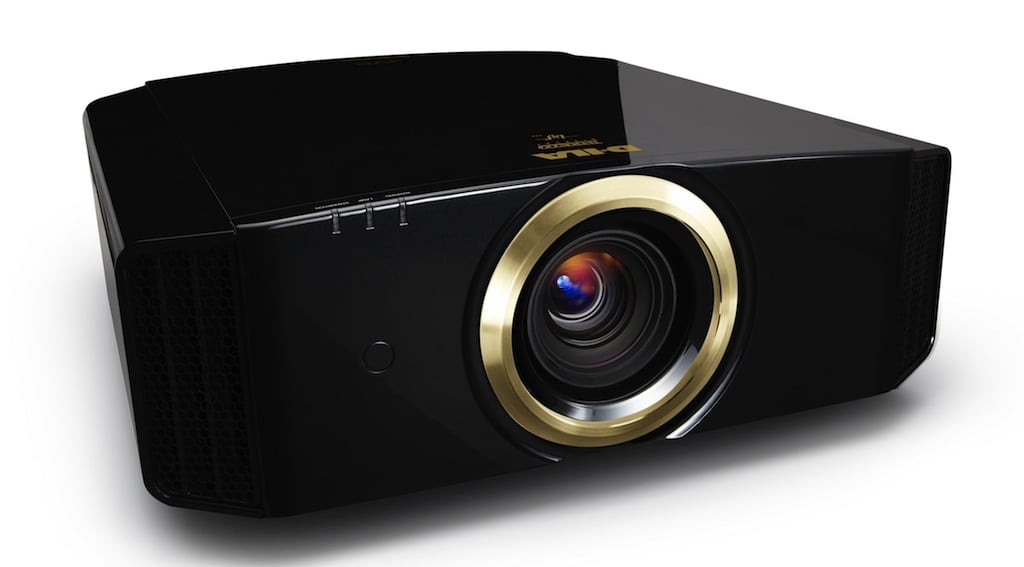
JVC DLA-RS1
Image Quality
General Performance
Warranty
Summary, Pros, Cons
Check out how the JVC DLA-RS1 fared in our comparison report.
View the RS1X vs. Epson Home Cinema 1080 UB projector comparison.
View annual winners.
I might as well ruin the suspense. As many of you know from reading my reviews, there are so many variables, potential strengths, weaknesses, special features, etc., that there is never likely to be one perfect projector better than all others, at everything.
That is especially true, if we are not looking at the ultimate high end home theater projectors with prices from $40,000 and up! With that in mind:
The JVC RS1, simply, is, overall, the best home theater projector I have seen, under $10,000. The RS1 is the sixth of the eight 1080p projectors currently shipping, that I've reviewed, but I'm also including the Epson Cinema 1080p which will be the next 1080p projector review, and which I have seen close-up. (The 8th projector is the SIM2 D80, which I hope to review in April.)
To read about the new up-and-coming JVC projectors, check out our blog.
The RS1 has a $6295 MSRP, putting it in the same general pricing range as the Optoma HD81, and BenQ W10000, but a couple thousand dollars more than the other serious LCOS 1080p projector, Sony's VW50 - the Pearl, which is $4995 MSRP, but well discounted. Unlike the other projectors, JVC does not have any authorized online resellers, but prefers to sell through traditional, "local" home theater dealers.
The RS1 projector is a three chip LCOS design. JVC has been marketing LCOS technology projectors (LCOS is a type of LCD display, LCOS standing for Liquid Crystal On Silicon. LCOS is a reflective technology, like DLP, whereas traditional LCDs are transmissive (light passes through them). JVC has been selling LCOS projectors for many years under their D-iLA trademark. Some Sony projectors, like the VW50 Pearl, and VW100 Ruby, are also LCOS, although Sony calls their version SXRD.
The JVC RS1 certainly has the best image quality of the seven 1080p projectors I have had a close look at.
Clicking on the image above will display a closeup - cropped - larger image.
That doesn't mean the RS1 is the best projector for you, there are still trade-offs, of course, but this projector is, overall, "a cut above".
I will say this up front. The RS1 has the best black levels I have ever seen on a fixed pixel projector. It still can't match the "perfect" blacks of a CRT, but is a magnitude closer than any other projector that I can think of.
I'll get into all of this in the image quality and performance sections. For now, however, here are the basic facts on the RS1.
JVC RS1 1080p Home Theater Projector: Basic Specs:
MSRP: $6995
Technology: 3 D-ILA chips (LCOS)
Native Resolution: 1080p (1920x1080)
Brightness: 700 lumens at D65
Contrast: 15,000:1
Zoom Lens ratio: 2:1
Lens shift: 80% Vertical, 34% Horizontal
Lamp life: 2000 hours
Weight: 25.5 lbs.
Warranty: 2 years Parts and Labor
Click for more complete specifications on the JVC RS1
For t he remainder of this page will we will take a look a the RS1's phsyical layout, except for the remote control, which will be covered in the General Performance section. After the physical tour, the next section will look at image quality.
JVC RS1 Physical Tour
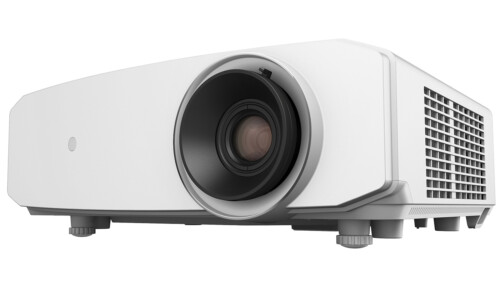
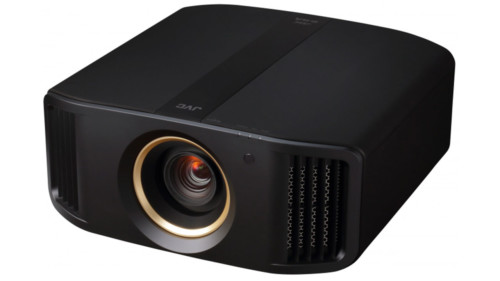
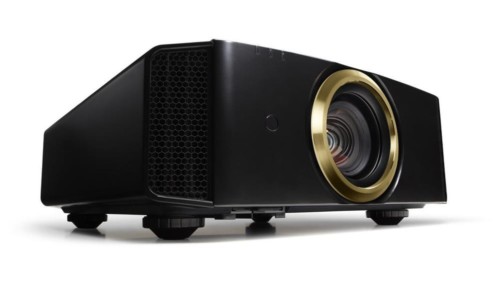
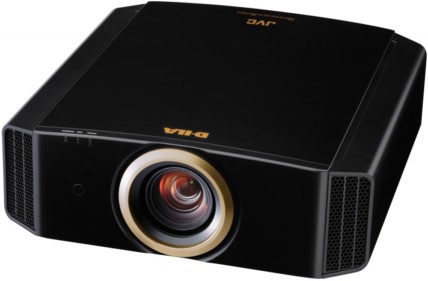
The first thing you notice, is that the RS1 is a fairly large projector, not too dissimilar in overall bulk than the Sony Pearl, or the BenQ W10000. You also notice the shiney black "piano" finish. Overall the JVC, although a "box" has clean lines and would be described as "striking" rather than "pretty" (like the InFocus IN76, or Planar 7060). I like the choice of "shiney black". I expect most people buying this projector will have a dedicated room, and probably a fairly dark ceiling or walls, for the projector to blend in nicely.
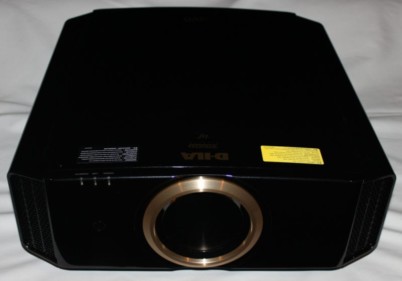
Facing the RS1, you see a center mounted, recessed zoom lens, and a small infra-red sensor just to its right. on the far left is the exhaust port, and on the far right, the intake, the exhaust port blows hot air out at an angle away from the lens.

The lens is manual, with the focus ring protruding slightly from the projector body's protectivce trim ring. There are two "levers" 180 degrees apart, for adjusting the zoom function. It is somewhat easy to knock the projector slightly out of focus while working the zoom control, however, that's a "once" type of issue, (once you have it all set, you are done), so not a big deal. To fill a 100" diagonal screen, the front of the JVC projector can be as close as 9 feet 10 inches or as far back as 19 feet 11 inches. That's slightly more than the actual 2:1 ratio claimed.
Review continues below this advertisement.
Of significant importance, and essentially invisible, because they are recessed into the bottom just below the lens, are two small rotating rings. The one on the right is a manual control for the vertical lens shift, and the one on the left, controls the horizontal lens shift. 
On the bottom front of the projector are two screw thread adjustable feet. (Two more at the back bottom).
Moving to the top of the JVC RS1, there is a vertical band about two inches wide from front to back center. Within this is the control panel, consisting of small buttons and bars
From front to back, there are three indicator lights: Warning, Lamp, and Standby/On.
Immediately after those, is the power button (bar). Once to turn on, twice to power down.
The Input button is next for source selection, followed by a video mute button that blanks the screen (labeled HIDE). Next come two buttons side by side, Menu on the left, Exit on the right, followed by the traditional 4 arrow key layout, wit a centered Enter button. And that's the control panel!
Moving to the back of the JVC RS1 projector, and its control panel.
I would say that the RS1 is pretty basic, in terms of inputs and outputs.
There are two HDMI inputs, one component video input (3 RCA jacks), and the usual S-video and composite video inputs. In addition, there is an RS-232 port for command and control from a computer, and the rear infra-red sensor.

All of this is located in a small area on the left rear. In fact things are a bit tight. For example I tried to hook up one HDMI input with an HDMI cable, and the second HDMI input with a cable with DVI connector, and adapter to HDMI on the other. The wider DVI made having both in at the same time impossible. Even the spacing between the three RCA jacks for the component cable is tight. I tried a couple of cables with big fat connectors, and they did fit, but virtually touching each other. Next time, I recommend a little more "breathing room" between connectors. There is also a screw removable door next to HDMI2, possibly for an upgrade?
I would have liked to see a 3rd HDMI input, and maybe even a 2nd component video input. Most projectors in this price range have 2 HDMI's (only the Optoma HD81 has 3 (the BenQ has one...). Some have a second component video input.
Review continues below this advertisement.
What the JVC seriously lacks, however, is a standard analog PC input. I do like to project from my laptop, and almost all home theater projectors support an analog computer input. To feed a computer input, to the RS1, will require a bit of expense, to convert the analog PC signal to HDMI.
Directly below the input panel area is the recessed power receptacle.
If you are looking at the projector from the back, there is a user cleanable filter that slides out from the right side bottom. The manual says "clean regularly" but gives no specific number of hours. For heavy users, probably once a month is a good idea, although few people clean their filters as often as they should. The lamp door for replacing the lamp is also on that side.
Most projectors recommend some clearance numbers for good ventilation. Of note, the JVC recommens 8 inches behind the projector if you are shelf mounting.
OK, time to get to the "good stuff". The JVC RS1's Image Quality is up next!
JVC DLA-RS1
Image Quality
General Performance
Warranty
Summary, Pros, Cons