Optoma HD23 Home Theater Projector Review
Check out this solid, sub-$1000 home entertainment projector. Of course you can place it in a home theater, but it is more intended for less well designed rooms. One thing that makes it interesting is how it is sold in the US.
The best I can tell, Optoma's HD23 projector in the US, is only available at Best Buy stores, and I assume, their online as well. In other words, it seems to be an exclusive deal. It's sort of a shame. It means Best Buy has a projector that many other dealers wish they too, could sell.
December 2012 - Art Feierman
|
|
![]() |
Optoma HD23 Projector Overview
The Optoma HD23 physically looks good - well more, cute. It seems more finished and has a better mechanical feel than most of the competition around its price, which is to say that many others feel a bit clunky, or flimsy. Not so the HD23.
Some folks will ceiling mount this projector, many others will set it up on a table part or full time. Some may use it in multiple locations ("Dad, can I watch with my friends in the spare room?"), including taking it outside for those evening movie or cartoon festivals.
This is a 2D projector. If you are looking for an Optoma that also supports 3D, then you'll be wanting the more expensive HD33 which we reviewed last year, and is still current. Figure about $400 - $500 more for that projector. That more expensive Optoma is also brighter in 2D, should you need more of a light canon.
The HD23 is a single chip DLP projector that's reasonably bright. That is to say, its "best mode", is well, brighter than average. Even in its brightest mode, while also brighter than average, it does not come close to some of the brightest out there. Pretty bright? Yes! Light Canon? No!
Translating that into something useful to help you make a decision, in a living room or family room (not dark walls or ceiling) running at night or with reasonably good lighting control (limited light coming in from the outside, and less hitting the screen), you should be able to have a screen 110" diagonal or even push to 120" diagonal, depending on how good. That assumes a well matched screen for the room, which is very important. You have more to spare with a 100 inch diagonal or smaller screen.
In other words, brightness wise, very respectable.
As you will read further in, in more detail, this is also a projector with impressively good picture quality.
Below, from the movie Red. (no Chinatown in NYC isn't this yellow, call it "the director's intent", a tricked out postcard look.
Next are a few highlights, the basic specs, and then few special features covered below. Then we'll look at the projector itself, then image quality, performance and more.
Optoma HD23 Projector Highlights
- Sub $1000 (tyically $999)
- Very small (compact) for those not mounting, easy to move around and set up
- Bright overall, with especially good looking brightest mode
- Color performance is good, for the class, calibrates very well
- Black level performance of a typical entry level DLP projector, which is fine for most, in a family room type environment
- 3000/4000 lamp life - Low cost of operation with a better than average lamp life, and , though an occasional competitor is even better
- Modest lens offset (works in more rooms)
- Reasonably attractive for when the lights are on.
Specs for Optoma HD23
MAP: $999 Sold through Best Buy only at this time
Technology: Single chip DLP
Native Resolution: 1080p (1920x1080)
Brightness: Manufacturer claim: 2500 lumens, 1412 measured max, 713 lumens "best" mode (calibrated User)
Contrast: 5000:1
Zoom Lens ratio: 1.2:1 Manual zoom and focus
Lens shift: None
Lamp life: 3000 hours at full power, 4000 hours in eco mode - $249 replacement cost
Weight: 6.4 lbs. (2.9 Kg)
Warranty: 1 Year Parts and Labor (3 mo. on lamp)
View full specifications: Optoma HD23
Optoma HD23 Special Features
Ok, this is a pretty entry level projector. No 3D, no CFI "smooth motion", no dynamic detail enhancement, etc. etc. etc., so we don't have a whole lot of special features. So, we'll cover some basics. But first one interesting Optoma feature called Superwide.
HD23 Superwide
Superwide is Optoma's name for their image "cropping" concept. We all know how much letterbox you get at the top and bottom when watching a typical "Cinemascope" 2.35:1 aspect ratio movie on standard HDTV devices (16:9 = 1.78:1).
This Optoma offers a compromise not too different than found on many LCDTVs, but somewhat rare on home projectors. With that movie, the Optoma will zoom in, enough to eliminate about half of the letter boxing. In exchange though, it does crop off just a very small amount on the left or right. This is generally a better idea than fully zooming so there's no letterbox, which results in a lot more cropping of the sides of the image. This works automatically if you are set for Auto.
Borrowed images from Optoma, show how Superwide works:

Above - a 2.35:1 image displayed on 16:9 screen.
Below I've added a red line (sorry, not quite straight) to indicate a partial zoom.

Finished image below! The letter box is noticeably smaller, but only a small amount has been cropped from the left and right sides. An interesting compromise! I like having the option, as will a lot of you, especially those that are used to having your LCDTVs doing some similar compensation. This will not distort the shape of objects though, like what most LCDTV stretch features offer. (I'm tired of oval shaped basketballs - you won't have that problem here, nor one of basketball players looking like dwarves from Lord of the Rings! (really wide)

Gaming with the Optoma HD23
This projector has fast lag times as is typical of most DLP projectors. One of our hard core gamer / bloggers, will get to work with the HD23, and will report back in his blog, with a review of his gaming experiences with this projector.
HD23 Lamp Life
Optoma claims 3000 hours at full power (Bright lamp), and 4000 hours in "eco-mode" (Standard). That's better than average, as there are still a number of projectors claiming 2000/3000 hours. That said, 4000/4000 and 4000/5000 hour projectors are out there. I've even seen one conventional lamp rated 6000 hours in eco-mode.
All considered, the HD23 has good lamp life and a reasonable lamp clost of $249 list. I figure Best Buy will sell the lamp for list, but since the same lamp seems to be in other Optoma projectors, when the time comes, there might be a better deal on a replacement lamp, online.
1.2:1 Zoom Lens
The HD23 is still pretty entry level in 2D, and in design. A 1.2:1 zoom lens is typical of low cost DLP projectors. The lens is manual focus and zoom. More on placement, lens offset, on the Physical Tour page. Let's just say the HD23 produces a rather sharp image for a low cost projector. If you focus it at the dead center, though, it will be a little soft in the corners. Ideally, try to get the best focus about 1/3 of the way from the center to the left or right edges. That should get you an image that seems very sharp throughout.
Image below - from the trailer for last summer's Star Trek movie:
HD23 ImageAI
Optoma's ImageAI dynamically dims the image, for better black level performance. I find that in operation it too often, at the change of a scene, tends to do a visible snap, which when it happens is usually after a significant shift in brightness from one screen to another. I find it annoying, and don't personally consider the trade-off worthwhile. I've left it off for almost all viewing. On or off, the black level performance is entry level, that's not why you are buying this projector.
Make the call yourself. If it doesn't bother you, leave it on.
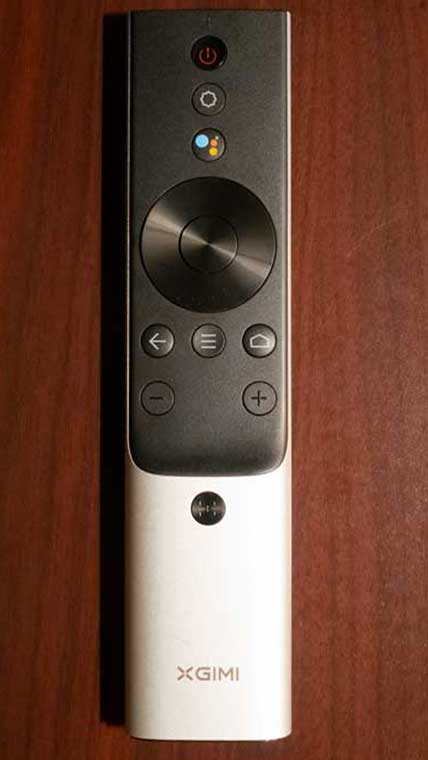
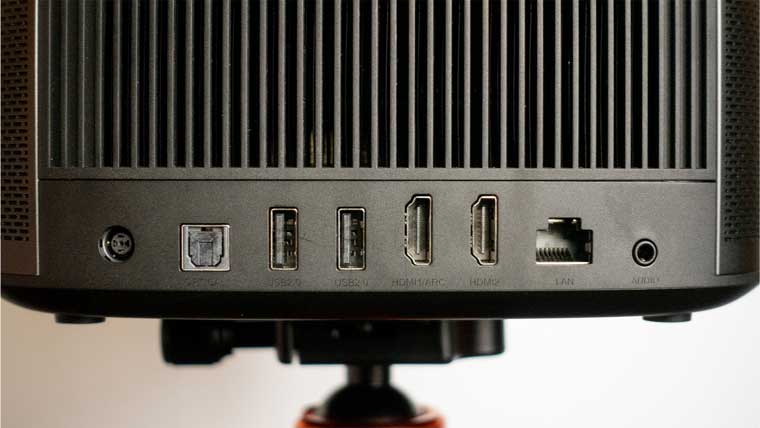
OK, how about a quick tour of the projector? We'll also check out the remote control, and most of the menus. After that, it will be time to discuss how good the picture quality is. Proceed!