O
Please Visit
Our Sponsors

Optoma HD8000 and HD80 Home Theater Projectors: HD80 Projector Overview

10-5-2007 - Art FeiermanOur Hot Product Award.

Overview
Image Quality
General Performance
Warranty
Summary, Pros, Cons

Check out how the Optoma HD80 fared in our comparison report here.

This review of the HD80, is actually based on reviewing the new HD8000 sent to me by Optoma. For purposes of this review, the performance of the two projectors should be indentical. The Optoma HD8000 projector.First things first: The HD8000 and HD80 are virtually identical projectors, but not quite. There are really only a few differences, which I will mention here, and then we can get started:

From an actual performance standpoint, the projectors are the same. The HD8000, however has two additional modes ISF Day, and ISF night, that allows professional calibrators to store the settings they create. The HD8000 sells through local (CEDIA) dealers only, and sells for more money.

This fits well with Optoma's marketing strategy. The HD80 will be widely available, including online, and most likely, also discount warehouses.

Seascape image from the Optoma HD8000 projector.

The image above, is from the BBC documentry: Planet Earth, on Blu-Ray DVD.

The HD8000 will be sold only through local CEDIA dealers, the folks in your neighborhood that not only sell the equipment, but install it, can design your room, and provide you with everything you need for a complete setup. This differs from the online type resellers, who may offer a wide range of equipment, but aren't in your backyard to do the installation, and, reality says, more typically just sell you the basics, projector, screen, cables.

Quality online resellers are typically as competent and knowledgeable as the local guys, but typically offer lower pricing, in exchange for the local hand holding they can't provide. When it comes to tech support, both types of dealers, if home theater focused, should be highly competent.

The last difference is that the HD80 sells for about $500 less than the HD8000, based on list prices.

Optoma HD80 Highlights

  • The lowest cost 1080p projector (tied) at the time of publication, and least expensive 1080p DLP model
  • Good black level performance for an entry level 1080p projector, but definitely not in the same class as most more expensive projectors
  • Limited placement flexibility, and significant lens offset, as is typical of most lower cost DLP projectors
  • Will accept an anamorphic lens for working with Cinemascope (2.35:1) shaped screens
  • Reasonably bright - 561 lumens in best mode after adjustments, 1004 lumens in brightest mode
  • Rich color saturation, and lots of depth to the image
  • $2699!

Flying Daggers image from the Optoma HD8000 projector.

The image above is captured from House of the Flying Daggers on Blu-Ray disk.

Optoma HD80 Projector: Basic Specs

MSRP: $2699 MAP: $2699
Technology: Single chip DLP front projector
Native Resolution: 1080p (1980x1080)
Brightness: 1300 lumens
Contrast: 10,000:1
Zoom Lens ratio: 1.2:1
Lens shift: None
Lamp life: 2000 hours full power, 3000 lumens eco-mode
Weight: 10 lbs. (excluding outboard processor)
Warranty: 2 years Parts and Labor, 90 days lamp warranty

Full HD80 specifications are available here.

Review continues below this advertisement.

Optoma HD80 Home Theater Projector: Physical Tour

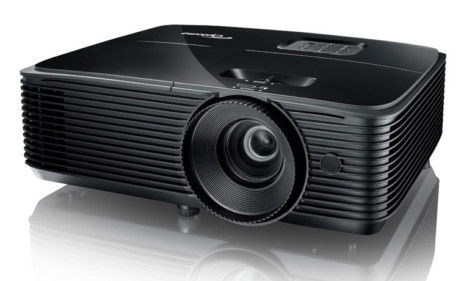
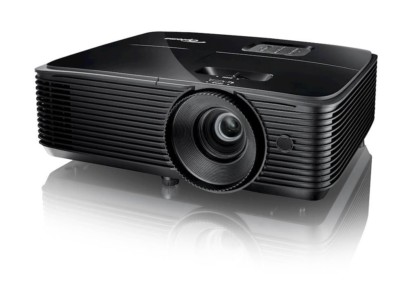
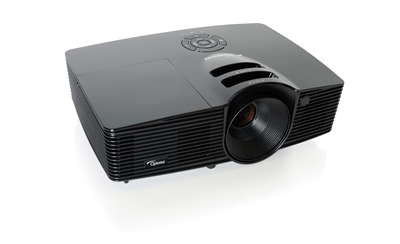
Another shot of the Optoma HD8000 projector.The HD80 projector shares the same shaped case as the other current Optoma 1080p projectors. It is reasonably small, with the lens placed on the far left (looking at the projector from the front. It offers a 1.2:1 zoom ratio, allowing some, but limited placement flexibility. There is also a front infra-red sensor for the remote control, just below the lens and closer to the center. With a 100" diagonal 16:9 screen, the front of the projector can be placed as close as 13.4 feet, and as far back as 16.1 feet. If your screen will be larger or smaller, you can figure out the distances from these numbers.
The Optoma HD80 has its control panel laid out in a straight line, on the top, along the back edge. This means that the menu keys are not laid out in the traditional diamond shape, which is unfortunate. That said, of course, you would normally be using the remote control regardless, so it's not a big deal.

The Optoma HD8000 projector control panel.

Looking from the back of the HD80, the power switch is on the far left (once for on, twice for off. Next is the Menu button, followed by the up and down arrows, then the left and right, and finally, the Enter key. The left arrow doubles as the Source select button when the menus aren't in use, and the right arrow, doubles as the re-sync button, primarily for locking on to a PC analog source.

The Optoma HD8000 projector input panel.

Moving to the back, the input panel is especially well endowed. I say this because the HD80 has three digital inputs; two HDMI inputs and a DVI. The DVI, can be used for a digital input, or as either a second component video, or as the analog input for a computer. The dedicated component video input has the usual three RCA jacks. To round things out, there's the traditional composite, and S-video inputs, an RS-232 for "command and control" by a room control system or computer, and a 12 volt "trigger" for controlling a properly equipped motorized screen.

As a typical DLP projector, the HD80 has a sealed light path, and no filters to change out

Overview
Image Quality
General Performance
Warranty
Summary, Pros, Cons