The 2010 Pico Projector and Pocket Projector Guide and Reviews

Sponsored by: DLP.com

October 2010 - Art Feierman

Update 1/2011 - Added are: Reviews of the P1 Jr. and the Optoma XP8000 external battery pack for their PK301 pico projector. Note, the 2011 Pico projector report has been moved up to June of 2011. Look for pico reviews (that will be included in the report) to start appearing in February. The 2011 Pico projector report will cover a lot more projectors, and some combo units (ie. camcorders and digital cameras with built in pico projectors.

Last year we reviewed three pico projectors and a pocket projector in our first look at these new and especially small projectors. There are a lot more pico projectors around a year later, including any number of brand X models. This year's selection of projectors for review - consists of 5 fairly different pico projectors, and one "pocket" projector.

This report has just been posted. You've waited long enough (we're behind schedule). Proofing will take a couple of days. More content about pico projectors - and pocket projectors, will be added.


The 3 Pico projectors: 3M MPro110, Optoma Pico PK101, and Aiptek V10 Plus.

Pico Projectors shown above, from left to right: Optoma PK201, LG HX-300G (bottom), Optoma PK301 (sitting on LG), 3M MP150, and AAXA L1. Not shown - (the smaller) AAXA P1 Jr., which arrived last.

The P1 Jr. review will post in about a week. The light leakage I mentioned elsewhere, seemed to be a dimmer blurred version of the image, offset a lot to the right (it is more of a blur). When I spoke with AAXA, I asked them to take a close look at the Jr. when I returned it. They checked it out, said it was a very early one (review units usually are), and that the current ones should look a lot better. I'll have a new one to check out in three days. I'll update this page shortly after, once I've made my best determination. (If the picture is significantly better, there may well be an award in it for AAXA. We shall see)!

Pico Projectors - Pocket Projectors - Overview For This Projector Guide

The goal of this guide will be to look closely at the feature sets available: The size, performance, functionality and more. Like last year, although there are more models around, there are can still be very different feature sets, most notably different resolutions, varying selection of inputs, huge brightness differences and significant quality differences between the best and worst when it comes to color handling. This year, in general though, color is better. Last year, none had anything resembling colors found on even a mediocre home entertainment projector. That has definitely changed.

Last year, we focused on three very small pico projectors, and we looked at one pocket projector, the BenQ GP1 projector - which I might note, is still a current BenQ product.

This year, by the time all the reviews are posted, we'll have 5 pico projectors reviewed, and one "pocket" projector, the LG HX300G. Sizewise the LG is huge compared to the others, but still smaller than the smallest "regular" projectors, as seen in this image. The LG may have a footprint that's very small compared to the Casio ultra thin, the white compact business projector I included for size scale, but it's by far the tallest of these projectors. In fairness, most small portables are taller than the LG - the Casio is a rare exception.

The LG's got lots of bulk (compared to the pico projectors), easily more massive than the five put together, yet the LG is still likely to be a viable portable projector where even the smallest regular projectors are just a bit too big. The big thing about the LG is its claimed 270 lumens - that's right - that's about five times the brightness of the brightest pico projectors and 25 times that of the smallest and dimmest. Of greater significance 270 lumens - and the LG's XGA resolution is enough to do a quality presentation in a small room, before a dozen people, as long is there is some reasonable lighting control. No need to fully darken the room to do a 40 or 60 inch diagonal image, as with most pico projectors.

One complaint last year - while the picos could all run on battery, if you wanted more than 12 lumens, sorry, no battery solution. The BenQ GP1 was AC powered only (like the LG). This time around, though we found some interesting picos. Most notably the Optoma PK301, which may look like a tiny traditional projector, but is perhaps the most versatile of the projectors we reviewed for this guide. I say that because the Optoma can run on battery or AC, just like the less bright picos in this review. On battery, the projector is rated 20 lumens, still almost double the average pico.

Plug it in, and the PK301 projector jumps to 50 lumens. That folks, is a game changer (50 lumens) compared to those 9 and 12 and 20 lumen smaller pico projectors.

Speaking of the average pico, we also look at this year's Optoma PK201 - the replacement for the PK101 we reviewed last year, but with more capabilities.

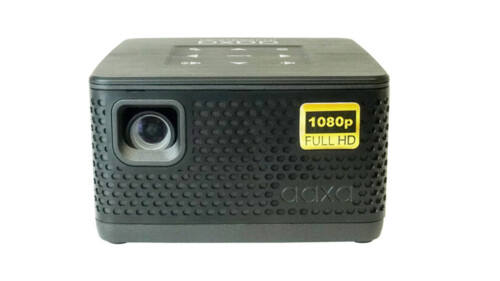
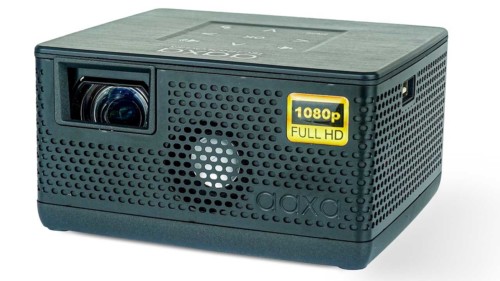
AAXA today offers a number of pico projectors - and we've brought in 2 for this review. The last one, was a last minute decision. That's their new P1 Jr. I figured with its $119 price, we had to take a look. In other words, just want one to play around with - $119 definitely is that kind of price. It's not feature loaded, but it does have a media player. More later.

The other AAXA projector Tony reviewed, is the Pico L1 projector which is one of the, if not, the first, laser light engine powered pico projector to ship. The other laser based pico that I'm aware of, is Microvision's Show WX and we waited a very long time to get one in for last year's report, but they still hadn't shipped. Apparently they are starting to ship, or have already, but my last attempt to get a unit in for review went nowhere. No review units they said. Oh well. Read Tony's take on the L1 pico projector. Betweeen price and other aspects, lasers are expensive. They offer some trade-offs, but so far, little advantage except perhaps, that you don't have to focus, but, again, they are pricey. Until I see a compelling reason, or a specialized application (perhaps projecting a sharp and very bright two inch image onto some surface), I have to consider them part expensive novelty. Not that the L1 isn't capable, but why spend the money? Laser engines may well achieve price parity with LED, then what. Tony points out in his review of the L1, that you do get that razor sharp, but sparkly, look of a laser. Interesting at first, but the novelty wears off.

Finally we look at the 3M MPro150 which is definitely a bit larger than the small Optoma and the two AAXA pico projectors. The 3M MPro 150 has one of those easy grip (think hammer grip) surfaces, and it definitely looks like it can survive a little more of a beating than any of the others.

Multimedia players abound this year as a built in feature. We're seeing some improvement in resolution, a few with HDMI inputs (we're getting serious now, I think), plus more inputs in general. I'd say generation two leaves gen 1 in the dust.

Everyone seems to have their own definition of what falls into the pico class. Certainly it's no longer having a projector small enough to fit "comfortably into your shirt pocket". Most have seemed to grow since last year. Sure, all the picos we look at here can probably be stuffed into a shirt pocket, but would ruin the pocket. The Optoma PK301 might fit, and nothing sort of a Pocket (book) is going to hold the LG and its power supply. It may be small, but, it's a large pocket projector, and it dwarfs all the pico projectors.

For our purposes, we'll define a pico projector as under 0.75 pounds (about 340 gms). Most are well less than that. On the other hand, I can see larger projectors - pocket class, getting down close to 0.75 pounds, in future generations and still be way too large to be picos. So, we have a number to work with.

Eventually, they said at the Projection Summit in 2009, that in 2012, that there could be 30 million picos sold - but the vast majority would be integrated into other devices. We shall see.

At that Projection Summit, lots of numbers were tossed about. The high numbers were in the 30 million units range for 2012. Today, though, most picos are stand alone projectors and their numbers are the tiniest fraction of "millions". On the other hand, I sure wouldn't mind a projector built into my iPhone (maybe it can double as a flash for the camera. Consider: My HD camcorder has an LED light for night illumination.) It should be interesting to see how pico projection engines get integrated into larger devices, and if they can hit those impressive sales numbers.

Pocket Projectors Overview For This Projector Guide

OK, with pico projectors being loosely defined as being under 0.75 pounds (none of these are that heavy), that makes Pocket Projectors above 0.75 pounds, but really over a pound. When someone brings out a 13 ounce Pocket projector, I'll rethink the matter. The question is, how much heavier and larger still qualifies? Bulk really is the difference, rather than weight. A few years ago, InFocus was offering an 1100 lumen projector that weighed in at only 1.9 pounds. The LG we're reviewing here, for example, actually weighs more than that old InFocus, when you count in the weight of the LG's separate power brick. Most of the new Pocket projectors are coming out at 100 lumens or more.

A touch of history. Go back a few years, to Mitsubishi's PK series, which I think of as the first pocket projectors to garner some attention.The PK20 only measured about 30 lumens (claimed 50), compared to the LG's 270 lumen claim (talk about progress). The PK20, however, could run on batteries, something almost no pocket projectors do these days.

The LG is still a size smaller than any of the smallest "traditional" projectors. The other defining quality (at least for this report), is that Pocket Projectors - (and Pico projectors) can be defined as extremely small projectors that use a solid state light source (LED or laser). That's opposed to the projectors using traditional hundred dollar+ lamps (that needs replacing). The old InFocus I mention is one of the smallest and lightest "traditional projectors." We're just starting to see solid state light sources coming to business projectors. At some point, some of those will be the smaller ones and the Pocket projectors will merge with traditional.

So, the bottom line for a Pocket Projector - for purposes of our discussion: Projector itself under 2 pounds, solid state light source, small physical footprint,

I've touched on each of the projectors, time to get more organized. Here are a list of highlights, for your consideration:


^ Back to Top

Pico Projectors: Highlights

  • About the size of a pack of cigarettes, but many different shapes, some less than 1/2 inch thick
  • Use Solid state light sources - LED or Laser - instead of a traditional projection lamp
  • Resolution of these projectors remains below that of typical business or home projectors but higher resolution, on average, than last year's pico projectors
  • Most can run 1 hour or more on their rechargeable battery, and recharge in about 4 hours or less
  • All the pico projectors we've seen have a composite video source
  • Most now have a computer input (and many with HDMI this year)
  • Multimedia players appearing on more pico projectors this year
  • Memory card slots and USB also becoming fairly common, results in lots of different devices becoming compatible
  • Picture quality - notably color - on some picos is much better than what we saw last year.
  • Pico projectors are definitely a blast, whether they are bright enough for your presentations?

Image from the Aiptek V10 Plus projector.

^ Back to Top

Pocket Projector Highlights

  • Smaller than conventional projectors
  • Brightness - far more capable than pico projectors, for presentations, and...
  • Brightness - not as bright as "full-sized" projectors, but more than capable with 100-300 lumens
  • Typically have LED lightsource - last as long as device - no replacement cost
  • Normally have a separate power brick (with some real weight)
  • Higher resolution than pico projectors
  • Most do not have internal battery, require AC
  • Can be expensive - the very bright LG HX300G has an MSRP of $799!

More Features and Facts About Pico Projectors

MSRP: $100 to $799 (Most in the $200 - $400 range)
Pico Projector Technologies: DLP or LCoS chip with LED, or laser solid state light source
Native Resolution: Varies from VGA to XGA, also wide screen models
Brightness: 8 - 60 lumens
Contrast: 1000:1 to 2000+:1
Lens: fixed - None yet, with zoom lens that I am aware of
Lens shift: None
Lamp life: 20,000 hours or more, most rated 10,000 to 30,000 hours
Weight: .3 to .75 pounds
Warranty: Typically 90 days to 1 year, parts and labor, depending on brand
Inputs: Composite video seems standard on all, one or more may feature a VGA input, USB input, and/or a card reader, more sporting HDMI this year (usually a mini-hdmi jack)
Other features found or included with on one or more pico projectors, but not all: Card slot, Media player, Color and other controls, Tripod screw thread, Speaker(s), Audio out, ability to charge battery while projector is powered on (some cannot do both at same time), optional spare battery (internal or external)
Pico Projector Usage (some or all): Presentations, Gaming, Viewing photos and videos, watching movies
iPhone Compatibility: Varies from basic (audio through headphone jack on iPhone), to viewing slideshows of photo, or viewing videos and YouTube videos. None yet, that can display the iPhone user interface (and generally project what's on the iPhone screen

Below we'll look at some of the common features we expect to find on almost all pico projectors. On the next page, we'lll get into some of the features found only on certain models

^ Back to Top

Common Pico Projector Features

Projector Lamp Life

Most of these pico projectors are claiming 20,000 or more hours on their light source. That's 40 hours a week for a decade. I don't think lamp life is an issue. If you are still using one when the light source dies a natural death, you are either stubborn, cheap, or sentimental. These light sources will dim over time, but not dramatically as conventional lamps do.

The important point is that you won't have any lamp expense during the useful life of one of these projectors.

Composite Video

So far, every pico projector I've seen has at least a composite video input. That means you can hook up any DVD player, almost any camcorder, some digital cameras, and a host of other devices. Feeding these projectors a composite video input will not provide quite as good an image compared with a VGA analog computer signal, but, hey, composite video was how we all fed our TVs cable signals, VCR signals, and even DVD signals until the last few years when component video and HDMI caught on.

Batteries

Another standard feature, most picos so far have rechargeable batteries. Typically they last about an hour per charge. As was the case last year, none of these pico projectors with rechargeable batteries, could make it through a 2 hour movie. 3M with their MP150, claims up to 2 hours - but it doesn't get there. It might make it through a kids movie, as they tend to be not a whole lot longer than an hour, but, forget your two hour plus typical movie, without a spare, or AC.

All seem to fully recharge in 3-5 hours. If you plan a lot of usage, especially watching a full length movie, you'll probably want a spare battery - if the projector you select, offers the option. One thing of interest, one projector - Optoma PK301 - offers an optional spare external battery, and is brighter with AC power or external battery, than the internal battery.

Some pico projectors cannot recharge their battery while using AC power while projecting. To recharge in that case, the projector must be turned off.

Unlike other pico projectors, Optoma's PK301 is not only brighter when plugged in, but you can get that same brightness - 50 lumens, using their external XP8000 battery pack (click for the review).

Lens related: Focus, Throw distance and Lens Offset

All pico projectors (except those with laser light sources), have a focus dial of some sort. The laser is always in focus, regardless of the size of the image.

The throw distance varies a good deal from one projector to another. The variation is almost 2:1 - that is, the longest throw (smallest image from a given distance) projectors will sit almost 2x as far from a particular sized screen, as the projector with the shortest throw.

Mounting A Pico Projector To A Tripod

Most Pico projectors seem to have a standard tripod screw thread, or some way to connect an adapter. One or two even come with tiny tripods. Those tripods actually come in very handy. If you don't use one for your new pico projector, then consider carrying it for your point and shoot camera. I always have a little bendable tripod like the one that came with AAXA's L1 projector, when I travel with a camera. On that note, the AAXA L1 has an adapter to give you the needed screw thread hole standard for tripods. The silly thing is that the adapter won't work with a most tripods using the normal quick release plate, because most don't have a screw thread long enough. This is AAXA's problem, and a better designed attachment is needed. I'll assume they read this and have that issue fixed in the next generation. (Their smaller P1 Jr., has a regular tripod screw thread,like the others - and does not need that poorly designed adapter.)

^ Back to Top

NEXT: More Features Found On Various Pico Projectors