Projector Reviews Images

soundcore Nebula X1 Pro 4K Mobile Theater Station Projector Review

Posted on March 24, 2026 by Philip Boyle
Nebula X1 Pro w award-1

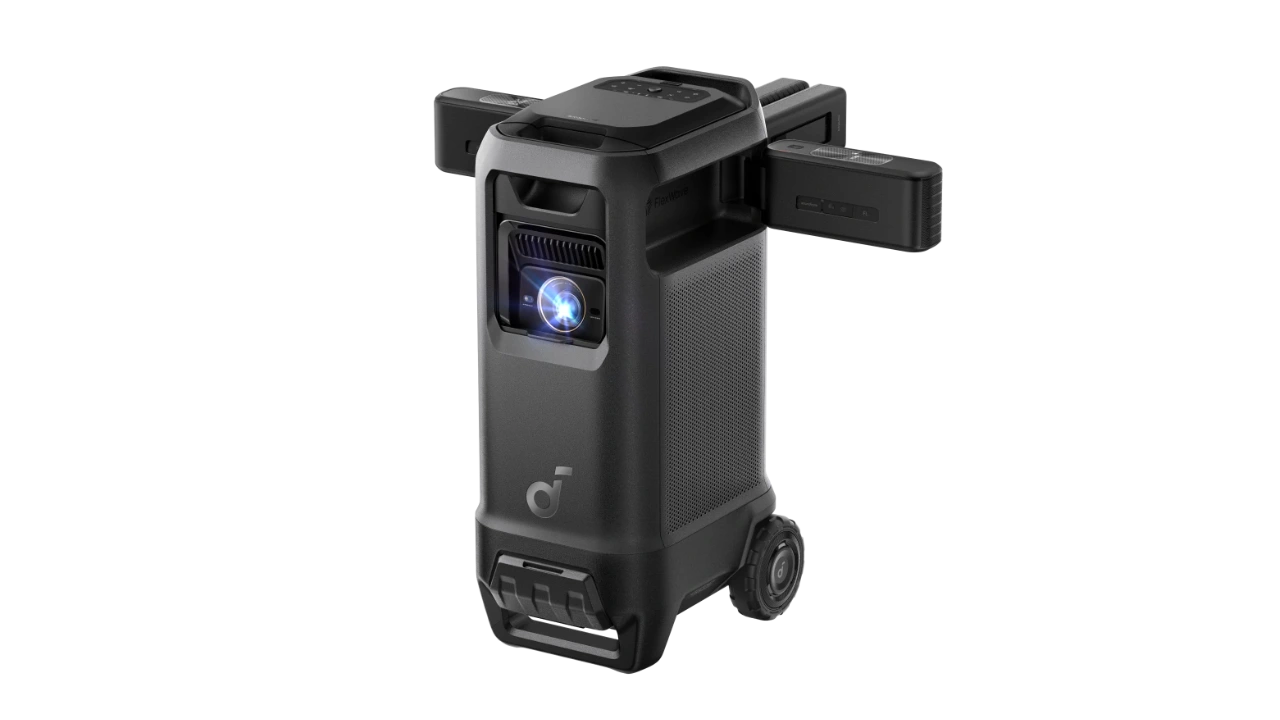
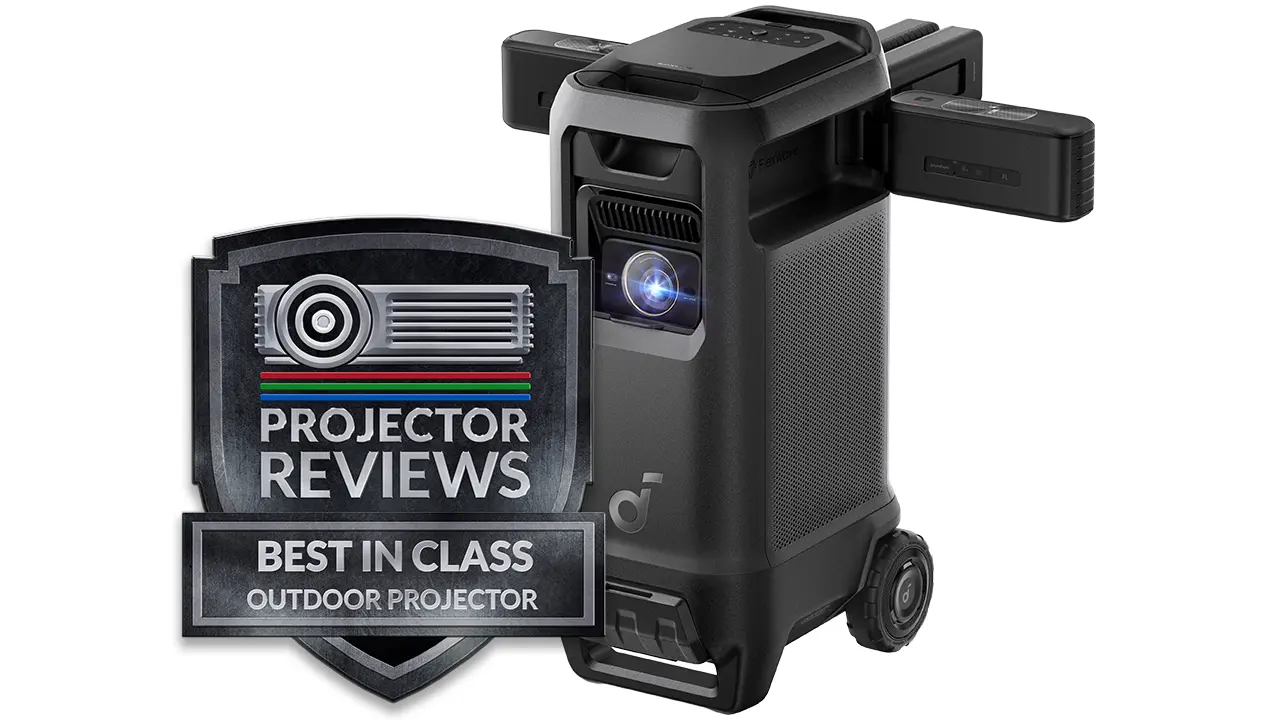
The soundcore Nebula X1 Pro 4K Mobile Theater Station is the company's latest and most ambitious portable projector solution. The X1 Pro goes way beyond simple portability and becomes a "Mobile Theater Station." The X1 Pro is a DLP-powered projector capable of displaying 4K UHD (3,840 x 2,160p) on-screen resolution.

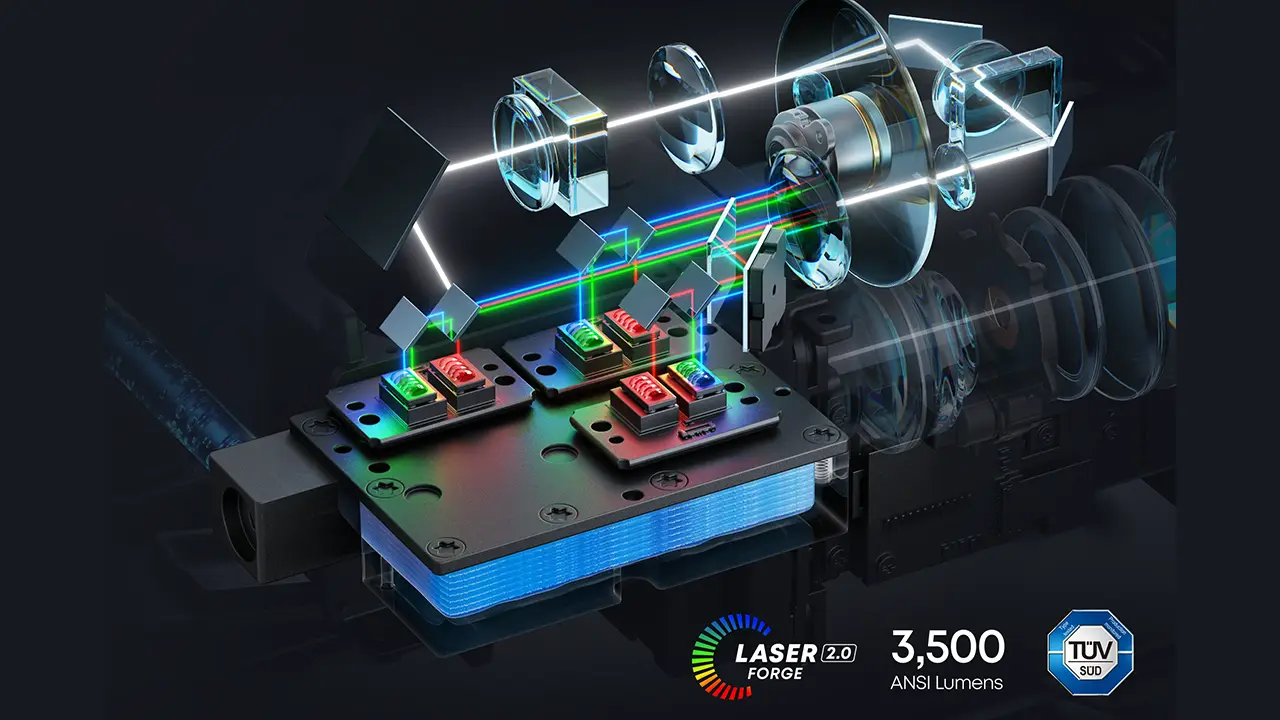
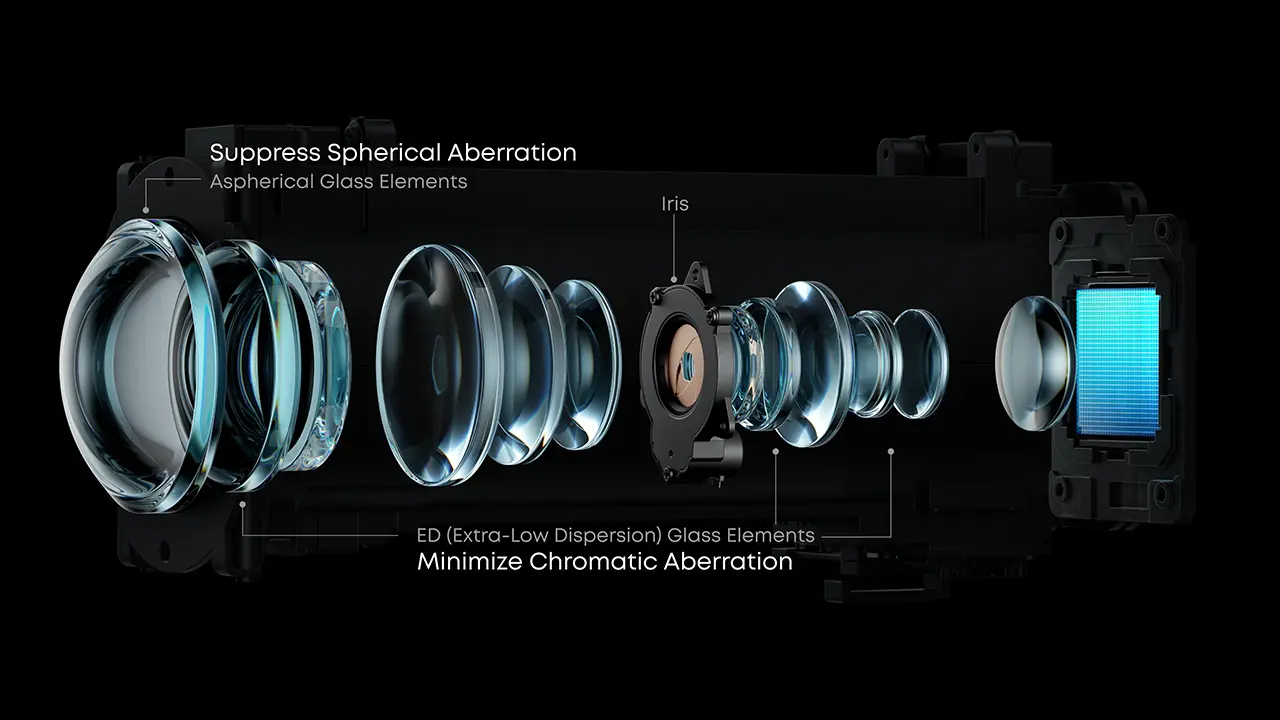
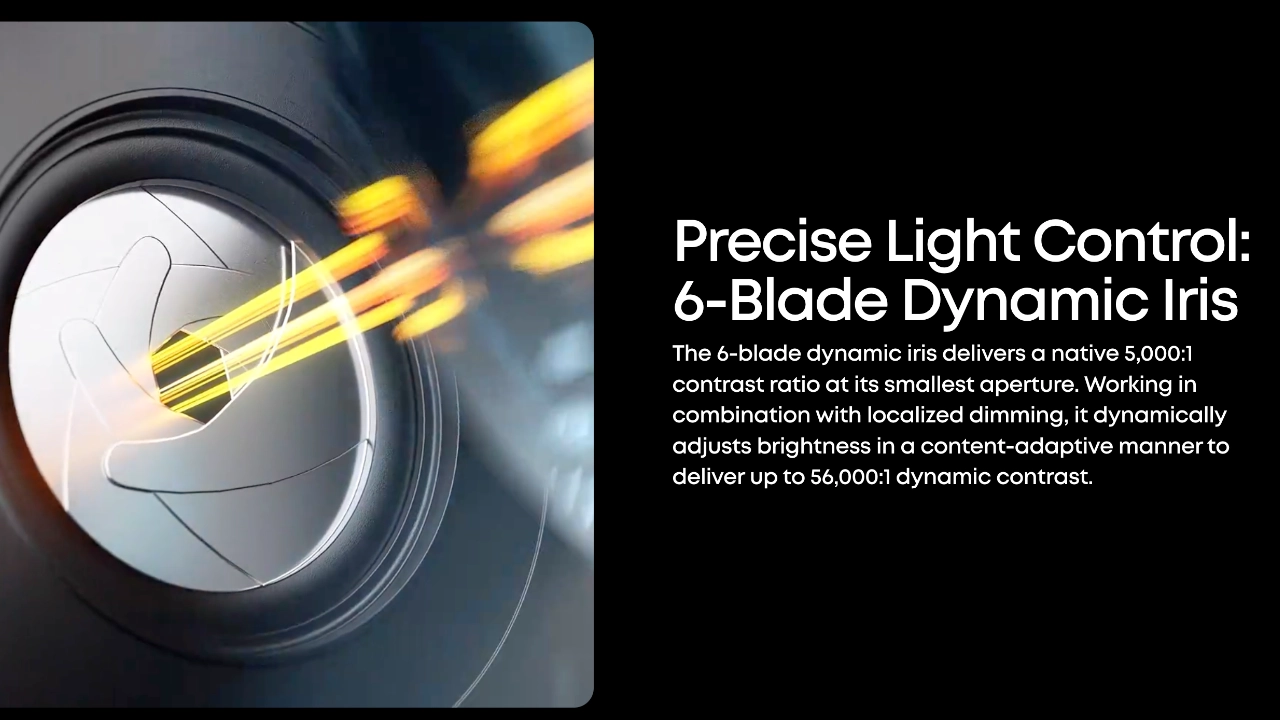
This self-contained party in a mobile chassis displays accurate colors covering 110% of the BT.2020 color space, and it is only the second soundcore smart projector to feature Nebula’s new liquid-cooled laser light source. The X1 Pro’s pure RGB laser is capable of producing a bright, 3,500-lumen image while remaining whisper-quiet, with less than =26 dB of fan noise during operation. It features a native contrast ratio of 5,000:1, which can reach up to 56,000:1 dynamically thanks to a 6-blade dynamic iris and the NebulaMaster 2.0 image engine. Nebula has also utilized a cinema-grade 14-element all-glass lens, providing edge-to-edge clarity that won't drift as the unit warms up.

The X1 Pro features the same built-in motorized micro gimbal as the original X1 (click on the link for my full review), which tilts the lens array up to 25°, making setup a breeze. The optical gimbal works in tandem with soundcore’s Intelligent Environment Adaptation (IEA) 5.0 system, which offers a one-click setup that includes real-time AUTOFOCUS, KEYSTONE CORRECTION, OBSTACLE AVOIDANCE, AUTO SCREEN FIT, and even AMBIENT LIGHT and WALL COLOR ADAPTATION.

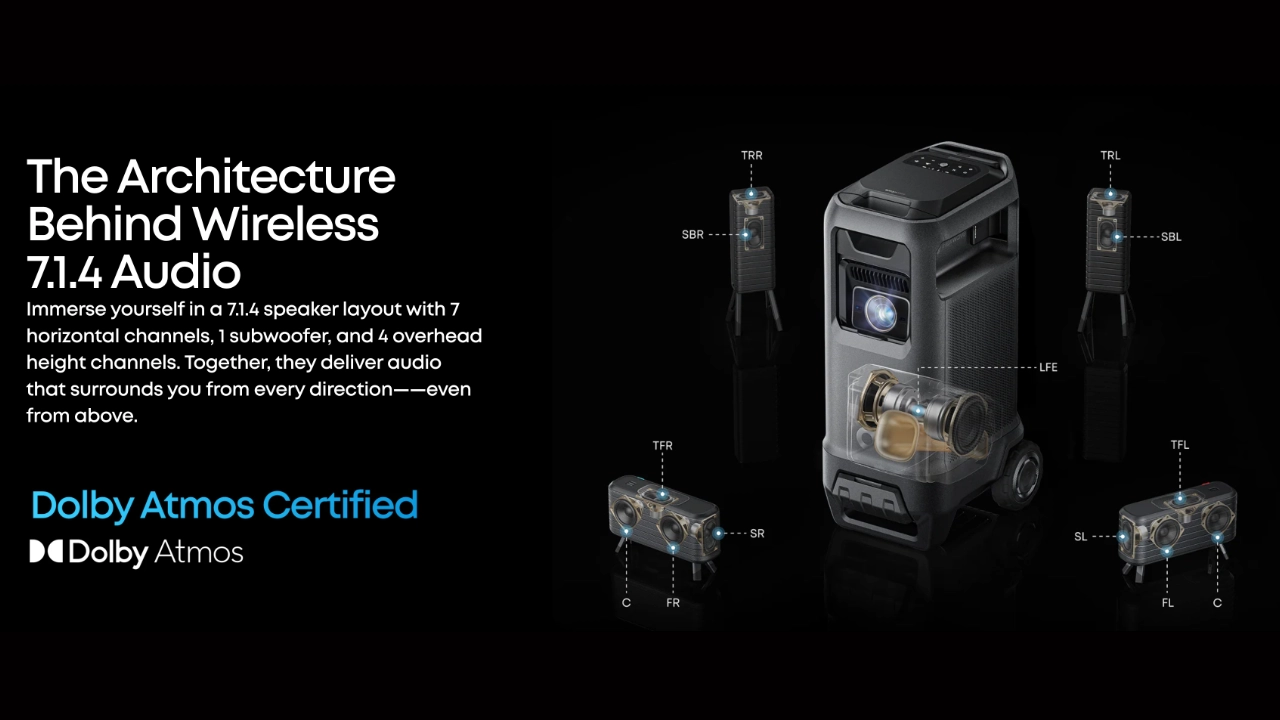
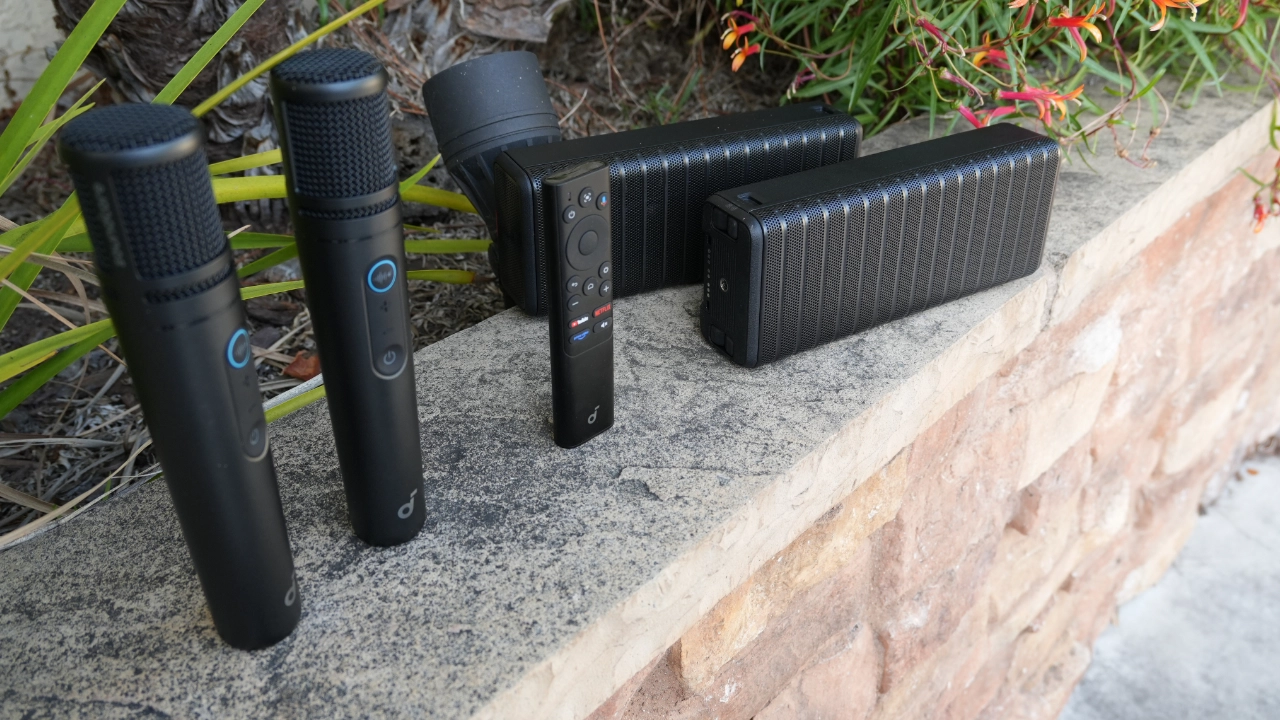
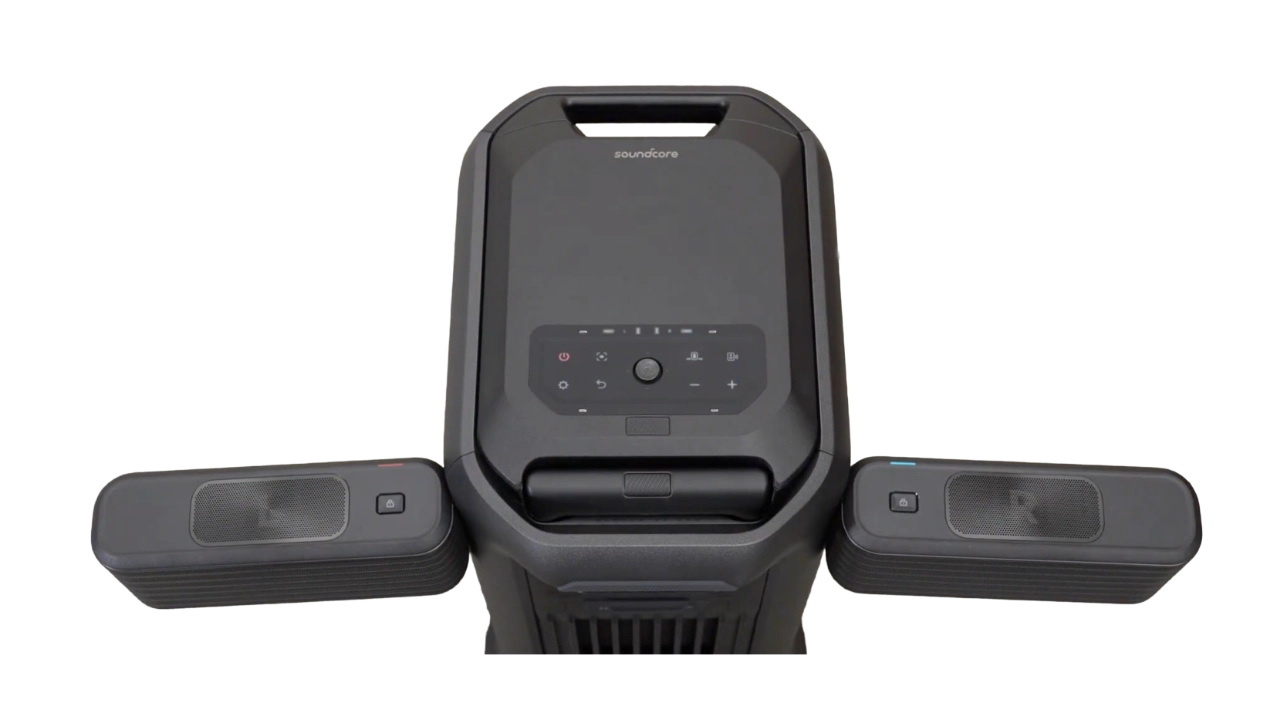
In addition to video performance, audio is another area where the X1 Pro truly differentiates itself from all competitors. The X1 Pro incorporates a massive 400-watt, 7.1.4 Dolby Atmos sound system. The unit includes four detachable wireless speakers (two front and two rear) and two 5.25-inch subwoofers built into the rolling base. All of the X1 Pro’s speakers are IP54-rated for outdoor use and offer up to 8 hours of battery life. They can be recharged via USB-C or by docking them back onto the main station.

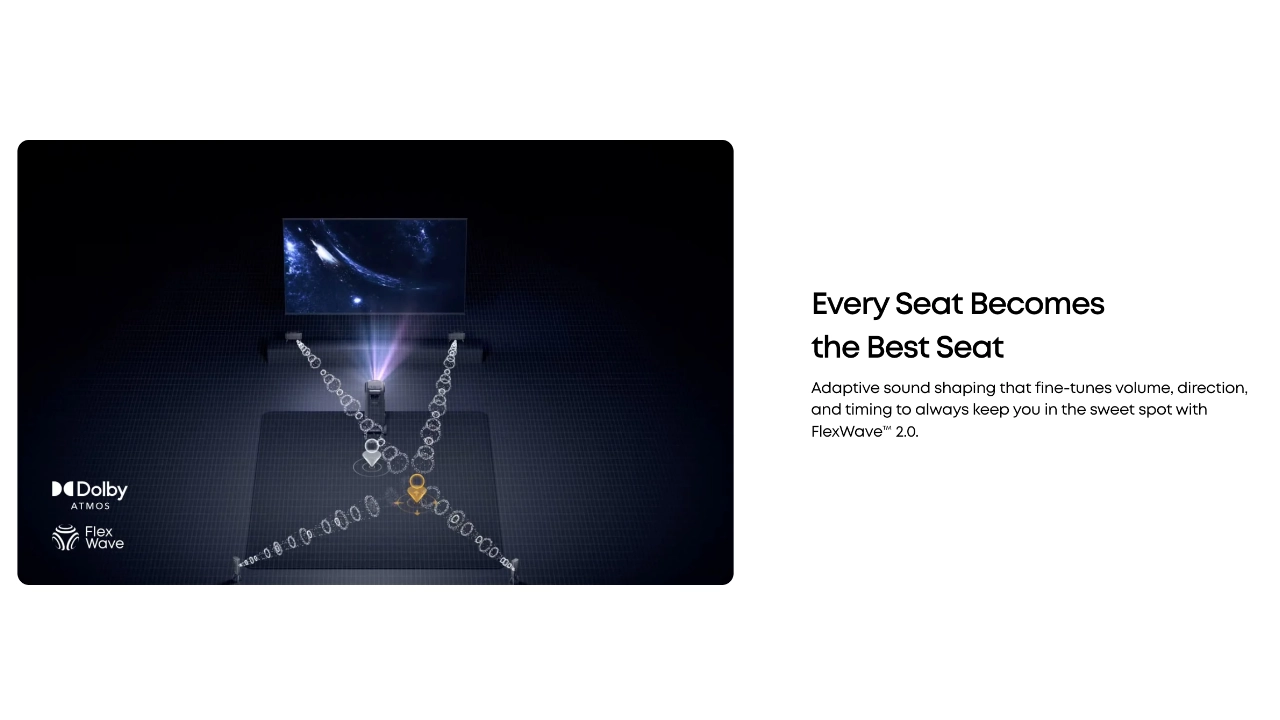
The X1 Pro’s sound system features soundcore Nebula’s FlexWave calibration technology, which uses four built-in measuring microphones to tune the projector's soundstage to your specific environment automatically. Flexwave technology ensures the "sweet spot", the place in the room where you get the maximum sound quality and surround impact, follows you.

Nebula X1 Pro
Nebula_X1Pro_Featured#1
Suggested Retail Price: $5,999
Ratings Based On Comparable Models
Color Reproduction
Brightness
Contrast
SOUND
Pros

+ Patented RGB laser light source
+ 3500 lumens with liquid cooling
+ 5000:1 native contrast ratio
+ 14-element all-glass zoom lens
+ Six-blade dynamic aperture
+ Built-in gimbal with 25-degree tilt
+ Google TV OS with native Netflix app

Cons

 - Bright Reds Were Oversaturated.
 - Some Images appear over-sharpened
 - CMS workflow is non-standard
 - Saved Geometry Not Functional
 - No built-in battery

buy now on amazon button grey - Projector Reviews - Image
If you are interested in purchasing the projector mentioned in this article, we always appreciate it if you use one of the links in the article because Projector Reviews earns a small commission on the sale at no cost to you.

Where the original X1 4K offered optional packages with wireless speakers and microphones, the new X1 Pro comes with everything you need for a successful gathering, including two wireless microphones, turning this entertainment powerhouse into a mobile PA or state-of-the-art karaoke machine. The wireless microphones even come with built-in software that lets you reduce or even remove vocal tracks from any music you play through the system. All at the touch of a button on the microphone itself.

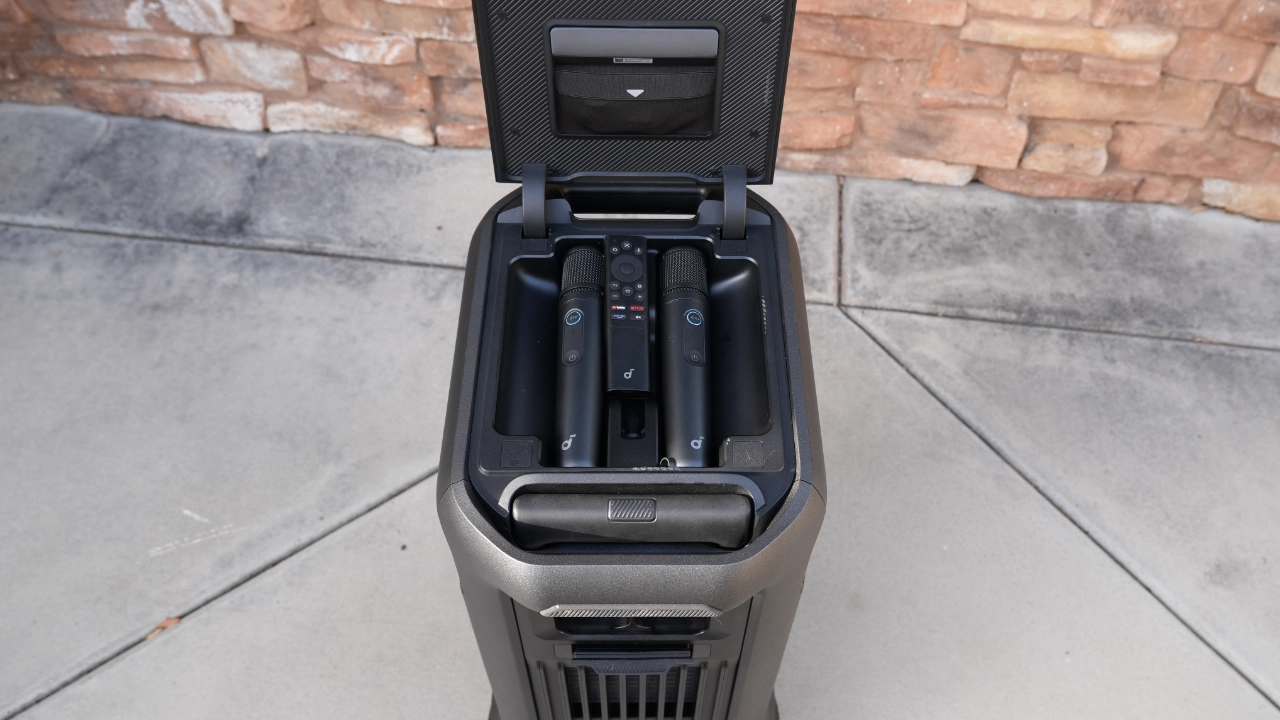
The Nebula X1 Pro is powered by the latest Google TV OS, providing native access to Netflix and over 10,000 other apps. Designed for mobility, the entire station is built into a rolling chassis with a telescopic handle and a hidden storage compartment for the remote and two included wireless karaoke microphones. The Nebula X1 Pro 4K is available at $4,999 MSRP (Core System) on nebula.com and at authorized retailers nationwide. For a limited time, soundcore is offering a bundle with the core system and an inflatable 200-inch outdoor screen for $6,999.

OVERVIEW

Nebula X1-Pro-1

The concept of the "lifestyle projector" is not new, but what we refer to today as a “lifestyle” projector is different and continues to evolve even from just a few years back. The first modern projector I recall being marketed as a “lifestyle” projector was an ultra-short-throw projector. Still, today, Lifestyle projectors tend to be front projectors that typically share a square-ish design, are SMART, and offer more advanced sound similar to a soundbar.

Lifestyle projectors have typically been defined by the trade-offs required to squeeze a wide range of technologies found in standard and ultra-short-throw designs into a more compact form factor. With the soundcore Nebula X1 Pro, the company is attempting to move past the traditional form factor of a Lifestyle projector by bypassing the limitations of the smaller chassis entirely.

The X1 Pro represents a whole new category of projector. The X1 Pro combines one of their best-performing video projectors with a high-end AV experience plus wireless karaoke via two included microphones. Soundcore is calling this new class of projector a Mobile Theater Station.

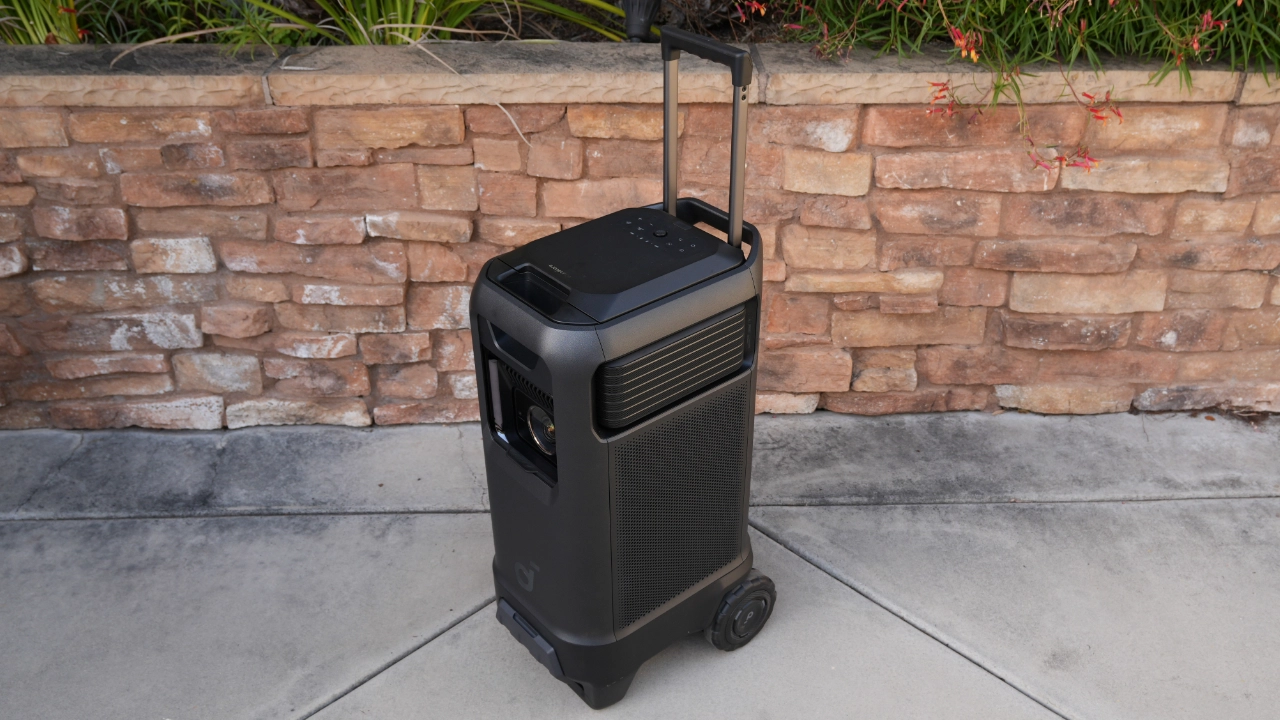
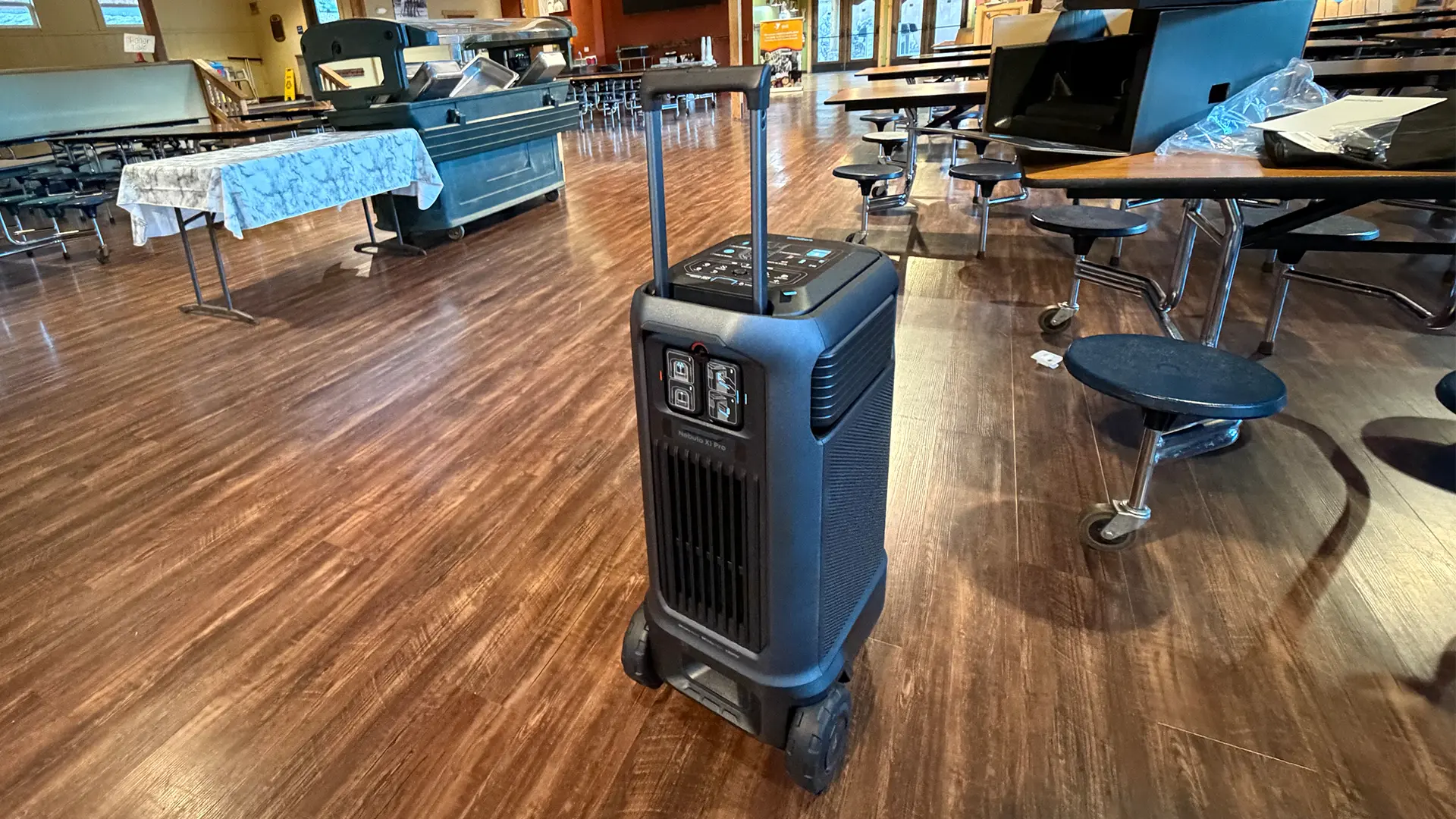
At 72 pounds, the soundcore Nebula X1 Pro isn't a device you throw in a backpack for a camping trip. It is a substantial, wheeled device that looks like the kind of PA speaker you typically see up on stands at events like concerts or weddings. This projector is designed to provide a "no-compromise" cinema experience that can be rolled from a dedicated media room to a backyard party in seconds.

The X1 Pro is very much a theater on wheels with a design that integrates everything into a rolling entertainment station with a telescopic handle and hidden storage for accessories. I think that with the X1 Pro, soundcore has created an entertainment device that has every component you need to have a great movie or music experience, from the microphones to the subwoofers, all in a single transportable device.

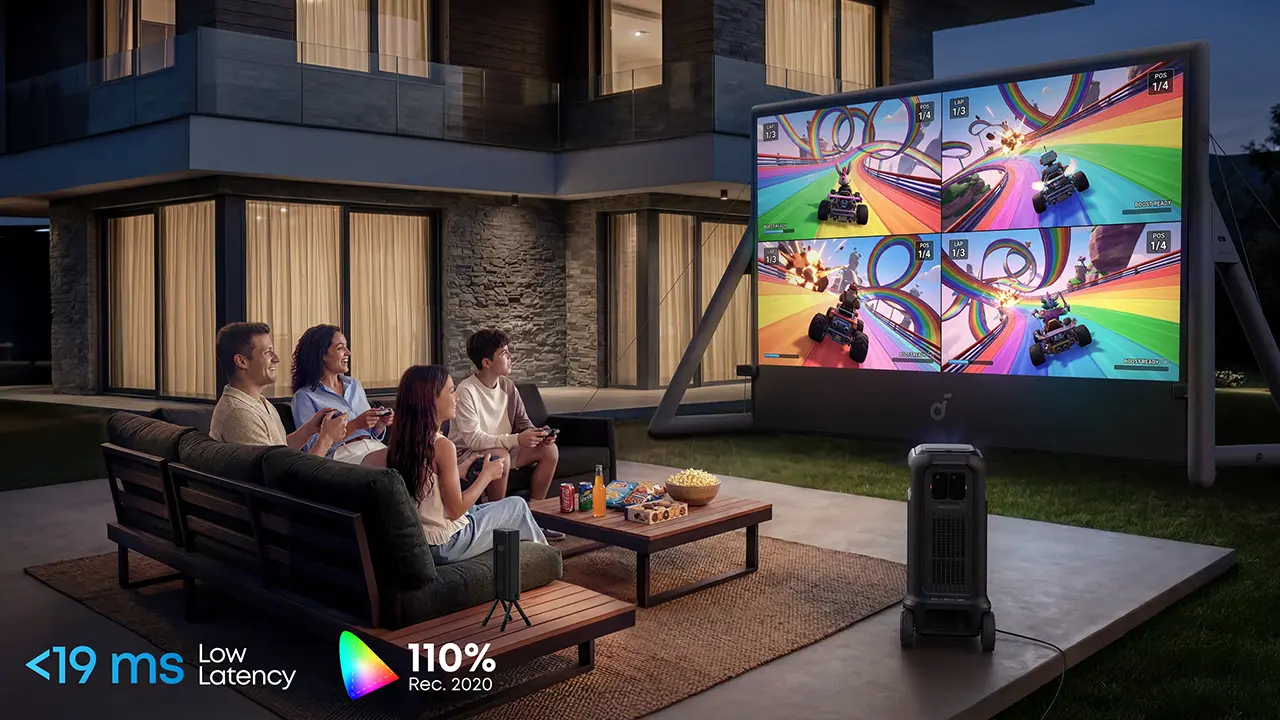
The Nebula X1 Pro's laser is bright, producing 3,500 ANSI lumens of manufacturer-rated output. The X1 Pro's 3,500 ANSI lumens of light output have more than enough power for a variety of environments, from indoor theaters to outdoor parties to backyard movie nights. It's great for on-the-go gaming, with more than enough light to fill a screen up to 300 inches in spaces with limited control over ambient light sources, and even in a living room with lots of windows. The X1 Pro’s massive 3,500 ANSI lumens of brightness means I don’t even need to use the projector's super-bright, super-blue CONFERENCE mode to get a watchable picture in a badly lit space.

  • Nebula X1 Pro Tri laser
  • Nebula X1 Pro Lens
  • Nebula_X1_Pro_DynIris

Soundcore has added a 6-blade dynamic iris and a proprietary contrast algorithm, giving the X1 Pro a very high native contrast of 5,000:1. The projector's patented RGB laser light source, called Laser Forge 2.0, can reproduce up to 110% of the Rec. 2020 color space with a Delta E (ΔE) of less than 0.8%. When the X1 Pro’s dynamic iris and high-brightness RGB laser are combined, the projector can effectively balance brightness and shadow depth in real time. The X1 Pro Pro is even factory-calibrated to meet the very strict ISF standards.

Nebula achieves this level of performance by employing several different technologies. The X1 Pro is the company's second projector to use Nebula’s patented U-shaped laser optical path, delivering brighter visuals and richer colors. This innovative design ensures an exceptional viewing experience with enhanced clarity and sharpness.

The X1 Pro uses double-pass light diffusion (DPLD), sending the laser's light through the color phosphor wheel twice before it’s projected onto the screen. Diffusing the light twice with a single-color filter enables the X1 Pro to achieve over 90% uniformity in both color and brightness, resulting in natural, true-to-life visuals.

Nebula X1 Pro Liquid Cooled-1

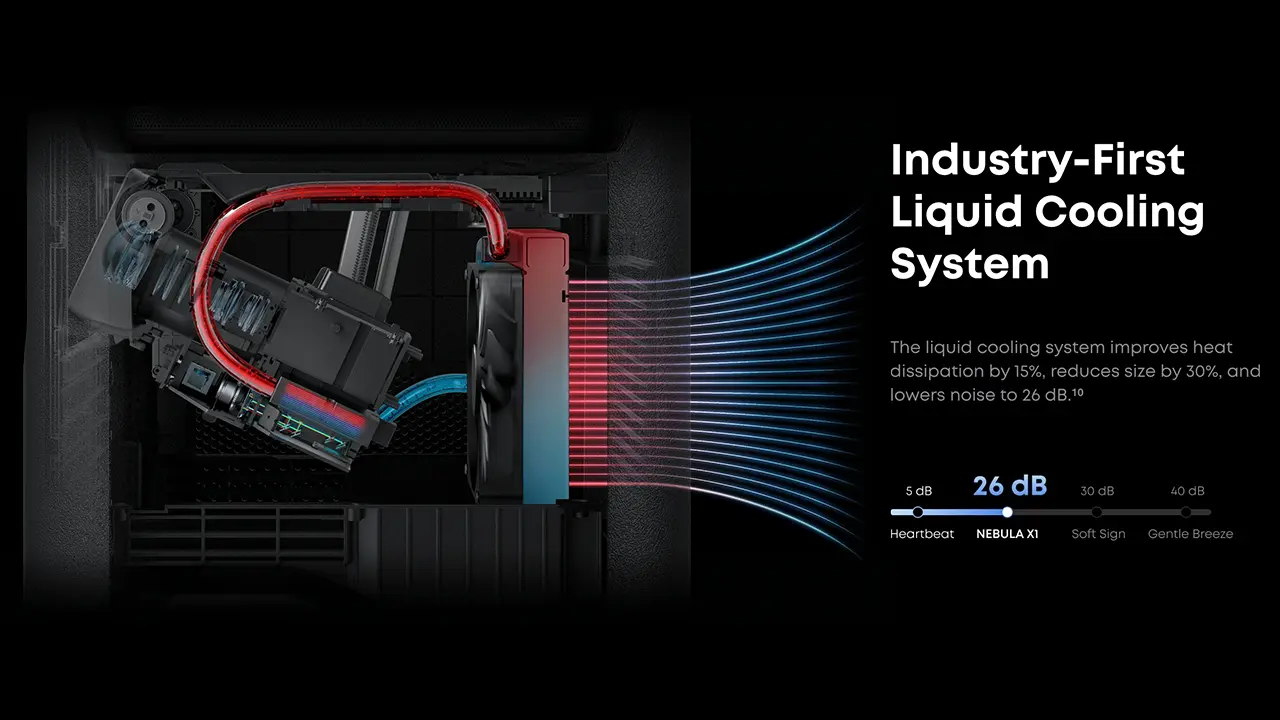
Nebula's engineers have developed an industry-first internal liquid cooling system for a home entertainment projector, similar to those found in high-end gaming desktop computers. The liquid cooling system improves heat dissipation by 30%, reduces the projector's size by 30%, and lowers noise levels to 26 dB, ensuring optimal performance, quieter operation, and a more compact design for long-lasting, reliable use.

This liquid-cooling system, combined with a single, large rear fan, enhances heat dissipation and doesn’t rely solely on fans, resulting in a system that generates only 26 dB of noise (at 1 meter), equivalent to a whisper. For reference, 26 dB is less than the typical ambient noise level of a living room.

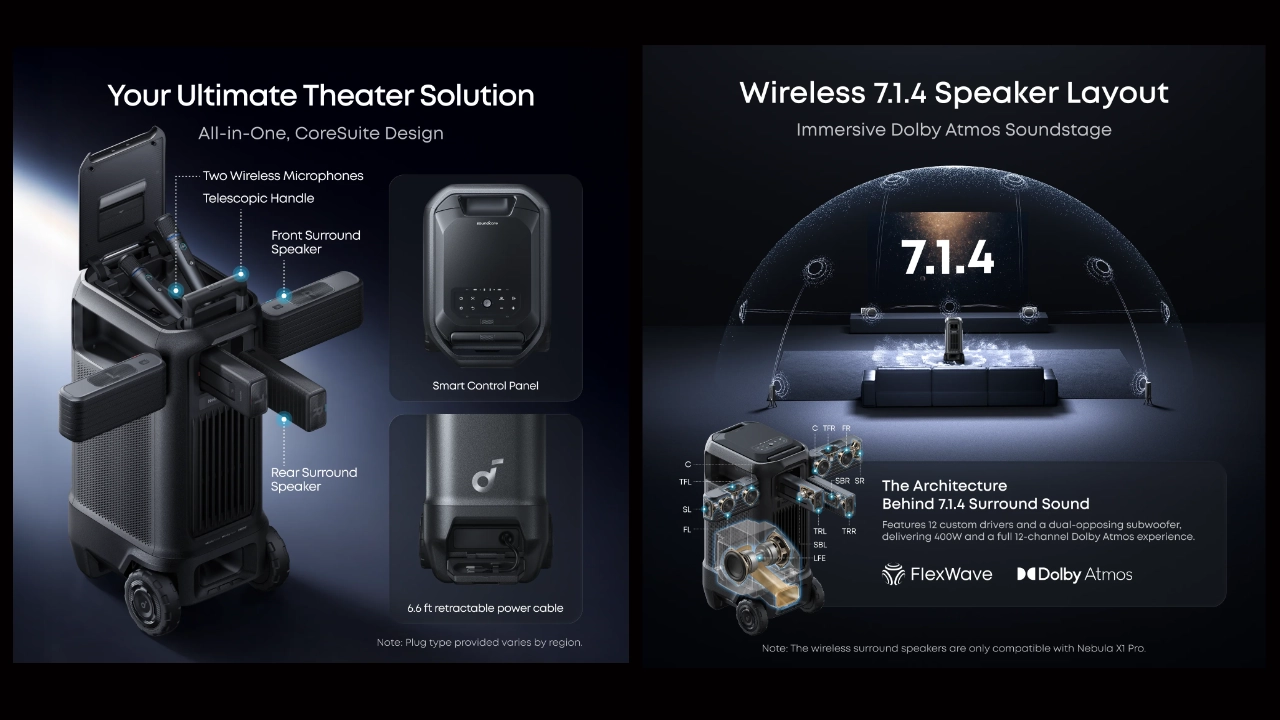
The soundcore Nebula X1 Pro features a massive 400-watt, 7.1.4 Dolby Atmos concert system. While most "smart" projectors include a basic 10 or 20-watt amplifier, the X1 Pro features a massive 400-watt audio array that is more akin to a concert PA than an entertainment system. Nebula includes four detachable, wireless satellite speakers and dual (internal) 5.25-inch subwoofers that provide genuine bass that, when combined with the wireless rear-channel effects, creates a 360-degree soundstage that is perfect for movies and music playback like you've never experienced from any other projector and maybe not even from a mobile DJ.

Nebula_X1_Pro_Marketing#2

And speaking of mobile DJs, one of the more unique additions to the X1 Pro is the inclusion of two wireless microphones, which are tucked away in a storage compartment right on top of the projector. While these were optional add-ons for the standard Nebula X1, they come built-in with the X1 Pro. The wireless microphones work great for addressing the crowd, but they also power a pretty robust karaoke ecosystem.

The wireless microphones let you fill a room for sure, but also include an AI-driven vocal removal tool that effectively eliminates vocals from almost any song on apps like YouTube, Spotify, and many others. Soundcore has added one-touch reverb to add echo, making your performance sound professional. For anyone who hosts backyard parties or family gatherings, having professional-grade mics with low latency and 40-hour battery life ready to go at a moment's notice is a pretty powerful feature.

Nebula_Capsule3_GoogleTV#1 - Projector Reviews - Image

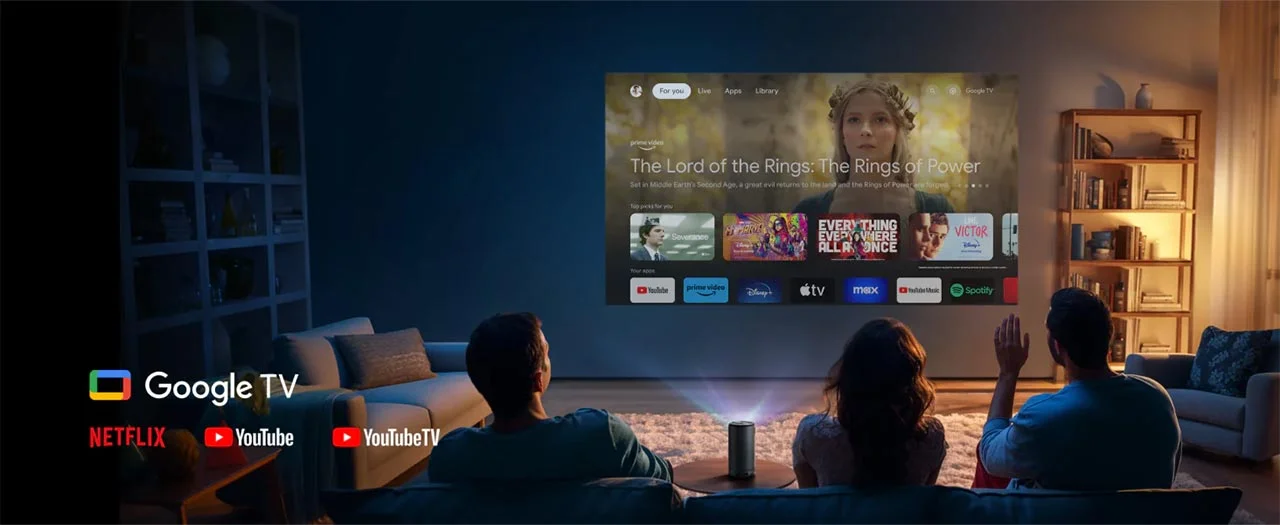
The Nebula X1 Pro runs Google TV OS, which offers significant advantages over other smart projector operating systems. For anyone who has used an Android device, Google TV provides a very familiar and robust smart OS experience, offering access to over 10,000 applications via the Google Play Store. Also, Google TV delivers seamless access to a vast library of streaming services, apps, and more.

A key benefit of Google TV on this projector is that it delivers a fully supported Netflix experience, with all the latest features and high-quality streaming. The X1 Pro does not need to sideload apps or use workarounds. With the official Netflix app, you can watch your favorite movies and shows with reliable performance, right out of the box. The integration of Google TV also adds features such as built-in Chromecast and Google Assistant, further enhancing the smart capabilities and convenience of your Nebula projector.

Nebula_X1_Pro_ScreenCombo

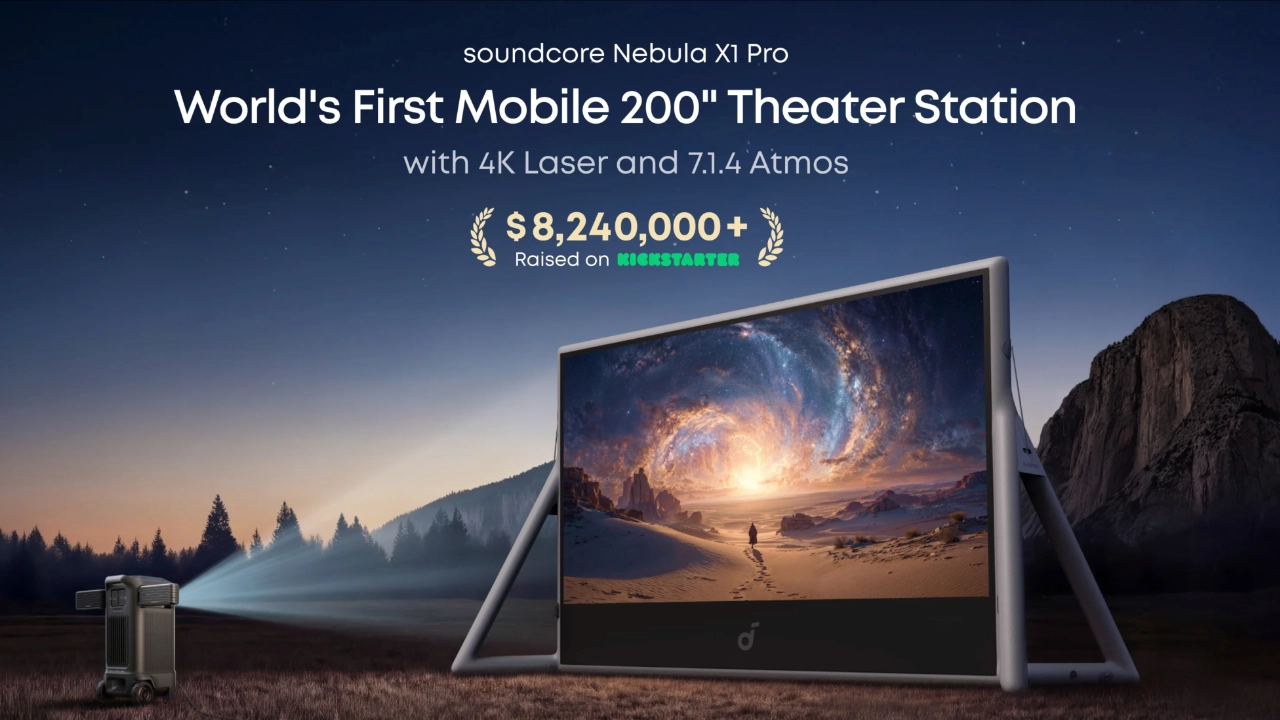
At a suggested retail price of $4,999 (Projector), the X1 Pro is a statement piece. It’s for the user who wants the "biggest and best" portable theater solution that can quickly set up nearly anywhere with minimal effort.  As of the writing of this review, Soundcore is also offering a bundle featuring the company's brand-new 200-inch mobile projector screen for $6,998. 

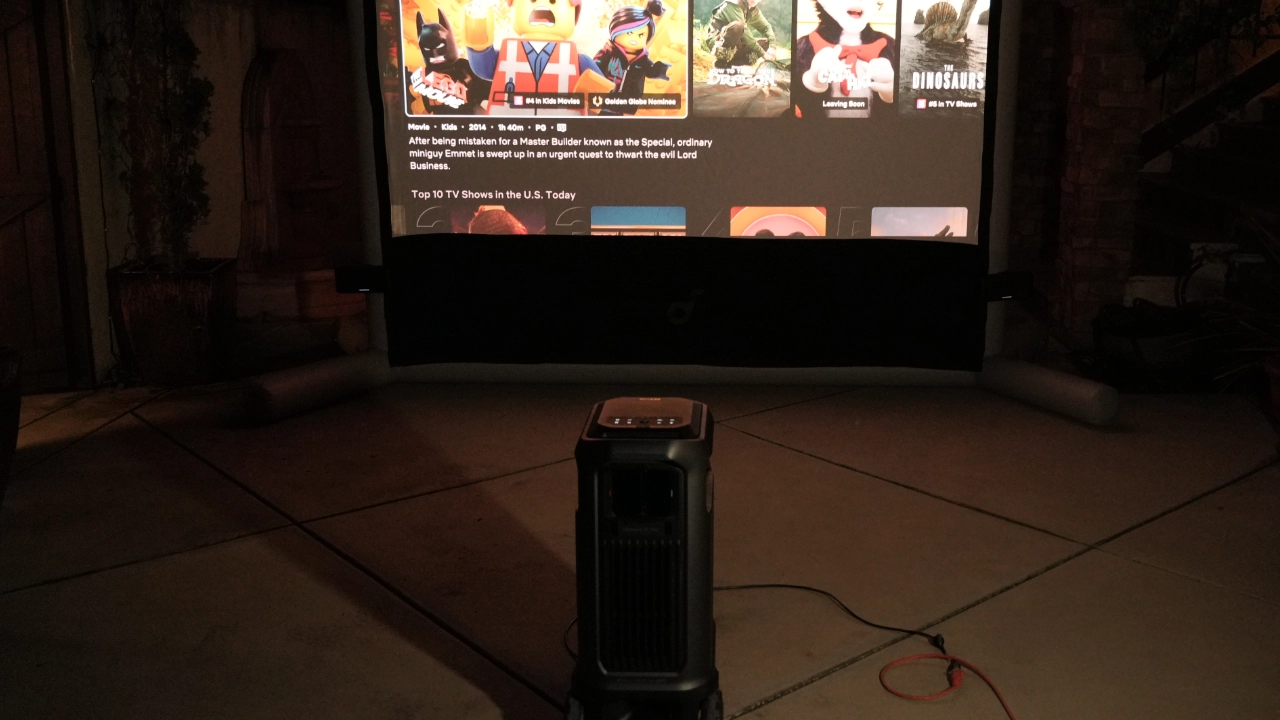
Soundcore has done a fantastic job of designing an attractive, high-quality inflatable screen. Since the 200" screen would fit Philip Jones' courtyard, Soundcore provided us with a 120" version. The screen is noticeably better than most other outdoor inflatable screens that I have tested. For quick setup and teardown, the screen is packaged with a rechargeable electric inflator/deflator.

Assembling the screen took 5 minutes, and the picture quality was excellent. Once the screen was inflated, the surface was taut and wrinkle-free. When the projector and screen are broken down, everything packs into two cases which can be easily transported from location to location.

HARDWARE

CHASSIS

  • Nebula_X1_Pro_PJBProdShot#2
  • Nebula_X1_Pro_PJBProdShot#3
  • Nebula_X1_Pro_PJBProdShot#4
  • Nebula_X1_Pro_PJBProdShot#7
  • Nebula_X1_Pro_PJBProdShot#8
  • Nebula_X1_Pro_PJBProdShot#10

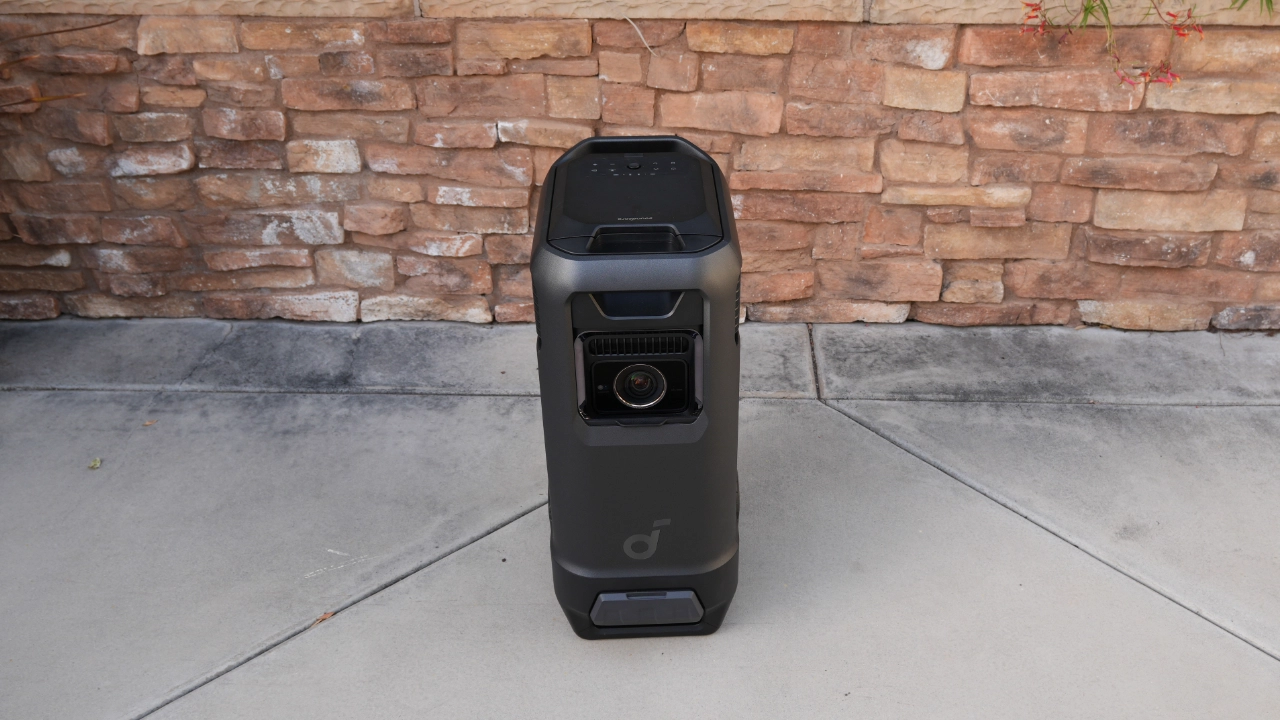
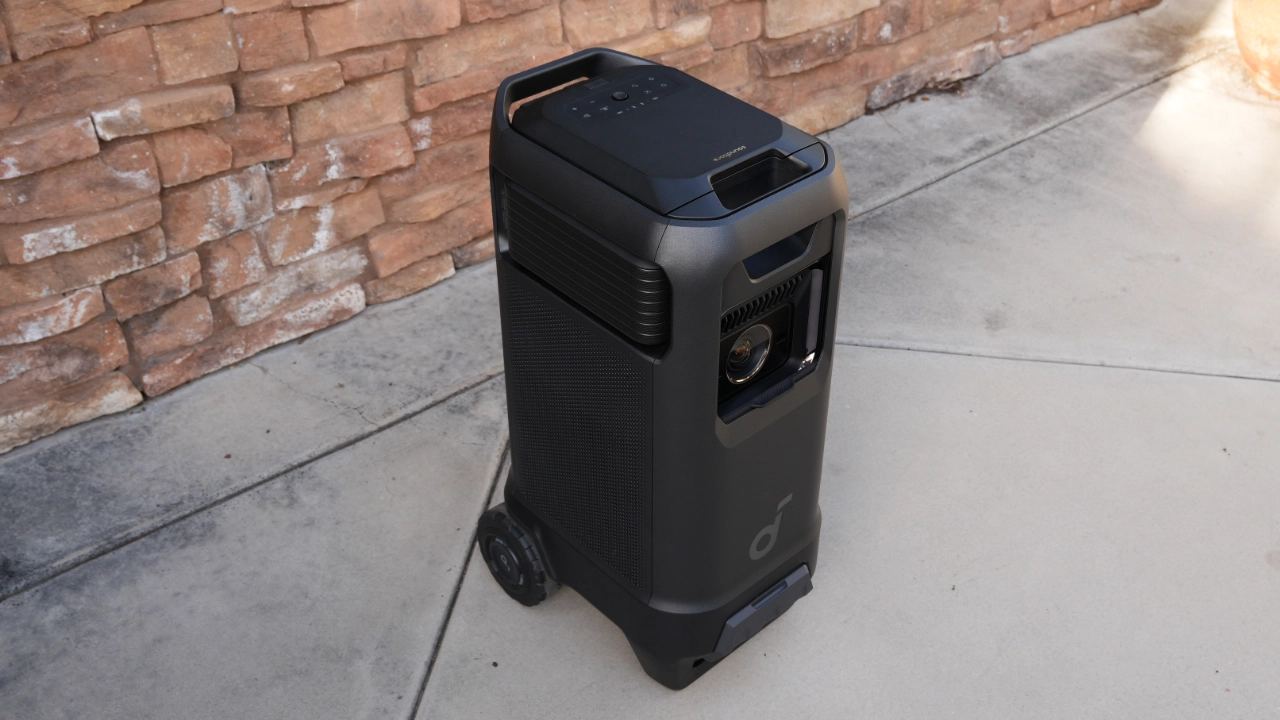
The Nebula X1 Pro chassis keeps the signature two-tone gray-and-black aesthetic found in the Mars and standard X1 series. This Pro model is built into a heavy-duty rolling frame with a telescopic luggage-style handle and oversized rubberized wheels, making it easy to move despite its substantial mass.

The sides of the "Station" are dominated by high-airflow grills for the projector's liquid-cooling system. The X1 Pro weighs 72.4 lbs (32.8 kg) and measures approximately (WxHxD) 17 × 30 in × 13.5 in (435 × 761 × 343 mm).

To power the unit on, you can use the remote control or the physical power button on the projector's top rear. From a cold "OFF" state, the system boots into Google TV in about 30 seconds, though it can wake from Standby Mode in just seconds. Physical controls are easy to identify and use. A secondary control panel on the top rear includes a Menu toggle, a Navigation D-pad, and a dedicated button for IEA 5.0 Auto Image Correction. Volume controls are positioned just above these for easy access.

Nebula_X1Pro_Featured#4

The Nebula X1 Pro chassis keeps the signature two-tone gray-and-black aesthetic found in the Mars and standard X1 series. This Pro model is built into a heavy-duty rolling frame with a telescopic luggage-style handle and oversized rubberized wheels, making it easy to move despite its substantial mass.

The sides of the "Station" are dominated by high-airflow grills for the projector's liquid-cooling system. The X1 Pro weighs 72.4 lbs (32.8 kg) and measures approximately (WxHxD) 17 × 30 in × 13.5 in (435 × 761 × 343 mm).

To power the unit on, you can use the remote control or the physical power button on the projector's top rear. From a cold "OFF" state, the system boots into Google TV in about 30 seconds, though it can wake from Standby Mode in just seconds. Physical controls are easy to identify and use. A secondary control panel on the top rear includes a Menu toggle, a Navigation D-pad, and a dedicated button for IEA 5.0 Auto Image Correction. Volume controls are positioned just above these for easy access.

All projector functions are accessed via the wireless remote control and the control panel on the top of the projector, so if you misplace your remote, you still have full control. There is also an optional Nebula Connect app that works like a remote with a pad for navigation, a Google Assistant button, and a central cluster of backlit buttons. The remote even has dedicated shortcut keys for YouTube, Netflix, and Prime Video, as well as a mute button. The Bluetooth connection lets you control the projector without a direct line of sight.

While the backlit Bluetooth remote is the primary way to navigate the interface, the Nebula Connect mobile app remains a vital fallback, allowing you to adjust the motorized micro-gimbal or fine-tune the FlexWave audio calibration directly from your phone.

Nebula_X1_Pro_PJBProdShot_Inputs

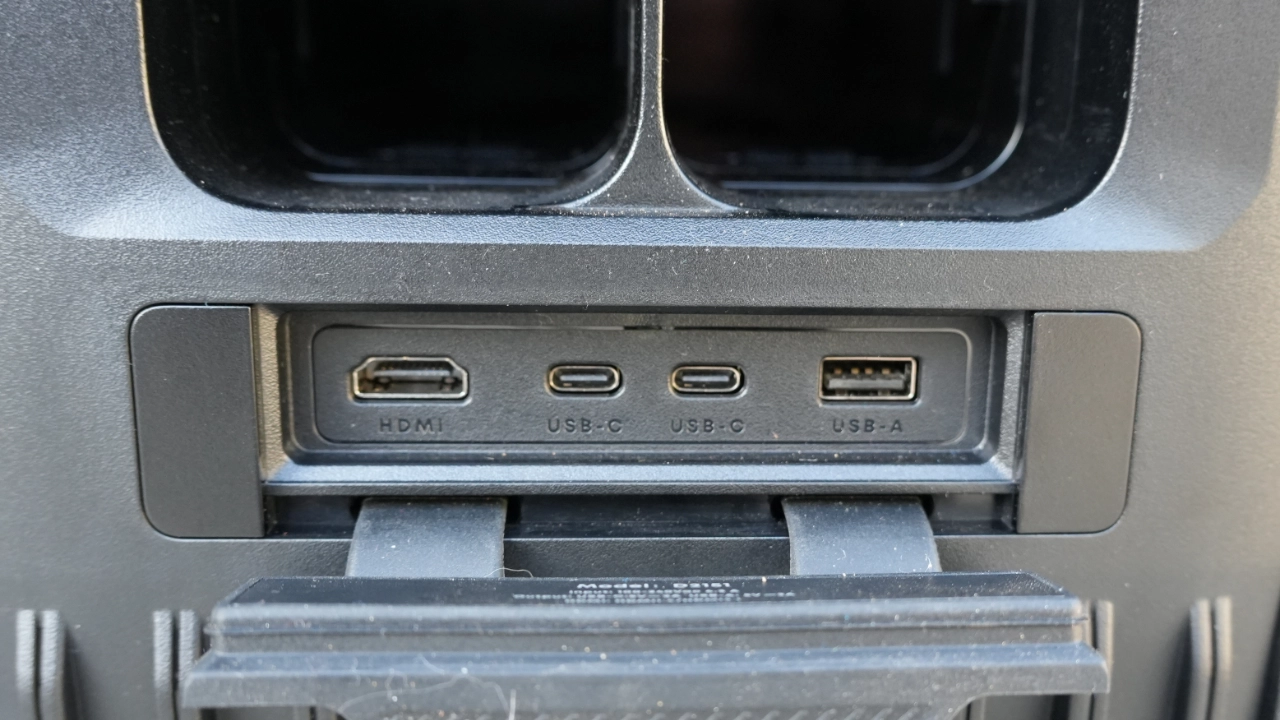
The rear I/O panel for the X1 Pro features a single HDMI 2.1 port (with eARC), two USB Type-C ports, and one USB Type-A port for media playback. This version of the X1 does not feature LAN or S/PDIF ports. The HDMI 2.1 port supports Enhanced Audio Return (eARC) functionality. Theoretically, HDMI 2.1 inputs support up to 48 Gbps of bandwidth for 8K/60p and 4K/120p content. This projector's DLP chip only supports up to 4K@60 Hz video playback. While the projector may "accept" a 120 Hz signal from an Xbox Series X or PS5, it will downscale it to 60 Hz.

Nebula_X1_Pro_PJBProdShot_Lens

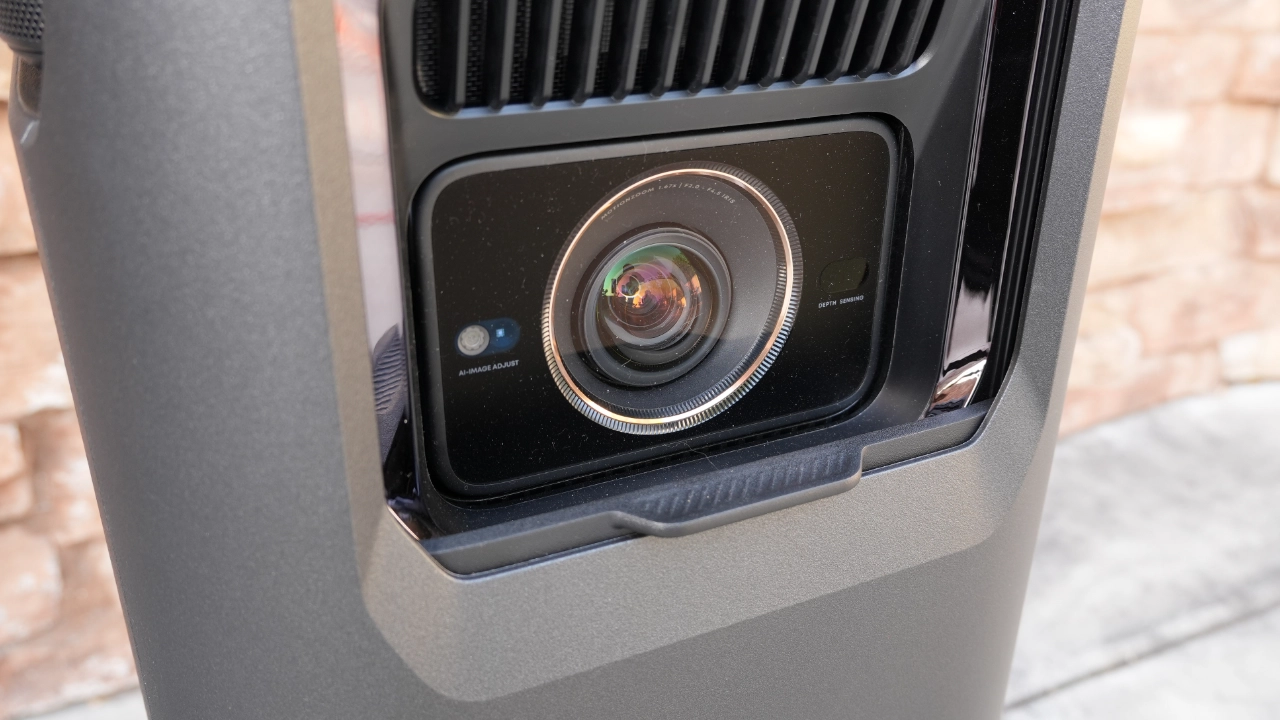
The Nebula X1 Pro features a cinema-grade short-throw lens system built using 14 separate all-glass elements. Using glass rather than composite (plastic) lenses, the X1 Pro delivers impressive image clarity, thermal stability, and long-lasting picture quality that won’t yellow as the projector ages. This advanced lens technology is sharper and more detailed than that of previous Nebula projectors, enhancing the viewing experience.

The X1 Pro features a 0.9:1 to 1.5:1 electronic optical zoom, allowing the projector to adapt to almost any space or screen size within the manufacturer's set specification. Optical zoom means the projector can display a huge image up to 300 inches diagonally, closer to the screen than typical standard throw projectors, without special mounting equipment. The X1 Pro can project a massive image while maintaining the best overall image quality.

The X1 Pro shares the same internal processing and AUTO modes as the smaller X1 projector. The geometry adjustment and setup experience were pretty much identical to my experience with the X1.

Nebula’s Spatial Adaptation software is hit or miss. This software is designed to scan the projection surface and optimize the projected image. I tested it on two different screens with clearly visible borders and pretty much had the same results as on the smaller X1 projector. Despite the projector being optimally placed and with no obstructions other than the screens, the feature failed to fit the image correctly, requiring manual adjustment using the corner correction tools.

My experience with Spatial Recall on the X1 Pro was equally frustrating. Every time I tried to use it, it would get me close, but in the end, I had to realign the image manually. Not a big deal, though, since the X1 Pro is designed for portable use most of the time.

Auto Focus and Manual Focus on the X1 Pro worked flawlessly, delivering fast and accurate results every time. Unfortunately, Auto Keystone Correction failed to trigger correctly, even when the initial image overshot the screen borders by a significant amount. It's worth noting that the manual keystone correction here is actually a four-corner correction, or corner pinning, which worked exactly as expected and provided the precision the automation lacked.

Two features that truly delivered on their promises were Auto Screen Fit and Move & Zoom. Both were fast and accurate at recognizing the projection area. Ultimately, I ended up manually squaring the projector to the screen and using AUTO FOCUS and AUTO SCREEN FIT.

PERFORMANCE

COLOR REPRODUCTION

  • Nebula_X1_Pro_Color#9
  • Nebula_X1_Pro_Color#6
  • Nebula_X1_Pro_Color#13
  • Nebula_X1_Pro_Color#11
  • Nebula_X1_Pro_Color#8
  • Nebula_X1_Pro_Color#3

Out of the box, the Nebula X1 Pro demonstrates that the company put effort into its factory tuning and that Nebula’s engineers took their time calibrating the presets, rather than settling for "good enough."

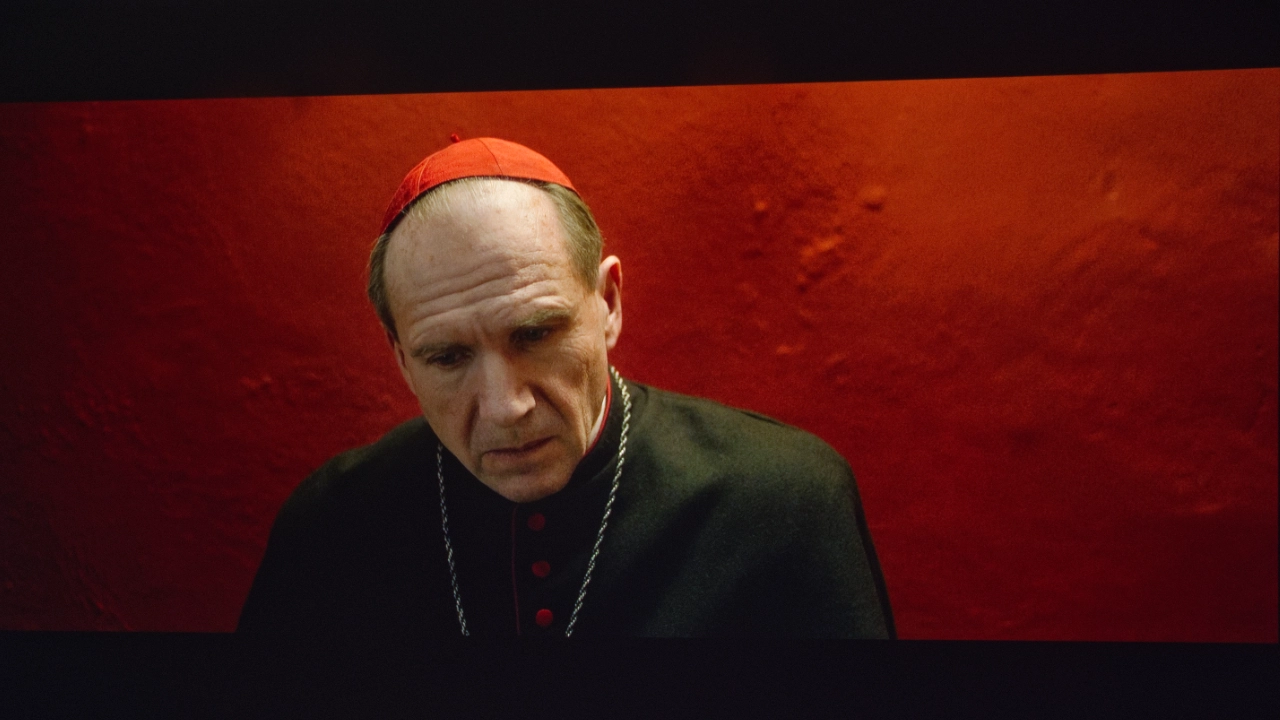
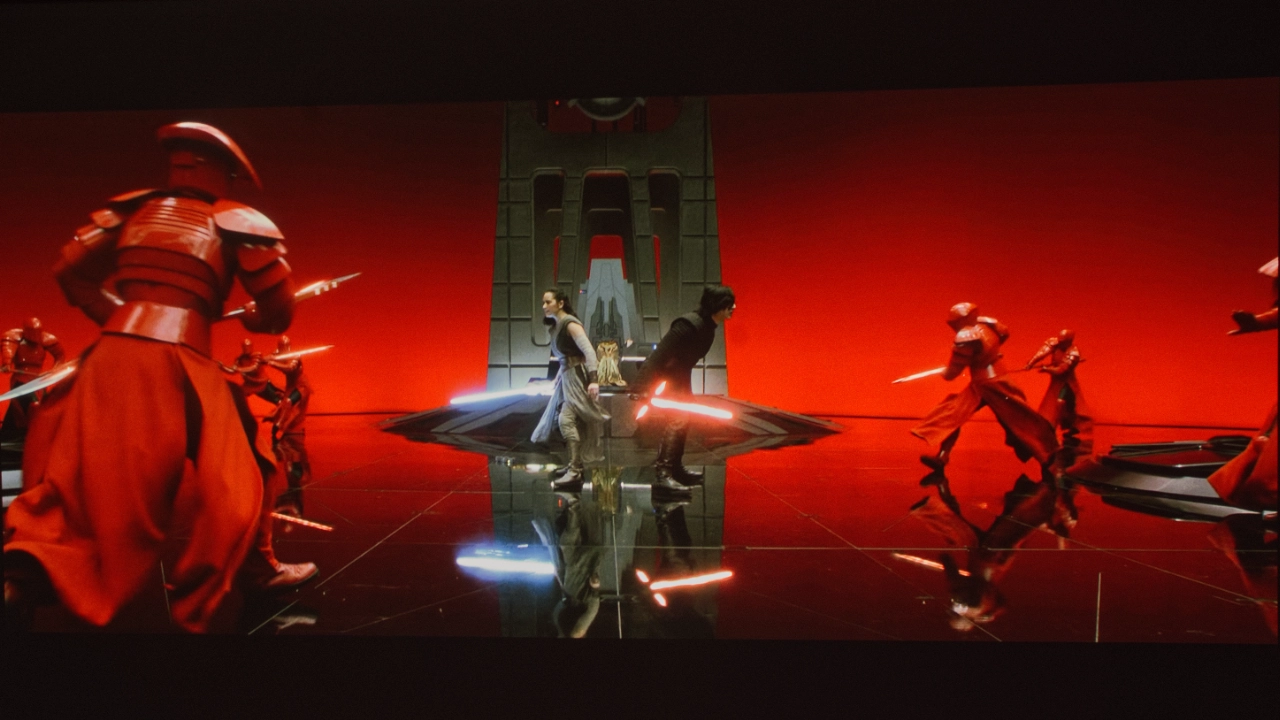
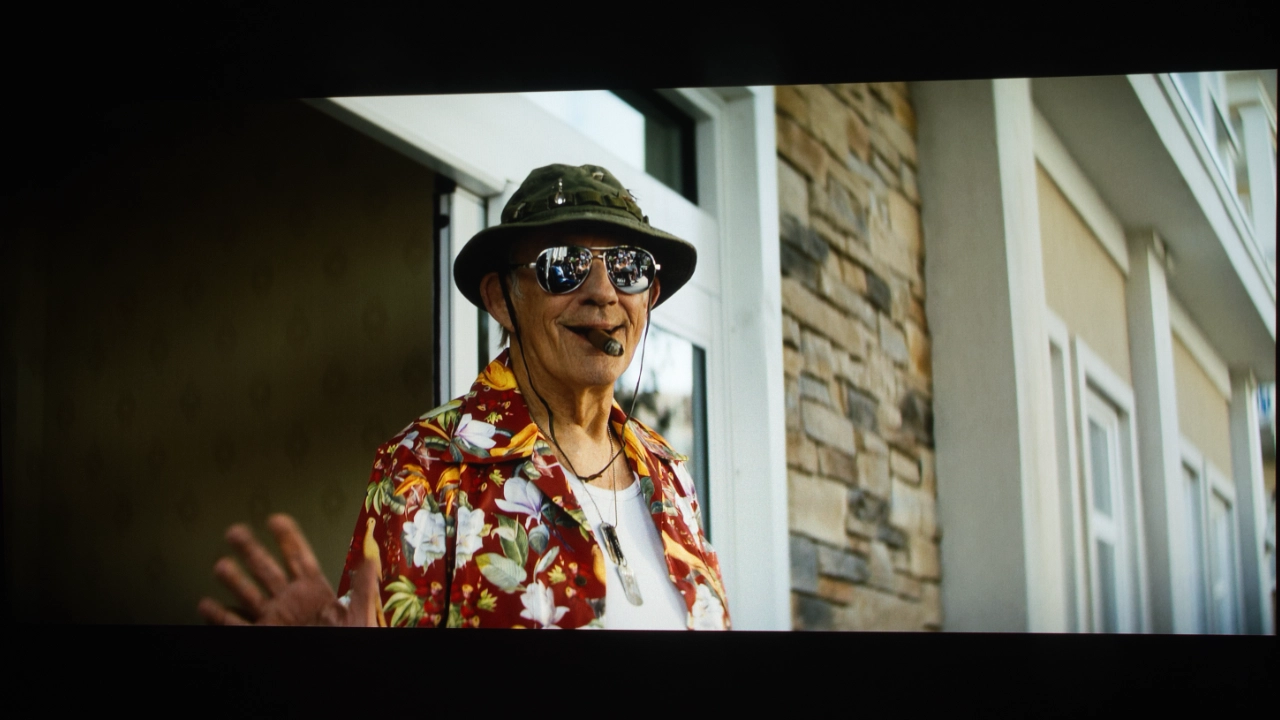
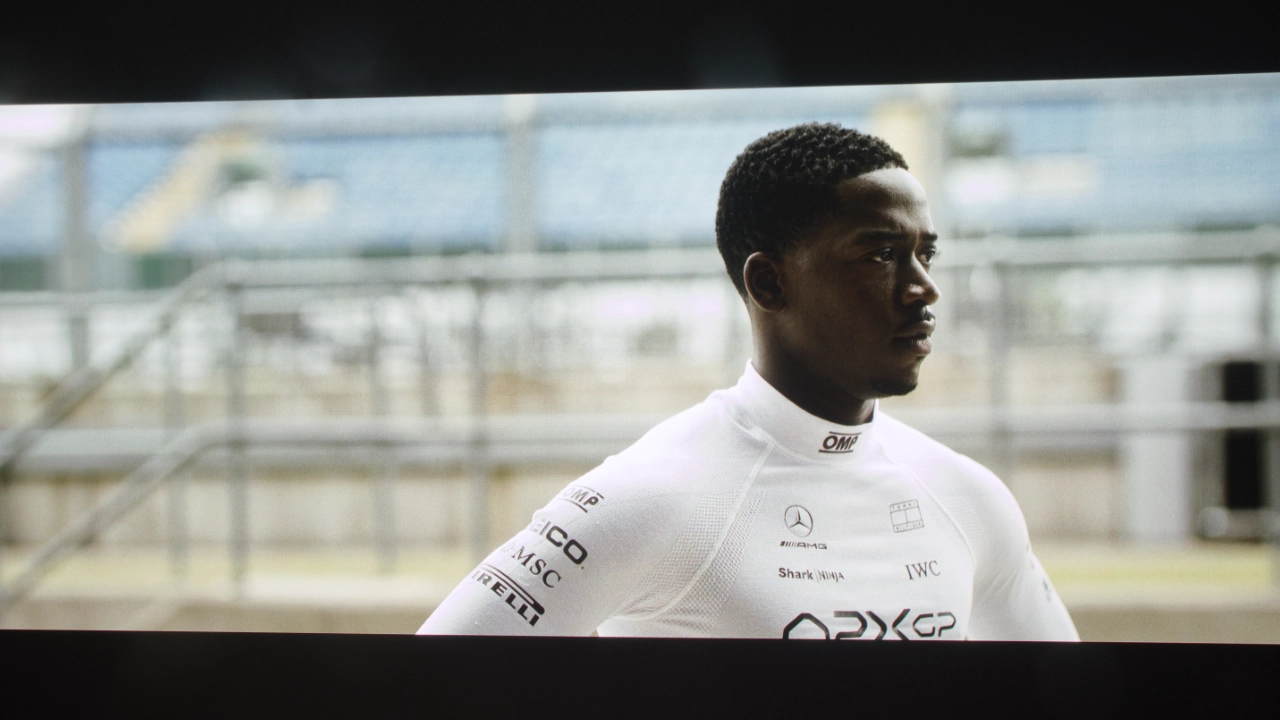
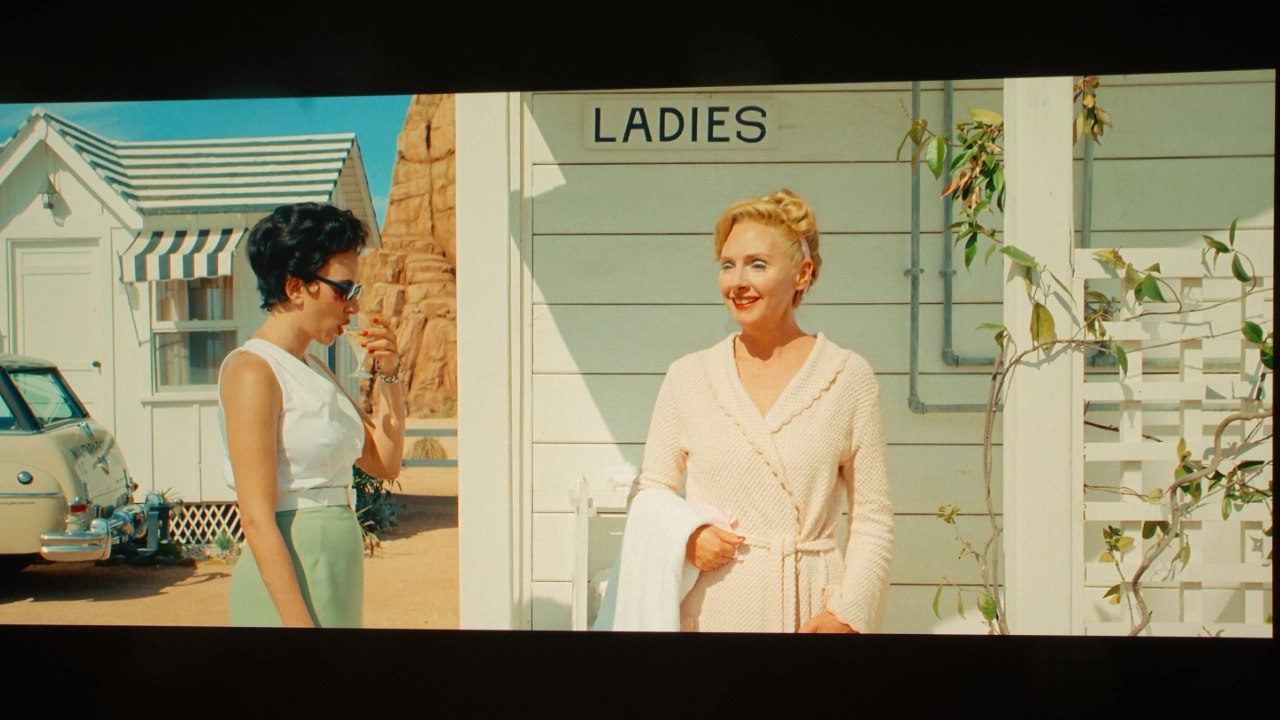
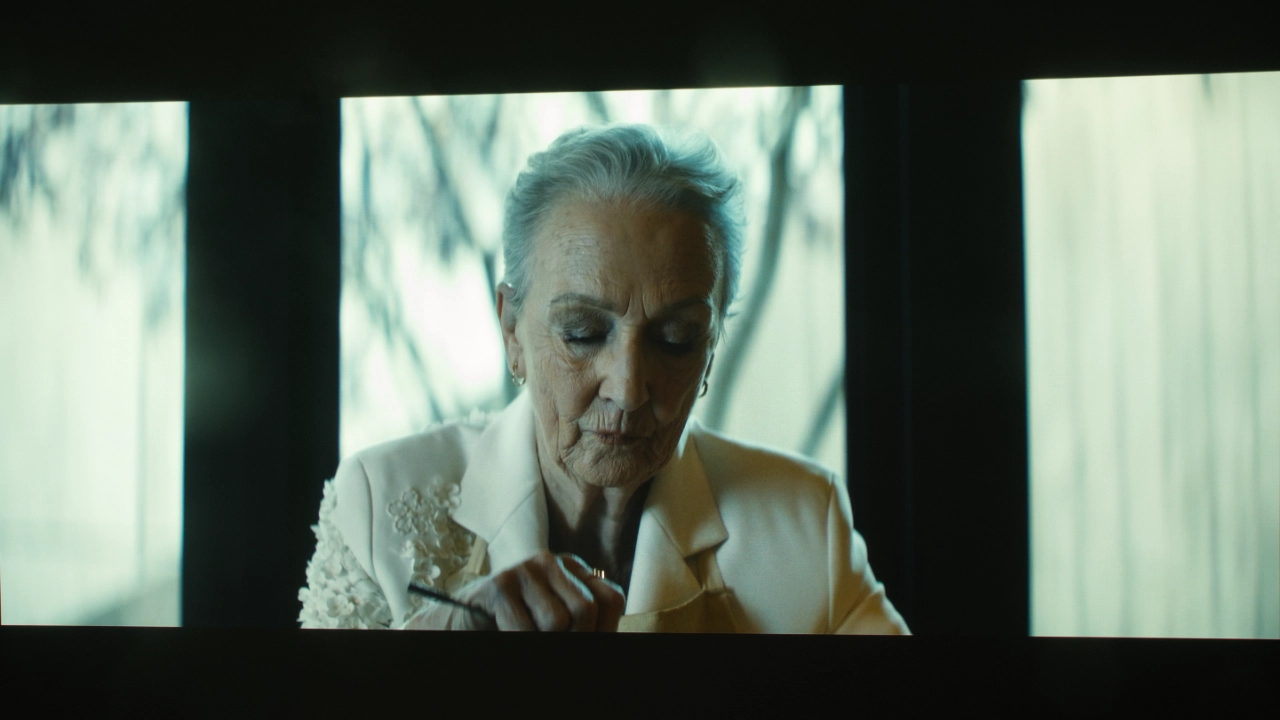
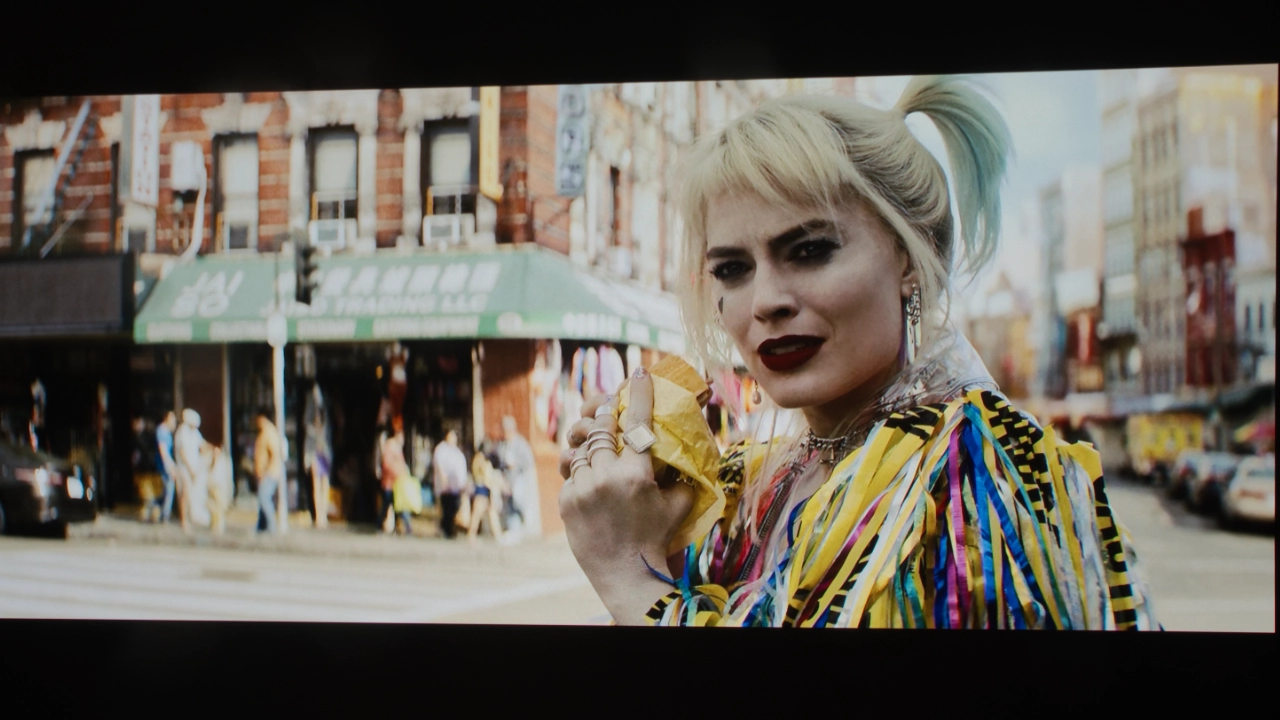
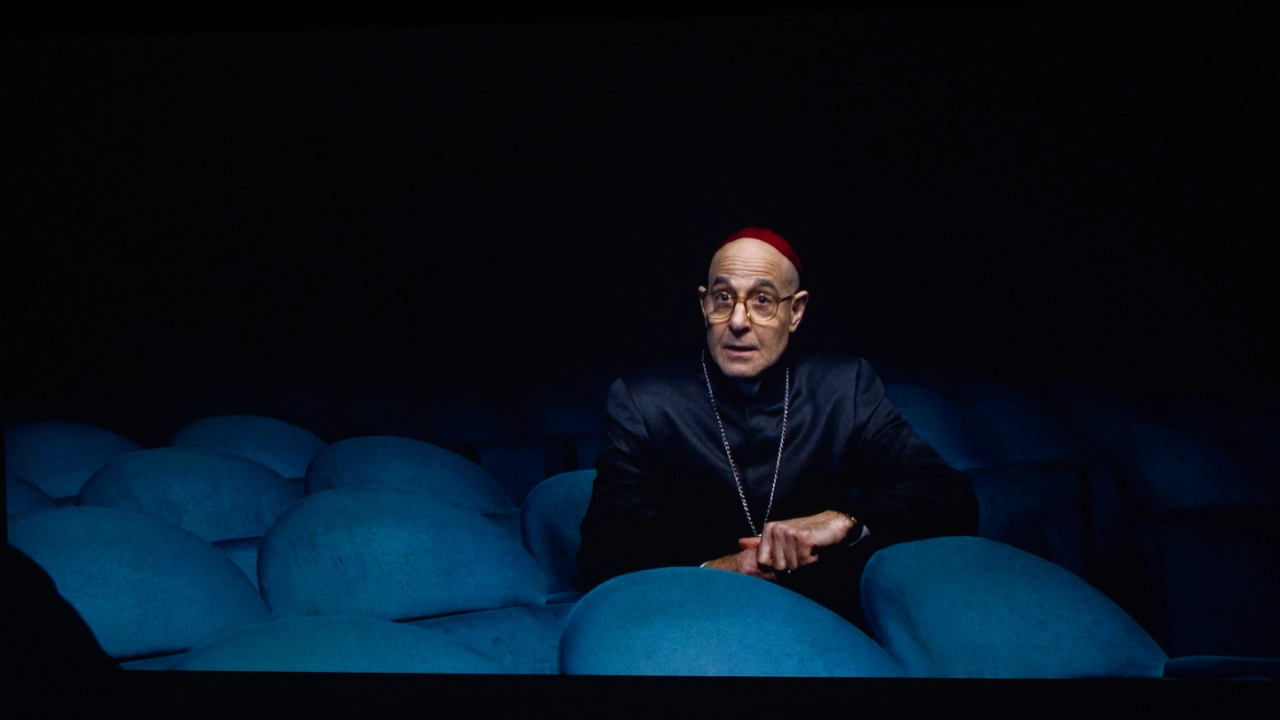
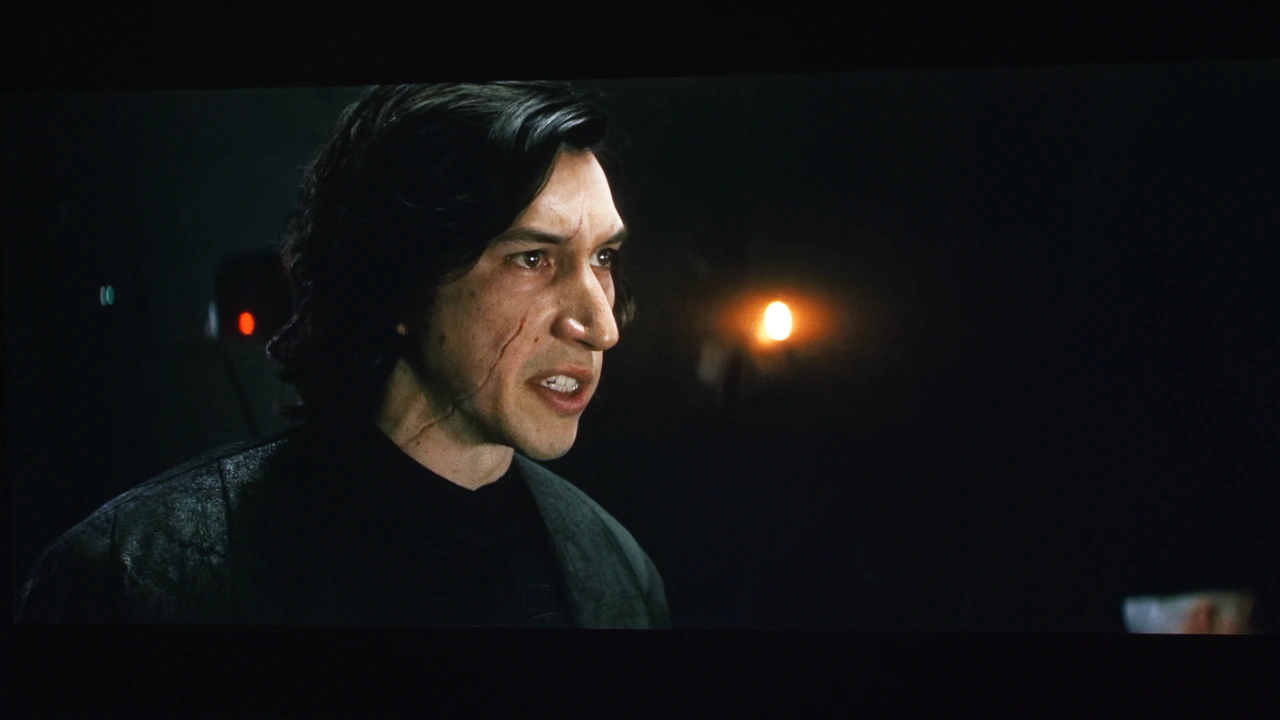
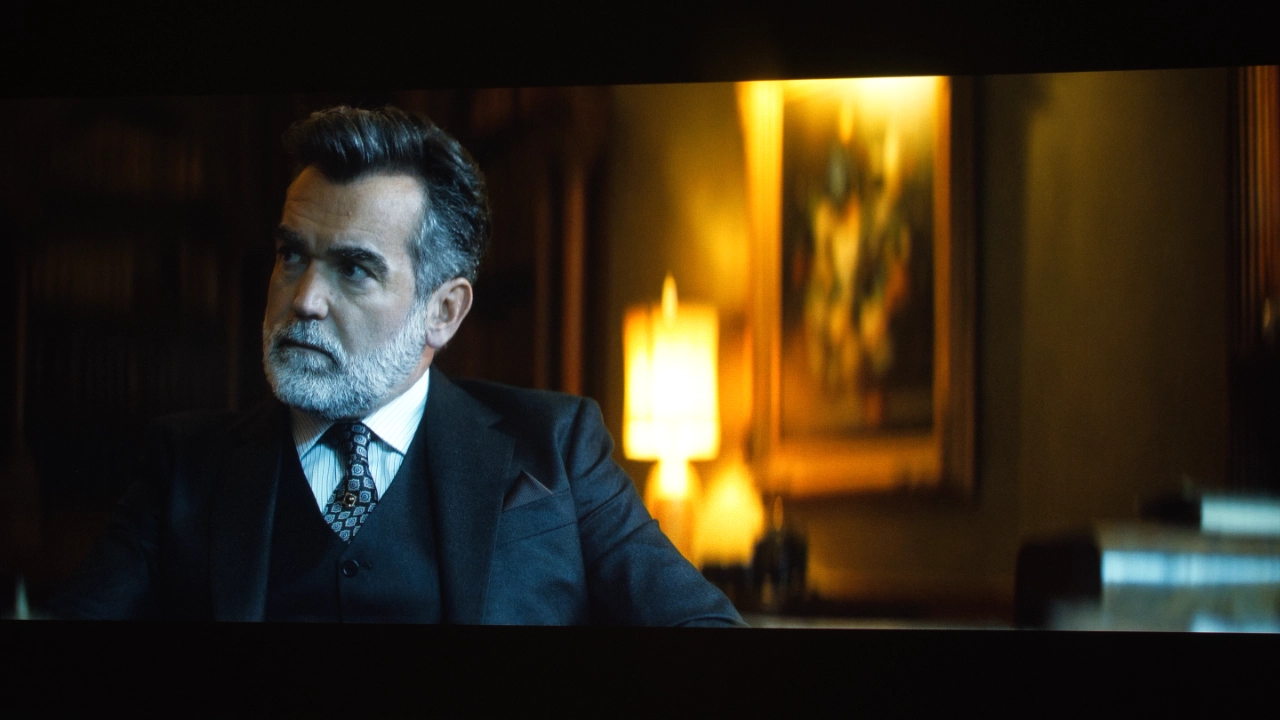
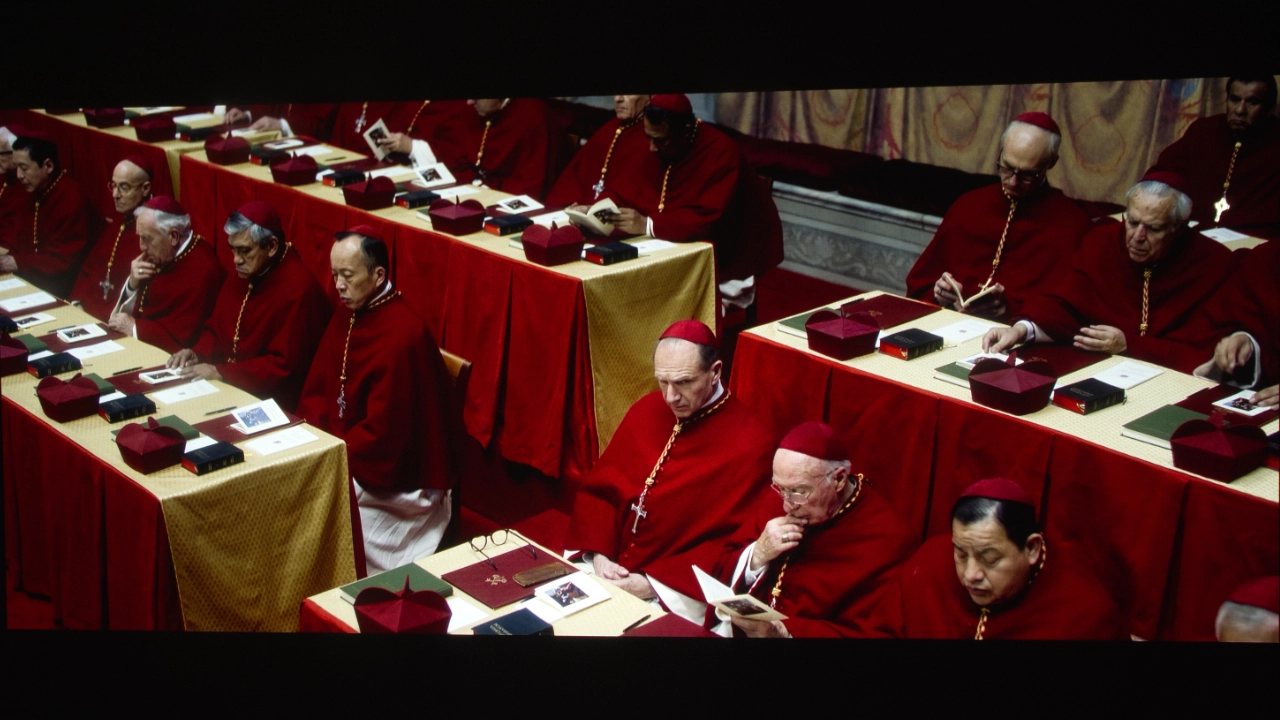
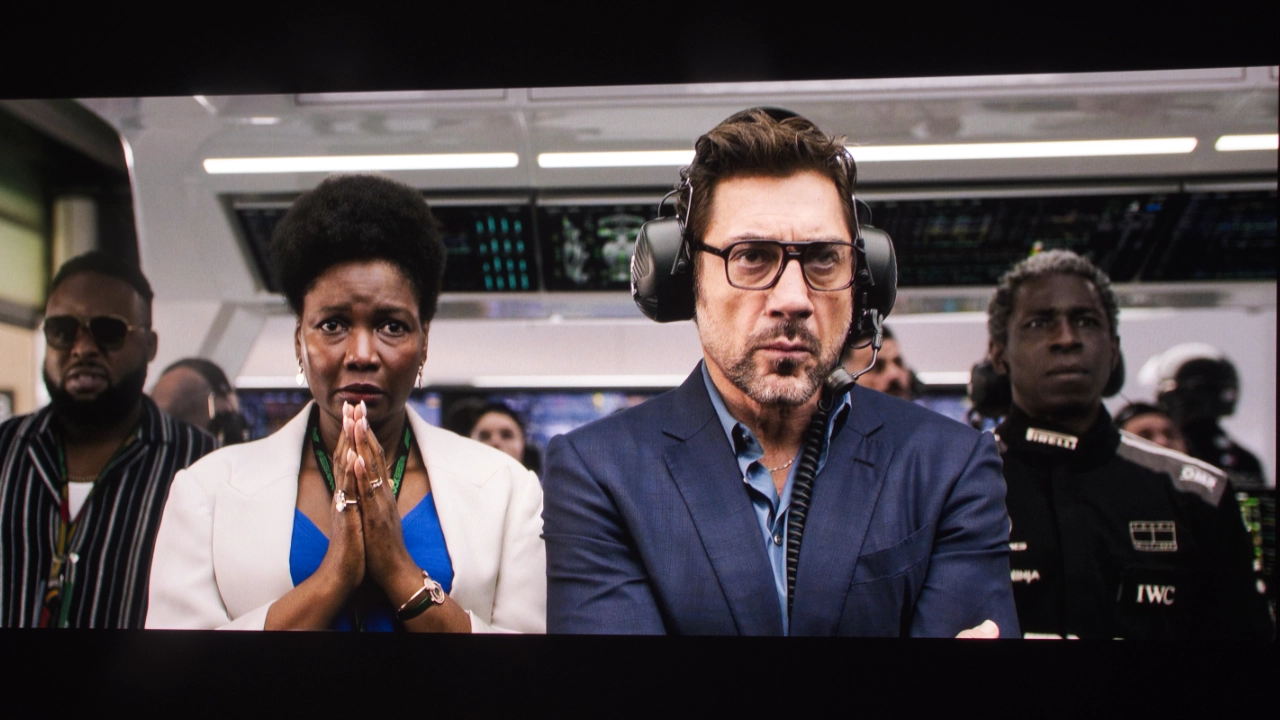
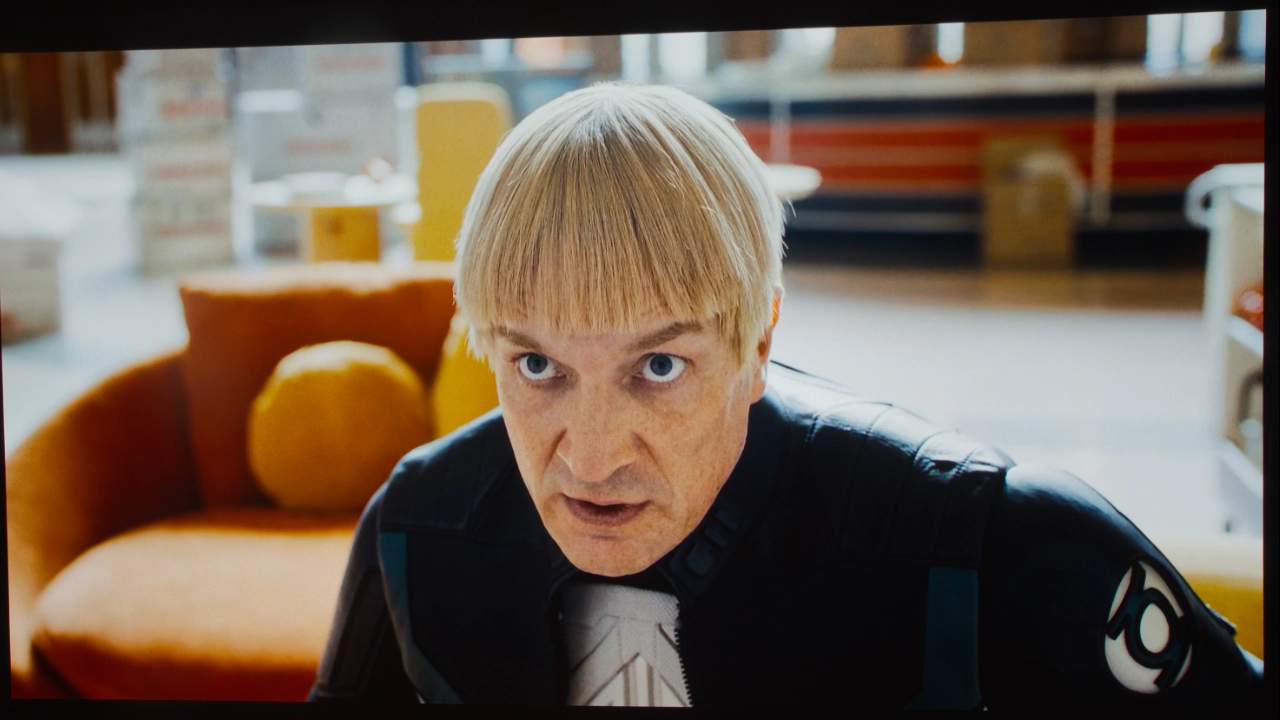
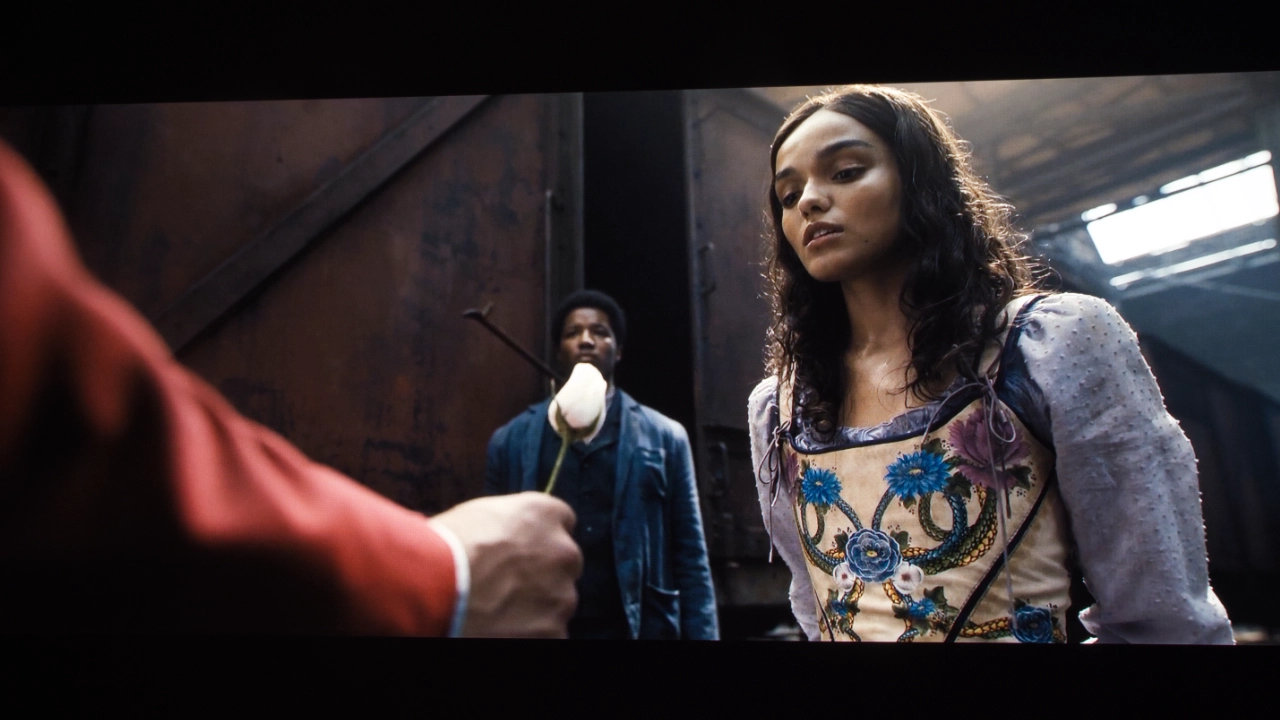
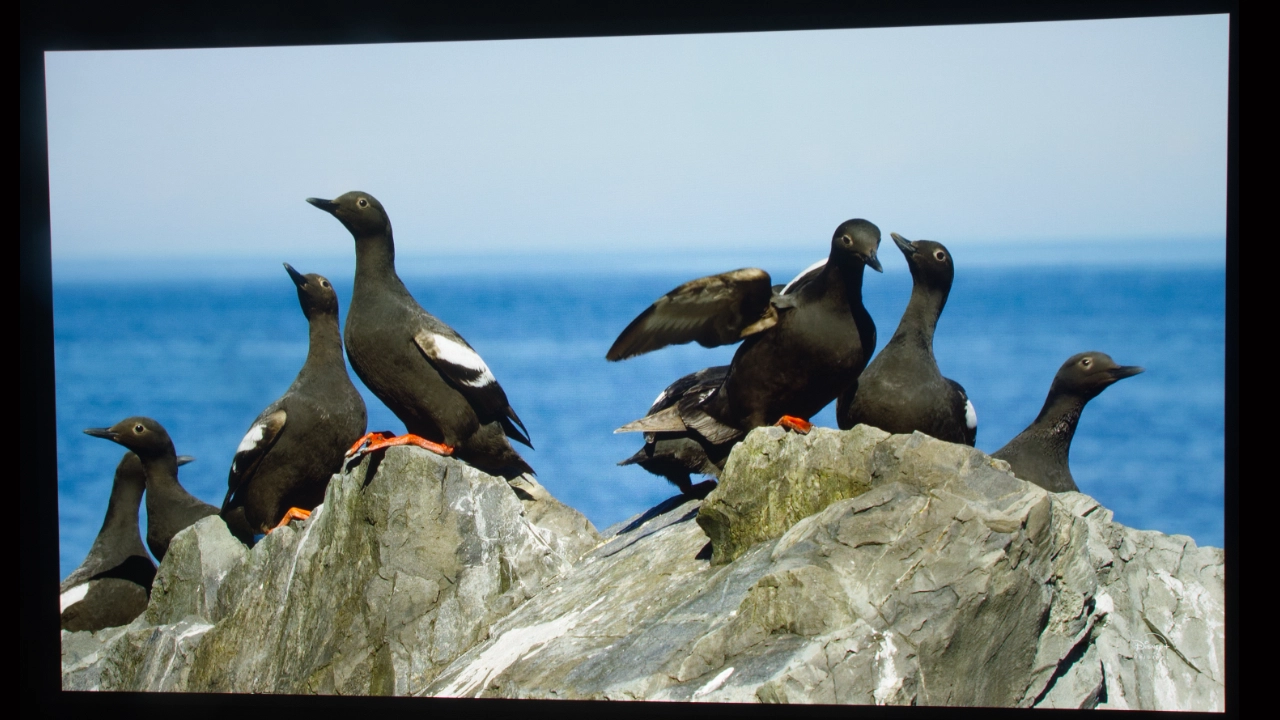
Out of the box, the picture quality is impressive, but not perfect. Even during my initial testing, I quickly noticed a slight oversaturation in the reds. You can see this clearly in my reference shots from The Enclave and The Last Jedi, where the reds pop with a vividness that, while cinematic and pleasant to the eye, leans toward over-saturation.

For this evaluation, I focused on the MOVIE mode, which is nearly a mirror image of the ISF Day setting. The X1 Pro provides a CMS (Color Management System) that is as deep and granular as any professional calibrator could ask for. That said, the menu layout is a bit quirky. Nebula has placed several key adjustment tools in non-standard locations compared to other high-end projectors, which created a bit of a learning curve and slowed down the calibration workflow.

Realistically, most users aren't going to drop several hundred dollars on a professional calibration for a mobile projector even if it costs $5,000. However, you can still get 90% of the way there on your own. At the very least, you should manually adjust the BRIGHTNESS, CONTRAST, and SHARPNESS to suit your specific lighting conditions.

If you want to try your hand at DIY tuning, we have compiled links to several resources, including free test patterns from Murideo. I also highly recommend checking out our Projector Reviews YouTube guide, "5 Things You Can Do to Improve Your Video Display's Picture Quality," which walks you through using those free patterns to get the most out of your hardware.

The out-of-the-box reds are a little oversaturated. The good news is that, like the Nebula X1, the X1 Pro can be calibrated quite effectively. When were evaluating the X1, we used my Portrait Displays Calman software, a Murideo Seven Generator 8K, and a Klein K10-A colorimeter to measure its color reproduction.

The soundcore Nebula X1 and X1 Pro use the same video hardware, software, and factory tuning so their video performance should be identical. Below are the calibration results we gathered during our soundcore Nebula X1 testing of color reproduction and grayscale.

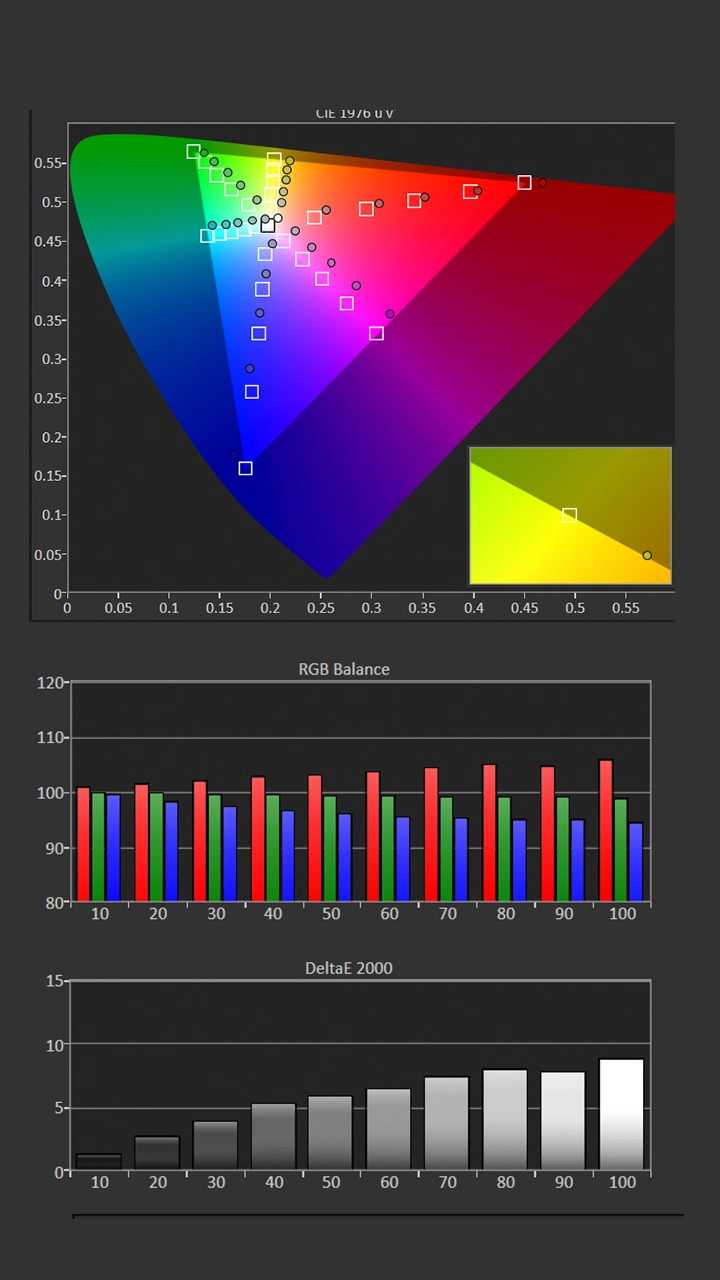
Pre-Calibration Color Tracking and Grayscale (X1)

Nebula X1 Projector Calibration Data - Projector Reviews - Images

Measurements confirmed our primarily observations that ISF Night mode is the most accurate out of the box; however, the color temperature was warmer than desired due to an excessive amount of red. This impacted the grayscale, making it appear more pink, and it also altered the overall color balance.

However, it only required a few quick adjustments to the projector's white balance, bringing the projector's overall color performance to an outstanding level. 0.7 is outstanding.

The pre-calibration color temperature for ISF NIGHT mode was 5614, which is very close to the target of 6500 K. However, the Grayscale measurements showed a slight overemphasis toward pink, resulting in an average Grayscale delta error of around 6.1. This is not bad for an out-of-the-box measurement. The gamma point was 2.16, nearly hitting my target of 2.2.

  • Picture Mode: ISF NIGHT
  • Color Temperature: 5614K
  • Gamma: 2.16
  • Average Grayscale dE: 6.1
  • Average Color Tracking dE: 4.47

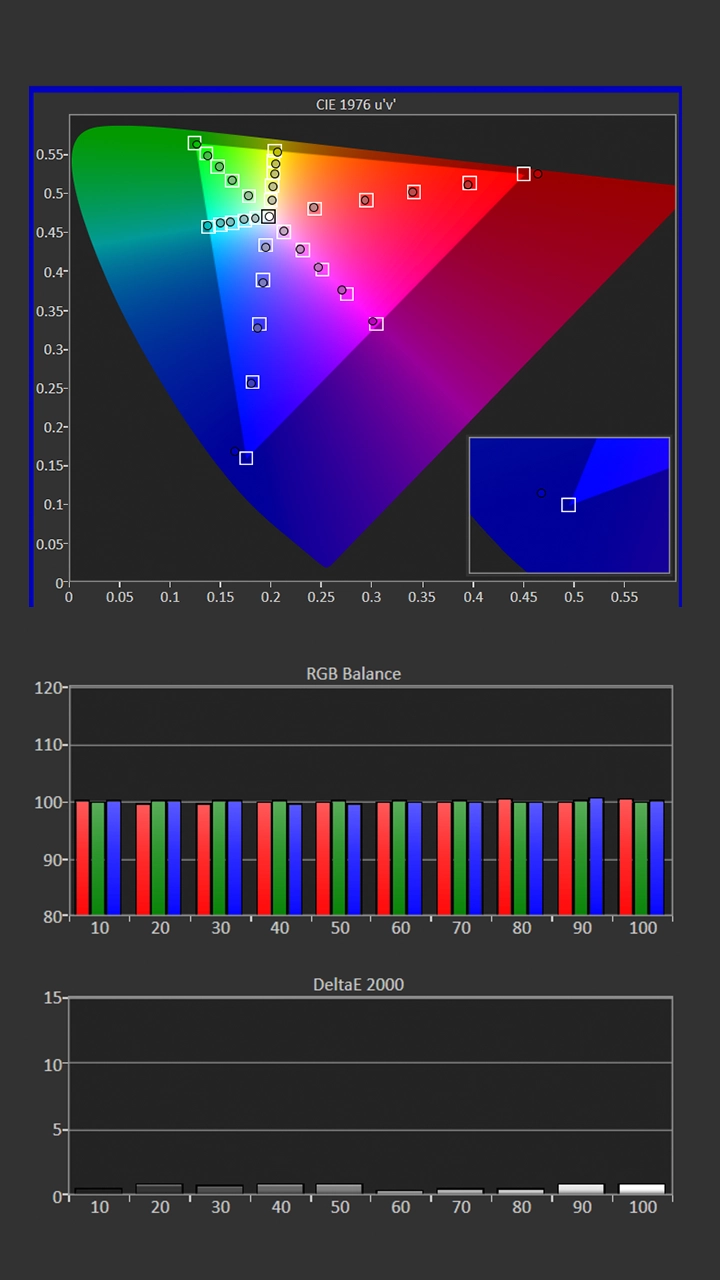
Post-Calibration Color Tracking and Grayscale (X1)

Nebula X1 Projector Calibration Data - Projector Reviews - Images

To have access to all the picture adjustment I switch for ISF NIGHT to the MOVIE picture mode. To achieve my Gamma target of 2.2, I reduced the Gamma setting to -1. I left the Color Temp setting at its default of 6500K, which is fine since the color temperature was already close to my target of 6500K.

To produce even better grayscale (RGB Balance), I reduced the Red Gain and Blue Gain settings slightly. This resulted in a color temperature that was even closer to my target of 6500K.

The color tracking was excellent out of the box, but I did use the CMS adjustments to make some small adjustments to Red, Green, Blue, and Magenta.

After adjusting the X1S, the improvement in color reproduction was minor but noticeable. The brightness after calibration was 300 nits.

  • Picture Mode: MOVIE
  • Gamma: 2.19
  • Color Temperature: 6569K
  • Average Grayscale dE: 0.8
  • Average Color Tracking dE: 0.9

HDR Color Tracking and Grayscale (X1)

The out-of-the-box HDR color reproduction was also very good. Like SDR, the most accurate picture mode was ISF NIGHT. Picture adjustments like Contrast, Brightness, CMS, and RGB adjustments are applied to the HDR and SDR versions of that picture mode. For HDR content, the projector provides several dedicated modes, such as NEBULA MASTER, STANDARD, VIVID, SPORT, MOVIE, GAME CONFERENCE, ISF DAY, AND ISF NIGHT MODE.
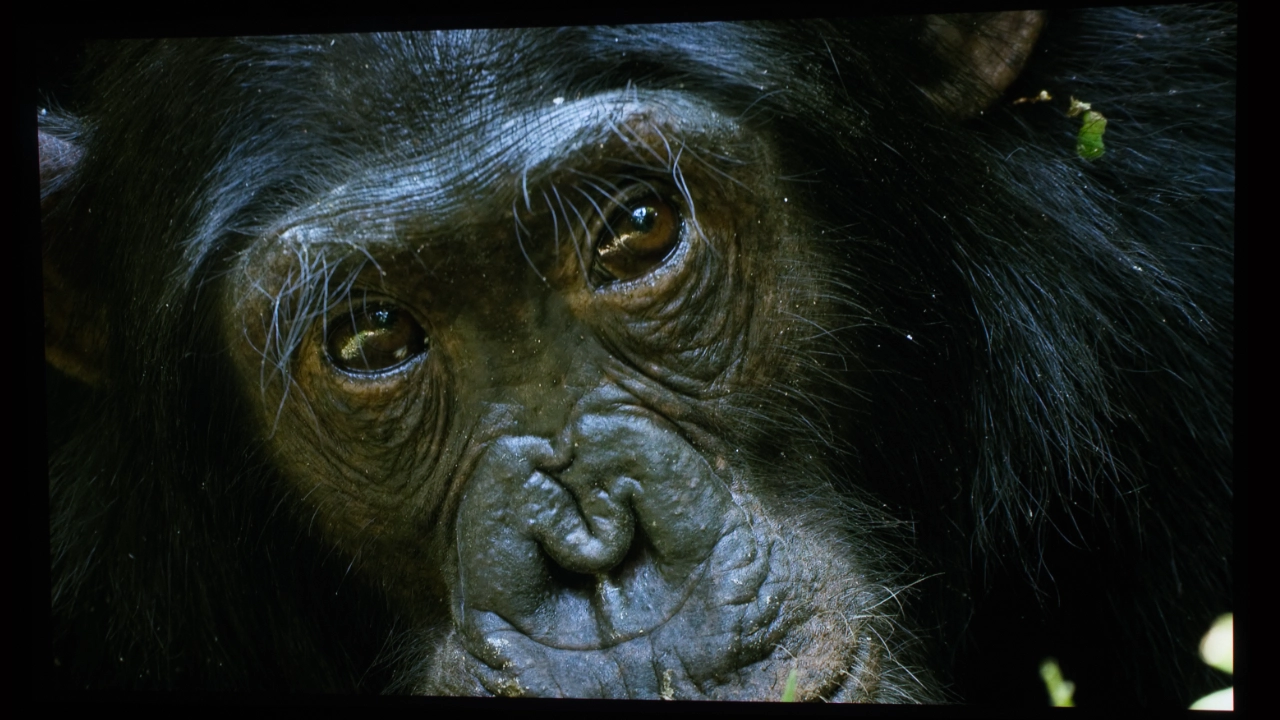
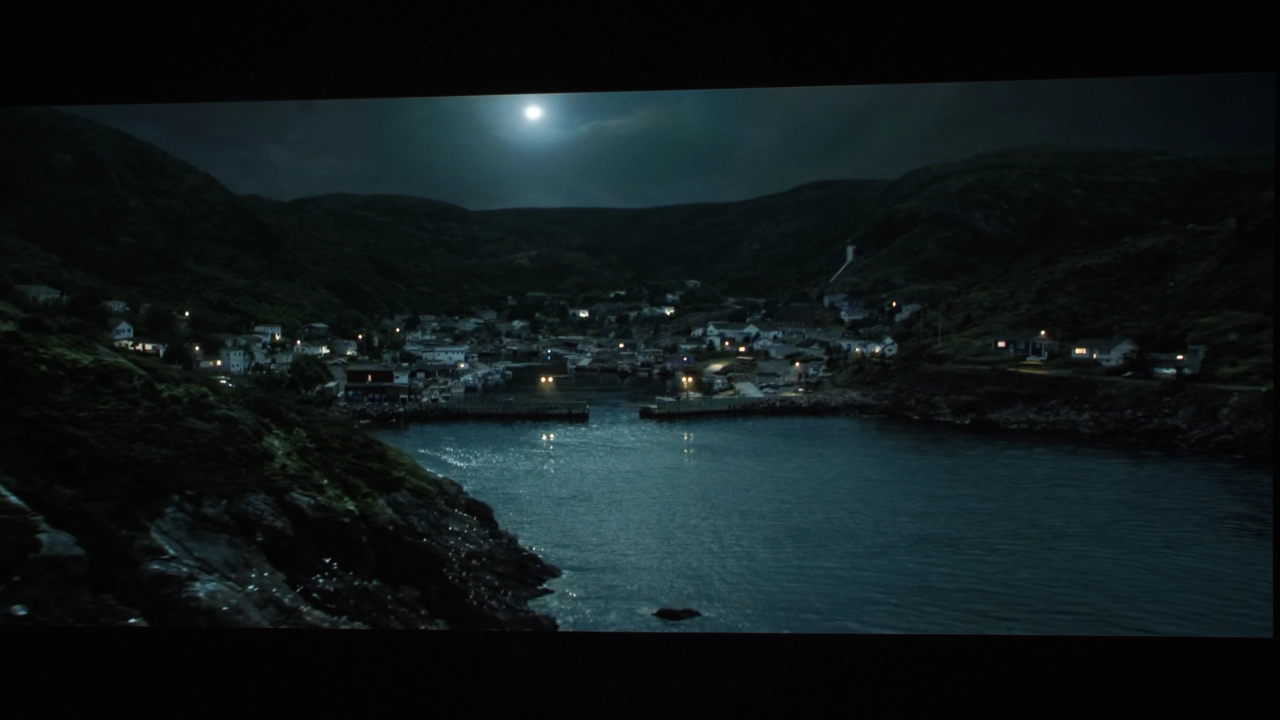
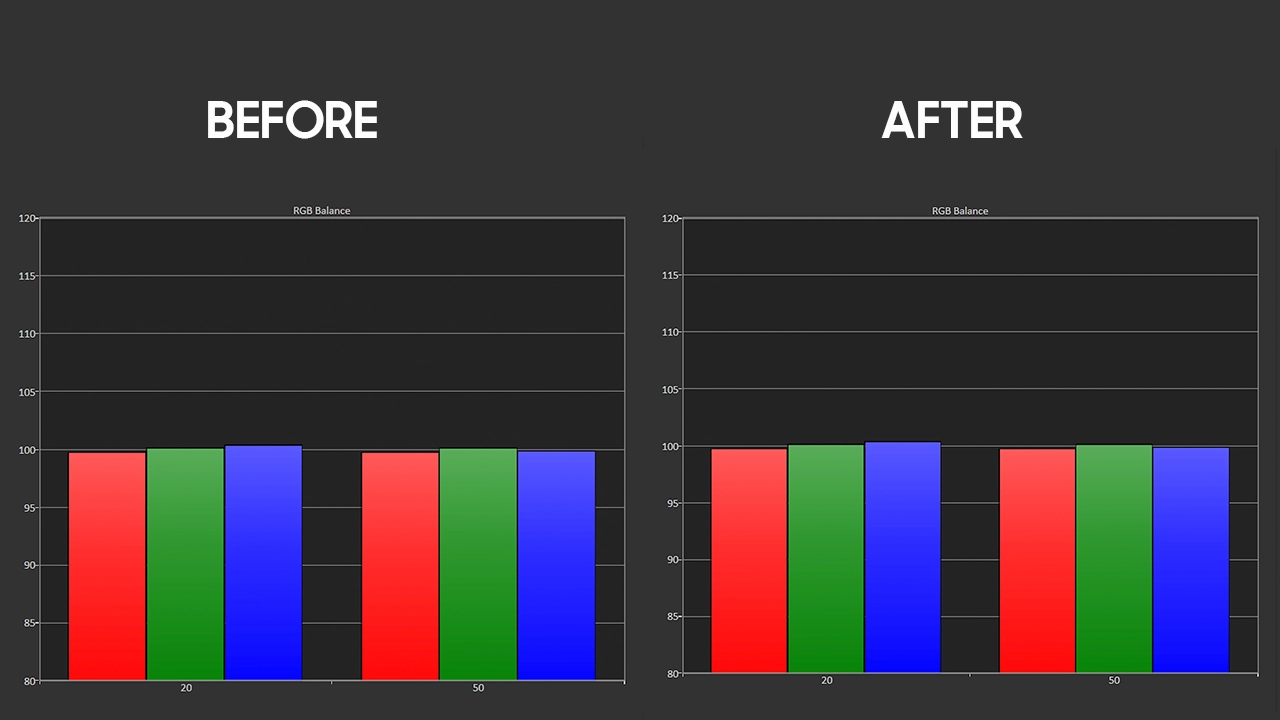
Nebula X1 Projector Calibration Data - Projector Reviews - Images

While the color temperature measured was close to 6,500K, a slight red bias was present, which was quickly corrected using the projector's 2-point grayscale adjustments. A quick adjustment to the gains in two-point grayscale resulted in RGB Balance. Once the RGB balance was adjusted, the color tracking was very good. Most of the colors had delta errors below 3. I fine-tuned Red and Blue further using the projector’s CMS adjustments.

To accurately track most red shades, the brightest reds remained slightly oversaturated. After adjustment, the MOVIE mode’s brightness was very close to what it was before the unit was calibrated. The MOVIE mode’s grayscale was spot on once calibrated for SDR. When viewing HDR, I did not feel the need to make any further color adjustments.

BRIGHTNESS

  • Nebula_X1_Pro_Bright#6
  • Nebula_X1_Pro_Bright#4
  • Nebula_X1_Pro_Bright#5
  • Nebula_X1_Pro_Bright#1
  • Nebula_X1_Pro_Bright#2
  • Nebula_X1_Pro_Bright#3

The Nebula X1 Pro 4K is exceptional for raw light output. The updated Light Forge 2.0 RGB laser engine is capable of far more than the official materials suggest. While the manufacturer formally rates the Nebula X1 Pro at 3,500 lumens, my independent testing showed it pushing well past 4,000 lumens when using the factory CONFERENCE mode. Having this much brightness available means that the Nebula X1 Pro can handle almost any lighting situation you throw at it. Use it in a living room with the lights on, or in a space with sunlight leaking through the blinds, even directly opposite your screen; it still holds up. It even works at a backyard party at dusk, even with ambient light in the sky. The X1 Pro simply has power to spare.

I found that the Nebula X1 Pro has enough brightness to compensate for the light loss that typically occurs when using digital image correction tools. While I always suggest physically aligning your projector with the screen for the best results, you can use the digital shift and keystone features here without ruining the image's punch.

When I sat down to record the maximum out-of-the-box brightness, I set the Nebula X1 Pro to its brightest preset, CONFERENCE mode. I left every other setting at its factory default and took several readings about 15 to 20 percent away from the center of the lens. My final measurement for this mode was 4,255 lumens. I actually ran the test twice to be sure of the result, as it currently shows 755 lumens above the official rating. It appears the manufacturer likely chose to base their advertised specs on a more color-accurate preset rather than the slightly blue and green-heavy image produced in CONFERENCE mode. For example, the STANDARD mode measured 3,547 lumens during my session, which aligns much more closely with Nebula's published numbers.

The rest of my light output measurements across the various modes are detailed in the accompanying chart.


Picture Modes: Brightness

Picture ModeBrightness Measured (Lumens)
NEBULA MASTER3329
STANDARD3547
VIVID2739
SPORT3216
MOVIE2959
GAME3318
CONFERENCE4255
ISF-DAY2947
ISF-NIGHT2956

BLACK LEVEL AND SHADOW DETAIL

  • Nebula_X1_Pro_Blacks#4
  • Nebula_X1_Pro_Blacks#3
  • Nebula_X1_Pro_Blacks#5
  • Nebula_X1_Pro_Blacks#6
  • Nebula_X1_Pro_Blacks#7
  • Nebula_X1_Pro_Blacks#2

The Nebula X1 Pro is identical to the X1 in terms of video quality and delivers impressive contrast and black levels. It’s a DLP, so the blacks are not the "inky" blacks found in high-end LCOS machines from Sony or JVC. However, it has come closer than most other DLP competitors, delivering very good on-screen contrast and shadow detail for both SDR and HDR content. The NebulaMaster 2.0 algorithm allows the projector to handle dark scenes really well, and with a rated native contrast of 5,000:1 (stretching to 56,000:1 dynamically), the numbers back up the visual experience.

The 6-blade dynamic iris, a sophisticated piece of hardware that is virtually unheard of in the portable or "lifestyle" space, can also be a significant plus. Pairing a dynamic iris and the NebulaMaster 2.0 software allows the X1 Pro to balance highlights and shadow depth in real time. It maintains deep-looking (for DLP) blacks without sacrificing the details in darker parts of the projected image.

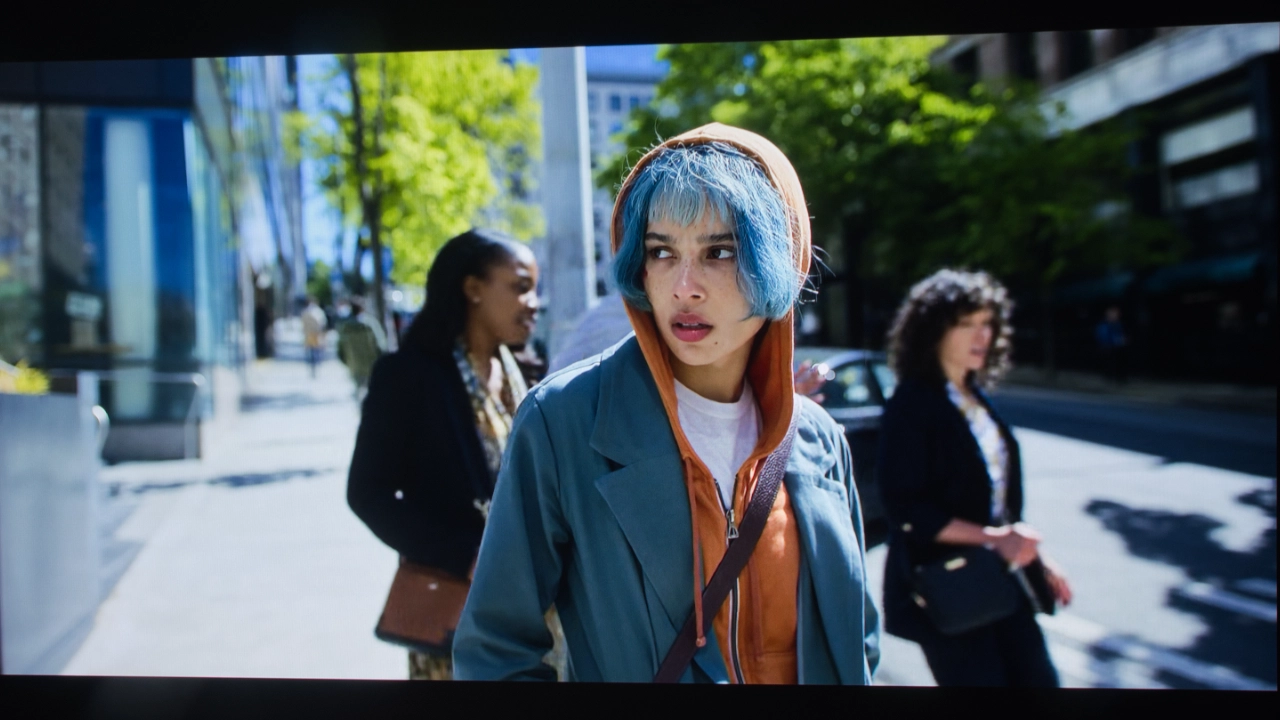
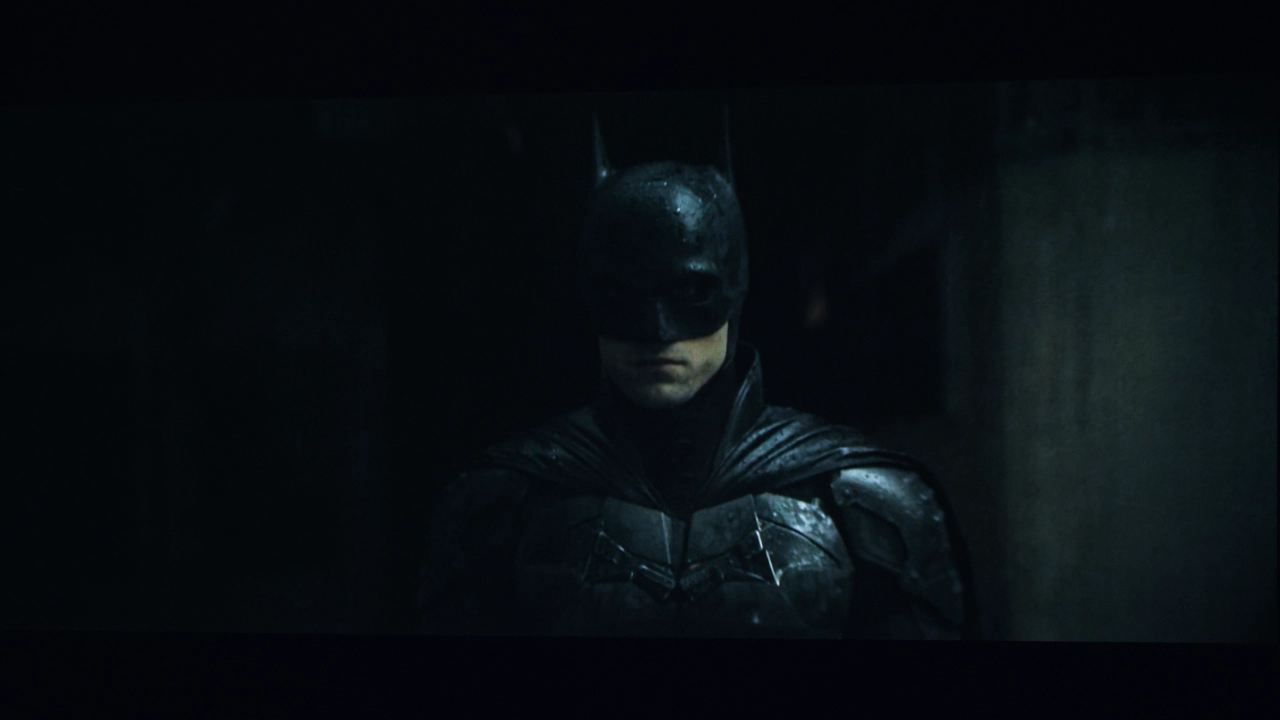
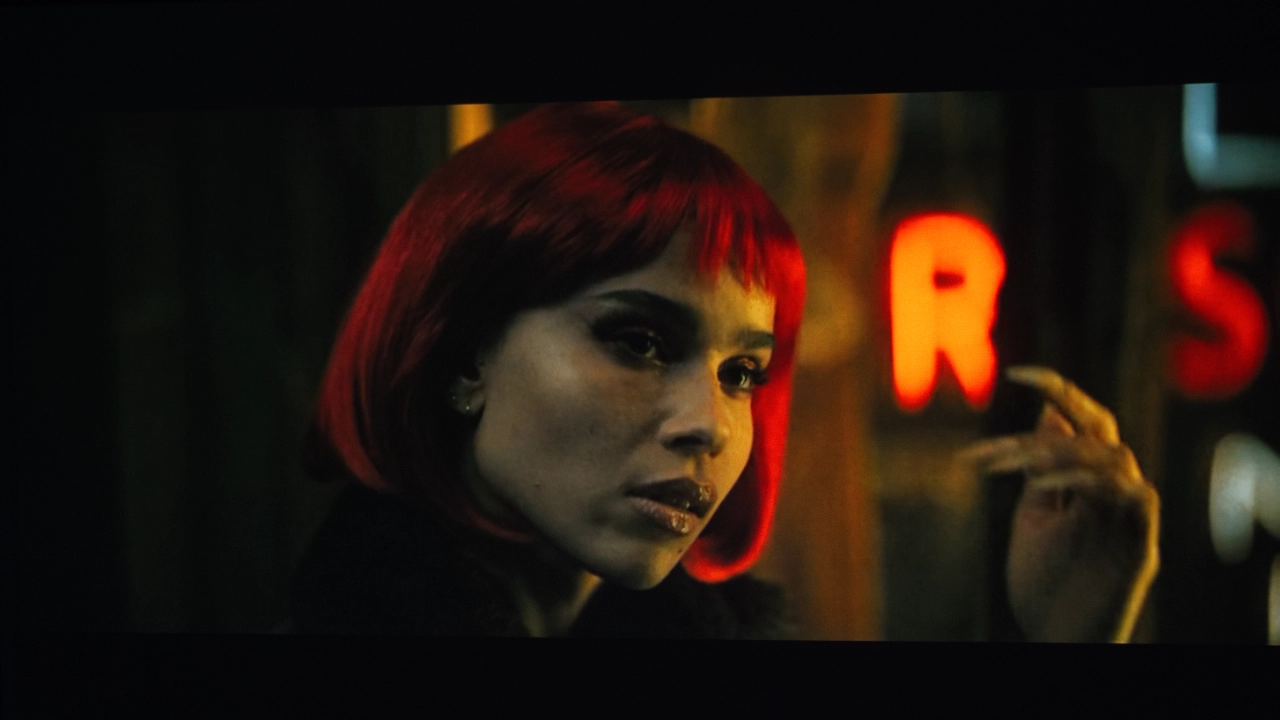
I tested this with scenes from The Batman, and the X1 Pro rendered a very respectable black level without completely "crushing" the dark details. You can clearly see Batman separated from the background, with the textures of his costume remaining visible. Similarly, a street shot from Ponies showed that the unit handled the complex mix of light and dark areas with ease.

It wasn't a perfect run, however. With some high-contrast indoor scenes of The Enclave, the projector occasionally crushed blacks. For most viewing scenarios, I found that leaving the black level settings on AUTO is sufficient. If you are watching an SDR film in a completely dark room and want to push the performance further, I suggest setting the iris to its minimum position.

Overall, I was very impressed with how this projector handled black levels and details in dark areas in both SDR and HDR content.

STANDARD DYNAMIC RANGE

  • Nebula_X1_Pro_SDR#5
  • Nebula_X1_Pro_SDR#4
  • Nebula_X1_Pro_SDR#3
  • Nebula_X1_Pro_SDR#2
  • Nebula_X1_Pro_SDR#1

The Nebula X1 Pro is fully compatible with active 3D content and supports several formats, including Frame Packing and both Side-by-Side and Top-and-Bottom layouts. The 3D experience on this machine is notably impressive, thanks to its high brightness even with active-shutter glasses.

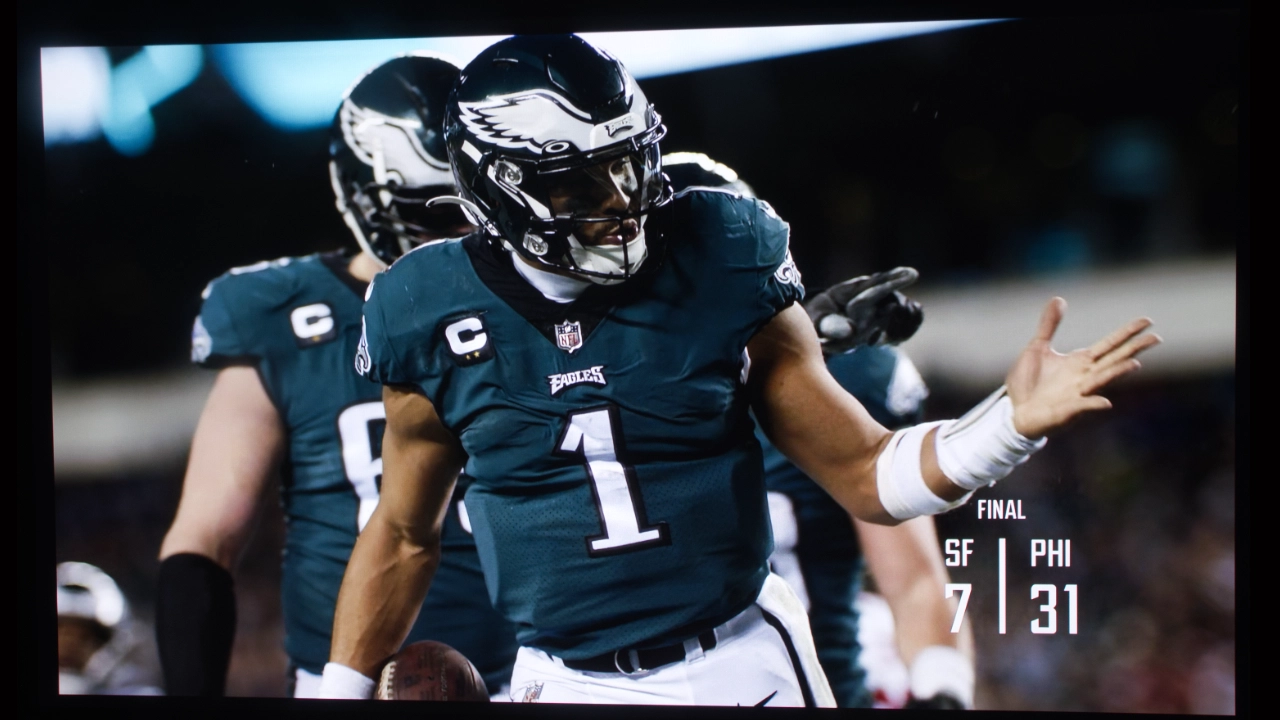
When evaluating standard dynamic range performance, I tested the unit with various broadcast television feeds and a selection of reference films. Across the board, the factory color presets are well-tuned and yield a pleasing image right out of the box. During my testing, I observed that the MOVIE and ISF DAY presets are almost identical in their color reproduction. Because a calibration code restricts the ISF modes, I chose to use the MOVIE mode as my primary target for professional adjustment. For casual viewing without calibration, I found that the ISF DAY mode worked best in rooms with some light, while the ISF NIGHT setting was the ideal choice for a completely dark environment.

HIGH DYNAMIC RANGE

  • Nebula_X1_Pro_HDR#2
  • Nebula_X1_Pro_HDR#1
  • Nebula_X1_Pro_HDR#3
  • Nebula_X1_Pro_HDR#4
  • Nebula_X1_Pro_HDR#5
  • Nebula_X1_Pro_HDR#7
  • Nebula_X1_Pro_HDR#9

The Nebula X1 Pro provides a comprehensive suite of high dynamic range formats, including HDR10, HDR10+, HLG, and Dolby Vision. The inclusion of dynamic metadata via Dolby Vision and HDR10+ is a significant advantage over the static metadata used in standard HDR10 content. HDR10+ allows the projector to receive more granular, frame-by-frame information, leading to more precise, automated optimization of the video signal.

The projector is equipped with several HDR-specific picture presets. For the most color-accurate HDR10 experience, I found the MOVIE and ISF DAY modes to be the best performers. The Nebula X1 Pro is designed to be user-friendly, automatically detecting and switching to the correct SDR, HDR10, HDR10+, or DOLBY VISION mode based on the specific encoding of the movie or game you are playing. While the HDR modes largely mirror the SDR modes' settings, there are also three dedicated Dolby Vision presets. In my testing, I found that the DOLBY VISION BRIGHT mode provided the best balance for both well-lit and darkened environments.

The internal HDR dynamic tone mapping on the X1 Pro is highly effective. It maintains saturated colors without making them unnatural, and it keeps highlights punchy without sacrificing fine details in the shadows. When watching HDR10 content, I never felt the need to manually adjust the settings during transitions between very dark and very bright scenes.

SOUND

  • Nebula_X1_Pro_Marketing#2
  • Nebula_X1_Pro_Sound#2
  • Nebula_X1_Pro_Subs#1
  • Nebula_X1_Pro_Sound#3
  • Nebula_X1_Pro_SoundShaping

Sound quality is another area where the Nebula X1 Pro 4K really stands out from the pack. While the standard model was already a solid performer, the Pro jumps into a completely different league with a 400W 7.1.4 Dolby Atmos setup. It is hard to overstate how much hardware they have actually crammed into this thing. Even without the external units, the main station puts out a cinematic profile that would normally require a high-end soundbar or a full AV receiver to replicate.

Nebula has added a range of previously optional accessories to the X1 Pro package. For example, Nebula has a pair of wireless front stereo and rear satellite speakers that offer an amazing sound experience, meeting and even exceeding the quality of many soundbars.

These small but powerful satellite speakers feature a built-in battery that lasts for eight hours, about four movies’ worth of sound. The speakers connect wirelessly to the X1 Pro projector, with a latency of less than 25 milliseconds. For comparison, typical Bluetooth speakers have a latency of around 200 milliseconds, which is significantly slower than the speaker's latency. This higher speed means the sound from the speakers is visually synced with the actor's lips on screen, with no visible lag. Nebula offers a very impressive audio automation feature called ADAPTIVE SOUND SHAPING that fine-tunes volume, direction, and timing to always keep you in the soudn sweet spot. This feature is part of the compantice FlexWave 2.0 technology. 

The new wireless speakers connect via the soundcore 5.8 GHz wireless standard. These wireless speakers last up to 8 hours on a single charge and recharge conveniently via USB-C. Additionally, with their IP54 dust- and water-resistant rating, a little rain won't hurt them. The wireless speakers work in tandem with the X1's internal subwoofers, creating deep bass that hits 38 Hz at 87 dB, delivering powerful, pure lows without muddiness.

Crisp, clear highs complete the soundstage with smooth, fatigue-free clarity. The X1 Pro lets you immerse yourself in a 7.1.4 speaker layout with 7 horizontal channels, 1 subwoofer, and 4 overhead height channels. Together, they deliver audio that surrounds you from every direction. All these speakers let you not only hear the music and special effects but also feel them.

Nebula also includes the Nebula Wireless Microphone 2, which features dual high-sensitivity microphones with 50 dB of noise suppression, delivering crystal-clear sound. These microphones are designed for meetings, live streams, or presentations and feature built-in rechargeable batteries with 40 hours of battery life and 15 ms ultra-low latency, ensuring uninterrupted performance for collaboration, gaming, or virtual events. This hybrid design seamlessly adapts to environments from movie nights to karaoke parties at home or on the go.

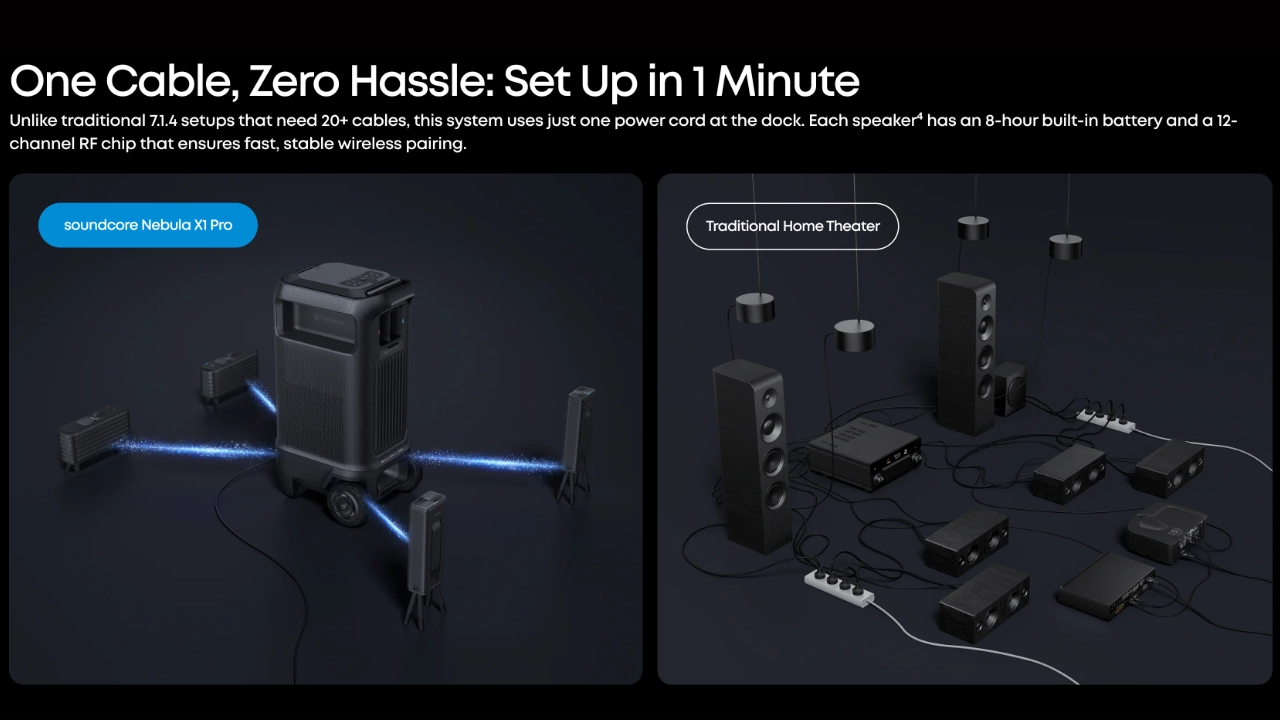
Getting everything synced up is supposed to be a seamless process. The buttons that deploy the front speakers also double as pairing triggers, and using Wi-Fi instead of Bluetooth keeps things low-latency. Nebula seems to have addressed the rear speaker pairing issue I experienced with the X1, so my speakers, both front and rear, were quickly recognized and connected.

The audio experience on the X1 Pro is genuinely impressive. You just don’t find this level of physical rumble in other projectors. Because the satellites are wireless and physically separate from the main unit, you can experiment with their placement to adjust stereo imaging or Atmos height effects to suit your specific room. It results in a massive, dynamic soundstage with enough low-end punch to satisfy most home theater enthusiasts.

SUMMARY

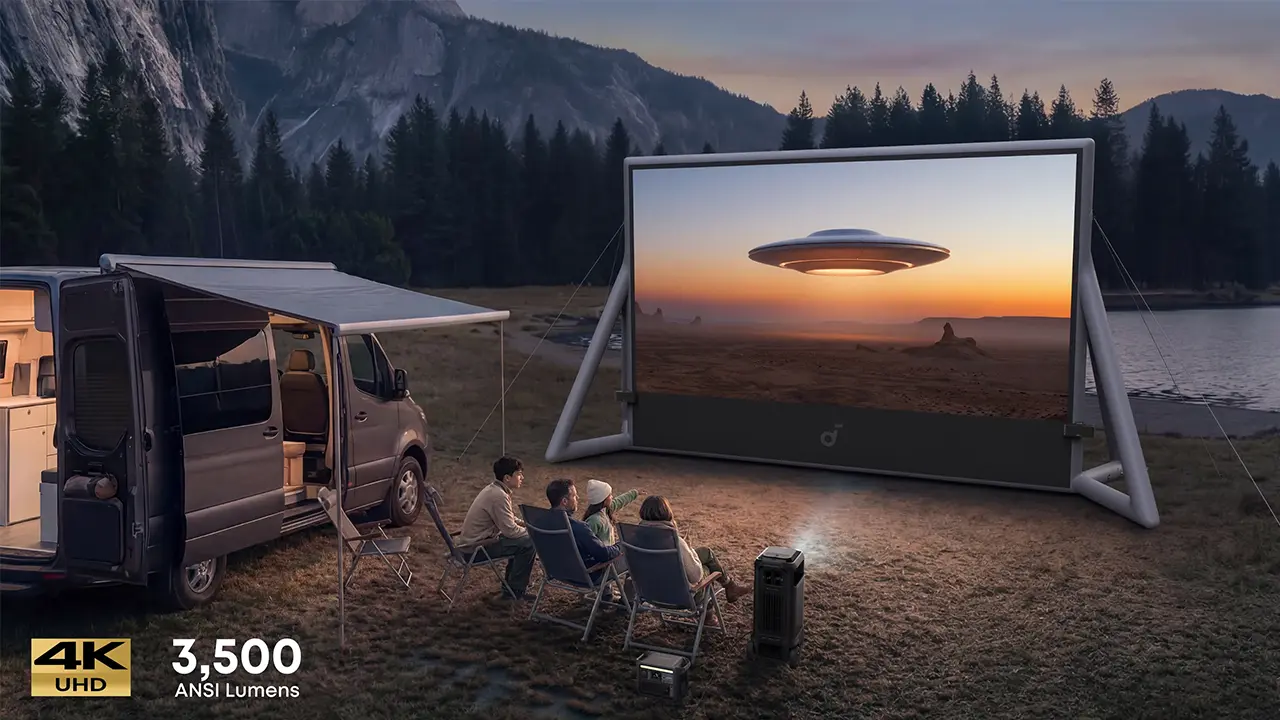
  • Nebula X1 Pro Camping
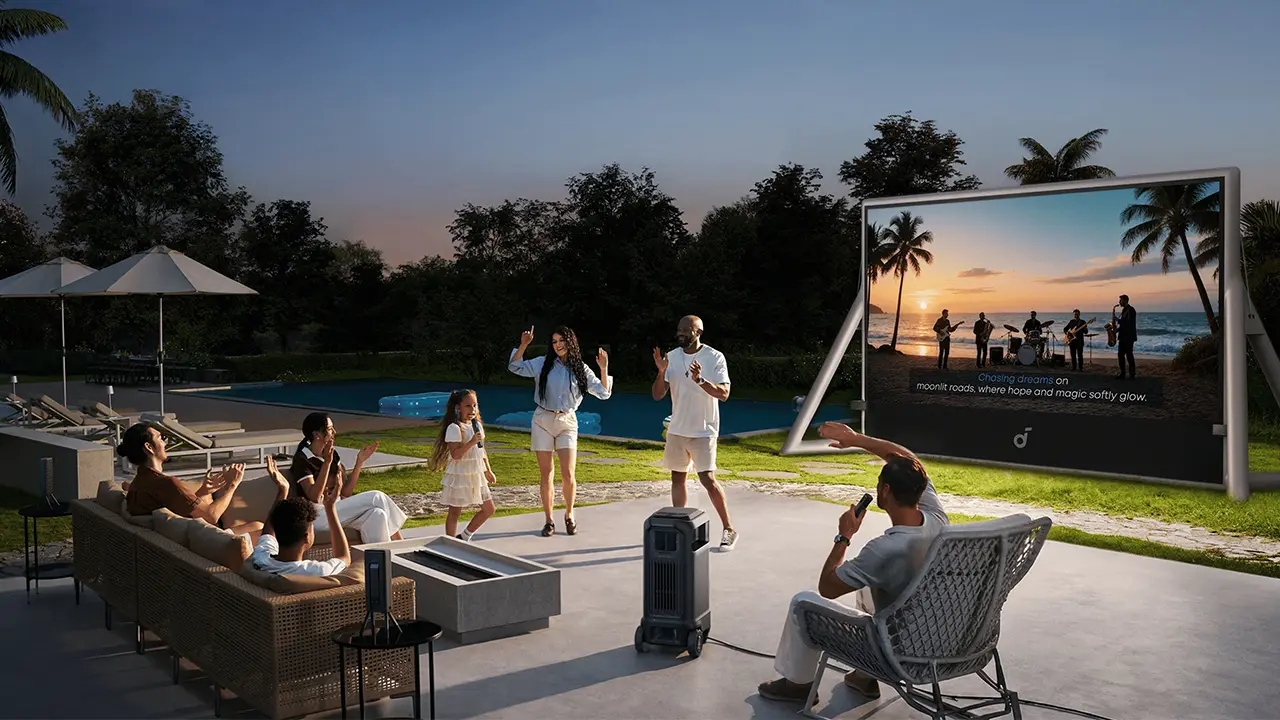
  • Nebula X1 Pro Karaoke
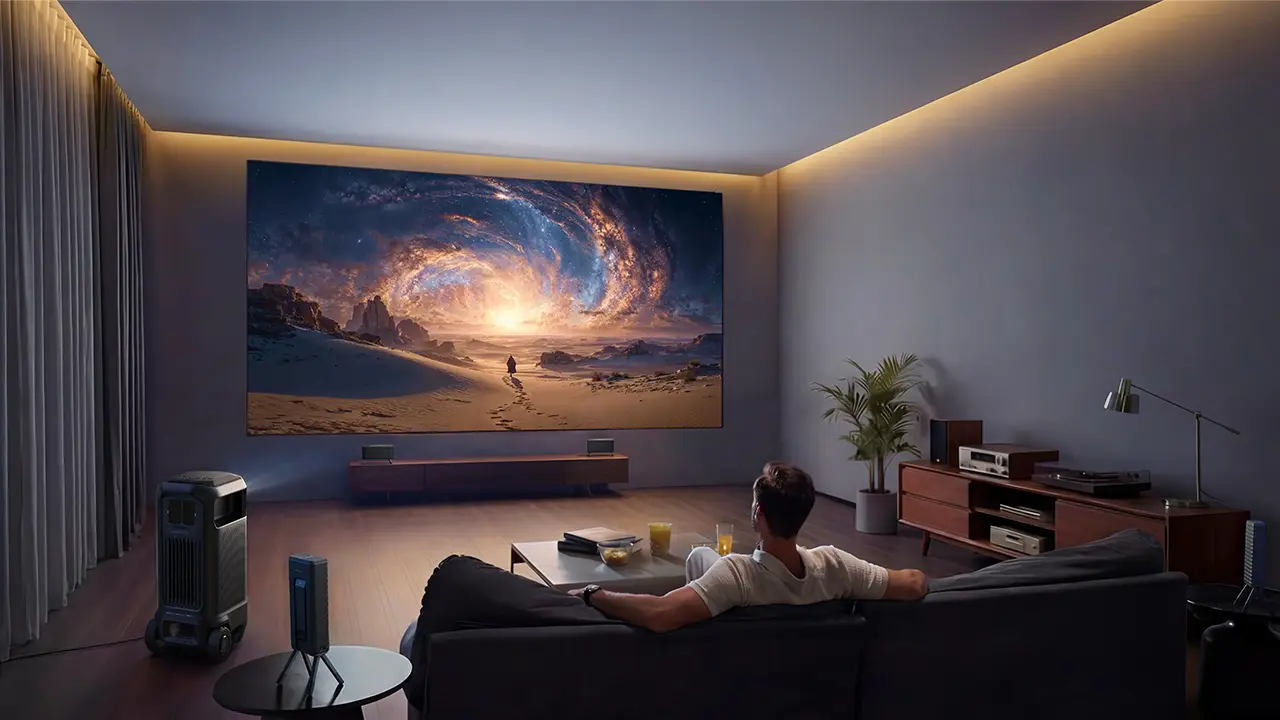
  • Nebula X1 Pro Home Entertainment
  • Nebula X1 Pro Gaming

To wrap this up, the soundcore Nebula X1 Pro 4K is an absolute audio video beast. Nebula didn't just build a projector; they built a 72-pound rolling solution to almost every headache associated with high-end home cinema. By integrating a high-performance triple laser engine with a genuine 400W 7.1.4 audio system, they have created a product that actually lives up to the "Theater Station" branding.

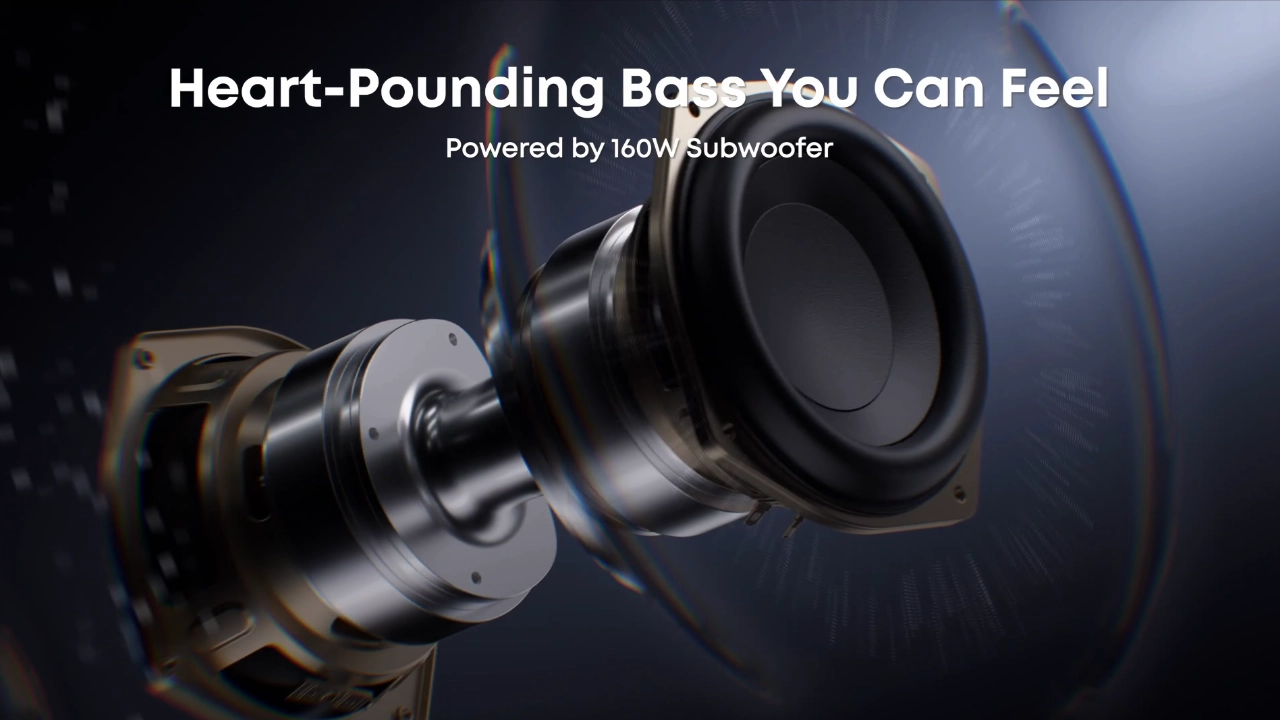
Nebula’s marketing leans heavily on extreme brightness, seamless automation, and "no-wire" theater sound. My testing confirmed that the brightness is actually understated. Measuring over 4,000 lumens in CONFERENCE mode, this unit can practically serve as a daylight TV replacement. The audio also exceeded my expectations. The dual 5.25-inch subwoofers provide a physical, floor-shaking rumble that no other integrated projector can currently touch.

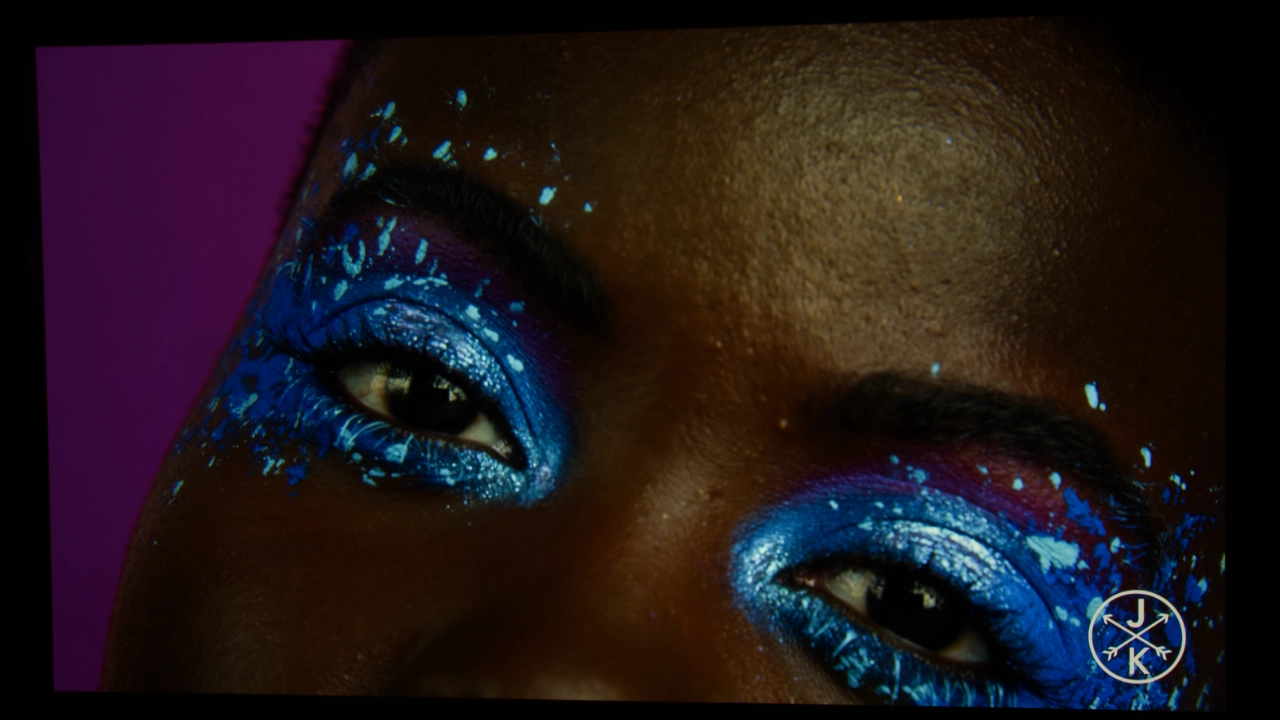
The overall picture quality of the Nebula X1 Pro is a compelling attribute. It delivers a level of punch and color depth that usually requires a fixed, high-end theater installation. Its 3,500 ANSI lumen triple-laser engine is the heavy lifter here, producing an image so bright it can comfortably handle a living room with the blinds open or a backyard screening at twilight. Color reproduction appears to be a major focus for Nebula, with the unit covering 110% of the Rec. 2020 gamut. Out of the box, the colors are incredibly vibrant, so like me, you might find the reds lean toward the oversaturated side before a bit of calibration.

Nebula X1 Pro w award-1
If you are interested in purchasing the projector mentioned in this article, we always appreciate it if you use one of the links in the article because Projector Reviews earns a small commission on the sale at no cost to you.
buy now on amazon button grey - Projector Reviews - Image

The overall picture quality of the Nebula X1 Pro is a compelling attribute. It delivers a level of punch and color depth that usually requires a fixed, high-end theater installation. Its 3,500 ANSI lumen triple-laser engine is the heavy lifter here, producing an image so bright it can comfortably handle a living room with the blinds open or a backyard screening at twilight. Color reproduction appears to be a major focus for Nebula, with the unit covering 110% of the Rec. 2020 gamut. Out of the box, the colors are incredibly vibrant, so like me, you might find the reds lean toward the oversaturated side before a bit of calibration.

The black levels are surprisingly good for DLP, thanks to the 6-blade dynamic iris and the NebulaMaster 2.0 algorithm, which deliver a 5,000:1 native contrast ratio. This hardware allows for impressive shadow detail in moody films like The Batman, avoiding the washed-out gray look common in brighter projectors. When it comes to HDR, the support for Dolby Vision and HDR10+ is a game-changer, as the dynamic metadata ensures the projector’s massive light output is used intelligently to preserve highlights without crushing the darker areas of the frame.

However, the automation was where the marketing met some friction. The SPATIAL ADAPTATION and GIMBAL RECALL features were a bit hit-or-miss in my lab, often requiring a manual touch to get the geometry perfect. It appears that while the hardware is revolutionary, the software still has some growing pains to work through before it is truly "set and forget."

COMPETITIVE COMPARISON

At a retail price of $4,999, the X1 Pro occupies a very specific niche. Here is how it compares to its closest rivals: It has no rivals. As far as I can tell, the Nebula X1 Pro is currently in a category of one. It is expensive, heavy, and occasionally quirky, but it is also the most capable and impressive single-box cinema solution I have tested to date. If you have the budget and the floor space, it’s in a league of its own.

FINAL THOUGHTS

The soundcore Nebula X1 Pro 4K is an interesting piece of kit because it doesn’t really fit into the standard categories we usually review. It’s not just a projector, it’s more like a high-performance audio video system on wheels. While the $4,999 price tag might seem like a lot at first glance, you have to consider that it essentially replaces an entire room's worth of AV equipment, from the 400W Atmos system to the triple laser 4K engine. The image quality is top-tier, making it viable in a sunlit living room or a backyard at dusk.

The X1 Pro is packed full of incredible software. Some of soundcore’s software solutions like ADAPTIVE SOUND SHAPING that fine-tunes volume, direction, and timing to always keep you in the sweet spot. Of course, the experience isn't entirely perfect. The much-touted automation and gimbal recall features need another firmware update before they are as reliable as a manual setup. However, once you get everything dialed in and those four wireless speakers are firing, the immersion is impressive. The dual subwoofers alone provide a level of depth you simply won't find in a standard all-in-one unit.

  • Nebula X1 Pro-Kids Event-2
  • Nebula X1 Pro-Kids Event-5
  • Nebula X1 Pro-Kids Event-6
  • Nebula X1 Pro-Kids Event-8
  • Nebula X1 Pro-Kids Event-9
  • Nebula X1 Pro-Kids Event-4

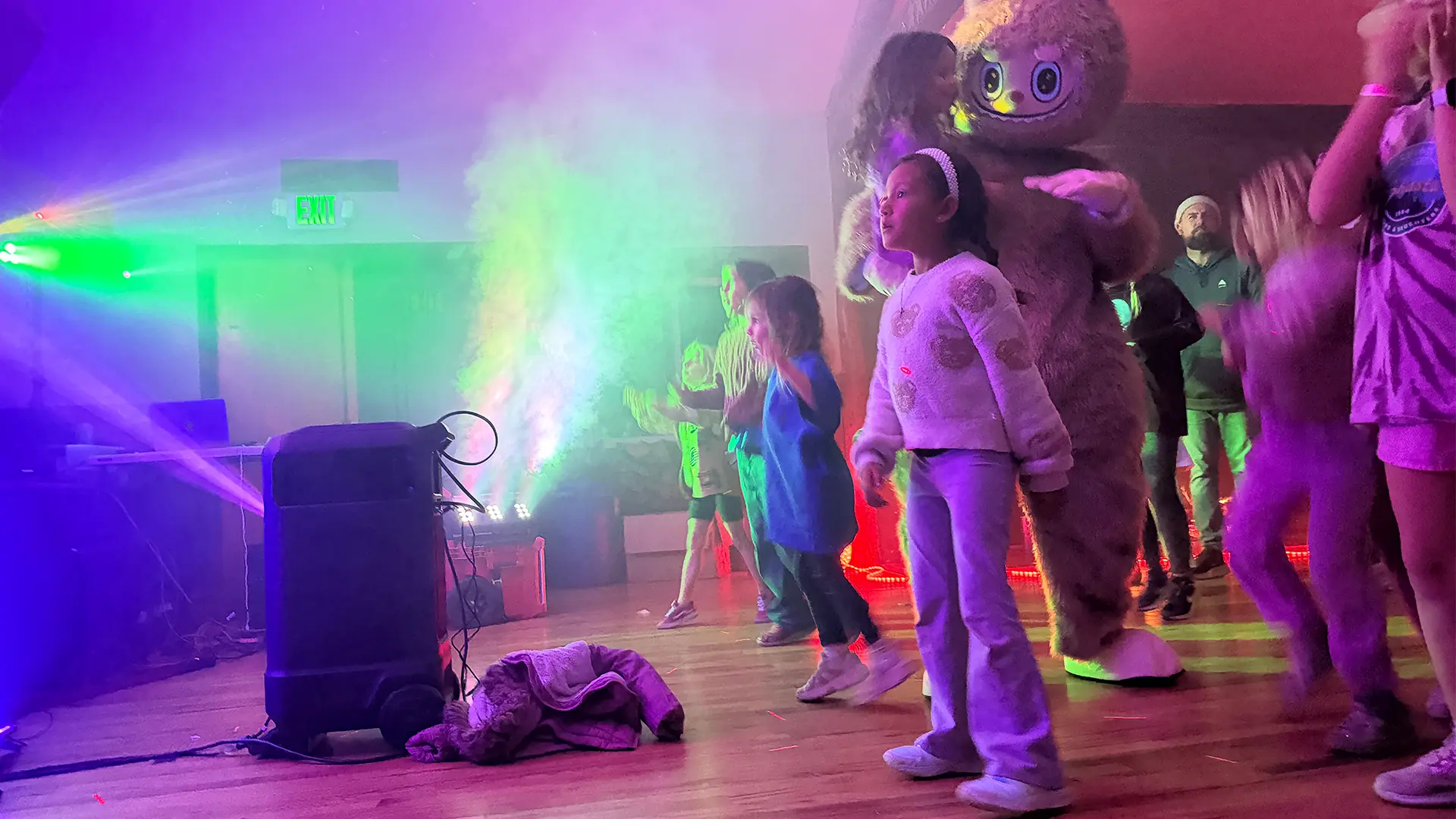
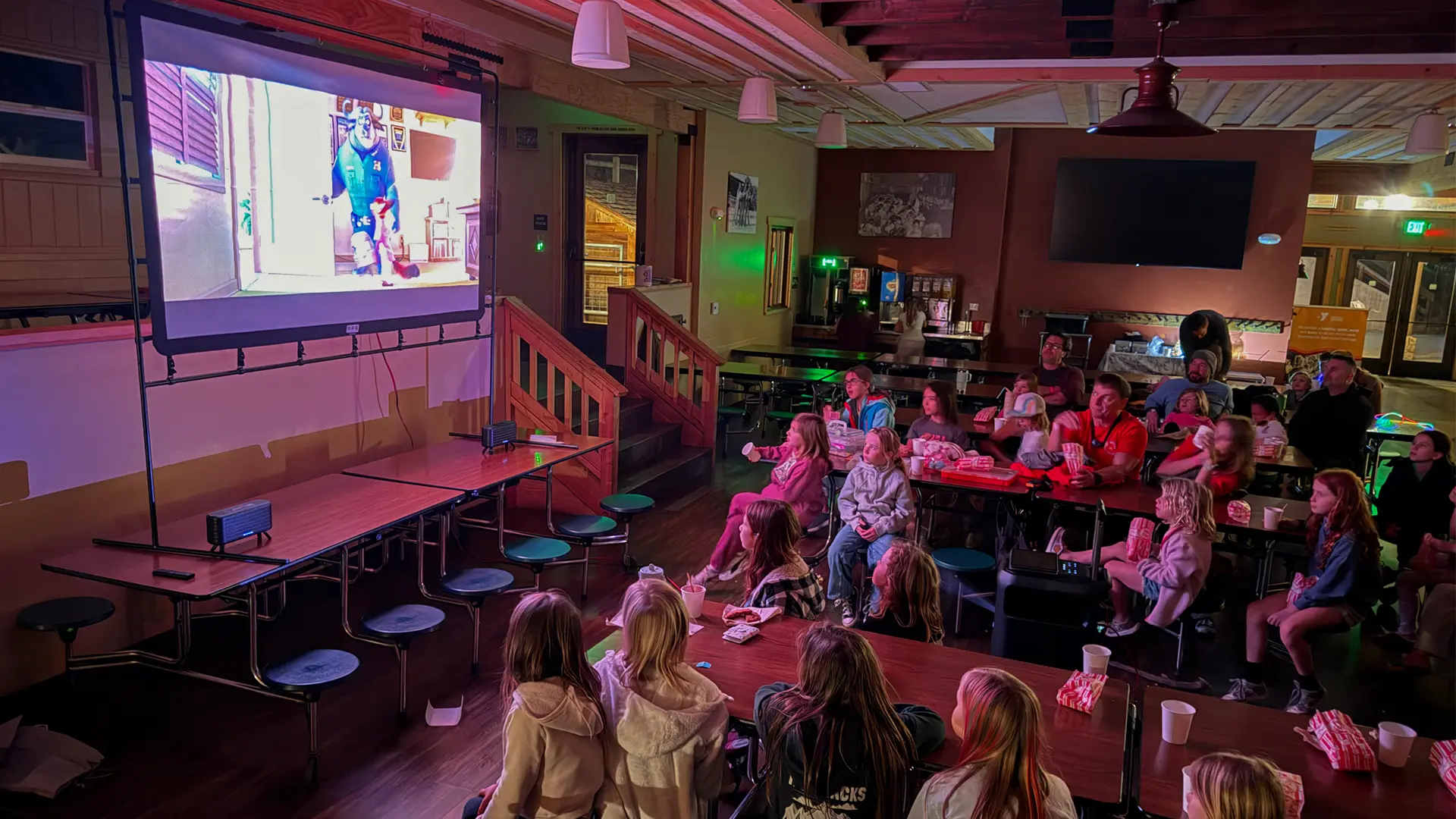
We loaned the Nebula X1 to a group of fa participating in a YMCA Adventure Club camping event with their daughter. They set up the projector in the meeting halls to watch movies, sing Karaoke and have a dance party. When the dads returned the unit, they rave about how cool the systems was. The screen in the meeting hall was small so if I had provided a 200 inch Nebula screen, I am sure the kids would have been blown away. 

We review dozens of projectors every year so it is rare to come across something completely new. Phil Jones absolutely loves the unit and I sure he will be using for multiple backyard movie nights this summer. 

Ultimately, the X1 Pro is designed for the person who wants a massive, high-fidelity theater experience without the pile of wires that comes with a traditional home audio installation. If you are looking for something to throw in a backpack, this isn't it. But if you want a system that can turn any space into a premium sound and visual experience, the X1 Pro is currently in a league of its own.

soundcore NEBULA X1 - SPECIFICATIONS

Nebula_X1Pro_Featured#1
Full Specifications
Projector ModelNebula X1 Pro
Price (MSRP)$5,999
Imager TypeDLP (0.47-Inch)
Displayed Resolution3840 x 2160 pixels (4-way pixel shifting)
Native Resolution1920 x 1080 pixels
Brightness (Manufacturer Claim)3500 Lumens
Light Source TypeRGB Laser
Contrast Ratio5,000:1 (Native)
Lens Throw Ratio0.9:1 to 1.5:1
Power Zoom/FocusYes
Lens Shift25 Degrees Vertical
Interchangeable LensNo
Ultra Short ThrowNo
Native Aspect Ratio16:9 (Widescreen)
4K/120 fpsInput Only (Display 4K 60)
3DYes
SpeakersYes
Noise Level (-db)26 dB (Normal)
Low Lag Gaming18.3 ms at both 4K@60Hz and 1080p@60Hz.
Smart FunctionalityYes
BusinessNo
ClassroomNo
PortableYes
Special FeaturesHDR10, HLG, and Dolby Vision
NetworkingWiFi
Dimensions (HxWxD)(WxHxD) 17 × 30 in × 13.5 (435 × 761 × 343 mm)
Weight72.4 lbs (32.8 kg)
Warranty1-year Limited
Buy Now On Amazon - Projector Reviews Images

© 2025 Projector Reviews

crossmenu linkedin facebook pinterest youtube rss twitter instagram facebook-blank rss-blank linkedin-blank pinterest youtube twitter instagram