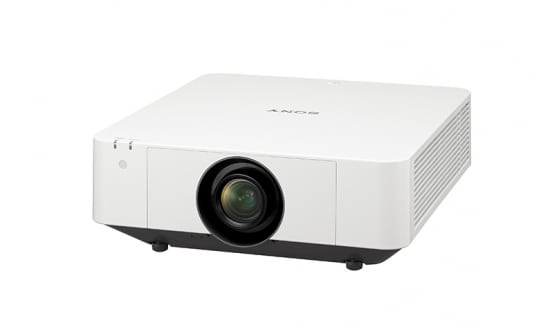
BenQ W1200 Projector Review
BenQ's W1200 projector is their newest, lower cost 1080p home theater projector. It positions itself about $500 less than their highly regarded W6000, one of our favorite home theater projectors. The W1200 performs more like a home entertainment projector - than one designed for a dedicated home theater. It should be an excellent choice in the family room, out back in the yard, in summer, a basement or bonus room. Anywhere where light control is less than ideal, walls not dark, etc. is a likely home for the W1200!
6-3-2011 - Art Feierman
|
|
![]() |
BenQ W1200 Projector Overview
The BenQ W1200 physically looks good. It seems more finished and has a better mechanical feel than most of the competition around its price.
It is a single chip DLP projector that's pretty bright. That is to say, its Best mode, even after calibration is noticeably brighter than most of the home theater projectors we review in their best modes.
For a family room type environment, it's also great that the W1200 has plenty of lumens. Though we clocked only 1400 and change out of BenQ's claimed 1800, and our preferred bright mode was down around 1200 lumens, that still is a lot better than most of the competition.
I mentioned taking it out back. Unlike most home projectors, this BenQ has audio built in. It won't rock the house, but it will work well enough out back, especially if you are clever and rig up a powered subwoofer - really easy to do.
An additional note - with sound built in, and the usual host of features, this W1200 may well appeal to a lot of business people looking for a projector for work that can double at home. It certainly is perfectly capable as a 1080p resolution widescreen business projector!
In this review we primarily put the W1200 up (in conversation and in terms of competitive images), with the Mitsubishi HC4000. In reality, though a step up in some ways, the W1200 is more in line - feature wise, with less expensive projectors including the Vivitek H1080, the widely popular Optoma HD20, and a couple of other $1000 or less projectors. The BenQ's price, in that sense is a bit high, but it has advantages, starting with the best lens and placement flexibility of the lot. More in our Competition section.
Mount the BenQ, or put it on a table, move it from room to room. It's versatile, if nothing else. Only the lack of lens shift (which isn't found on any DLP projectors in this price range), and a lot of fixed lens offset limit it, placement wise. But it still bests the competition in that regard.
What we have here is a brighter than average projector, capable of very good color, and possessing an exceptionally sharp image. It's not going to be the bargain basement priced projector, but one typically worth a bit more than those which are.
Ok, that's enough of a "taste". Let's start looking at the details
BenQ W1200 Projector Highlights
- Very bright overall, with exceptionally bright "best mode", and above average overall brightness
- Color performance is good, for the class, very good post calibration
- Better black level performance than most entry level priced projectors
- 2500/4000 lamp life - better than average but some competition does better still
- Built-in speaker - with reasonable sound!
- Picture In Picture, and side by side sources
- Solid feel, finish. Professional looking projector
- More lens zoom range than most of the competition - for better placement flexibility than competing DLP's but still no match for a good LCD in this regard - such as the Epson Home Cinema 8350
- Physically small enough and light enough to double for portable business use
- Competent for business and education use, though primarily for home.
Specs for BenQ W1200
MSRP: $1499. Online "street price": about the same
Technology: Single chip DLP
Native Resolution: 1080p (1920x1080)
Brightness: Manufacturer claim: 1800 lumens, 1418 measured max, 764 lumens "best" mode with Brilliant Color off
Contrast: 5000:1
Zoom Lens ratio: 1.5:1 Manual zoom and focus
Lens shift: None
Lamp life: 2500 hours at full power, 4000 hours in eco mode
Weight: 7.9 lbs. (3.6 Kg)
Warranty: 1 Year Parts and Labor (6 mo. or 500 hours on lamp)
View full specifications: BenQ W1200
BenQ W1200 Special Features
BenQ W1200 as a Gaming Projector
The BenQ W1200 throws a very bright, accurate image. However, the 100+ms input lag measurements mean this projector is a no-go for any games other than slower paced RPGs and puzzle games. Newer firmware is out and is supposed to be much faster, but we have not tested it.
For more info, check out Pete's Gaming Blog: BenQ W1200
BenQ W1200 Picture In Picture
No surprise here, BenQ has always been a big fan of PIP and POP. (PIP implies a large image with a smaller image positioned inside, while POP usually means two side by side, non-overlapping images of the same size). The W1200 offers only PIP. One thing though - typical of most projectors with PIP, is that your choice of inputs is somewhat limited.
The BenQ W1200 may have two HDMI ports, but, as with almost all projectors, there's only one HDMI circuit, so you can only use HDMI for one source. For the other source - good news, you can feed it component video - the analog alternative for high resolution output. Older BenQs often only allowed the 2nd source to be a low resolution one (composite video or S-video).
There is still one limitation. Both windows cannot be active at the same time. If you want to watch a movie on one window, the other one is static. OK, forget two football games from two satellite or cable receivers at the same time. If watching one, the other will have a frozen frame. Those doubling the W1200 as a business projector though, aren't likely to mind. When it comes to home use... you'll think of options where using both is fun, and doable, even if one is static. You can switch back and forth to update the one you normally want as static.
W1200 Lamp Life
For years lamp life stats for most projectors stayed stuck at 2000 hours at full power, and 3000 in eco-mode. This has started improving dramatically in the last 2-3 years. At best we're now seeing some projectors in eco-mode reaching claims of 5000 and 6000 hours. This W1200, rated 2500 hours at full power and 4000 in eco, is slightly better than average, but not a match for the best. As a result, better than average cost of operation, but there are competitors with longer lamp life and therefore lower costs.
1.5:1 Zoom Lens
The W1200 is another recent projector following a trend - DLP projectors that are finally offering more than the absolute minimal 1.1:1 or 1.2:1 zoom lenses. I'm never sure how many people buy 3LCD projectors over DLP projectors simply because of placement flexibility advantages of the typical 3LCD projector, but it is a lot. That said, the W1200 still lacks adjustable lens shift so it can't be (high) rear shelf mounted, although with the longer zoom range, in some rooms that aren't too deep, you could mount the projector under a shelf on the rear wall. As with most home theater projectors though, this BenQ projector either works in your setup or not. The W1200 has more chance of working, then, say the lower cost Optoma HD20, Mitsubishi HC4000 or even the older BenQ W1000+ which are more limited.
Image below - from the trailer for last summer's Star Trek movie:
W1200 Projector - Audio
While traditional home theater projectors come without speakers, of late, there's been more of a tendency to add decent sound to the more entry level priced projectors. This is, no doubt due to two reasons. First, it allows the projector to double for business use (should that be a requirement), and secondly, it means simplicity if you are moving the projector from room to room, or hauling into your back yard or driveway for a summer movie nite. (it's really good at that). A pair of 10 watt speakers does the trick. If you really want to rock the house though, a "real" surround sound system is still the way to go. But, you can hook up a powered sub-woofer, for a quick setup with some decent bass, for those outside parties, or in the bonus room.
W1200 Creative Frame Interpolation - CFI - smooth motion
Creating new frames between existing frames to smooth motion has been around for about 4 years now. Most folks enjoy the capability for sports and many for general non-movie content (such as Discovery HD). On the other hand, we believe most movie watchers prefer it off. The effect of CFI on 24fps movies, is to make them seem more like live digital - think "soap opera" look and feel. Very unnatural for a movie. Take your pick and preference, the W1200 projector offers Off, and Low Medium and High (creative) frame interpolation.
While the W1200 offers CFI, note that on the older review unit sent me (firmware 1.02), there was a glitch, but BenQ reports that was corrected on the 1.03 firmware, which is what most folks have.
The issue is one of settings accuracy. With the older firmware, every time you power up the W1200, CFI is on, even if the menu setting says off. You'll have to enter the menus - turn it to one of the on settings and back to off, for it to go away. All considered a minor nuisance. With 1.03 firmware, when you power up, it correctly sets the CFI as the menu indicates - issue gone.