Please visit our sponsors

Panasonic PT-AE3000 Projector Review

A detailed review of the Panasonic PT-AE3000 1080p home theater projector.
This review has just been posted. Additional images, commentary, and proofing to come.


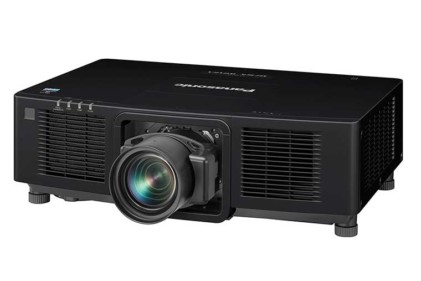
The Panasonic PT-AE3000U projector.

The Panasonic PT-AE3000U projector wins the Hot Product Award!

Panasonic PT-AE3000 Projector Overview

Wow! The PT-AE3000 has been extremely impressive from the moment I first plugged it in. With the previous Panasonic projector, the PT-AE2000U, its price was a very important factor, which allowed us to give it a Best in Class award for the "entry-level" 1080p projectors. The older model though, came up a little short compared to the best of the mid priced 1080p order, notably the Epson Home Cinema 1080 UB.

This time around, the PT-AE3000 looks extremely formidable, and despite the relatively low price ($2499 selling price), it looks to not only be competitive with other top projectors including the new Mitsubishi HC7000, Sanyo PLV-Z3000 and the Epson Home Cinema 6500 UB (all to be reviewed in the next 3-5 weeks), but has some interesting features not found on some or all of those mentioned. The PT-AE3000U is the most feature laden of the bunch!

James Bond image from the Panasonic PT-AE3000U projector.

Perhaps more importantly, the Panasonic has improved significantly in some areas, most notably in terms of black level performance. Panasonic's PT-AE3000 home theater projector is a much better projector than the PT-AE2000U it replaces! It will be interesting to see if the comparable entries from Sanyo, Epson, and Mitsubishi, will be able to match or beat the Panasonic's performance. That should be especially interesting, as the Panasonic will likely be the least expensive of the four major "top of the line" 3LCD home theatre projectors.

^ Back to Top

PT-AE3000 Projector Highlights

  • Average brightness in both best and brightest modes (but, a slight improvement over the PT-AE2000U)
  • Extremely good out of the box color performance (one of the best)
  • Frame rate interpolation for improved handling of fast moving objects and scenes, to reduce motion blur
  • "Pseudo" anamorphic lens features, including savable memory settings on zoom and aspect ratio - an extremely interesting feature with many benefits, which allows an owner to choose a 2.35:1 aspect ratio screen, without spending the big bucks for an anamorphic lens
  • Power zoom and focus
  • Excellent black levels
  • Very good shadow detail
  • Good sharpness (seems a touch sharper than the older model), but still "average"
  • Excellent price/performance value

Woman image from the Panasonic PT-AE3000U projector.

^ Back to Top

Specs for Panasonic PT-AE3000

MSRP: $3499. MAP: $2499
Technology: 3LCD
Native Resolution: 1080p (1920x1080)
Brightness:1600 lumens
Contrast: 60,000:1
Zoom Lens ratio: 2:1
Lens shift: Vertical and Horizontal
Lamp life: 3000 hours low power (eco-mode), 2000 hours at full lamp power
Weight: 16.1 lbs. (7.3 Kg)
Warranty: 1 Year Parts and Labor

National Treasure image from the Panasonic PT-AE3000U projector.

^ Back to Top

Special Features

Just about every home theater projector has a number of "special features." Many of those are quite common though. Some however, are relatively new features that can make a real difference. The Panasonic PT-AE3000U has two such impressive new features, definitely worthy of discussion, plus three others of note.

PT-AE3000 Frame Interpolation

In an effort to reduce motion blur (which most people can rarely detect). Still there are certain types of content where motion blur can be bothersome. To deal with motion blur, the Panasonic PT-AE3000U takes a movie source on Blu-ray disc, which is in 24 fps (the original frame rate for the movie film), and inserts three additional frames for every one on the disc. This gets the frame rate up to 96 fps. There are two ways of doing this - you can take the first frame, and clone it three times, then move on to the second frame. While this is helpful in some areas, the problem is that you are now pumping out on to the screen, 4 identical frames in the time that only one was used.

What really makes this concept work, is if you make each of those frames different, by analyzing the first frame provided, compared to the second frame. Now you see what has moved significantly. Picture an airplane about 10 percent of the width of the screen. In the original frame one, it might just have entered the right side of the frame. In the second "original" frame, it might be half way across. When Panasonic creatively creates those three new frames in-between frame 1 and frame 2, it would essentially move the plane 1/3 the distance from where it is on frame one in frame 1a, compared to original frame 2. In the second new frame (1b) the plane would be half way between the two positions on the original frames. In 1c, it would be 3/4 of the way to frame 2.

The result is, for fast moving objects, the new frames anticipate the correct position. This is a concept that should work beautifully, and it does. True, on most viewing it isn't necessary, but in some sports (tennis is a great example) where objects move very quickly, it can really improve the image.

Anamorphic Lens Emulation Capabilities

There are several new projectors with this feature, but, from what I've read (until the Mitsubishi HC7000 and Sanyo Z3000 arrive for review), it sure looks like Panasonic has done the best implementation. I'm getting a bit ahead of myself, time to describe what this is all about:

Almost all home theaters today, use 16:9 (1.78:1) aspect ratio screens. That is, of course, the correct ratio for HDTV, but still too tall, for the vast majority of movies, which have been created using Cinemascope's aspect ratio of 2.35:1.

For those primarily concerned with movie viewing, using that 16:9 screen means a letterbox (an almost black area, above and below the image). Both boxes are each about 10% of the screen height. Thus, you get that dark gray box. Now using a 16:9 screen makes sense, especially when you consider that the projectors, themselves are 16:9 devices.

However, if you chose a wider screen, you would lose that letterbox (great), but the problem is, your HDTV and standard TV sources, would overshoot the top and bottom of the screen. Definitely not acceptable.

What the Panasonic does, instead, for those who choose a 2.35:1 screen, is allow the projector to use an "anamorphic" resize of the image, combined with zoom, so that you fill the full 2.35:1 screen without those pesky letterboxes. Then, when you want to watch your HDTV, etc., it simply zooms out, reducing the vertical size of the 16:9 image, to just fill the screen with content, from top to bottom. That now leaves you a letterbox on the left and right, but for those who consider movies far more important than TV, they would all prefer not to have the letterboxing on movies.

Now, you can expect this feature on the other two projectors (Sanyo Z3000 and HC7000), but only the Panasonic has a memory save and load feature. That means you can basically switch in and out of these modes with a touch of the remote. With the others, it looks like you will have to manually adjust, each time you want to change the aspect ratio. (With the Sanyo, which has a manual zoom lens, that means doing it at the projector). With the Mitsubishi, it, like the Panasonic, has a power zoom, but I do not believe it has memory save/load options, so you will be hitting the remote and adjusting each time, which will definitely take a whole bunch of seconds, especially if you want to frame it exactly.

One comment. Using a real anamorphic lens (and sled), accomplishes the same thing with some advantages, but you are normally talking about a few thousand dollars more.

Waveform Monitor and Split Adjust

This is an instant replay - two features carried forward from the PT-AE2000U. Basically you have a built in waveform generator for analyzing the image. When engaging it, you can see the color information from a frame by line, or the entire image, and you can view it one color at a time (red, green, or blue) or all three together. I won't get into what you can do with this, but let's say it is fun, and can be most useful in adjusting the projector. Split Adjust is even more fun. With split adjust, you can pick out a frame, select it, freeze it, and then split the window into two copies of the same image. You can bring up the menus and adjust one of them. This way you can see a side by side between what you started with, and the effect of your changes. For most people, these features will never be used, but for enthusiasts and hobbyists, what great toys.

Fast Frame Response

The manual is pretty thin on this feature. It lets you choose your image processing priority. You can select the best image quality, of the fastest processing. This I do believe is designed to allow gamers to minimize the lag time that drives them crazy when the image on the screen is a little slow, and throws off the pace of a fast game.

^ Back to Top

NEXT: Take a physical tour of the Panasonic PT-AE3000

Projector Search
Projector Packages