Greetings, it is Fun and games time, talking about, of all things, 4K resolution issues as they relate to projectors. I hope you all enjoy this blog about FauxK vs 4K, and it all means, especially when it comes home theater and home entertainment projectors.
This blog follows up an article I wrote about 2 years ago):
FauxK vs 4K.
Should anyone care, I didn't invent the term FauxK to describe some projectors. The first usage I've found goes back to 2010, on another AV site. That was many years before the "4K UHD" projectors or 4K consumer content appeared.
Using pixel shifting to claim higher resolution, I (and others) figure the manufacturers almost begged for us to feel the need to shout FauxK. Some in the industry, don't think "4K UHD" should have 4K in its name at all, if it was just a standard called UHD, there wouldn't be any of the fuss. But that notwithstanding, the amusing part is:
I sure get a whole lot of complaints from various projector manufacturers, that offer "4K UHD" and/or 1080p pixel shifters that can work with 4K content because I've referred to them as FauxK. (Hey, calling them FauxK has been fun, and in this world of sound bite attention spans - it gets immediate attention).
You would think from some of those manufacturers, that my using the term FauxK is worse,or at least controversial, than (dare I say it); kneeling for the National Anthem, before a game. Ouch!

Jennifer Lawrence in Passengers - 4K HDR content, BenQ HT2550 projector - $1499
We come from a history of previous resolutions including HD resolutions not specifying actual resolution: ie. VGA (640x480), Standard HD was/is used for 720p, while FHD or Full HD is used to describe 1080p but no one put "1.3K" or "2K" in front of HD, so what was wrong with just calling this "new" resolution, simply UHD for Ultra High Definition (which is what UHD stands for). But no, the CTA - the same, wonderful folks that put on the Consumer Electronics Show, created the 4K UHD definition and - short version - define it as being able to put 8.3 million pixels on the screen. It's the type of pixels though, that create the confusion and controversy.
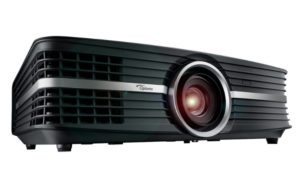
The $2499 Optoma UHD65 home theater PJ has 2716 x 1528 x 2 resolution, (medium sized pixels) pixel shifting to get to generate 8.3 million pixels - 4K UHD.
At least 3 different size pixels are currently being used by folks touting "4K."
Now for the past few years, I've used these terms:
4K, True 4K, Native 4K - to describe projectors that use panels or chips that have either 3840x2160, or 4096x2160, or 4096x2400 native resolution without overlapping pixels. All I call true / native 4K projectors meet the definition of 4K UHD. I'm starting to see some manufacturers using pixel shifting also starting to call theirs "true 4K." I don't approve.
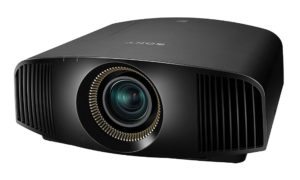
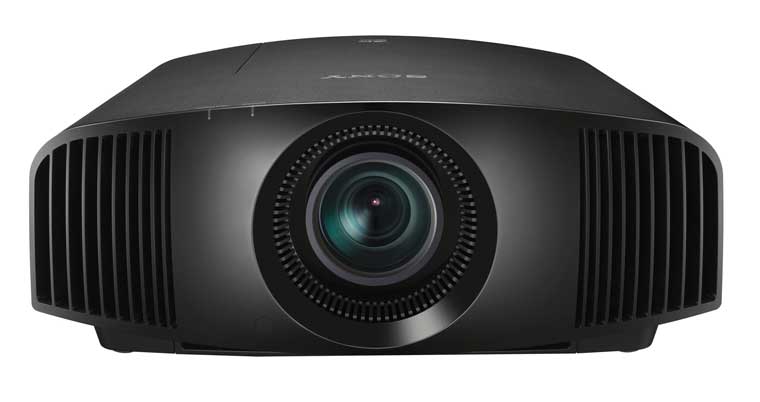
Sony VW385ES: $7999: True native 4K (smallest pixels), great color, v. good black levels, energy efficient, quiet - what's not to like?
Anything that overlaps pixels, and puts 8.3 million of the little suckers on a screen is defined as 4K UHD, but the pixels are much larger. TI has two different 4K UHD chips - 2716 x 1528 pixels times 2 (pixel shifting one time to double the pixels). Do the math, you get 8.3 million. Their other chip, brand new, is - oh no - 1920x1080 times 4 (shifting pixels 3 times).
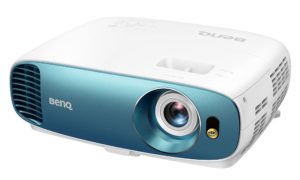
$1499 BenQ TK800 bright room projector, 4K UHD 1920x1080x4 (larger pixels). 3000 lumens
The first example uses pixels that are twice the size (in area) of "native" 4K. The second example, uses pixels that are four times the size of native 4K.
Obviously, no matter how much fancy processing you throw at this issue, Two projectors otherwise identical, will produce a sharper, more detailed image with the smaller pixels. (I'm just waiting for a 1280x720 times 9 - shifting 8 times), why not. True, those pixels will be about the size of a bowling ball compared to true 4K being about the size of a baseball (just a guess, don't start doing the math). Even 2716x1528x2 would have pixels roughly the equivalent to a soft ball, vs that same hard ball.
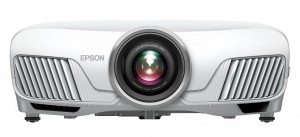
$2300 street the 4K capable Epson HC5040UB is a 1080p x 2 pixel shifter, (larger pixels) with serious black levels, lots of features.
Now there are other pixel shifters, notably from JVC and Epson - those are 1920x1080 times 2 - so that's only 4.15 million pixels not 8.3 so those don't qualify as 4K UHD ,but their pixel size is the same as the smaller 4K UHDs they just aren't overlapping as many times. Understand, all of these - native and pixel shifters, do support 4K content, no matter how they process and project it. That's why I also like the phrase 4K Capable, which I will continue to use (until it's time to start talking "8K Capable).
OK, so once again, I've defined what's going on.
Why is FauxK dead? Well it's only "mostly dead" (a quick shout out to all you
The Princess Bride fans).
Going forward I'm going to avoid using the FauxK term. Mind you, it hasn't cost us any biz, so I'm not feeling threatened by those manufacturers, despite their kvetching. (One major advertiser - in showing their displeasure, did say to me in the past few months something like: "Despite your continued use of FauxK to describe our projector(s), we're still going to renew our advertising with you." (Well, that made me feel good!)
But at CES I was having a calm discussion of 4K UHD, 4K and specifically, the term FauxK. There I heard the best argument for not using the term, from one of the folks at the Texas Instruments suite at the show.
The point made was it's not about whether FauxK is a bad or inaccurate term to use, technically, but what the impact, in today's sensitive world, might be on peoples' (home theater type peoples) perception. And here is the example loosely paraphrased by me.
It's your anniversary. You want to show your love and appreciation for your "better half," so you buy a very nice piece of jewelry, and present it - this way: ...
I bought you this lovely Faux-diamond.
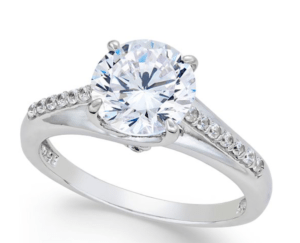
A lovely, $31 Cubic Zirconia ring. It sparkles, but not like "the real thing", a.k.a. a diamond
OK, you see the damage done from describing it that way:
"What, I'm not worth a real diamond? You bought me a fake?"
The point being, that I could be turning a lot of folks off to a solution - a non-native 4K projector - that might be right for them, because of the connotation that comes with "Faux."
Now, I always go to great lengths to describe the various differences in these resolutions as I have above, but
I certainly don't want to turn people off due to a "sound bite" when the truth is, I might be talking about the best solution for the bucks, because they never got farther than the sound bite.
So no more FauxK for me. I'll keep on explaining the many variations of handling 4K content, and which projectors are better, you'll just have to read more than "this one's a FauxK projector" to get a handle on things.
There's more than just final resolution and sharpness in choosing the best projector for yourself. Now that we're in the world of 4K content with HDR, and expanded color space referred to as BT.2020 which is much bigger than REC709, which we've been using for decades..
Not all 4K content capable projectors support HDR, especially on the commercial side - there it's still uncommon. But even on the home theater side, we're seeing models without. And consider that even some folks with projectors that do handle HDR, choose not to use HDR because of the compromises.
The expanded color space, is a bit different, in that, lamp based projectors for the most part fall very short of achieving P3 so they must compromise. Laser projectors are far more up to the challenge. (Epson gets close with their lamps, but in part because when running HDR they insert a "cinema filter" in the light path. That helps with the wider color space, but at the cost of almost half the projectors lumens.)
So, for the most part, we need brighter projectors (a lot brighter), with laser light engines, to successfully get the most out of HDR and P3/BT.2020!
4K Content: How Much Difference Can We See - Comparing The Different methods
A key thing to remember, that's also true in real life, is that it's not always "which" tech is better, but how well each one's done.
It's certainly possible to create a native 4K projector, with poor optics so bad the projector would be softer on 4K content than a 1080p projector would be with 1080 content.
For example its well discussed, and natural, that Sony puts better lenses in their higher end 4K projectors. So when deciding whether, say, a top of the line single chip DLP projector that's 2716x1528x2 res, is sharper than a 3 chip 4096x2160 projector, it depends on more than which chip. It depends on the lens and the light path. And for our viewing pleasure, the image processing can be a big factor. I've pointed out in more than one review, for example, the pixel shifting Epson 5040UB with its 1920x1080x2 resolution can look very sharp, thanks to some fine image processing, but the price is a bit of hardness to the image, compared to a native 4K such as an entry level 4K Sony at over double the price.
I can report that from reviewing almost all of the Sony's from $4999 to $60,000, that there are significant differences in the optical sharpness, with the high end models being visibly sharper and clearer. With the superior optics, it's almost like a veil being lifted, making everything clearer. It's not night and day, but its a real difference.
All that said, I have yet to see any 4K UHD (or 1080p) pixel shifter that is sharper than that entry level Sony, although they come pretty close. Even the Epson and JVC pixel shifters also look close, if not as quite, without extra image processing.
If you have a 100 inch screen and you are sitting more than 15 feet back you probably can't spot a sharpness difference between most of these.
Bottom line: Given the same quality level of optics and overall design, between 4K content capable projectors, I believe its reasonable to expect this:
All else being equal, a native 4K projector (4096x2160 or 3840x2160), with no pixel shifting, will produce a sharper image than a 4K UHD pixel shifter (capable of 8.3 million pixels using pixel shifting), created by DLP chips that are 2716x1528 x 2.
Those in turn will be sharper than the lower cost 1920x1080 x 4 pixel shifting 4K UHD pixel shifters like the BenQ HT2550 (the first to ship with this chip) who's review I'm posting this week (end of April '18).
And again, in turn, those will be sharper than non- 4K UHD (less than 8.3 million pixels) such as the 1920x1080 x 2 pixel shifting Epsons and JVCs.
But, the point is, native 4K has the advantage, but it depends on the whole package.
You will continue to pay a good chunk more at this time for native 4K which so far, on the home side, is only Sony and JVC, with the only JVC over $30K, while Sony native 4K projectors start at $4999.
That's the scoop. A last thought:
For many of us,
more important than the actual native resolution, are the feature sets and other areas of performance of these projectors:
One of the reasons, we still like, the Epson 5040UB over here compared to any of these new 4K UHD DLPs - so far is that none of the DLPs have very good black level performance (which the Epson excels at) - thus they are more home entertainment than say the Epson which is more home theater. Also, for the many home theater enthusiasts going with a wide screen - 2.35, or 2.4 to 1 for Cinemascope shaped movies, basically to go with the wide screen, that requires power zoom, lens shift, and ideally power focus. None of the under $5K 4K UHD DLPs offers that, however, The Epsons, Sonys and JVCs all do, and all have Lens Memory, or similar capabilities that are "close enough"
I would recommend to most, that other than future proofing with a native 4K, that you consider the often huge differences in features and capabilities of 4K content capable projectors, and weigh that against relatively minor perceived sharpness differences.
That's all for now! -art
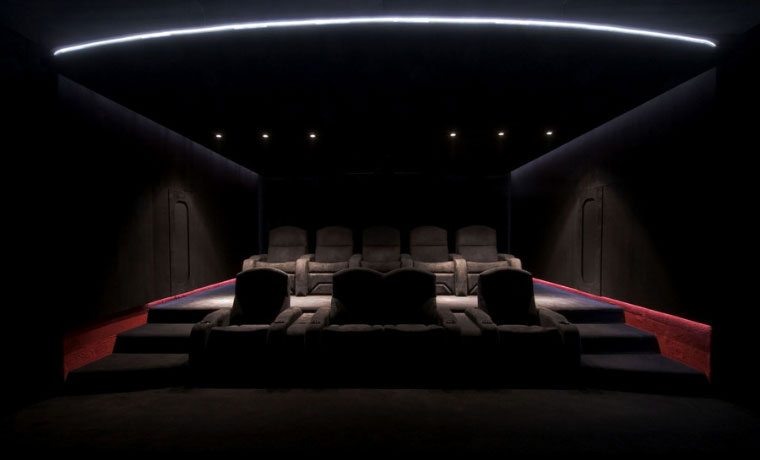
Designing your home theater is such a fun and personal experience. Some prefer creating themed home theaters, like those seen in our social posts on our Facebook, Instagram, and Twitter accounts, with themes like Pirates of the Caribbean, Star Wars, Batman, bohemian, or a classic art deco style. Then, there are those who are all about the picture – those who want no distractions from the screen and design their home theaters to create a totally immersive experience.
We discovered one such theater from one of our followers, Mark H., who built his custom home theater 11 years ago and, “wouldn’t change a thing about the interior.” That’s the dream – having a space to watch movies that is so perfect for you that you wouldn’t change anything about the design! Sure, he makes upgrades to his projector every few years, but is still waiting on that perfect one (aren’t we all?). Looking at his photos, I can see why he loves this custom theater just the way it is.
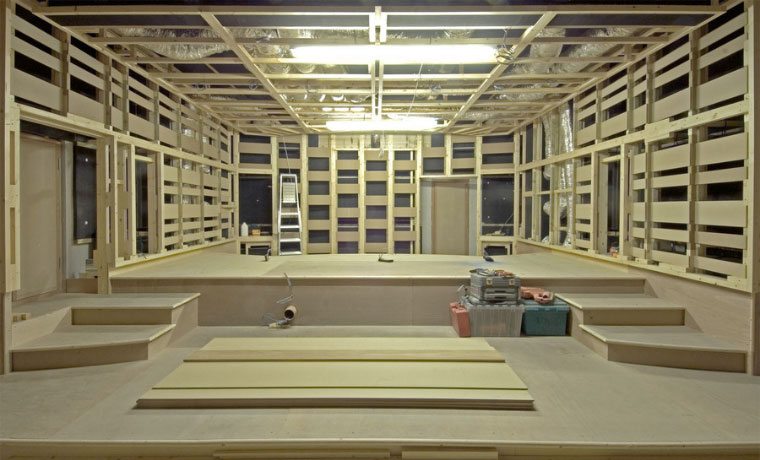
Designed by a world-class acoustics architect, the theater features custom acoustic treatments along all four walls. The photo above shows all that went into creating the theater before it was “dressed up.” The final design features black velvet on the walls, which is excellent for soaking up ambient light. He’s got a two-tiered seating area that allows for nine people to easily view the screen, and plush theater chairs with cup holders for maximum comfort. The carefully-thought-out lighting design also adds a nice flair to the room, but come viewing time, those guys will be off. The result? A fully darkened home theater where there’s nothing but you, your favorite people, and the big screen experience with impressive audio quality. Who could ask for more?
Click here to see more photos of Mark’s custom home theater, complete with commentary, and to check out the equipment he’s running in the room. Want to share your own home theater? Send us your photos! Email nikkik@projectorreviews.com or message us on Facebook to connect.
Subscribe to our email list to get updates about new projector reviews, articles, and home theater related content. If you haven’t already, follow us on Facebook, Instagram, and Twitter, so you can get updates delivered right to the places you hang out most. We are constantly posting cool photos of awesome home theaters for inspiration so you can design the theater of your dreams! Plus, you'll be the first to know when a new home theater review posts.
In mid December Epson announced another firmware upgrade for their 4K content capable projectors, including the Home Cinema 5040UB and 5040UBe, Home Cinema 4000, Pro Cinema 4040, 6040UB.
Epson Home Cinema 5040 UBe - one of five Epsons that take the new free, HDR firmware upgrade from Epson
Once again, Epson has made changes to the firmware to improve HDR performance. The firmware upgrade is definitely designed for end users to implement at home, no need to ship your projector in, or visit a dealer.
In fact, performing the upgrade is very straight forward, and takes a bit longer than five minutes out of your life. If your projector is ceiling mounted, you don't need to take it down, but you will probably need to get up on a step stool or ladder.
The instructions for upgrading these Epson projectors is the same for all of the models listed here.
(more…)
We’ve all drooled the multi-million-dollar dedicated home theater setups, but is that kind of style reserved for the 1%? We say, “NO!” There are tons of ways to create your ideal home theater on a budget, and we’re here to tell you how. As a part of our new “How To Home Theater” initiative, we’ll provide some DIY ideas to make your themed home theater dreams come true. Today’s theme is Space – one of my personal favorites.
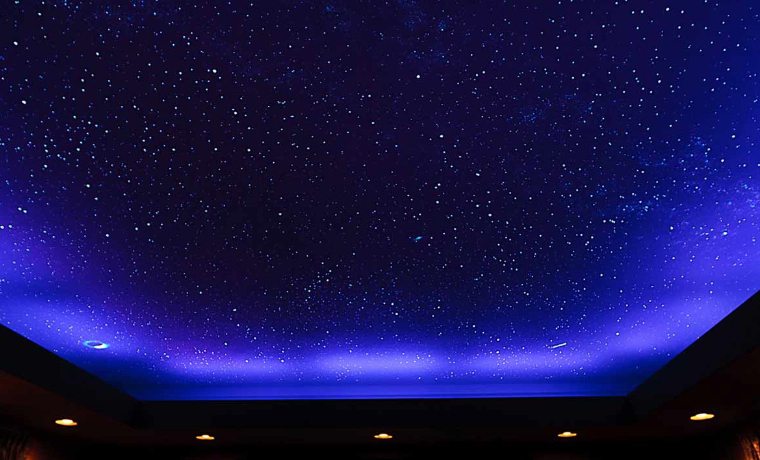
Starry Night
This is going to be one of the most impressive parts of your Space Themed Home Theater. There are several ways to create a “starry night” effect on your ceiling, ranging from painstakingly tedious to the more fun and wild. The first thing you’ll want to do is remove furniture from the room and cover everything with plastic. You don’t want to get paint on the walls or the floor, so take care to really perform this step well.
Next, you’ll want to paint your ceiling a nice dark blue. A navy color will make your stars pop in a more realistic manner, so we suggest the blue rather than black paint. You can also do this with varying shades of blue, ranging from light at the edges to a deep indigo in the middle.
Now, if you’re the type who likes to control your aesthetic, you may want to opt for the “painstakingly tedious” method I just mentioned. That entails using silver and/or gold paint pens to dot the stars onto your ceiling. You’ll need plenty of paint pens and a sturdy, high ladder. This method is cool for making specific constellations, which, if you’re into astrology, may be the way you want to go. Note that this will take more than several hours to complete, depending on the size of your canvas, but can be a fun project for the family.
The next method is the more fun and wild, using a splattering technique, and can be done one of two ways. The first is for a “daytime” star look – that is, stars that can be seen during the day as well as at night. Using a toothbrush or small, stiff paint brush, splatter white or creamy light yellow luminescent paint onto the dried blue paint you applied earlier. For a more realistic effect, you can vary the color with light blues, oranges, and yellows. The second “fun and wild” way to star your ceiling is to splatter glow paint, which will glow at night for a really cool effect.
My favorite way to splatter is the messier technique, where you aim your brush at the ceiling (a foot or so away), then gently pull your index finger from the front of the brush to the back. This flicks the paint onto the ceiling. If you’re nervous, practice this technique on a canvas or a piece of wood until you gain confidence. No reason to get frustrated when creating your dream home theater! Another way to splatter is to flick the paint-filled brush at the ceiling, but I find that this makes larger paint splats that don’t always look like stars. Good news though! You can always paint over mistakes with the extra blue paint you have left over.
Futuristic Theater Seating
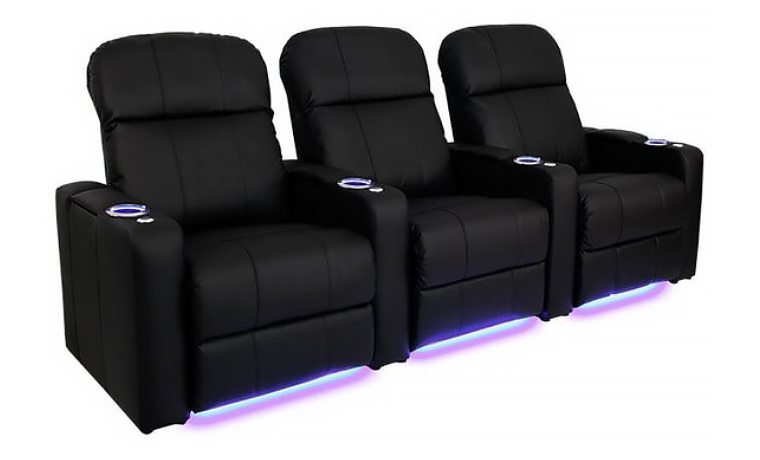
The chairs you choose for your home theater are of the upmost importance! This is where you’re going to park yourself for the duration of a film (or binge watching TV/movies), so we don’t need to tell you that comfort and style should be at the top of your list of qualities when looking for the right seating. There are a number of seating options – couches, theater chairs, recliners, etc. – but do they have their own built-in LED lights?
Seacraft has a Venetian Media Room Chair that has built-in LED lights in the cup holders as well as under the seats themselves. This provides the dual purpose of helping to guide you to your seat in the dark, as well as adding a futuristic flair. These seats are going for $479 a pop at the time this article was published. If you’ve already got seating, or the price point is too much, you can create your own futuristic lighting effect with some smart LED light strips!
Smart LED Strip Lighting
Lighting is one of the top ways you can make your theater come to life. You’ll probably want to keep the brightness low while watching your movies for the sake of black levels, but even the slightest pop of color can make a difference in ambiance. Now, you’re probably wondering where the optimal placement of such lights would be.
The best place to put your smart LED light strips is anywhere recessed or hidden. That can be behind the screen if you’ve got a fixed screen mounted on the wall, underneath a couch or seating arrangement, or on the ceiling itself. If you have a domed or recessed ceiling with ledges around the perimeter, this is a perfect place to install the strip lights. With an RGBW setup, you’ll be able to illuminate your starry night ceiling to give it even more pop. Get creative with it! This is, after all, your dream home theater.
Art Feierman reviewed the Lightify Flex RGBW LED Strip Lights on our sister site, SmarterHomeAutomation.com. He has the lights installed in his kitchen within the cabinets and for down lighting underneath. The best part of these lights is that they can be controlled via your smartphone, and they have the full color spectrum for you to play around in so that you can match your décor (or mood) perfectly. As an added bonus, the lights can be voice controlled via any Alexa-enabled device.
[sam_pro id=1_44 codes="true"
Recessed Lighting/Sconce Lighting with Smart Bulbs
Okay, you caught us – we’re big fans of smart lighting. The ability to control the lights with voice commands or via a smart phone and choose colors down to the exact hue you want is truly a futuristic addition to any home theater (or room in your house). If you’ve got the recessed cans seen in many modern homes, then you’re in business. You’ll just need a smart flood bulb that will fit in those cans – Philips Hue and Sylvania are two of our top choices. These lights come in RGBW and white, so make sure you’re getting the kind you want.
If your home isn’t blessed with built-in recessed lighting cans, don’t fret. You can always install futuristic wall sconces that take regular A19 bulbs to get the smart lighting effect. Find affordable sconces at your local hardware store, or check online. These smart bulbs are typically in the $30-50 range, so take that into account when purchasing the fixtures. There’s no need to spend a fortune on lighting, as you’ll generally have the lights pretty dim or off for the majority of time you spend in your home theater.
Space Décor
The good people at NASA have public domain, high resolution images of space available to us online. A quick Google search for “NASA nebula” will turn up thousands of large, high res images that you can download and print. For large images, I always used Costco to print on high quality photo paper. Choose a couple of your favorite images, choose the size of photo, and get them printed! Pair with a futuristic frame to give the illusion of looking directly out into space.
There are also tons of space décor options online to choose from. Amazon or Etsy will have plenty, so I suggest checking around to see what suits your fancy. I personally really like these sketches of the Mars Rover, EVA Suit and rocket from PatentPrints on Etsy (last photo in slider). This is your home theater, so whatever décor you choose – you simply cannot get it wrong. Best of luck to you, and if you end up using any of these suggestions, send us photos of your project!
Oh boy! Welcome the Sony VPL-VW285ES projector. To save time, here are the highlights in a nutshell, to start:
$4995 1500 lumens, a motorized 2.1:1 zoom, true 4K resolution,
For the more technically curious: HDMI is 13.5 Ghz - all that is needed - which falls between the more limiting 10 Ghz, and the full 18 Ghz. HDR content is DCI-P3 in a BT.2020 wrapper. (DCI-P3 is the movie theater standard.) More below.
For 3+ years now, Sony has been the only manufacturer of true 4K projectors under $30,000! This alone has been a tragedy, for if any group of people can appreciate true 4K - no pixel shifting (although pixel shifting is a good thing) -- because, we're into the "big screen" and maximum immersion into the content we watch, whether a football game, Game of Thrones, or great movies. Let's face it, if you are sitting 12 feet away from a 65" screen, you really can't tell the difference in sharpness between 1080p and 4K. But at 8 feet from my 124" screen, the difference is very real.
So, until now, the least expensive Sony 4K was $7995. But today Sony rolled out a new true 4K projector, the VPL-VW285ES, at $4995, and hopefully that will convince the DLP and 3LCD crowd, and the other LCoS manufacturer - JVC, that it's time to also start selling true 4K projectors - and at affordable prices. (In fairness JVC has one true 4K projector, but as it's $35,000, I don't think we can exactly call that "affordable".
So what's this new VW285ES have going for it, besides 3 true 4K LCoS panels (they always call theirs SXRD)?
The answer is, pretty much everything the just discontinued VW365ES offers, and then some!
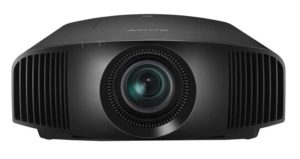
Let's start with placement flexibility. A 2.1:1 motorized zoom lens, and plenty of lens shift. So placing this projector in your room is going to give you as much range as anything else on the market. Sadly, missing, though is Lens Memory, which Sony is saving for their higher end models. (The old VW365ES also lacked Lens Memory.) The good news, though, is that since all lens functions are motorized, you can still go with a wide screen if desired. The difference is, instead of having a setting for wide screen and one for HDTV, you'll have to spend a minute or so each time you change aspect ratios to adjust the zoom and lens shift, if you have that wide screen like I do. You can live with that, in exchange for $4995!
4K - true, and also fully equipped: The VW285ES supports pretty much everything out there that we need. Per Sony's website:
4K HDR 60p 10bit (for HDR10/HLG) compatible so you can enjoy gaming and other high frame rate content in 4K HDR.
Sony goes on to explain elsewhere, that their is little practical difference between the abilities of 13.5 and 18 Ghz. Both can do the 60fps at 8, 10, or 12 bit, with sub-sampling to 4:2:0. But with the 18 Ghz, the sub sampling (the least critical aspect) on 60 fps can be 4:2:2. With 30 fps or less, there are no differences, both can do 4:4:4. Keep in mind that content is normally 4:2:0. Not sure where to find higher, but if you do, this Sony will tell that source to send 4:2:0 instead.
Gamers rejoice, there really isn't anything else you need. I don't know how low the input lag is, and won't until we test, but Sony's making a real point about gaming with this projector, so figure it's at least going to be respectable, probably in the 25-50 ms range. We shall see.
Hey, Sony has 3D! OK, that's no surprise, but I'm still not happy that the most of the new 4K UHD DLP projectors aren't supporting 3D. Geez! No, there is no 4K 3D standard, but your 1080p 3D will work just fine.
The 3D emitter is built in, just go buy some 3D glasses - I use lightweight ones from Samsung that are great and were about $15. With 3D on the wane with LCD TVs, newer glasses might be slightly more than that.
Just as the $4995 price won't suck a lot of folks bank accounts dry, Sony helps out further, by being particularly efficient. It produces its 1500 lumens with a 225 watt lamp (that's lower than most), and it claims 6000 hours in eco mode (sorry, no full power spec yet available).
OK you get it. Here's my message to the LCD and DLP manufacturers. It's time to stop screwing around, and give us true 4K chips. Want to add pixel shifting to those 4K chips (or panels if you prefer), sure, I like pixel shifting, but its time to get real serious. We all want the maximum sharpness to go with our HDR contrast, and BT.2020/P3 color space, and a whole lot of us are waiting to buy, until you deliver that at a reasonable price!
Thanks to the folks at Sony! Good for you.
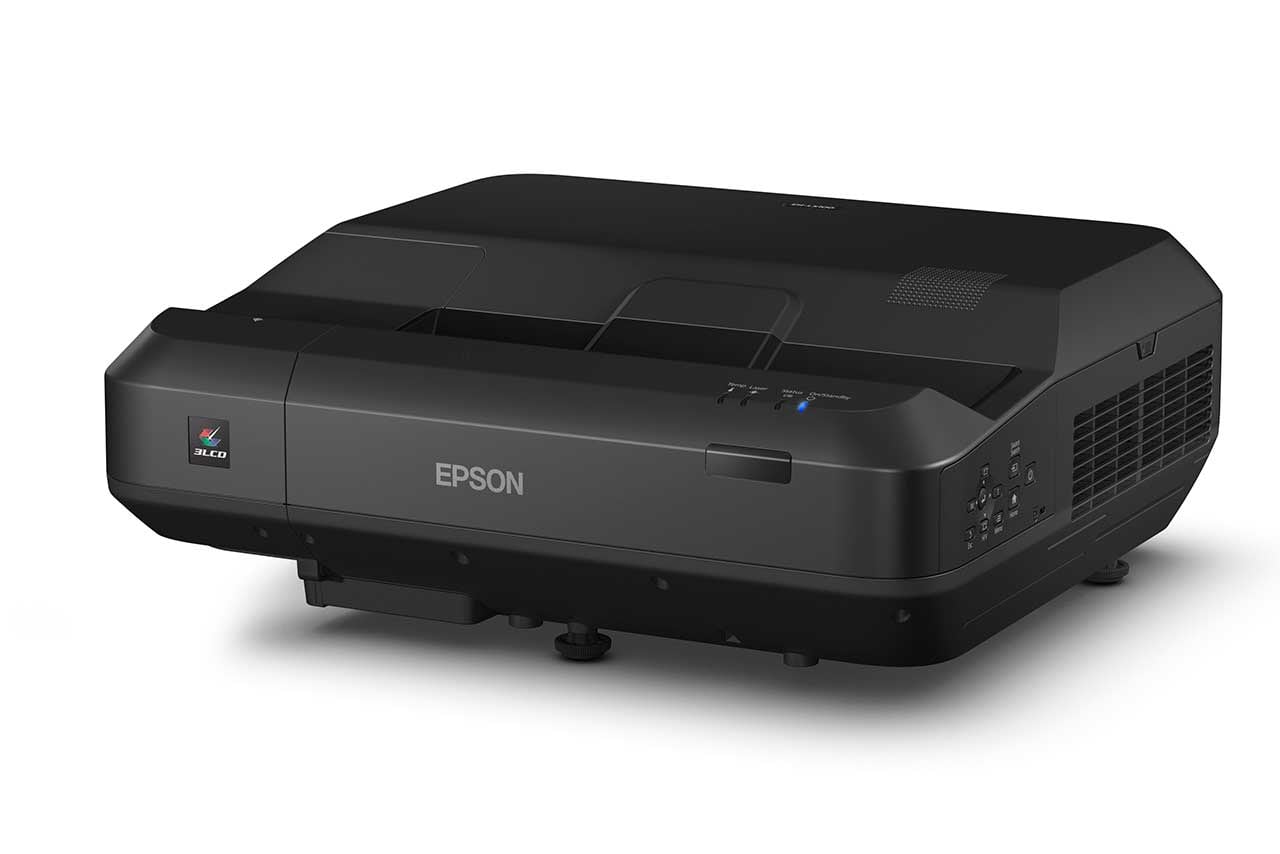
Wow! The big news: Ultra short throw, 4000 lumens, Laser Light Engine, all in one package, and only $2999!
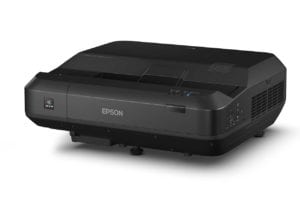
Epson’s LS100 is an ultra short throw laser projector, with 4000 wall melting lumens suitable for most rooms in your home!
Epson’s major projector announcement at the CEDIA today, is for the
Home Cinema LS100 Digital Cinema Display. Now that’s a fancy name for a projector, so for simplicity, we will just call it the Home Cinema LS100 Projector, or even just the LS100!
No matter what you call this projector it’s an extremely interesting home projector, with a feature set, all considered, that should prove an excellent value at its $2999 list price.
For those not familiar, an ultra short throw projector sits just inches away and
(more…)
The rise of 4K and 4K UHD projectors has driven manufacturers to create their vision for the optimal 4K capable projector. Optoma, a company well-known for their use of DLP technology and their stake in the home entertainment and home theater markets (especially gaming), has come out with two new models to add to their catalog - the Optoma UHD60 and the already-reviewed UHD65. (more…)
The Epson Home Cinema 4000 aka HC4000, is the little brother of their top rated HC5040UB projector. The HC4000's low $2199 list price, makes it the least expensive home theater projector today, that handles 4K content with the major enhancements in contrast and color intensity.
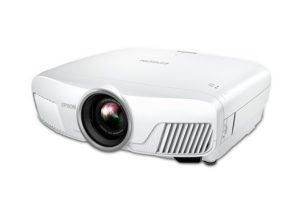
Epson Home Cinema 4000 - the least expensive projector at this time, capable of projecting 4K content, with support for BT2020 color space and HDR!
That certainly is one of the most important skills of the HC4000, but it's hardly the only. The lens system is fully motorized, allowing for Lens Memory, giving you the choice to go full wide screen in your screen selection, a major plus for many "movie first" home projector owners. The screen images shown below are from Epson's Pro Cinema 4040 a more expensive model that is the most similar.
2200 lumens gives the HC4000 plenty of punch for use in a dedicated home theater, and it's enough to tackle HDR with respectable results, which is good, as HDR is a bit challenge for just about all projectors that offer it. It will also be enough power to tackle your favorite sports in a not overly bright media, family or living room when paired with the proper screen.
You'll want to consider what are often referred to as ALR type screens because they are optically designed to ignore most ambient light, if you prefer your projector in most non-dedicated home theater environments.

HDTV image from Victoria Secret's Swim Suit special
The HC4000 accepts 4K content with both HDR (High Dynamic Range) and BT2020 color. Those two "extras" that are offered with 4K UHD Blu-ray and some other sources. Most folks will find, that those features combine to make a far greater difference in the picture than going from 1080p (2K) content to 4K. The resolution boost is a plus, it definitely improves sharpness and detail, but for me, it doesn't trigger the wow factor you get upgrading to BT2020 color and HDR!

Ghostbusters - 4K UHD content, HDR, BT2020 color
We're seeing a host of new projectors called 4K UHD, that can also handle 4K content, but so far, none even remotely near the price of this Epson projector is able to accept both BT2020 and HDR. That's a big miss for those projectors, the ones anywhere near this Epson's price.

4K Content, HDR, BT2020 color space - gives you an image that 1080p content can't come close to matching
When it comes down to it, the primary difference between the Home Cinema 4000 and the 5040UB comes down to the LCD panels being used. Epson's offering you a $500 lower cost projector if you feel you don't need their UB level panels, which offer the best black level performance anywhere near the price. The 3LCD panels in the HC4000 do, however, offer noticeably better contrast and black levels than the lower cost Epsons (and lower cost most others). And note, that the HC40000 has the same very fast dynamic iris as its big brother, to help out with those black levels. The HC4000 uses the same panels as the PC4040 that was used for these photos.

An impressive image from HDTV
That may be an easy $500 saved, say, if you are more of a family room user, where the room is never fully darkened. In that case, you would barely notice the difference between the two projectors, and most likely only on very dark movie scenes.
For you gamers, I expect the HC4000 to serve up input lag at about 30ms, which is acceptable to all but the most hard core gamers.
All considered, the Home Cinema 4000 looks to be one great value. In part because of all the 4K abilities, but part for the fact that it is a fully featured projector in all areas. Did I mention, the excellent warranty - two years parts and labor, but Epson offers a rapid replacement program for both years. If you have a warranty problem, call them up (the number they provide goes right to projector specialists), identify the issue and they will ship out a replacement typically same or next day. When it arrives you send your "broken" one back in the box provided, with Epson paying all the freight. Extended warranties (including their "road service" will be available.

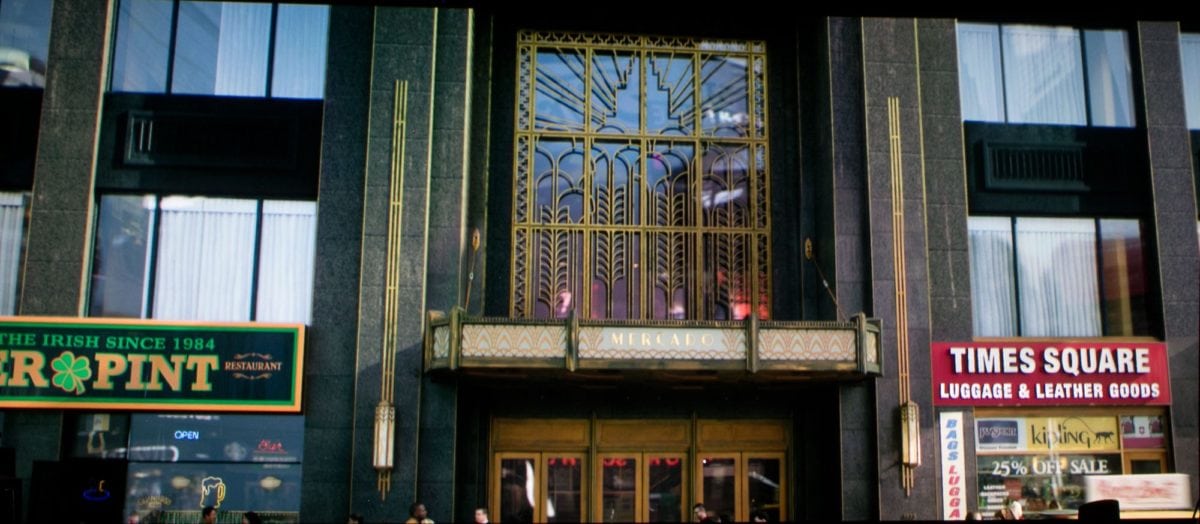
The similar Epson PC4040 "ain't afraid of no ghosts." Scene is 4K with BT2020 (DCI-P3) color space and High Dynamic Range.
I almost forgot to mention Color Lumens, because I was so pleased to tell you about the most affordable projector with both BT2020 and HDR. When trying to get great color, you need lots of color lumens. 3LCD and LCoS projectors normally have as many color as white lumens, but most of the other projectors out there have far less color lumens. As a result, their best color modes are a lot less bright overall.
Figuring that most of you reading this blog are familiar with Epson. For those that aren't that familiar, not only is Epson a major printer manufacturer, but they are by far, the largest projector manufacturer, with (per industry analyst PMA), 52% market share in North America. BTW, you also know them for their Seiko watch brand!
Let’s start with the LED light engine. BenQ rates it as having a 20,000 hour life.
The press release didn’t specify brightness, but I believe it will be the same 2200 lumens claimed as the the lamp based 8050. Thanks to the solid state light LED engine, though, it’s likely to seem brighter, and definitely will stay brighter longer.
(more…)Faux-K or FauxK: What is it? First, some writers started referring to projectors that could accept 4K content, but didn't have 8 million discreet pixels to show it, as "FauxK." I joined that party. I wish I had invented the term, but I commend whoever did. I found an early thread on one of the forums from way back in 2011 with another reviewer "debating" what he felt was a 1080 pixel shifting projector line that might be misconstrued at true 4K. He used the term FauxK. For those who are curious, there's a link below.

4K content from The DeepWater Horizon, projected by Sony's ultra short throw true 4K projector - 8.3 megapixels no overlapping pixels.
FauxK vs 4K - what's the verdict? I consider any projector that can put at least 3840 x 2160 discreet pixels on the screen - without any overlap, to be "true 4K" (not an official term).
Let's start with the simple truth that FauxK isn't any official term that some standard committee has blessed. Consider it slang.
(more…)