JVC DLA-X70R Projector - Performance

3/27/2012 - Art Feierman

On this page we take a look at the DLA-X70R projector's brightness, sharpness, and image noise. We'll discuss brightness in both 2D and 3D, as well. Also considered here are other issues including image noise, light leakage, and audible noise.

JVC DLA-X70R Brightness

JVC rates the DLA-X70R projector as a 1300 lumen projector. As expected it isn't as bright as JVC's "entry level projector, the X30 (aka RS45, which we reviewed here).

Mike's highest measurement was 949 lumens, in Stage mode, with zoom at full wide angle. (855 lumens at mid-point).

The next few screens will deal with pre-calibration information, including photos of how some of the modes look. Further down you'll find the post calibration information including the measured brightness for D65 and "brightest" mode.

First are the lumen measurements for each of the preset and user modes. Also included was the measured color temp for white, for each mode.

JVC DLA-X70R Lumen Output and Color Temp at 100 IRE (mid zoom):

Cinema= 674 @ 7972       
Film= 643 @ 6897
Natural= 813 @ 7562
Stage= 832, switching to color temp 7000 yields 855 @ 8096
Animation= 796 @ 9201
THX= 820 @ 7623
3D= 781 @ 9631
User 1-5= 820 @ 7634

Note, Stage definitely looks a good bit brighter, (with color temp at 7000K), which Mike's measured numbers don't seem to reflect.

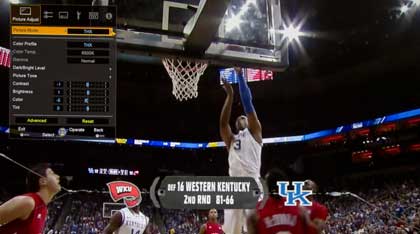
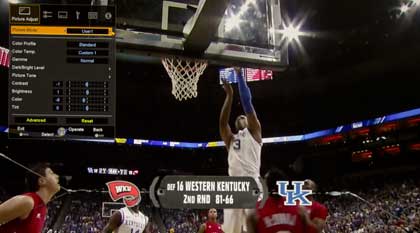
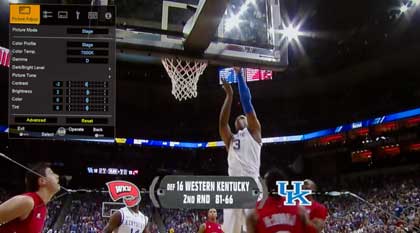
Here are samples of the DLA-X70 projector in different modes: THX, then calibrated: User 1, and Brightest: Stage

The JVC DLA-X70R projector in THX mode.

The JVC DLA-X70R projector in user 1 mode.

The JVC DLA-X70R projector in stage mode.

Not a huge difference, but in watching, Stage was sufficiently brighter than the calibrated User 1 (just over a 100 lumen difference) that buddies who came over to watch some March Madness insisted on Stage mode, after switching back and forth. We had the room's back lighting on.

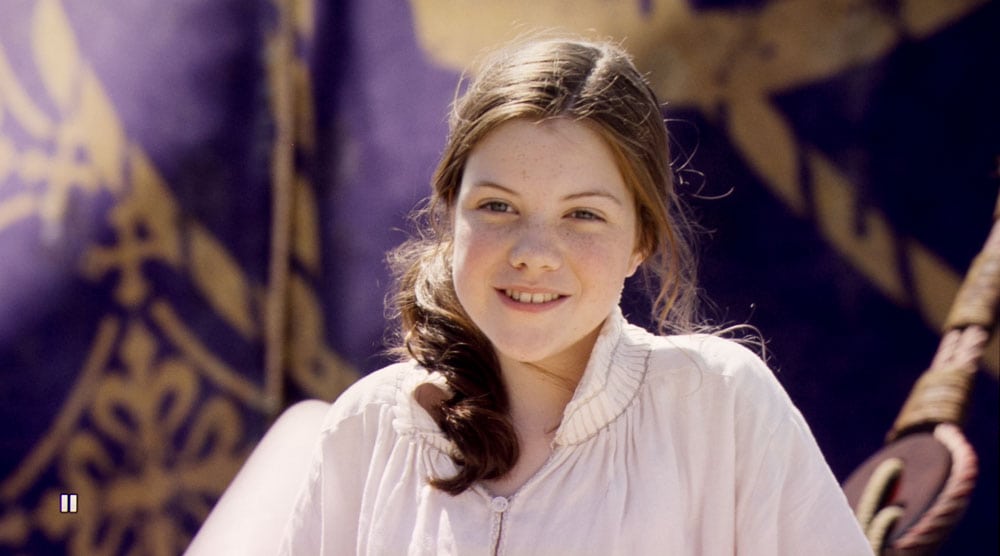
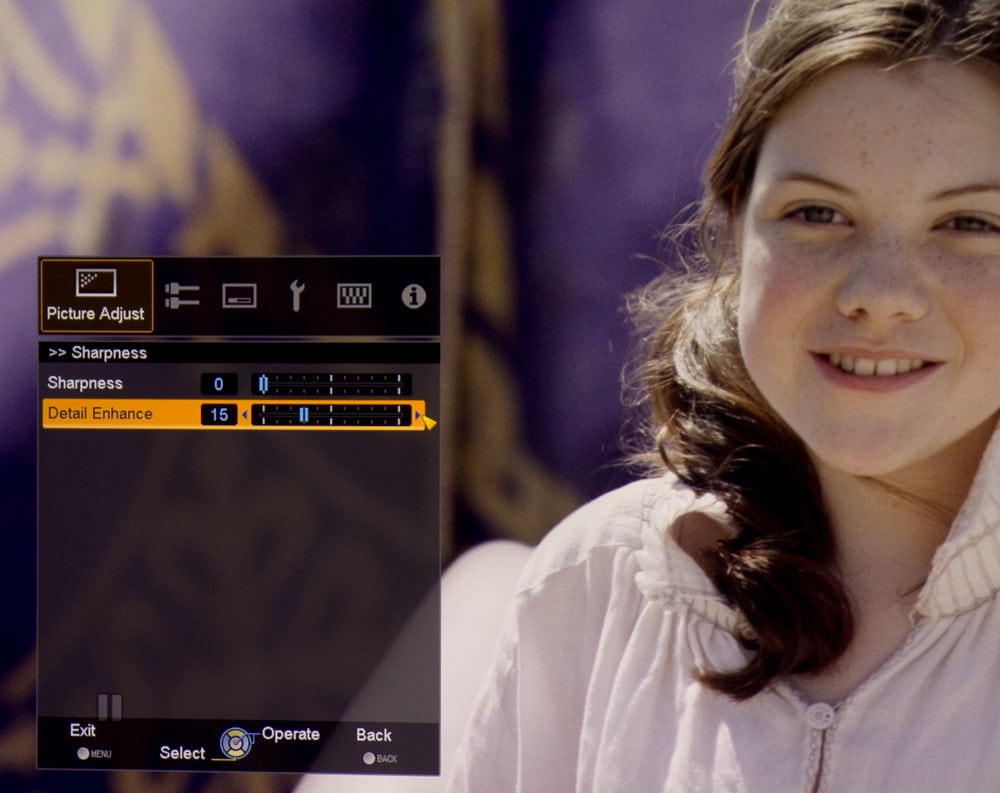
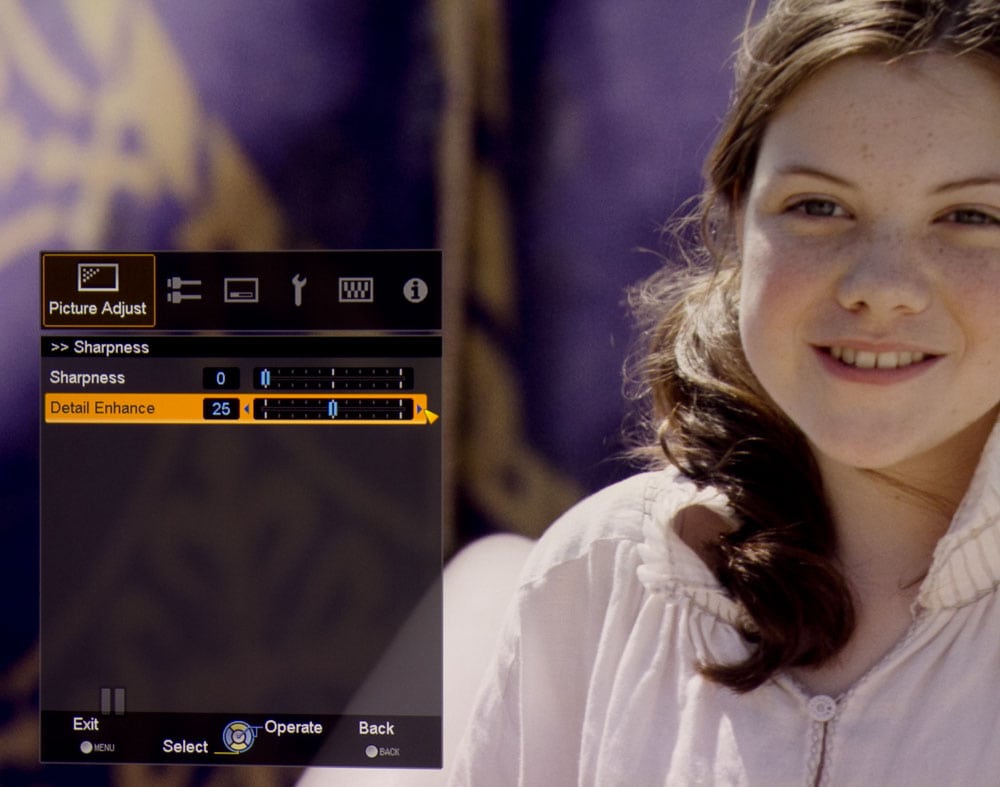
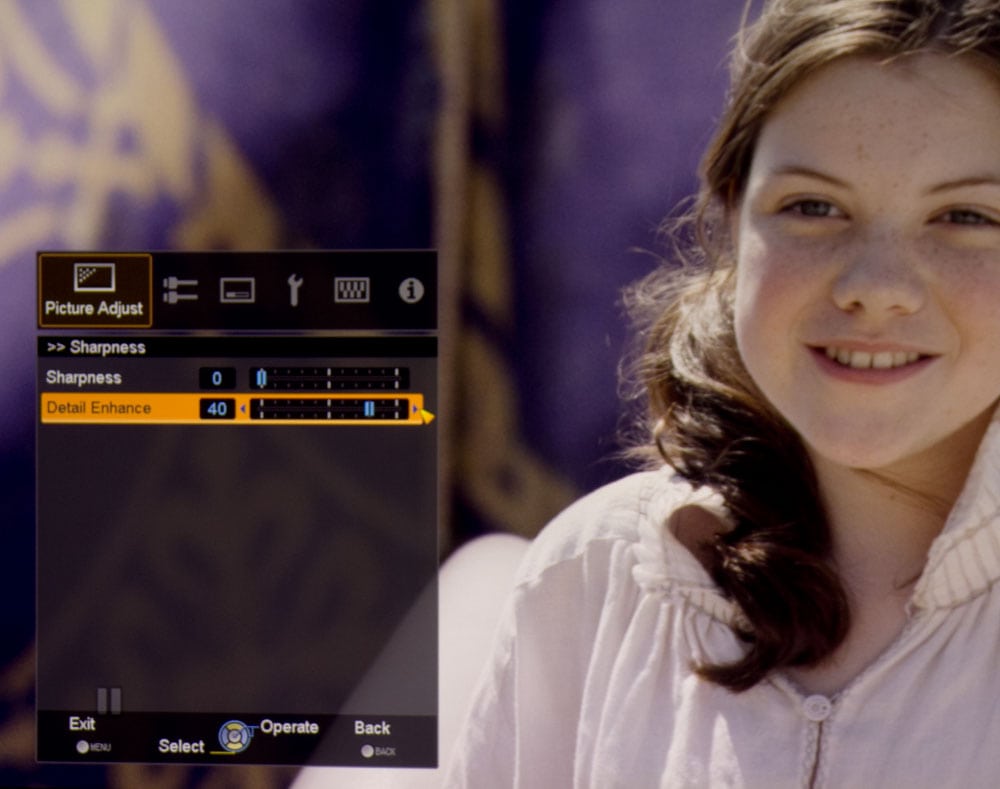
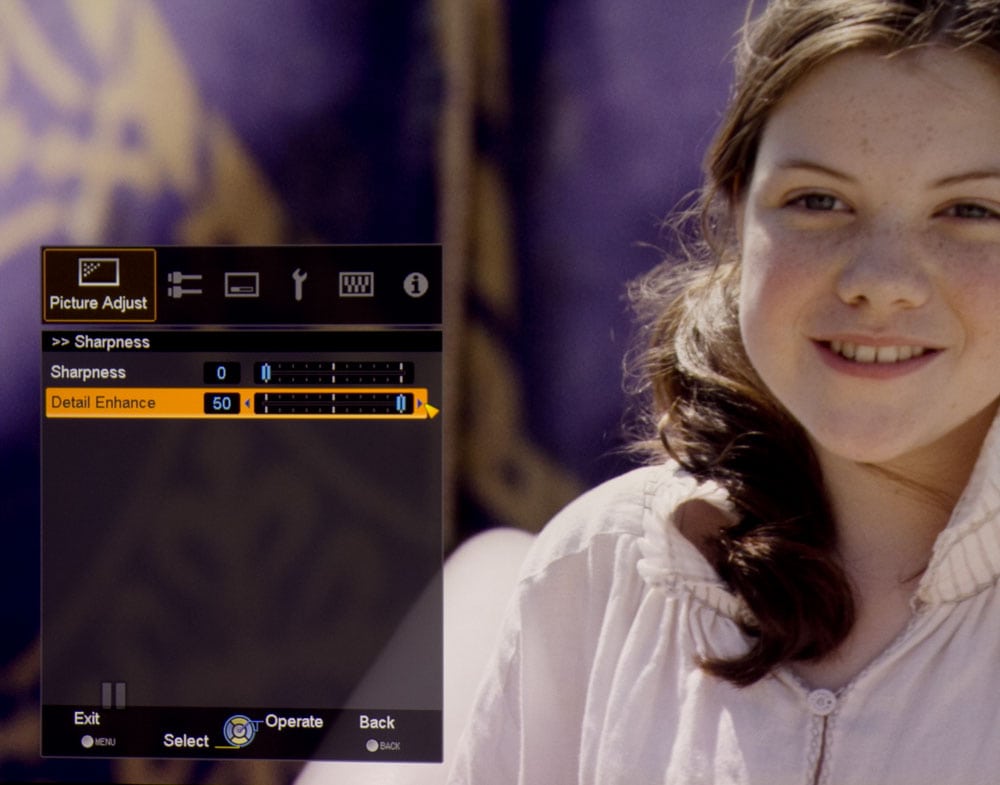
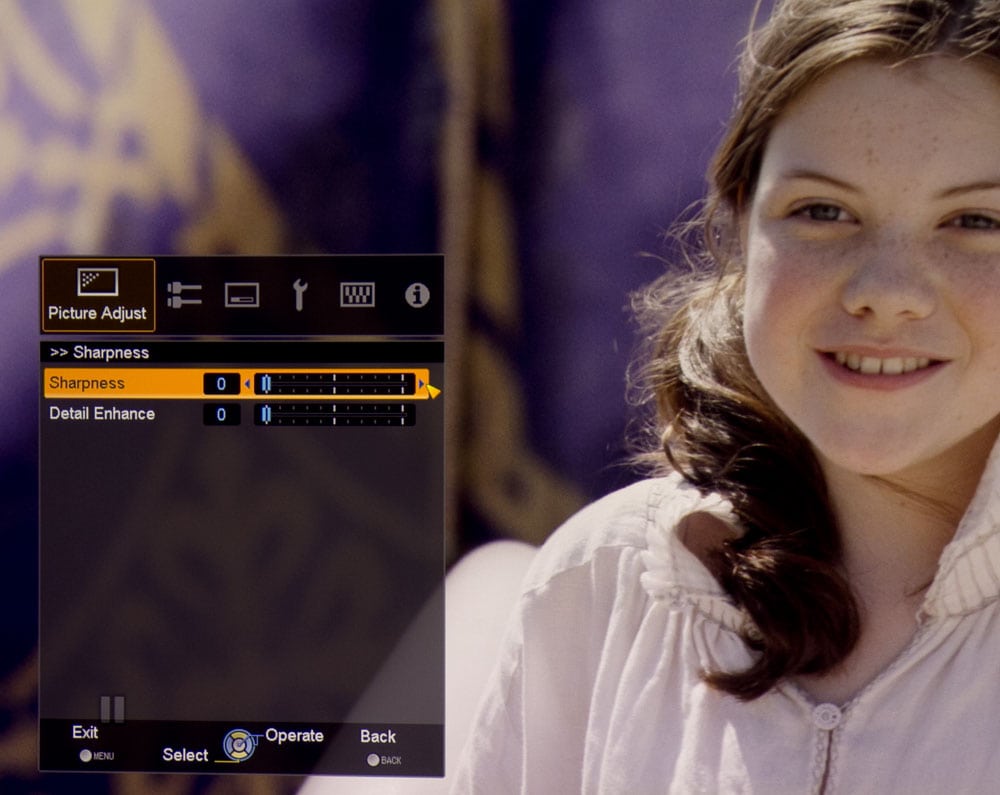
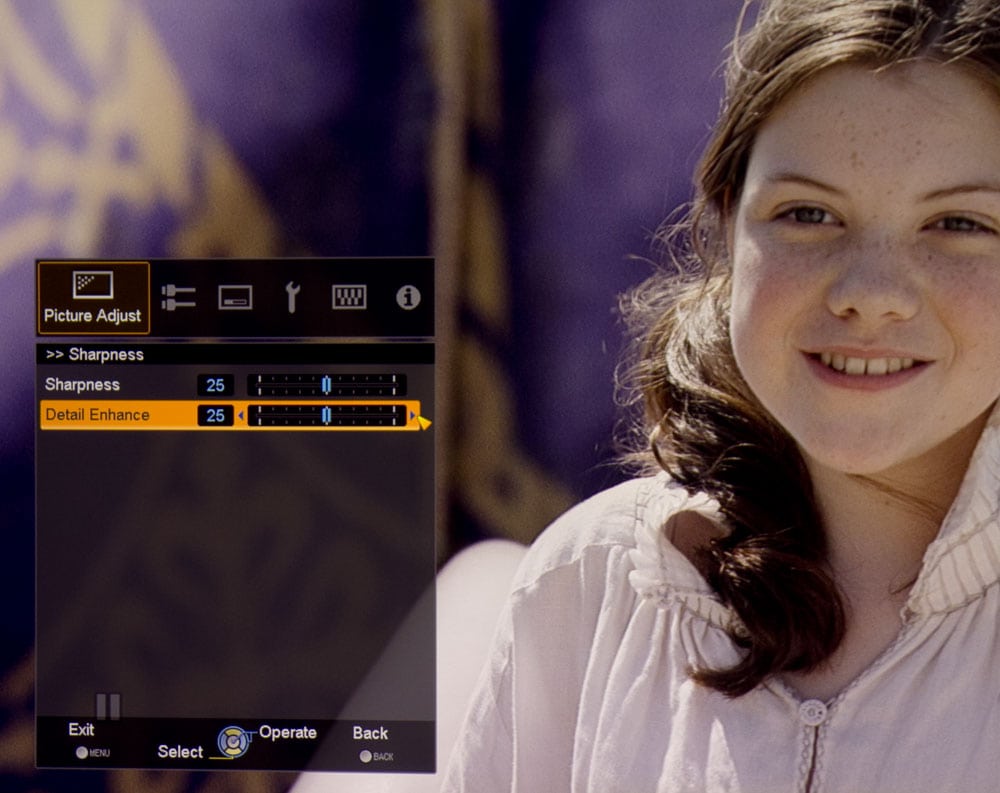
Below, this section is a simple cut and paste from the RS45 review to show you the impact of JVC's Sharpness, and Detail Enhancement controls. All the images taken of scenes with the JVC X70R, had sharpness on either 0 or 10, and Detail Enhancement on 10, 15, or 25. I don't recommend going above 10 on sharpness, or 15 on Detail enhancement for movie viewing, if you want natural soft skin on close-ups. Like DLP's Brilliant Color, the more you push these controls, the harder looking the skin tones. For sports, knock yourself out - 15 sharpness and 25 Detail Enhancement, or even higher, might be what you like. Note in particular, the difference between consecutive images where the settings are 0/0, and then 25/25.

Default: (you may click on these images, of course, for much larger ones).

The JVC DLA-RS45.

Detail Enhancement: 15:

The DLA-RS45 with detail enhanced.

Detail Enhancement: 25:

The JVC DLA-RS45 with detail enhanced.

Detail Enhancement: 40:

The JVC DLA-RS45 with detail enhanced.

Detail Enhancement: 50:

The JVC DLA-RS45 with detail enhanced.

Sharpness 0, Detail Enhancement 0:

The JVC DLA-RS45 projector.

Sharpness 25, Detail Enhancement 25

The JVC DLA-RS45 with detail and sharpness enhanced.

There are a lot of subtleties, you can spot in the above images. Notice how higher settings increase contrast in her hair, sharpen her eyes, etc. You'll also notice, in the last image (25/25), that there is some loss of layers of color, and detail, and that color contrast seems to be higher (dark purples are darker, etc.)


JVC X70R - Effect of zoom on lumen output (User 1 mode):

Zoom out: 949
Mid-zoom: 855
Zoom in: 745

Going from full wide angle (the closest you can place the projector to the screen), to the mid-point on the zoom, results in an almost perfect 10% drop in brightness. If you are shelf mounting at the full telephoto range of the DLA-X70R, brightness drops about 13% from mid-point, and about 22% from closest placement.

That really is excellent for a 2:1 zoom. Many projectors with that much zoom range see a drop of up to 40% not 22%, and on the lower end, the Panasonic PT-AR100U ($999) drops just about 50%! That's a real plus, if you want to mount in the back of your room, such as on a high shelf.

JVC refers to full brightness as High, and their "eco-mode" as Normal brightess.

Lumen Output Low Lamp, Stage: 517 lumens

At full power, Stage measures 832 lumens, so the X70R has a larger drop going to its "eco" or in JVC's case "Normal" mode, than most other projectors. We figure most projectors drop between 20 and 30%. This JVC, however loses about 37% of its brightness in "Normal" lamp power.

Below: sample color temperature snapshot, pre-calibration.

Color Temp over IRE Range, Best mode (Pre calibration): Film                           

30 IRE                        6869                                      
50 IRE                        6869                                      
80 IRE                        6858                                                                                                  
100 IRE                      6897  


Talk about nice and tight. Of course the goal is 6500K (D65), but these numbers translate to only being the slightest bit cool.        

Effect of Lens Aperture setting on lumen output (Stage mode, Color Temp 7000K setting):

Setting:
0 (maximum opening) = 855
-7  (half  open) = 624
-15 (minimum opening) = 311    


If you don't need all the brightness, please note that the more you close down the iris of this JVC, the higher the contrast. Blacks will get even blacker, both by virtue of the smaller iris opening, and also because of the reduced overall brightness. Of course, the idea is not to starve yourself of brightness, for a very minor improvement in blacks.

Art's note: When doing side by sides with the Epson 5010, I was able to notice, that if I relied on using the "normal" (low) lamp setting of the JVC, to get it's "best" mode brightness similar to the Epson's, that blacks were slightly better on dark scenes with the JVC. When, instead, I left the lamp on full, and stopped down the iris, then the JVC's blacks, even on those darkest scenes, improved futher, compared to the Epson.

JVC DLA-X70R Projector - Post Calibration

Brightness:                      

DLA-X70R Best mode- User 1: 748 lumens @ 6528

Color Temp over IRE Range (Post calibration) User 1:

20 IRE            6662
30 IRE            6336
40 IRE            6403
50 IRE            6434
60 IRE            6502
70 IRE            6532
80 IRE            6586
90 IRE            6452
100 IRE          6528

Average gamma= 2.19

JVC Gamma Control:

Although the gamma, in the Normal setting is low (brighter in the mid-ranges). The JVC offers extensive gamma custom controls, as well. A Custom Gamma was set up by Mike. Otherwise, note: Gamma setting A, lifts the very dark regions of an image. When engaged, it seems that the very dark shadow detail is improved, but in reality, it's really just lifting that which was already there, making it far more obvious (and too much).

Art's NOTE: The JVC X70 R doesn't exhibit the slight blue shift in the very dark regions that the RS45 had.
                                               
Mike's NOTES: Grayscale calibrated very well, with an average Delta E of only 0.9 (same as the HD250).  As Stage (the brightest mode) is only 12 lumens more than THX mode, there’s no need for a quick cal of a “bright” mode.  Unfortunately, THX mode cannot be calibrated and has too much blue in the RGB balance.  I see that the projector has an ISF designation, so presumably it could be calibrated in a service menu.  Gamma was too low in any of the presets (Normal was the high with an average gamma of 1.96), so I used the custom gamma. 

JVC changed things again with a variety of color profiles (ie: gamut).  They all vary mostly by how much green is oversaturated.  The THX and Standard color gamut (see CIE charts) are the best.  One oddity which doesn’t really show up much in regular viewing, is that if you put up a 100% blue screen in anything but THX color profile, it looks like a bluish magenta.  Something’s not right there.

The Calibration page provides the settings we used. That includes basic settings as well as gain and offset.

^ Back to Top

JVC DLA-X70R Sharpness

The JVC DLA-X70R starts out "typically sharp" for a 3 chip or 3 panel projector. All else being equal, single chip DLP projectors have a sharpness advantage as they don't have to align and converge separate Red, Green, and Blue light.

But this is JVC with their "4K" e-shift technology, which I discussed on the first page of this review. While I don't buy into their marketing of 4K, e-shift does bring things to the party.

For most viewing, the DLA-X70 seems to be at least as sharp as any other 3 panel/3chip type projector I've seen, at least if we exclude some many times the price 3 chip DLP projectors (with optics that probably sell for more than this projector). The Epson 5010 I have here for reference for black levels, seems to be very sharp for a 3LCD projector, and at no point, did the JVC not seem every bit as sharp. Overall, I'd say the JVC is a tad sharper than the Epson. It will take a good DLP to look visibly sharper/crisper.


For your consideration, our usual close up images:

Top left: JVC DLA-X70R, Top Left Center: Runco LS-5, Top Right Center: Sony VPL-VW95ES, Top right: Epson Home Cinema 5010

Playstation logo from the JVC DLA-X70R projector.Playstation logo image from the LG CF181D projector.DTS logo from the JVC DLA-RS25 projector.Playstation logo image from the Epson Home Cinema 8700UB projector.

Below: Panasonic PT-AE7000, left, Optoma HD8300 on the right

PlayStation logo from the Optoma HD8600 projector.Playstation logo image from the LG CF181D projector.


JVC DLA-X70R: Bottom Line Sharpness

Overall, very good sharpness (better than some in the corners), for a 3 chip device. A number of competitors are slightly sharper, or "sharper still", as I like to say, and that includes several DLP's as well as a few 3 panel based projectors.

^ Back to Top

X70R Light Leakage

JVC has always used a larger panel in terms of pixels than the 1920x1080 which makes up 1080p. As a result there has always been some extra light, beyond the screen edge. In the image below (RS45 easier to see than the X70R), you can see a thin band around the screen (actually brightest in the upper right and lower left corners) that is the output from those extra pixels.

Light leaks of the JVC DLA-RS45 projector.

No matter, the blacks are so black with the JVC DLA-X70 R projector, that they are barely visible on the screen, or a white wall, unless there's no other light - no image on the screen, and your eyes have had a chance to adjust.


^ Back to Top

DLA-X70R Image Noise

I didn't spot the minor, and not very often panning issues, that we saw with the JVC RS45. This is a higher end model, and likely has some better or additional image processing.

Overall, the JVC is pretty clean until you start playing with sharpness control, or the dynamic Detail Enhancement. As you raise those settings, existing noise that hasn't been noticeable at normal seating can become noticeable, or even extremely noticeable, as you push those controls to settings above 25.

3D noise: Discussed elsewhere, as well. This is another JVC projector that just doesn't have great 3D. Crosstalk / ghosting was more evident on the X70 than most other 3D projectors including those selling for a fraction of the price.

Definitely a lot worse than any DLP projector we've looked at, as they natively seem to lack any significant crosstalk, due to their different operation, but also worse than the other 3D capable projectors to recently pass though here. 3D remains a JVC weakness. Of course, even those of us really into 3D, only get to use their projectors so often due to the limited 3D content so far, so it can be easy to forgive. I watched most of Hugo on the JVC last night - the Blu-ray disc itself isn't great, as far as 3D goes, but 3D related issues were definitely more noticeable than on, for example, the Panasonic PT-AE7000 or Epson Home Cinema 5010, two projectors that sell for not much more than 1/3 the price.

Seriously though, Hugo still was great to watch. If you can't stand imperfection, even in 3D, then this JVC isn't for you. But considering between image noise like crosstalk, color accuracy, etc., perfect 3D doesn't seem to be an option. The JVC X70R is more than watchable in 3D. In fact, it's relatively limited brightness in 3D combined with outstanding blacks, to produce blacks nothing this side of a CRT projector can match.

From a crosstalk standpoint, just about every other projector is at least a bit cleaner. It's another reason why the 3D is not a strength of this projector. For the casual/occasional 3D viewer, the extra crosstalk probably isn't an issue at all, but for the type of enthusiasts, and "purists" that tend to be drawn to JVC projectors, 3D may be a real disappointment.

Let me put it another way, while the DLA-X70's 3D noise issues may be real, it definitely wouldn't stop me from buying this projector.

^ Back to Top

JVC DLA-X70R Audible Noise

Large projectors have the room to baffle noise and end up quieter than smaller projectors. This JVC X70R is not particularly quiet at full power, but it is a good deal less noisy than some, including the previously mentioned Epson. the X70 is quieter than a number of competitors, including most single chip DLP models (probably all of them), and some of the rest.

In low power, consider the JVC to be silent, for all practical purposes. 20 db is quieter than all but a few projectors we've reviewed - in any mode.

Bottom line on audible noise: The JVC DLA-X70R's handling of fan noise is first class, it's reasonably quiet at full power, and downright quiet at low. No issues here, and a distinct advantage for this JVC compared to much of the competition.

^ Back to Top

NEXT: JVC DLA-X70R calibration and measurements