Projector Reviews Images

Epson Lifestudio Grand Plus (LS970) Ultra Short Throw Projector Review

Posted on April 16, 2026 by Phil Jones
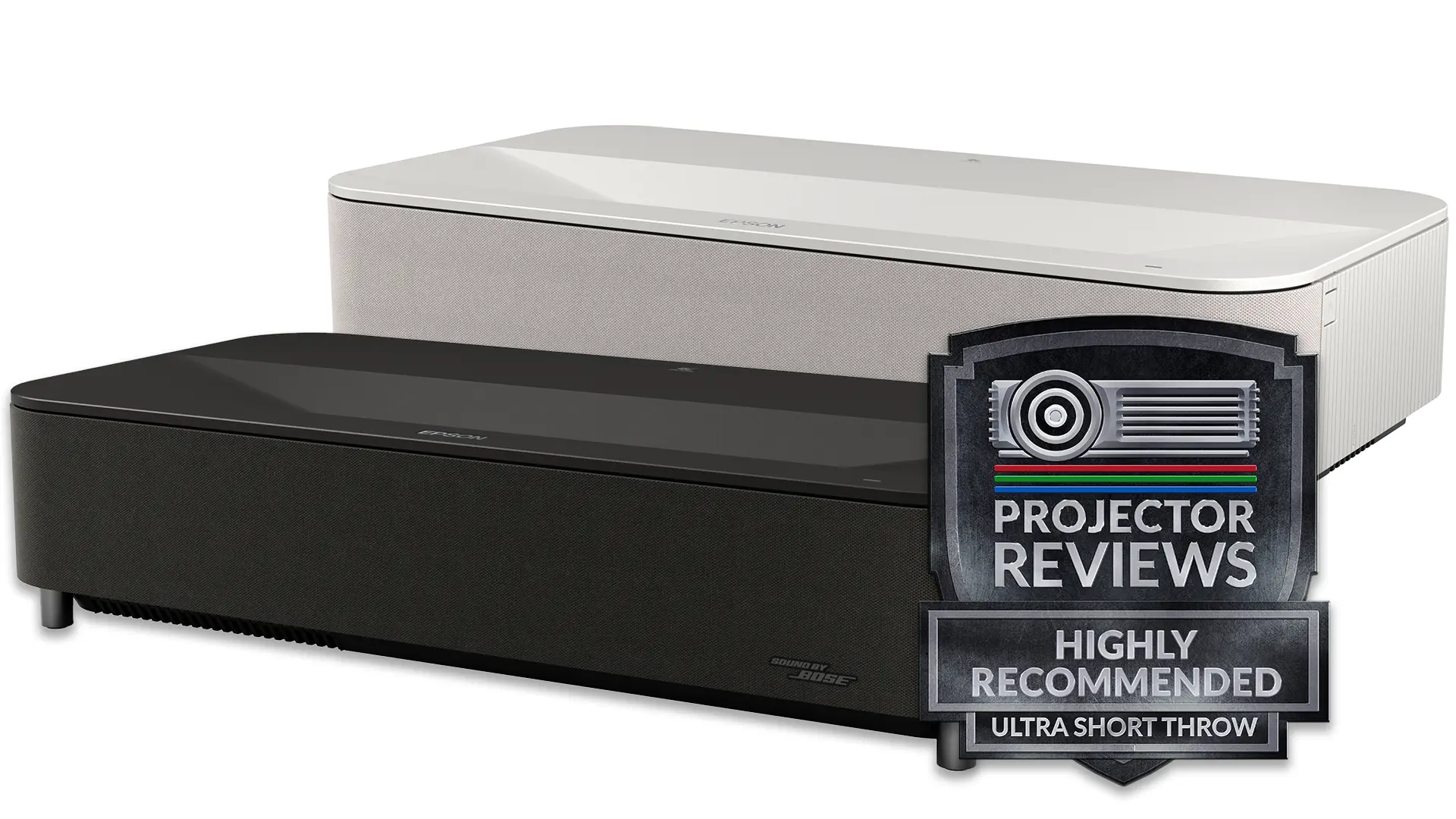
Epson LS970 w award-1

Epson Lifestudio Grand Plus (LS970) is a 4K ultra-short-throw (UST) laser projector that retails for $3,799, placing it in the premium lifestyle UST category. The unit delivers 4500 lumens of brightness and has a rated dynamic contrast ratio of 5,000,000:1.

Laser TVs continue to gain popularity among home entertainment enthusiasts. Since they are ultra-short-throw projectors, they can deliver massive images from just inches away.  The fact that they include smart features and a built-in sound system makes them a viable replacement for a flat-panel TV in many environments.

Epson ultra-short-throw projectors like the Lifestudio Grand Plus are unique because they are among the few 3LCD smart ultra-short-throw projectors on the market. The previous model, the EpiqVision Ultra LS800, offered high brightness, an integrated Android TV platform, and a Yamaha 2.1 sound system, which is why it was one of the highest-rated Laser TVs.

Epson has taken what worked with the popular LS800 and refined it into a more complete lifestyle product that is not only brighter and more capable, but significantly smarter. It includes HDR10 support, a built-in 2.1-channel Bose-tuned audio system, and a fully integrated smart platform powered by Google TV with Gemini AI.

At its core, the Lifestudio Grand Plus uses Epson’s proven 3LCD projection system combined with 4K PRO-UHD pixel-shifting technology to deliver a full 8.29 million pixels on screen. It is powered by a laser light source and rated at 4,000 lumens for both color and white brightness, making it well-suited for rooms with ambient light.

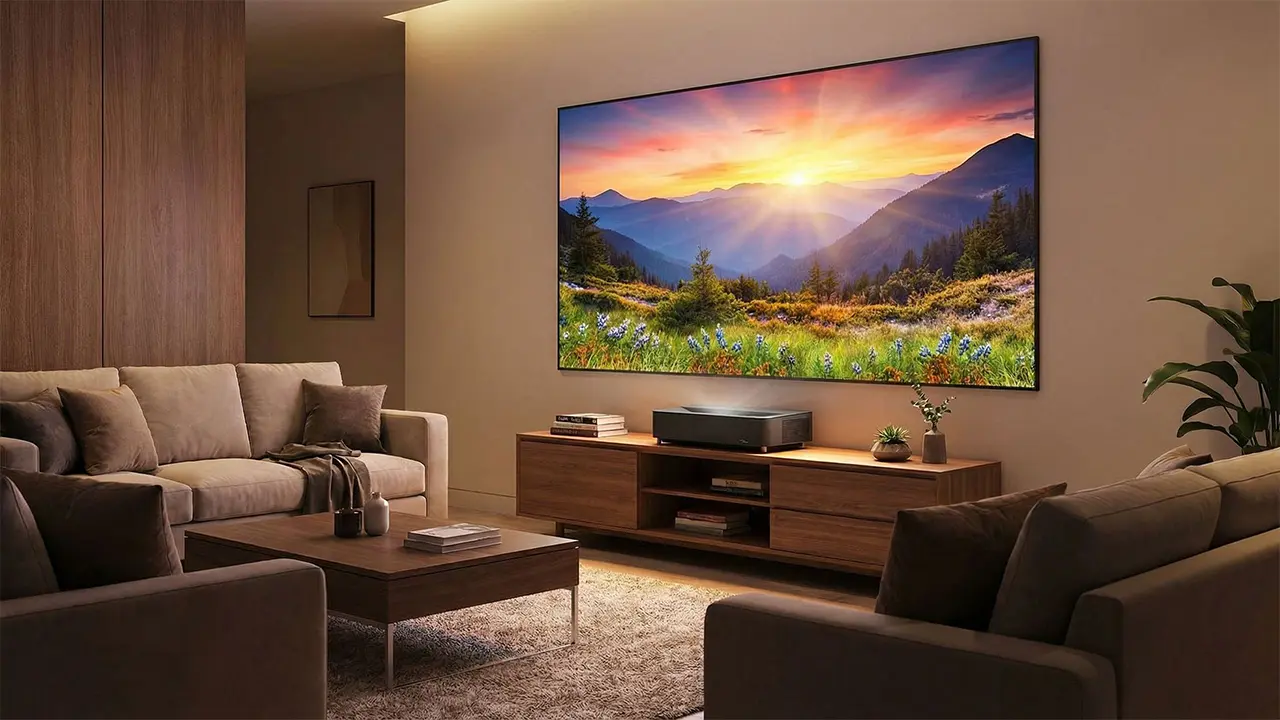
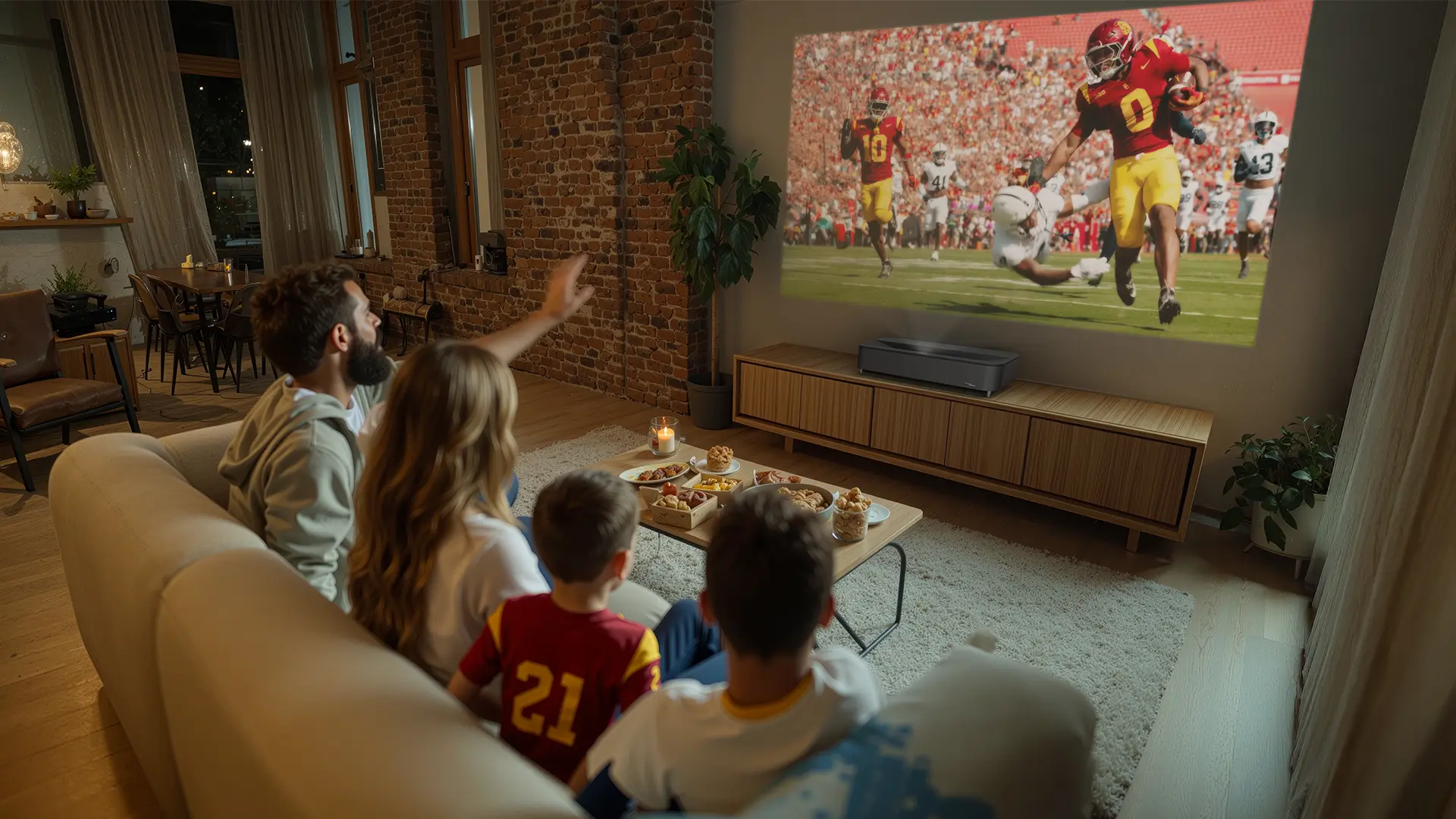
This level of brightness is critical for its intended use case. Unlike traditional home theater projectors that require a dark room, the Lifestudio Grand Plus is designed to function in everyday living environments where lights are on and windows are uncovered. The projector can produce images up to 150 inches from just inches away from the wall. 

Epson QS1000
Epson LS970 Blk-Wht-1
Suggested Retail Price: $3799
Ratings Based On Comparable Models
Brightness
Color Reproduction
Contrast
Sound Quality
Pros

+ Excellent Brightness

+ Dynamic HDR Tone mapping

+ Good Color Reproduction

+ Extensive Picture Adjustments

+ Excellent Build Quality and Design

Cons

 - Lower Than 4K Resolution

 - Native Contrast Good But Not Great

 - No Dolby Vision 

 - 3D Not Supported


Buy Now- ProjectorScreen.com - Projector Reviews Images
If you are interested in purchasing the projector mentioned in this article, we always appreciate it if you use one of the links in the article because Projector Reviews earns a small commission on the sale at no cost to you.

Designed for home entertainment enthusiasts who want a large image without dedicating a room to a traditional home theater, the Lifestudio Grand Plus combines high brightness, improved gaming support, integrated premium audio, and a fundamentally new smart experience powered by Gemini for Google TV.

What stands out immediately is Epson’s clear intention to make this projector the centerpiece of the living room rather than just another display device. The result is a projector that is easier to live with, easier to use, and more capable in real-world environments than its predecessor.

OVERVIEW

Epson LS970 Lifestyle-3
The Epson Lifestudio Grand Plus is designed to deliver a large, immersive image in nearly any space.

With a manufacturer’s suggested retail price of $3,799, the Lifestudio Grand Plus is positioned above the Epson Lifestudio Grand ($2699 MSRP) in Epson’s lineup. Like all Epson projectors, the Lifestudio Grand Plus uses Epson’s proprietary 3LCD technology, which consists of three native 1080P LCD panels.

A key strength of 3LCD is its equal color and white brightness output, which helps maintain vibrant image quality without relying on a color wheel or exposing viewers to “rainbow” artifacts often seen in single-chip DLP systems. The Lifestudio Grand Plus outputs up to 4,000 lumens of both color and white brightness, making it one of the brightest UST projectors currently available.

Since the native resolution of the 3LCD panel is 1080P, older Epson UST projectors were equipped with 4K PRO-UHD technology, which uses single-axis pixel shifting to deliver on-screen resolution beyond HD. The new Lifestudio Grand Plus uses a dual-pixel-shifting mechanism to display 8.3 million pixels onscreen. The projector's optical focus adjustment ensures sharp edge-to-edge focus regardless of screen size.

Epson LS970 Lifestyle-1

While Epson does not list the unit’s native contrast, 3LCD-equipped projectors usually deliver better black levels than competitive DLP models.  The Lifestudio Grand Plus combines dynamic laser dimming with video processing to deliver deeper on-screen black levels and improved detail in shadowy scenes. Epson rates the projector’s dynamic contrast ratio at 5,000,000:1.

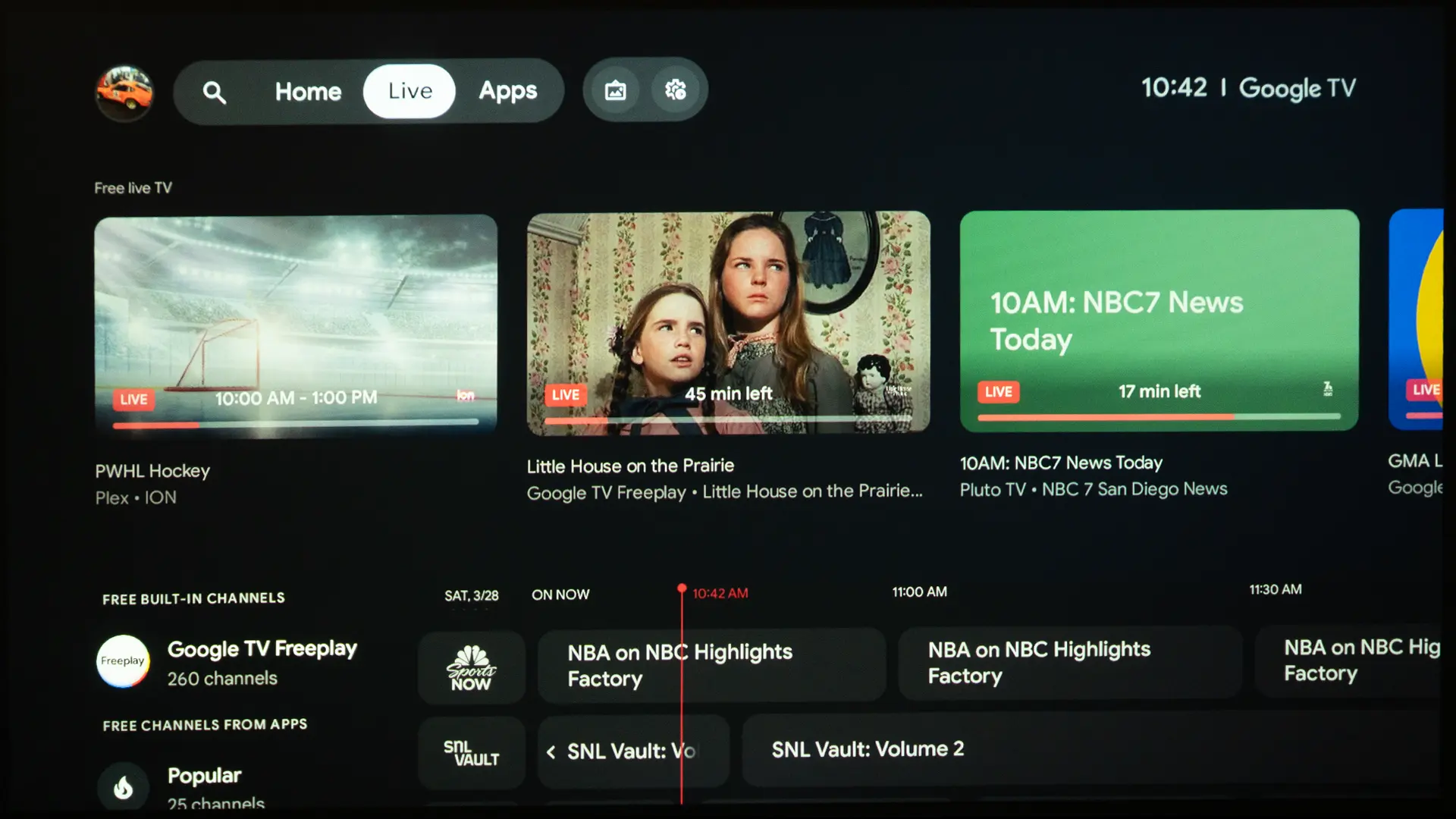
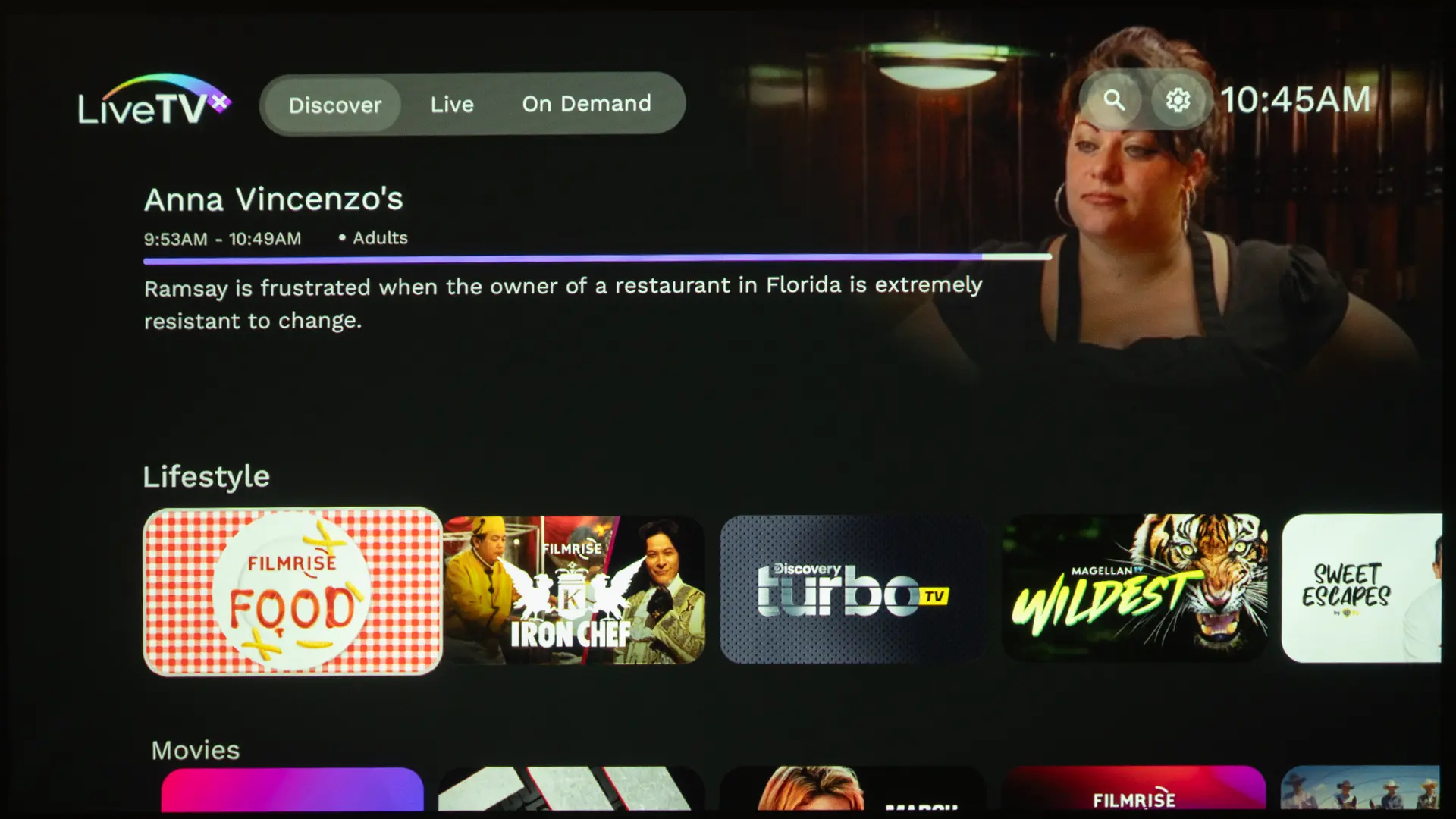
The most significant change is the introduction of Gemini for Google TV. While the LS800 relied on a more traditional smart TV interface, while the Lifestudio Grand Plus transforms the experience into something far more interactive and intuitive. This is not just a UI update. It fundamentally changes how users discover and interact with content.

Gemini for Google TV: A Meaningful Upgrade

Epson LS970 Gemini-Example-1
The Lifestudio Grand Plus introduces Google TV with Gemini which fundamentally changes the smart TV user experience

Previous Epson smart ultra short throw projectors like the LS800 used a Google TV OS, which provides access to a wide range of streaming services, personalized recommendations, and voice control through Google Assistant. The interface is familiar, responsive, and easy to navigate. It functions very much like a modern smart TV.

The Lifestudio Grand Plus introduces Google TV with Gemini, and this fundamentally changes the user experience. Instead of relying primarily on commands and menu navigation, Gemini enables conversational interaction. The system is designed to understand context, preferences, and intent, allowing users to engage with their content in a more natural way

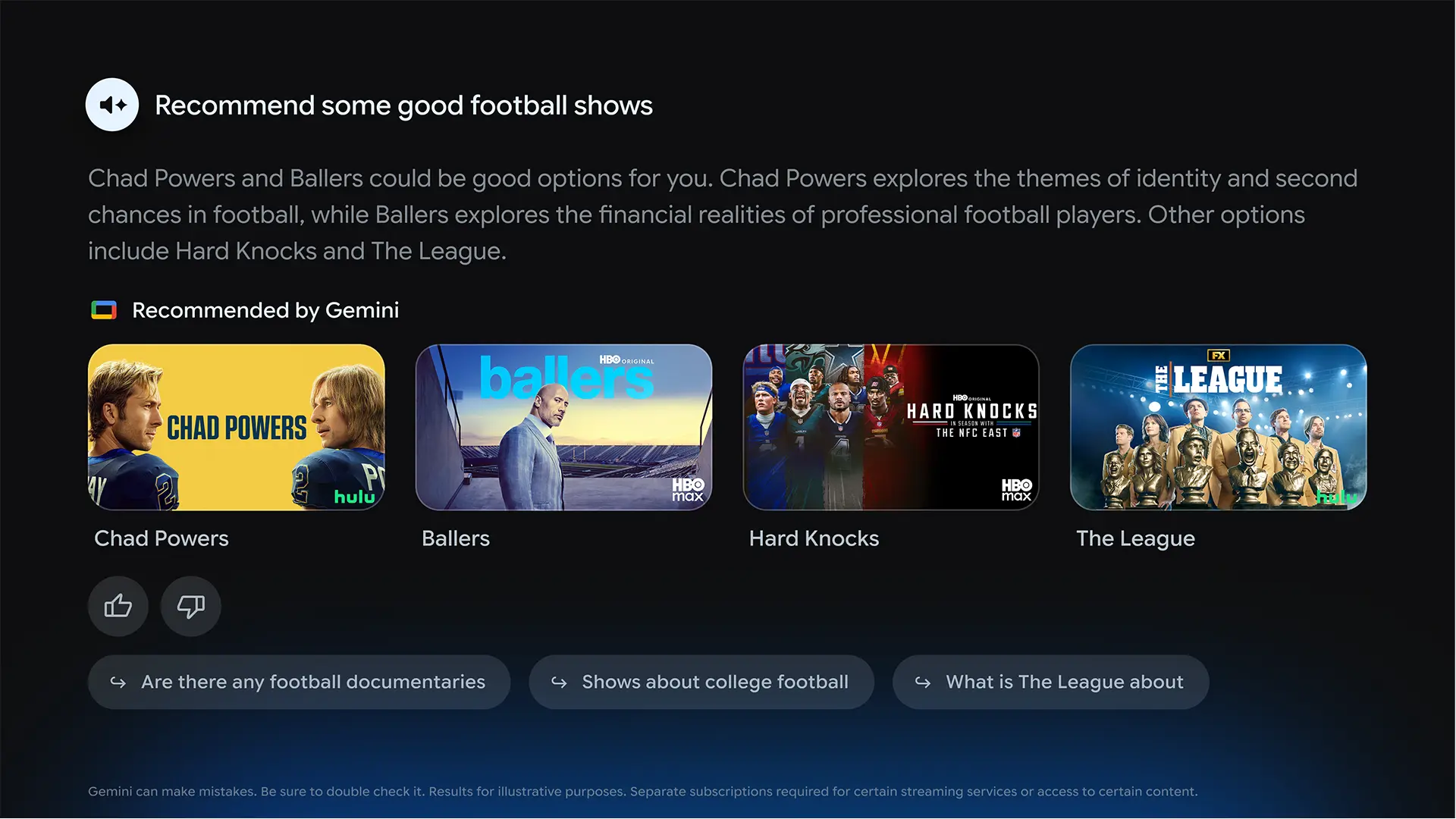
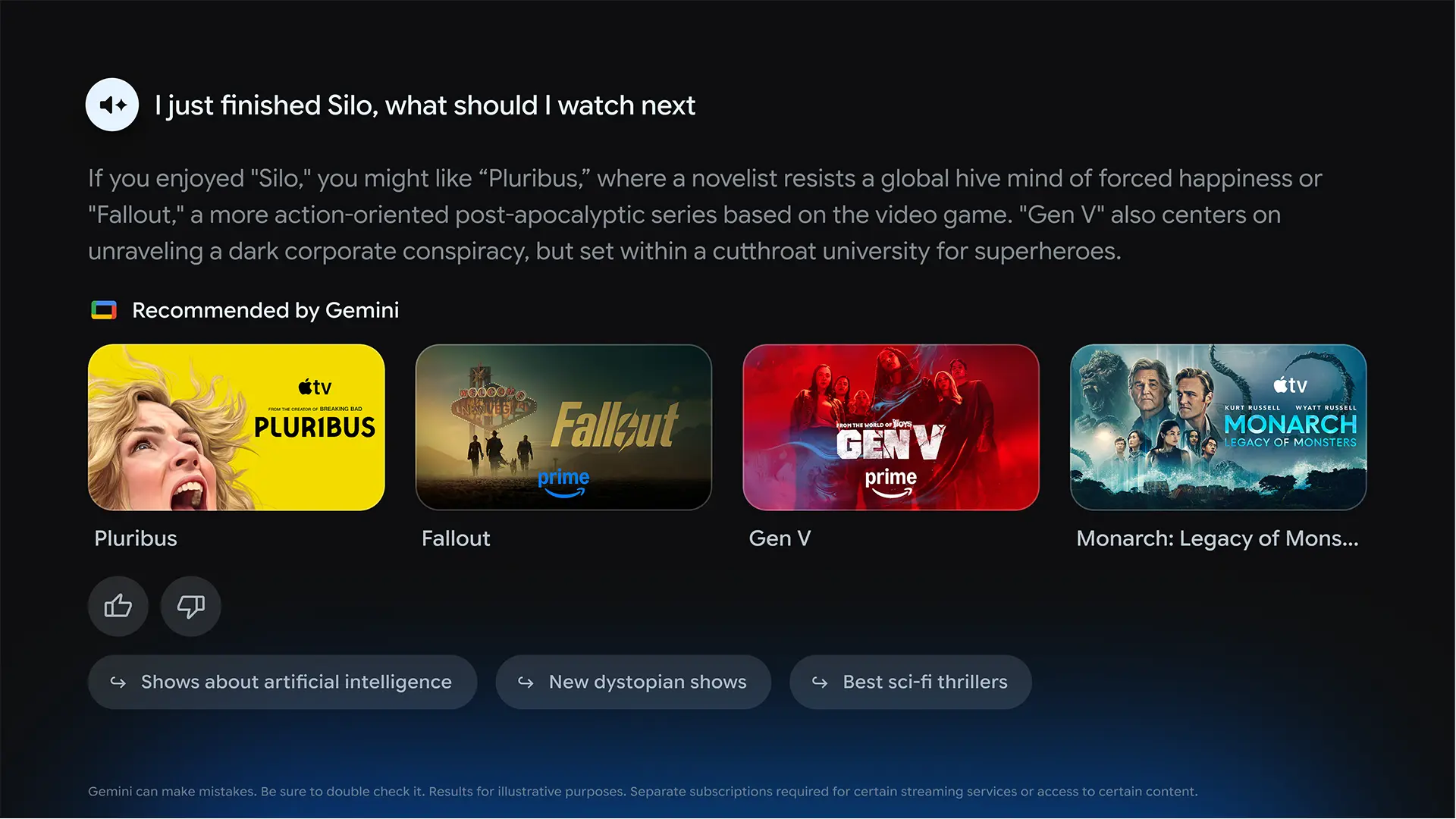
Traditional smart TV platforms like Google TV or Android TV rely heavily on menus, search inputs, and app navigation. Gemini changes that interaction model entirely. Instead of scrolling through apps or typing queries, users can interact with the system in a conversational way. You can ask for recommendations based on mood, context, or even vague ideas, and the system responds intelligently with curated results.

For example, instead of searching for a specific title, you can ask for a family-friendly action movie similar to something you recently watched. Gemini can even recommend options across multiple platforms, which greatly simplifies browsing through endless streaming catalogs.

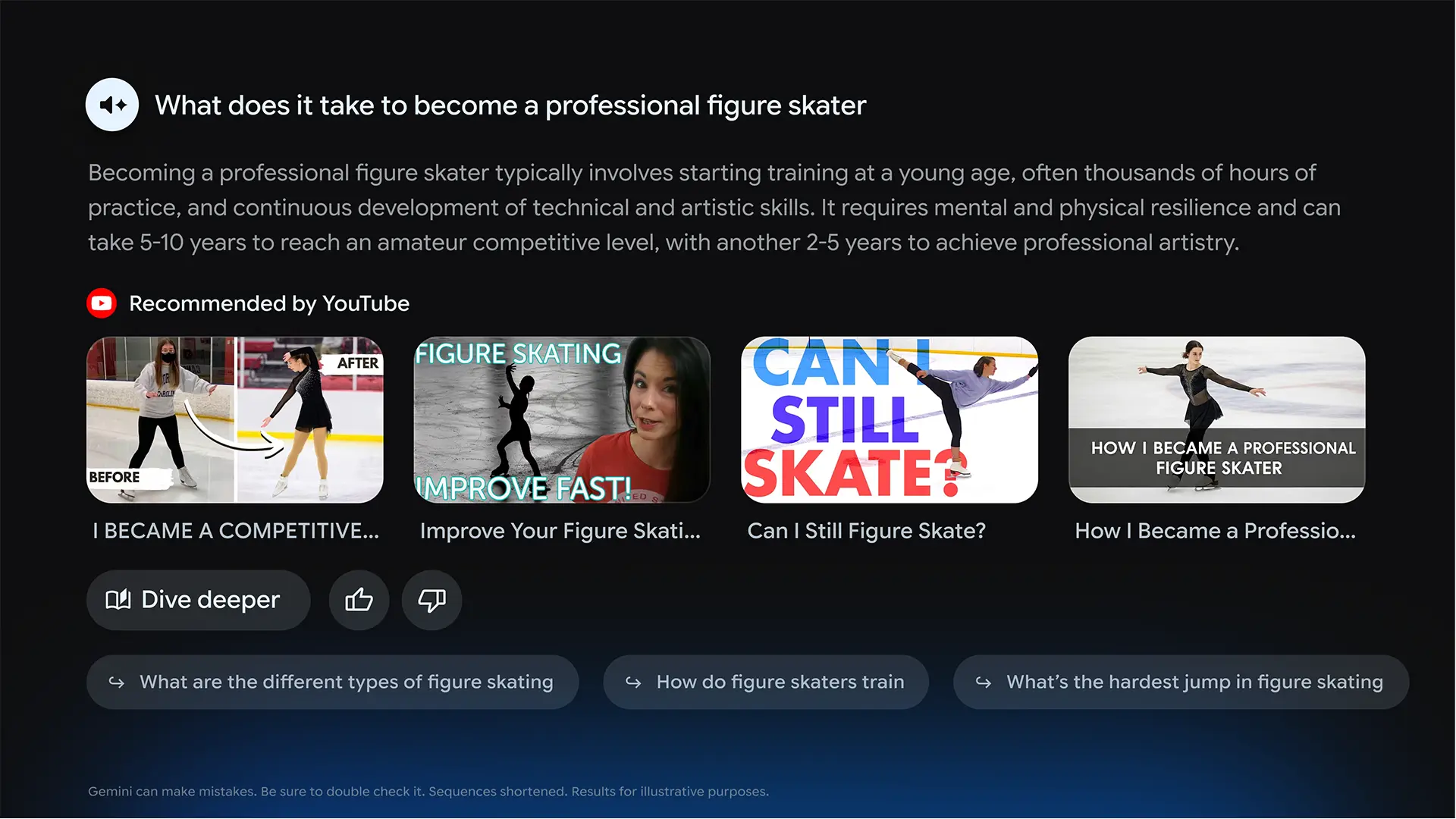
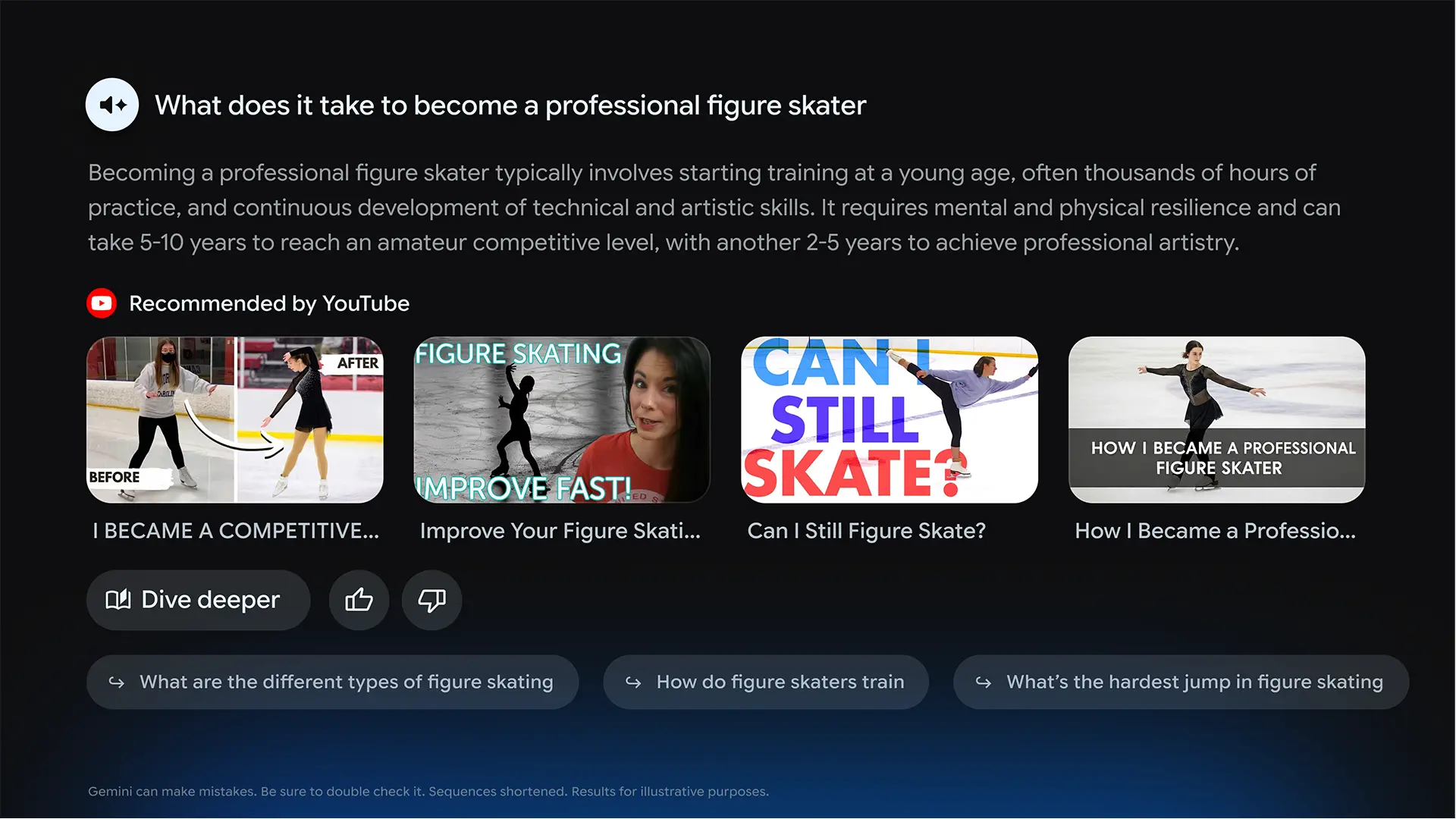
Gemini understands intent rather than just keywords. It can also provide contextual information, such as explaining a topic, planning a trip, or even generating visual learning content directly on the screen. There are ways owner can utilize Gemini that extend beyond entertainment. Users can ask questions, explore topics, and even receive visual explanations supported by video content. This turns the projector into a large-screen information hub.

This turns the projector into more than a display. It becomes a central hub for entertainment, learning, and everyday interaction which is something traditional smart platforms simply do not offer.

Epson LS970 Blk-Angle-2
The Epson QS100 looks similar to the EpiqVision Ultra LS800 but is designed to a different customer

While the Lifestudio will replace the LS800, Epson also offers another UST called the QS100. While this model looks similar, it is designed for a different user base. The Lifestudio Grand Plus is an all-in-one entertainment solution designed for mainstream consumers, while the QS100 is tailored for professional custom installations.

Both models share the same chassis and use 3LCD panels, but the QS100 is 500 lumens brighter. Since the Lifestudio Grand Plus is designed as a smart TV replacement, it features like an integrated sound system and a smart OS with built-in streaming apps that are not found on the QS100.

Ultimately, the Lifestudio Grand Plus and QS100 are not direct competitors but complementary offerings aimed at different segments of the home entertainment market. The LS800 is ideal for buyers replacing a television with minimal setup effort, while the QS100 is targeted at those constructing or upgrading a high-performance media room.

Epson’s UST lineup now spans multiple use cases, from lifestyle entertainment to more premium dedicated setups.

Epson Ultra Short Projector Model Comparison
ModelQS100Lifestudio Grand PlusLifesstudio Grand
Price (MSRP)$4999$3799$3799
Target UserDisplaySmart TV ReplacementSmart TV Replacement
Brightness4500 lumens4000 lumens3500 lumens
HDR Tone MappingDynamicDynamicStatic
CalibrationAdvanced (ISF)AdvancedBasic
Smart Home ControlYesNoNo
Smart OSNoneGeminiAndroid TV
Sound SystemNoneBose 2.1 chYamaha 2.1 ch

Gaming performance has also been improved. The addition of support for 4K at 120Hz and Auto Low Latency Mode makes the new model far more appealing to gamers who want a large-format display without sacrificing responsiveness.

Audio has also been upgraded with a Sound by Bose system that delivers more impactful bass and a wider soundstage compared to the Yamaha-tuned system found in earlier models.

For enthusiasts who want to fine-tune the Lifestudio Grand Plus color reproduction, the unit includes an extensive suite of calibration adjustments. These include gamma adjustments, grayscale tuning, full CMS (color management system) controls, and precise panel alignment. This level of flexibility is not available in older smart Epson projectors, such as the LS800, because they use Android TV-based interfaces.

HARDWARE

CHASSIS

  • Epson LS970 Sample FrtAngle-2
  • Epson LS970 Sample FrtAngle-4
  • Epson LS970 Sample side-1
  • Epson LS970 Sample Rear Angle-1
  • Epson LS970 Sample Rear-2

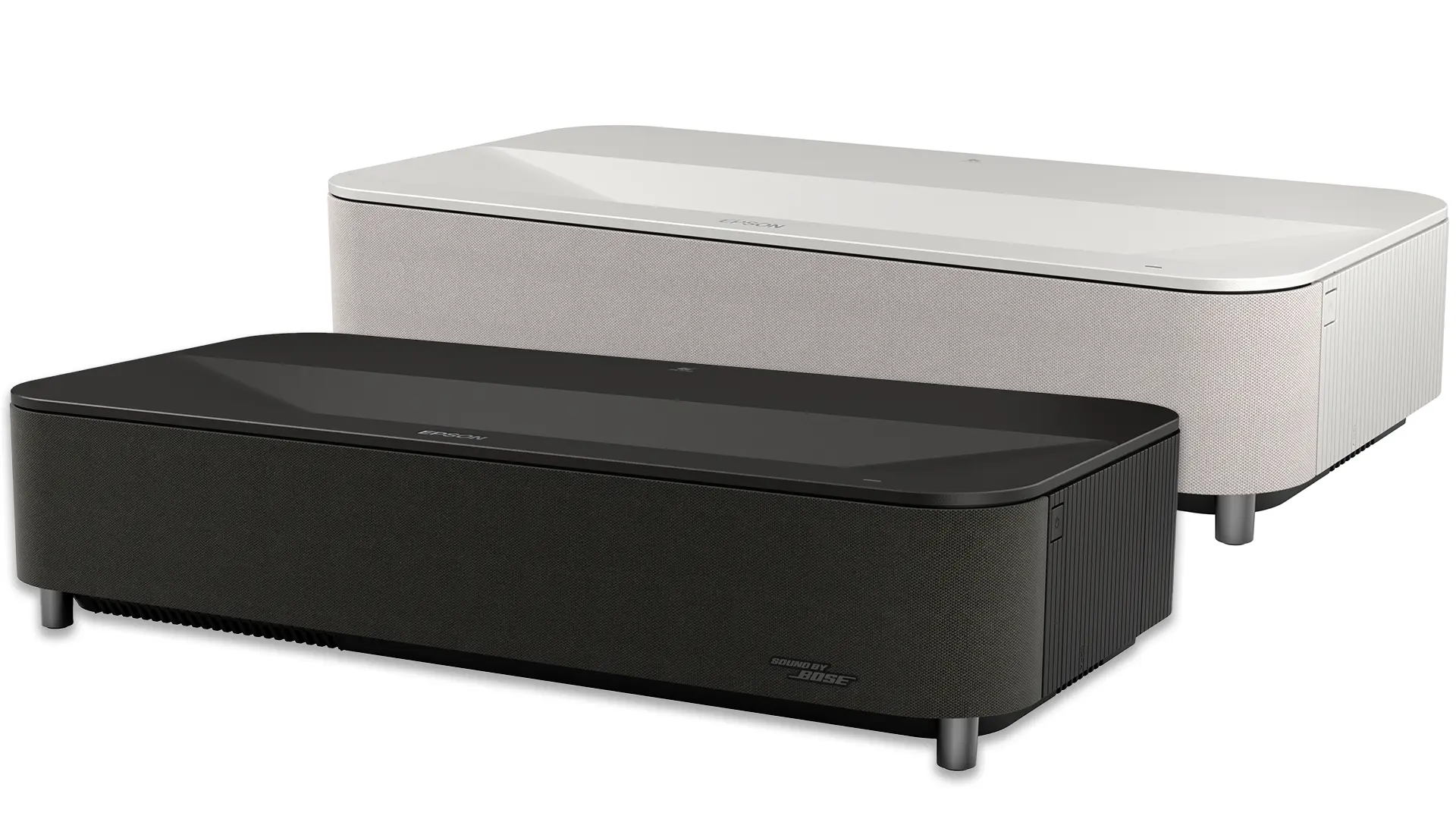
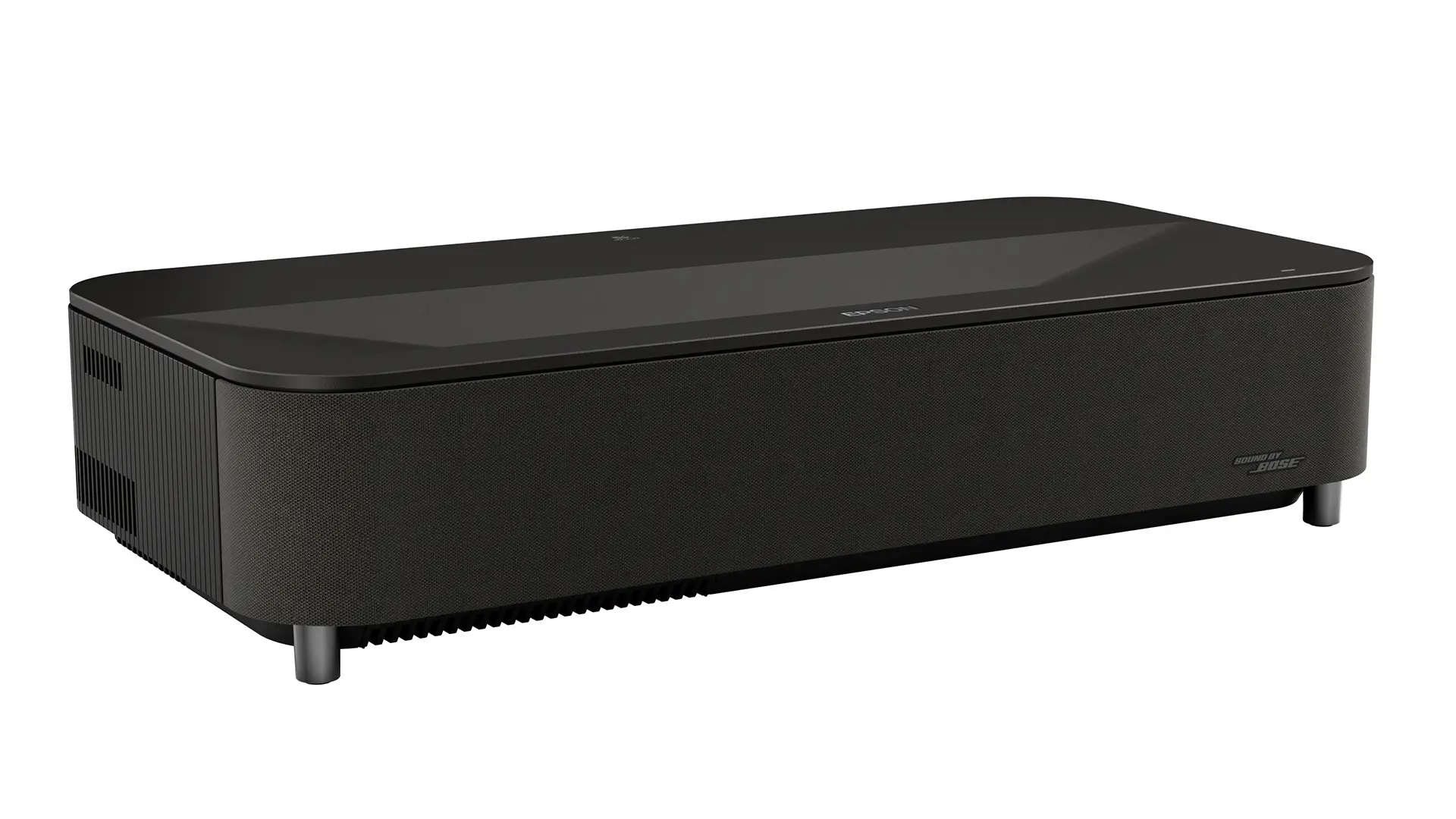
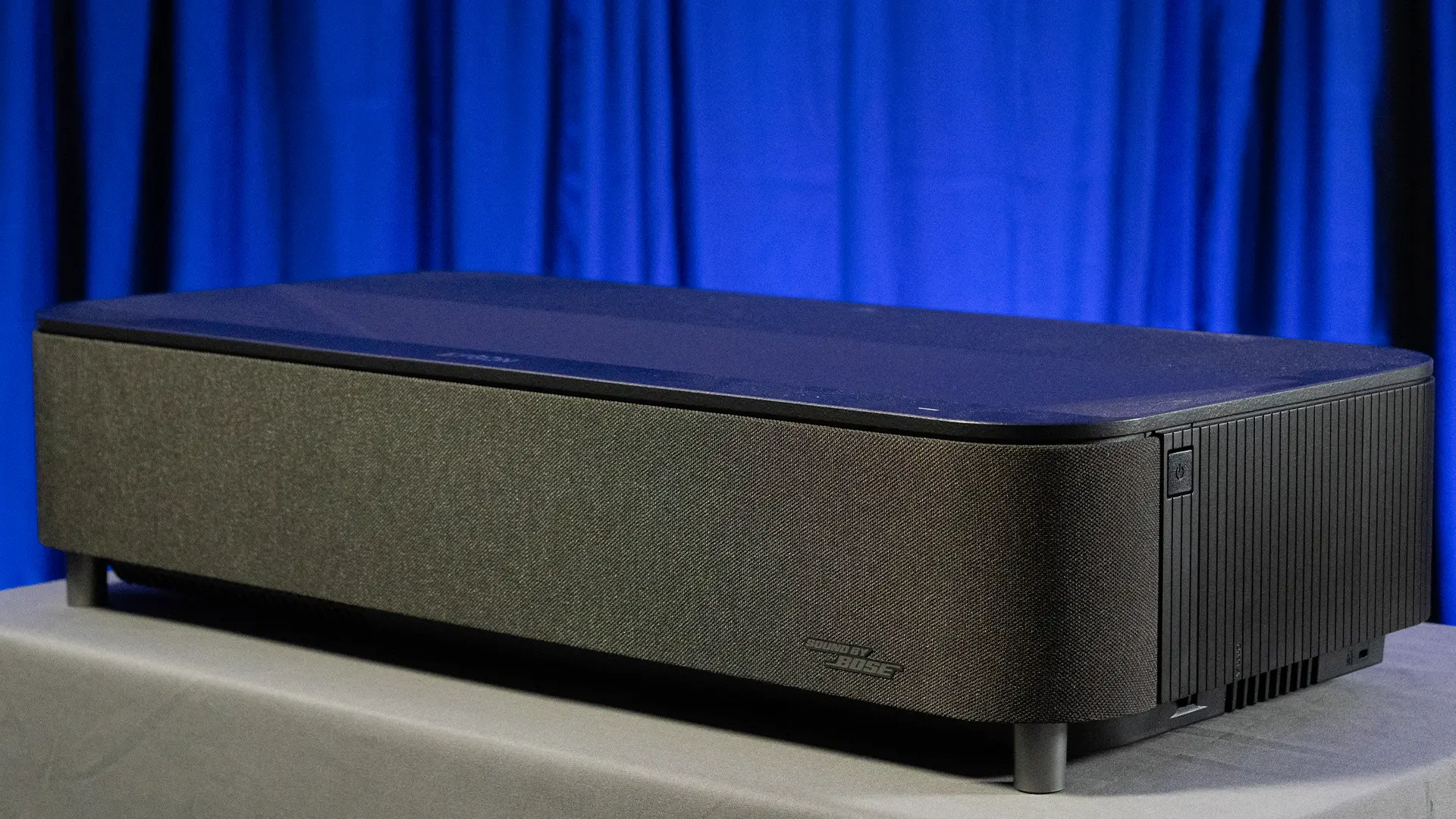
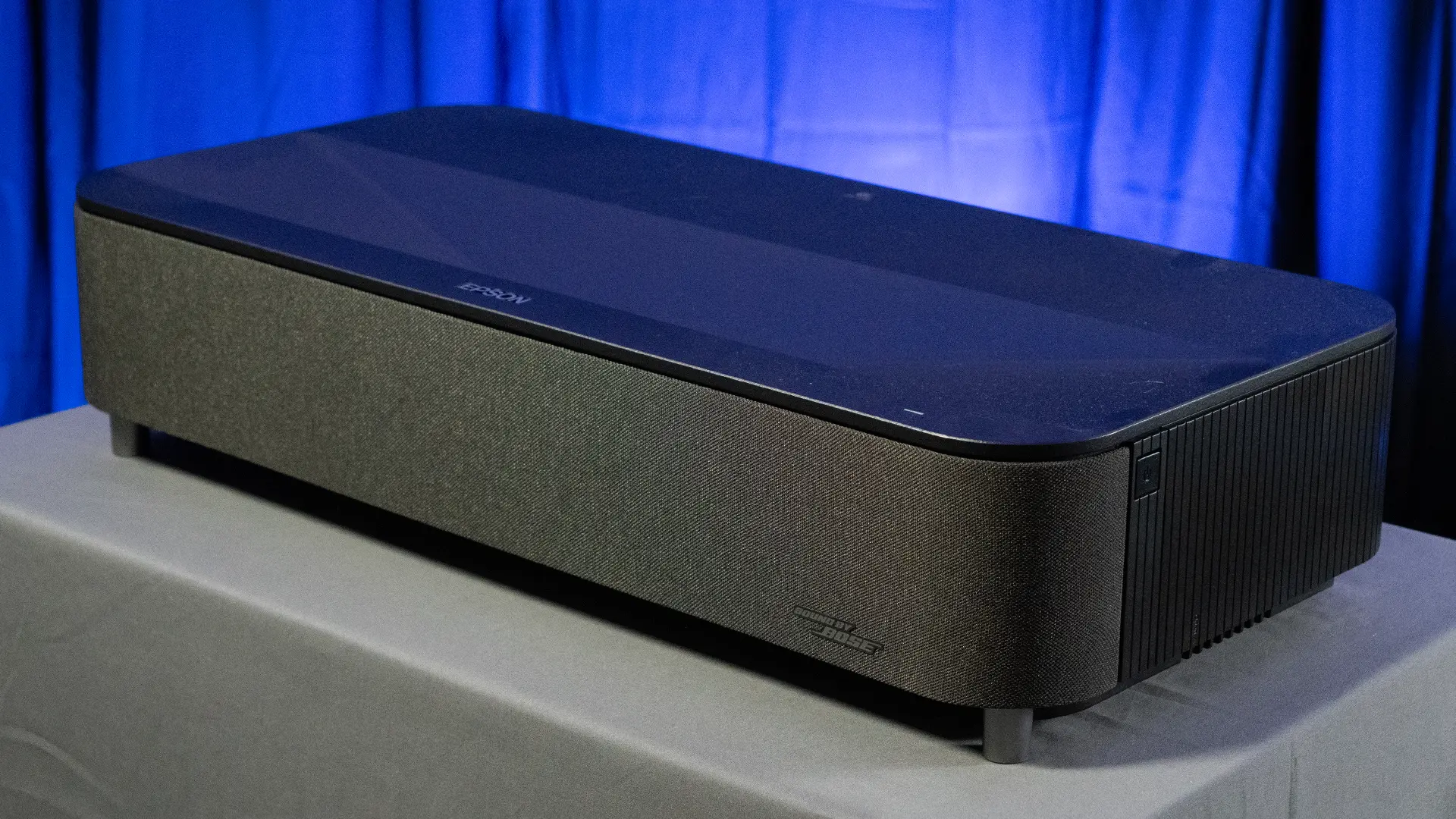
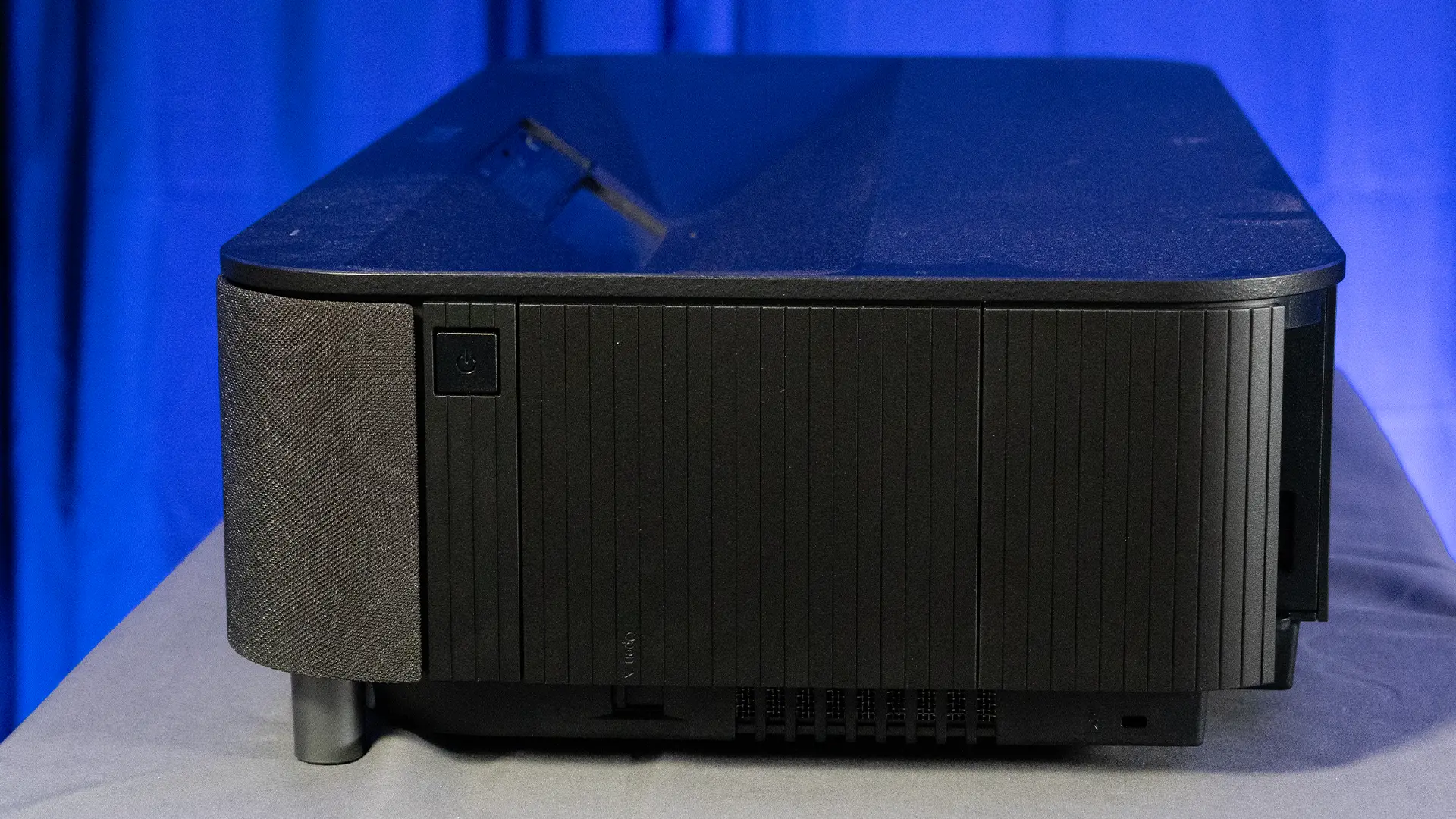
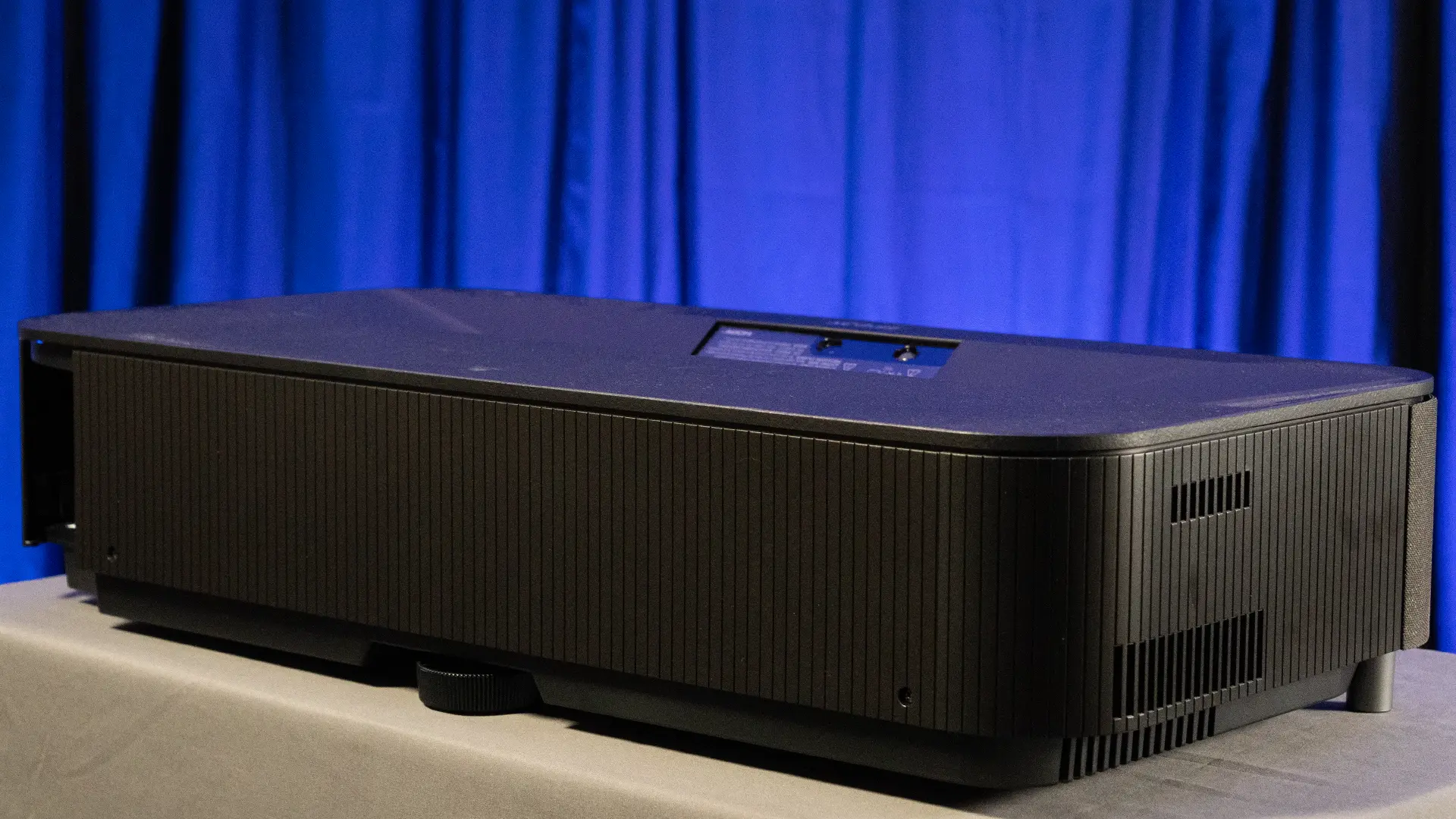
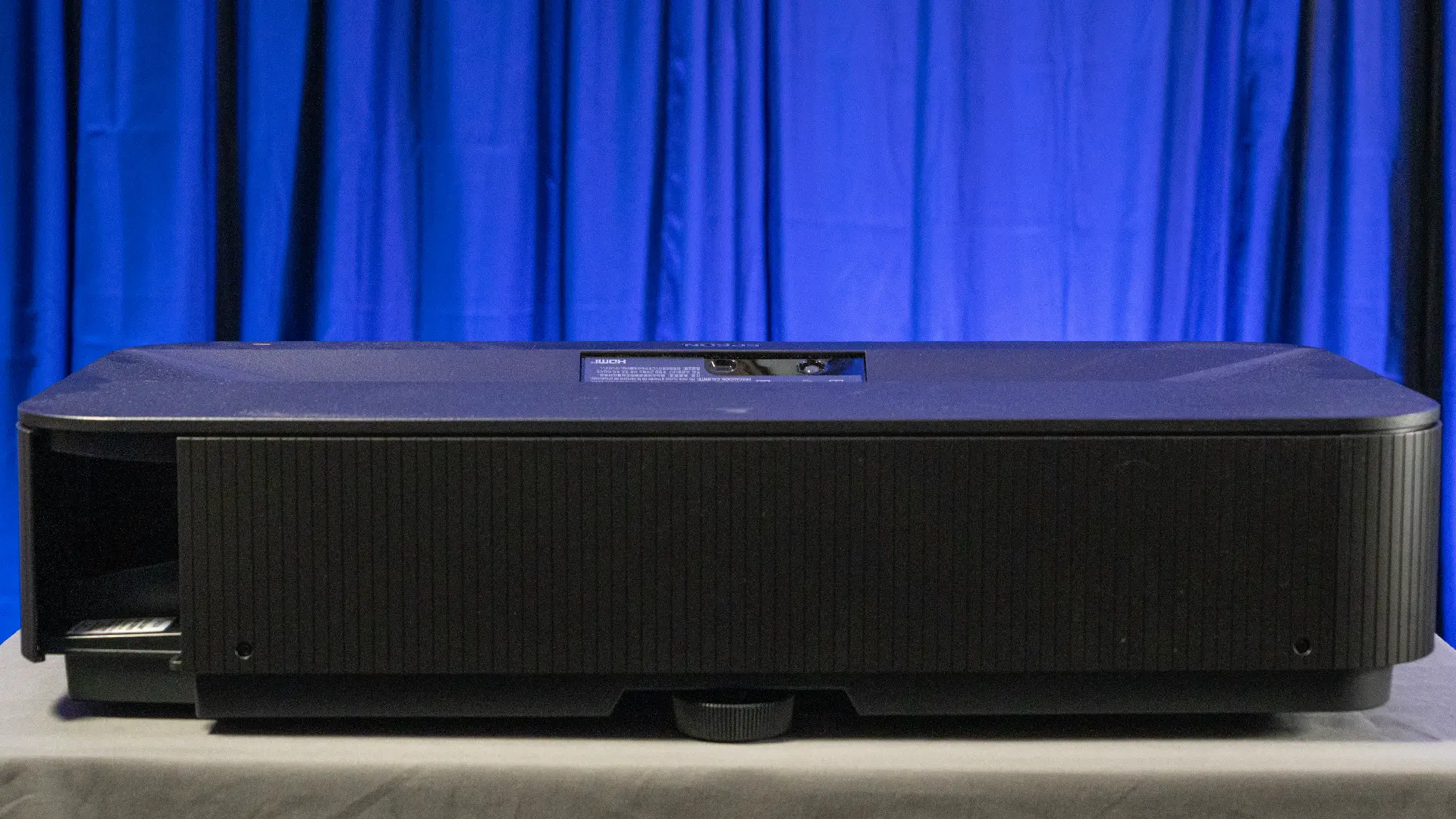
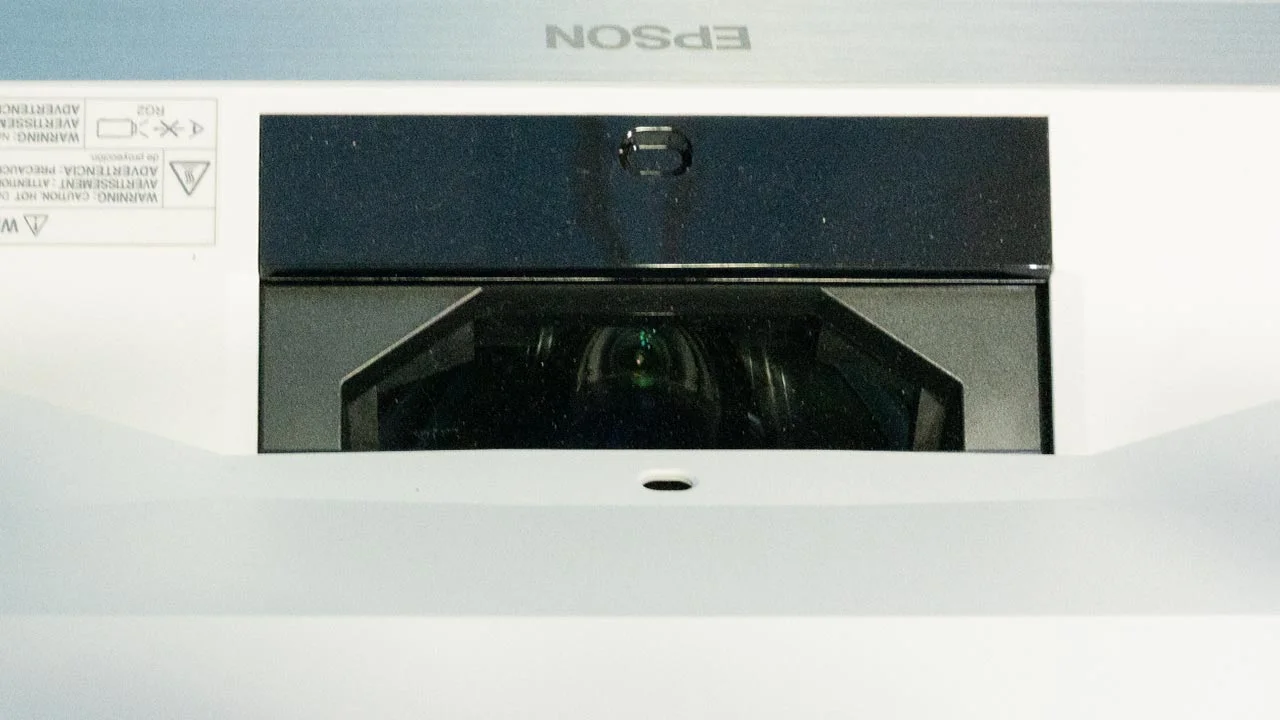
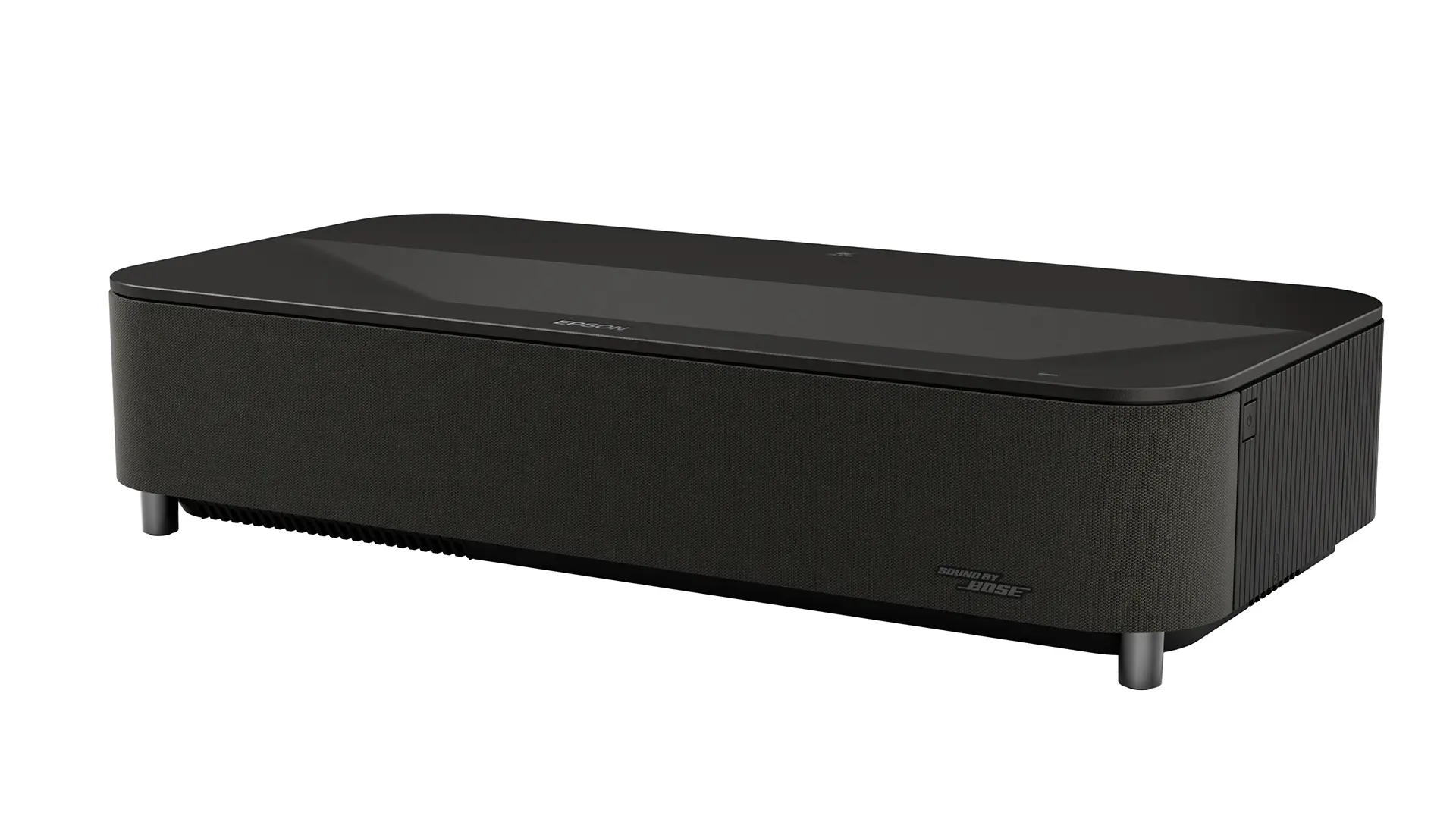
The Lifestudio Grand Plus looks nearly identical to the EpiqVision Ultra LS800 and the QS100. It measures 27.4" wide x 6.2" high x 13.4" deep and weighs 27.6 lbs. It is available in both black and white finishes to better integrate into different room designs. The projection window is located on the top surface, along with sensors to detect obstacles and motion, which automatically reduce brightness for safety.

The front of the unit houses the speaker system, along with an illumination sensor that adjusts brightness based on ambient conditions. Air intake vents and filters are also located at the front, while exhaust vents are positioned to the rear to manage heat effectively. The projector has three adjustable feet: two on the front bottom and one at the rear

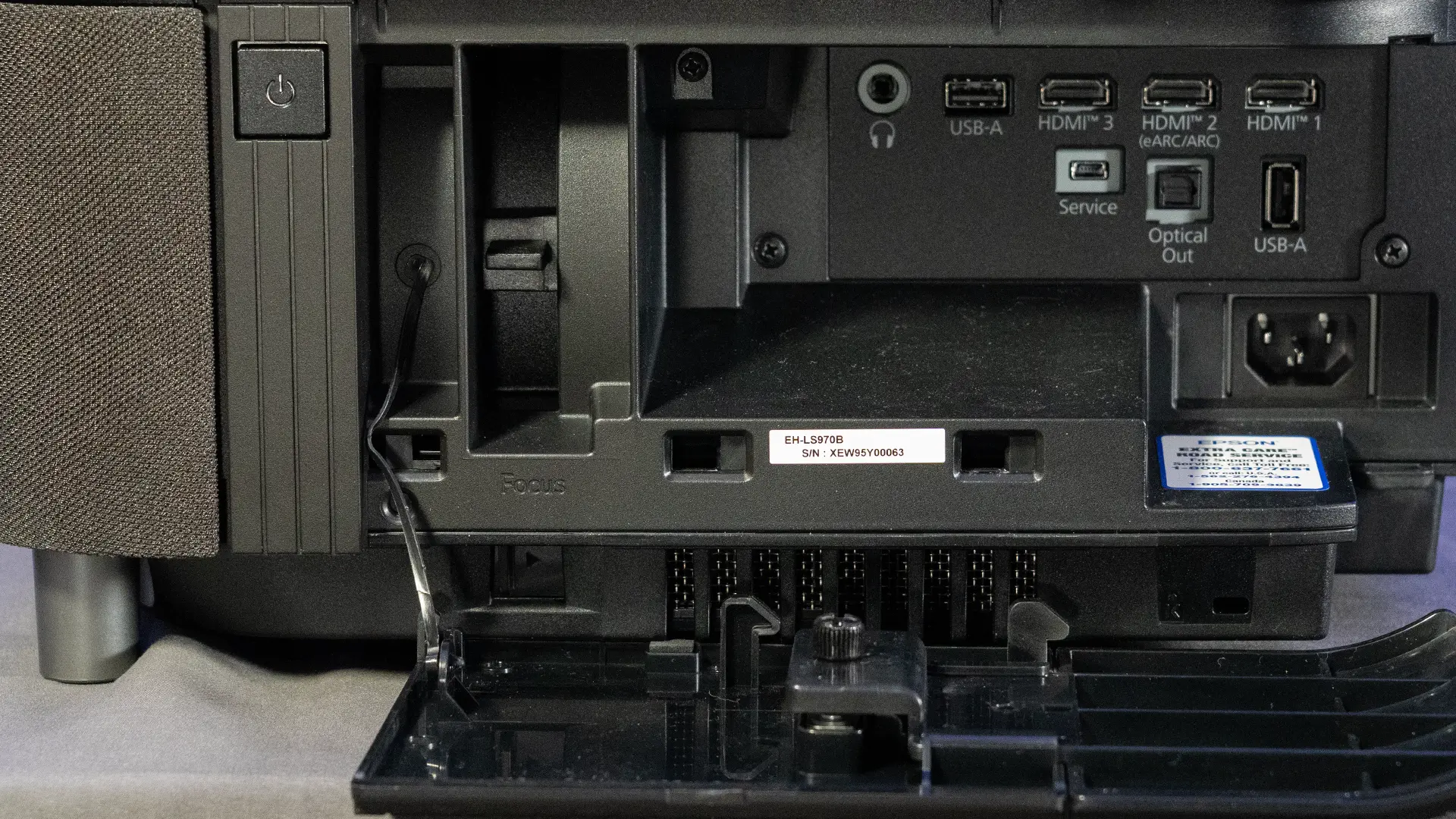
Connectivity is hidden behind a removable side panel, which helps maintain a clean installation while still allowing easy access to ports. The Lifestudio Grand Plus includes three HDMI inputs, all compatible with HDCP 2.3. Two of those inputs support 4K at 120Hz, while the third supports 4K at 60Hz.

Epson LS970 Sample Connections-1

One HDMI port supports eARC, enabling high-quality audio to be sent to an external sound system. This is particularly useful for users who plan to integrate the projector into a larger home theater setup.

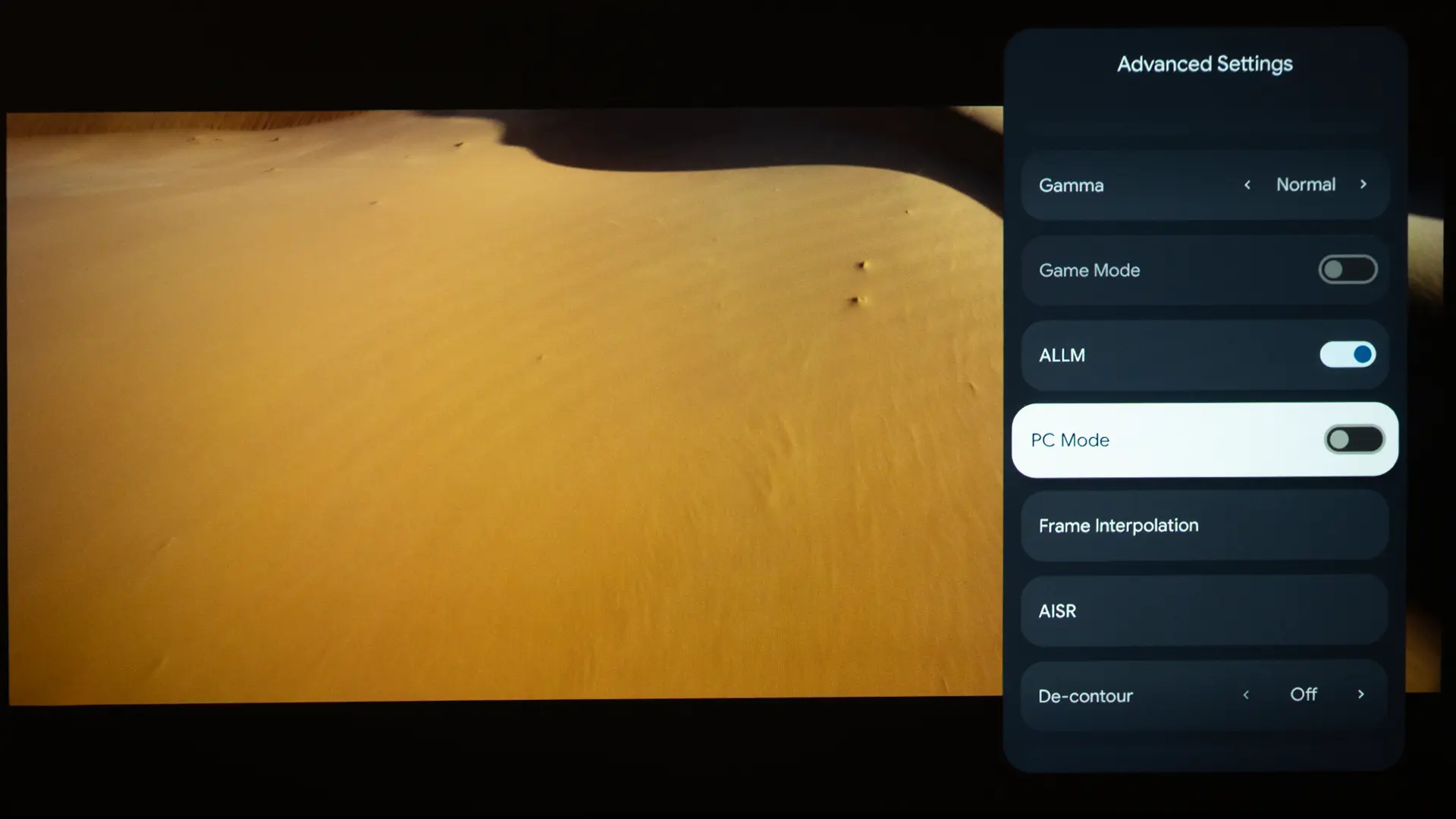
Additional connections include USB-A ports, an optical audio output, and a headphone jack. The projector also supports ALLM, making it easier to switch into low-latency gaming mode automatically. This combination of features makes the Lifestudio Grand Plus one of the more versatile UST projectors for both casual and serious gaming.

Install simplicity is one of the biggest advantages of UST projection. The projector needs to sit just inches from the wall to produce a large image.

Epson QS100 Lens - Projector Reviews - Images

The Lifestudio Grand Plus has one of the shallowest throw distances in the industry, so it sits very close to the screen. For example, the chassis needs to be 6.4 inches away from a 120-inch screen. The projector is compatible with screens up to 160 inches. The lens features a small amount of optical zoom, with a throw range of 0.16:1 to 0.22:1. 

Focus is adjusted manually using a lever on the left side of the unit, next to the connection. This adjustability ensures sharp edge-to-edge focus, regardless of screen size.

Throw Distance Chart

Screen Size

Distance from Wall (Approx.)

100 inches

~6–7 inches

120 inches

~8–9 inches

135 inches

~10–11 inches

150 inches

~12–13 inches

Epson LS970 Sample Remote-2

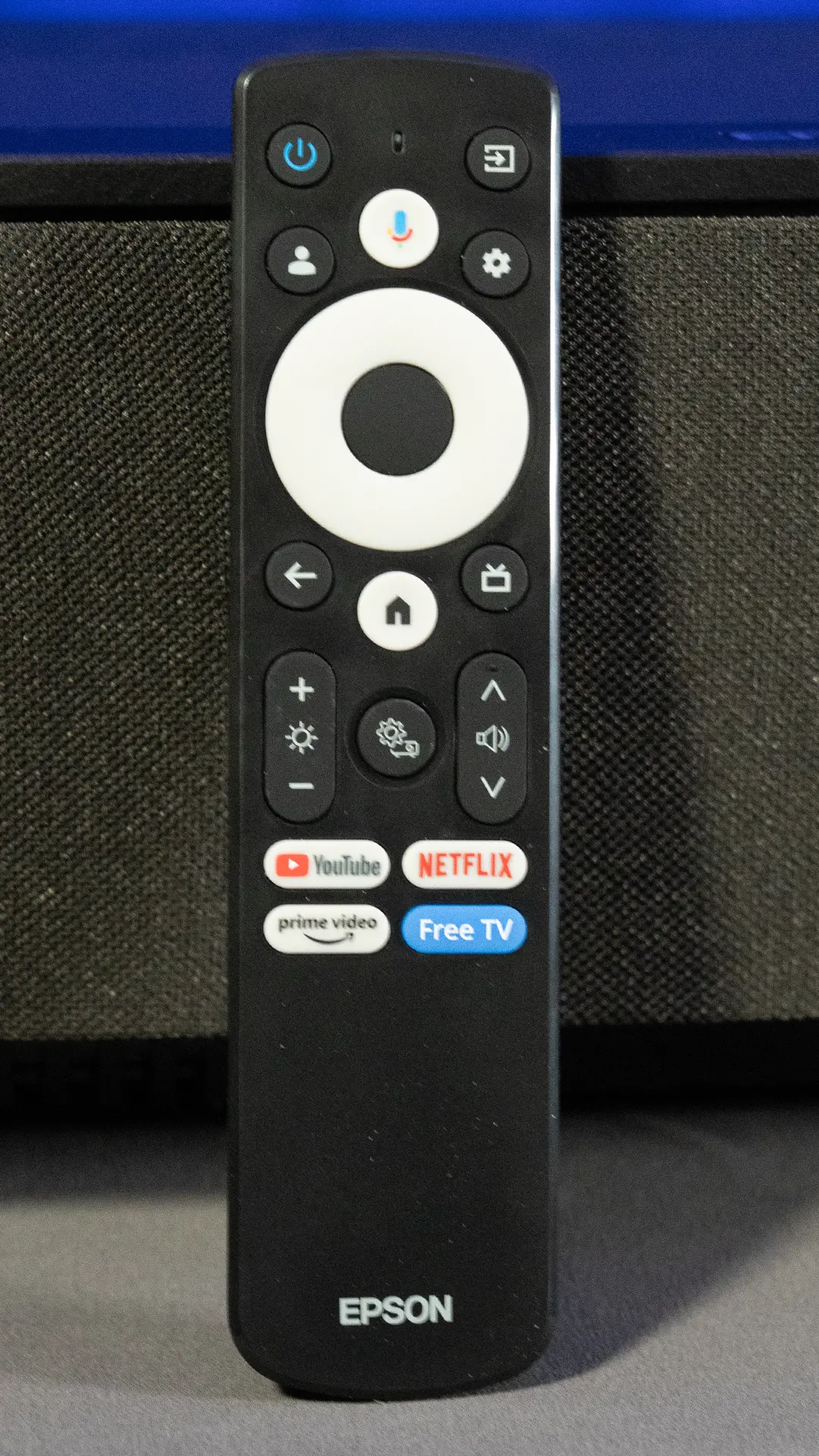
The remote control includes most of the common buttons found on a Google TV remote. It features dedicated quick-access buttons for several major built-in streaming services, commonly including Netflix, YouTube, and Prime Video.

These buttons ensure immediate access to your most-used entertainment platforms, complementing the projector’s intuitive, personalized Google TV home screen.

The projector remote has a dedicated Google Assistant button that activates several features, including voice search, menu navigation, access to select apps, and even control of a wide range of compatible IoT (Internet of Things) devices integrated into the Google Home ecosystem to manage your viewing experience and smart environment.

The voice assistant built into most Google TV devices today is based on Google Assistant, which is designed for quick, command-based interactions. You typically use short phrases like “play a movie,” “open Netflix,” or “turn off the lights,” and it executes those tasks immediately. It is fast and reliable but generally limited to simple requests and predefined actions.

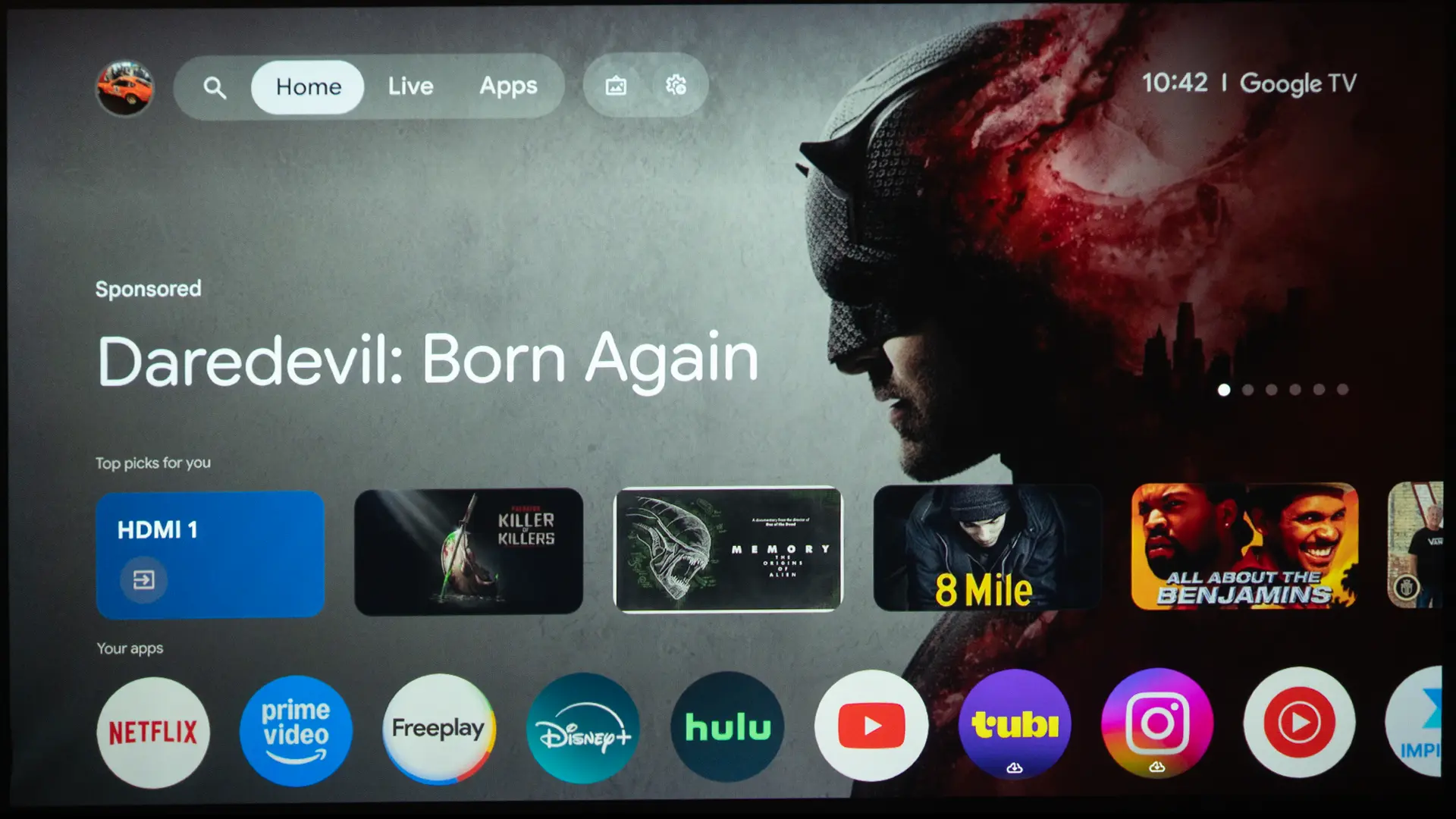
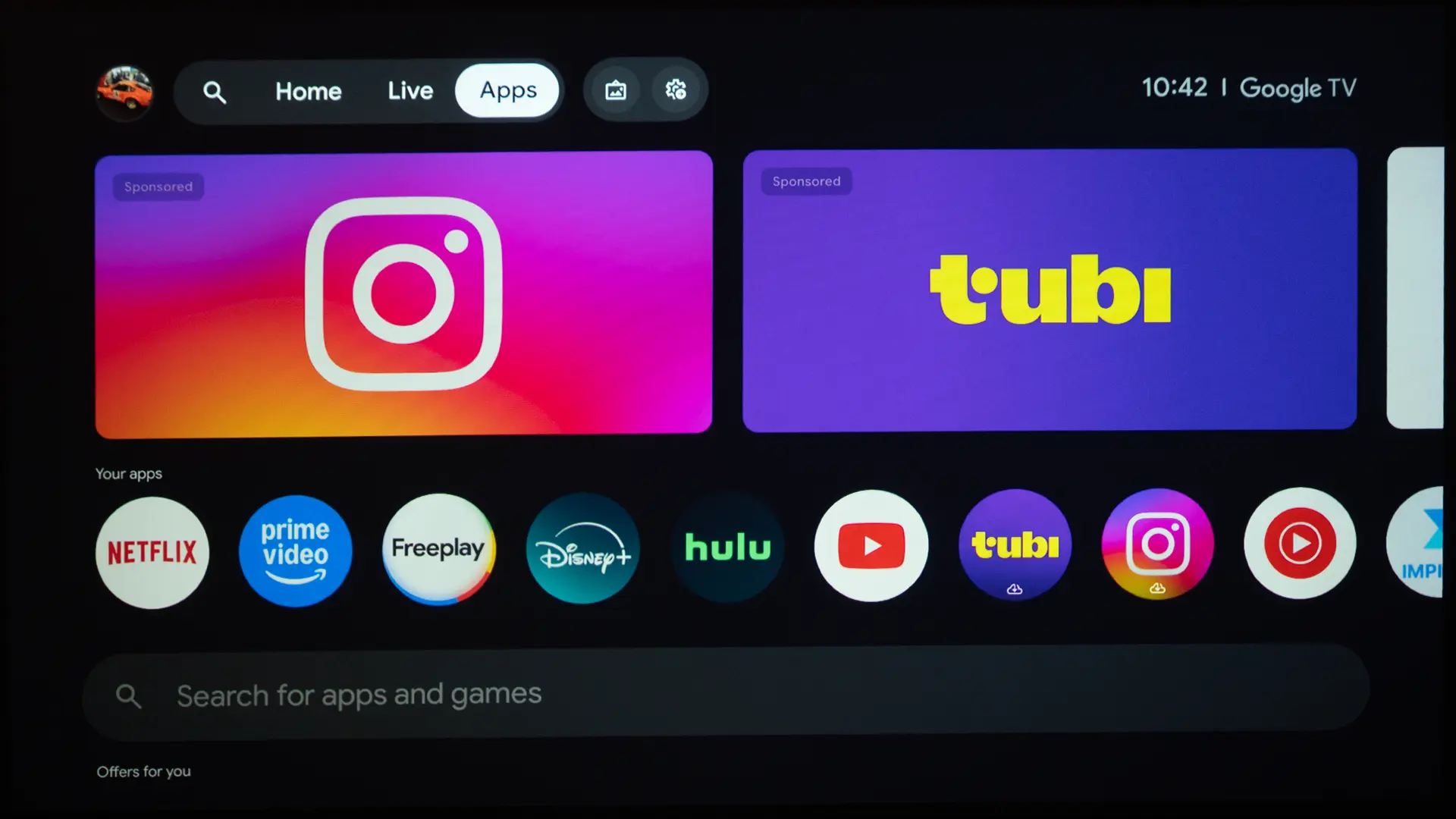
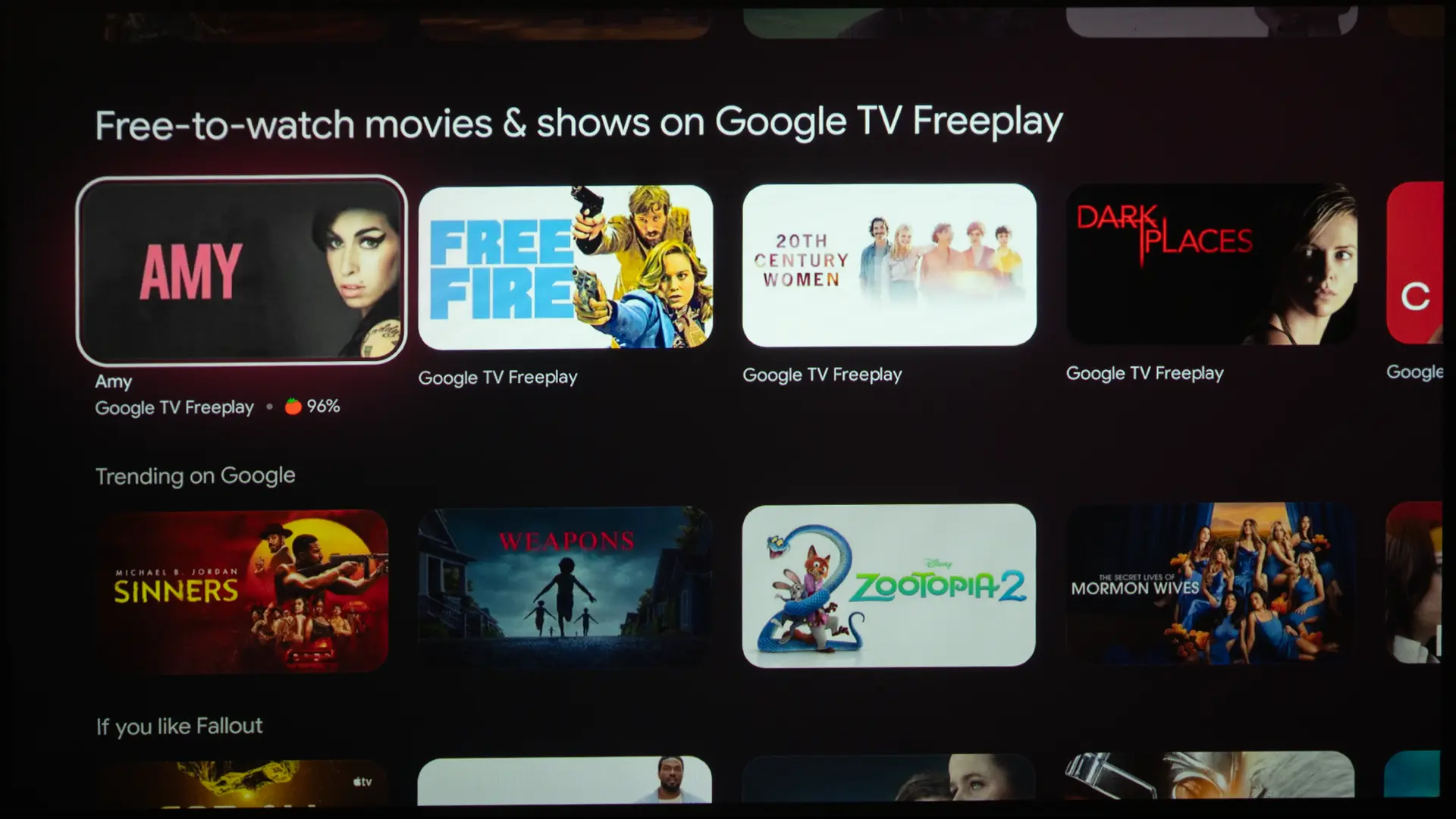
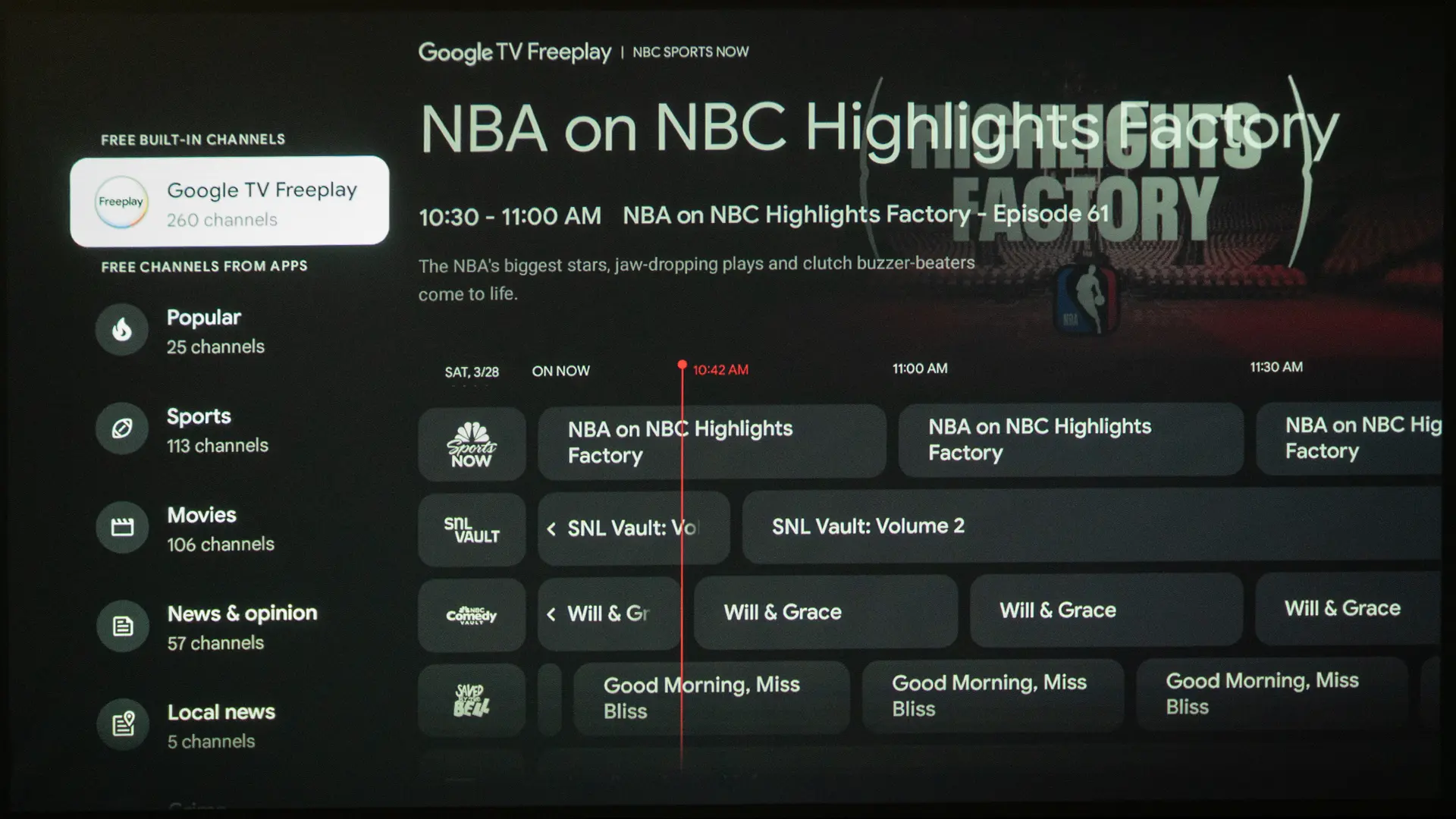
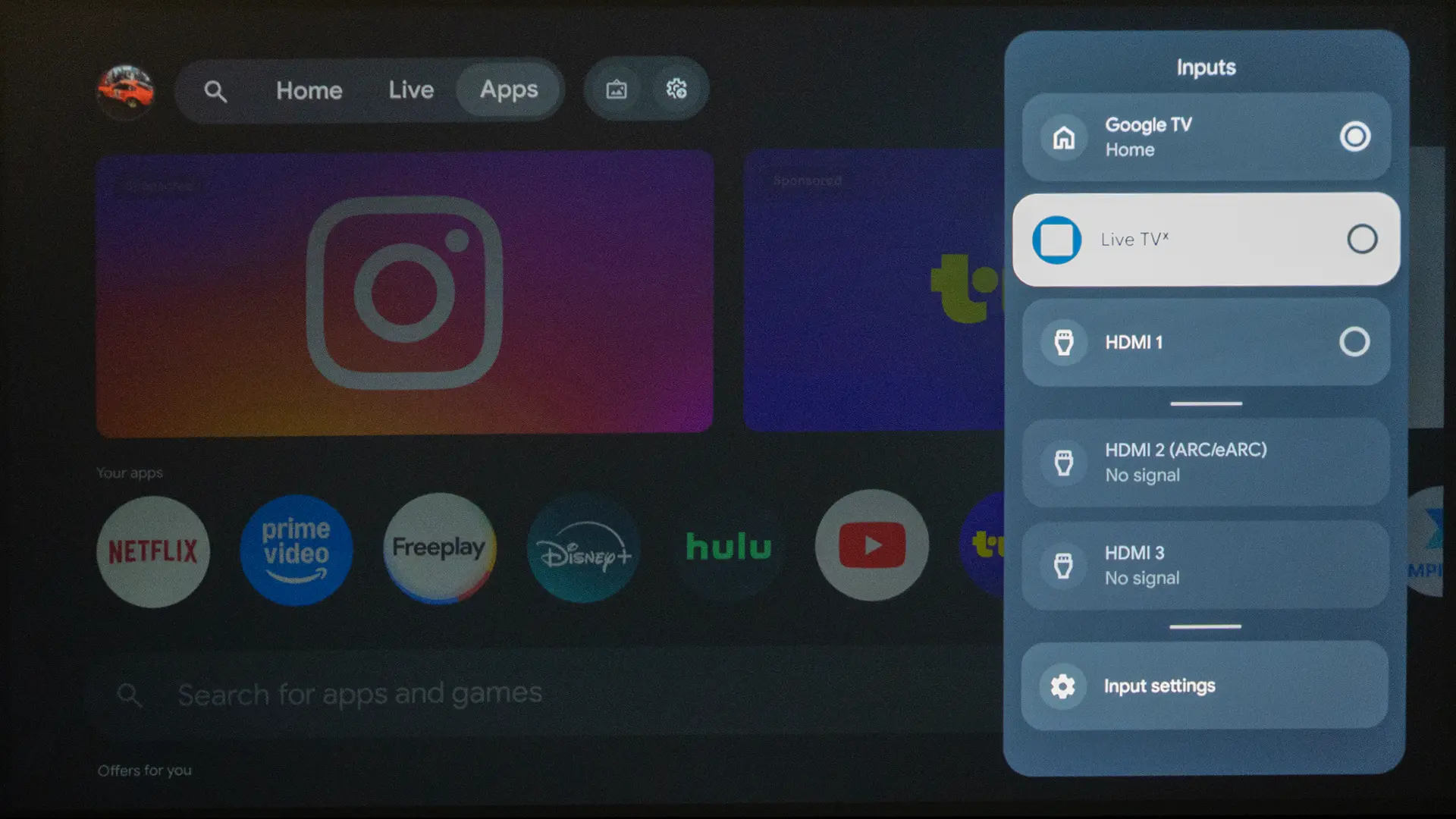
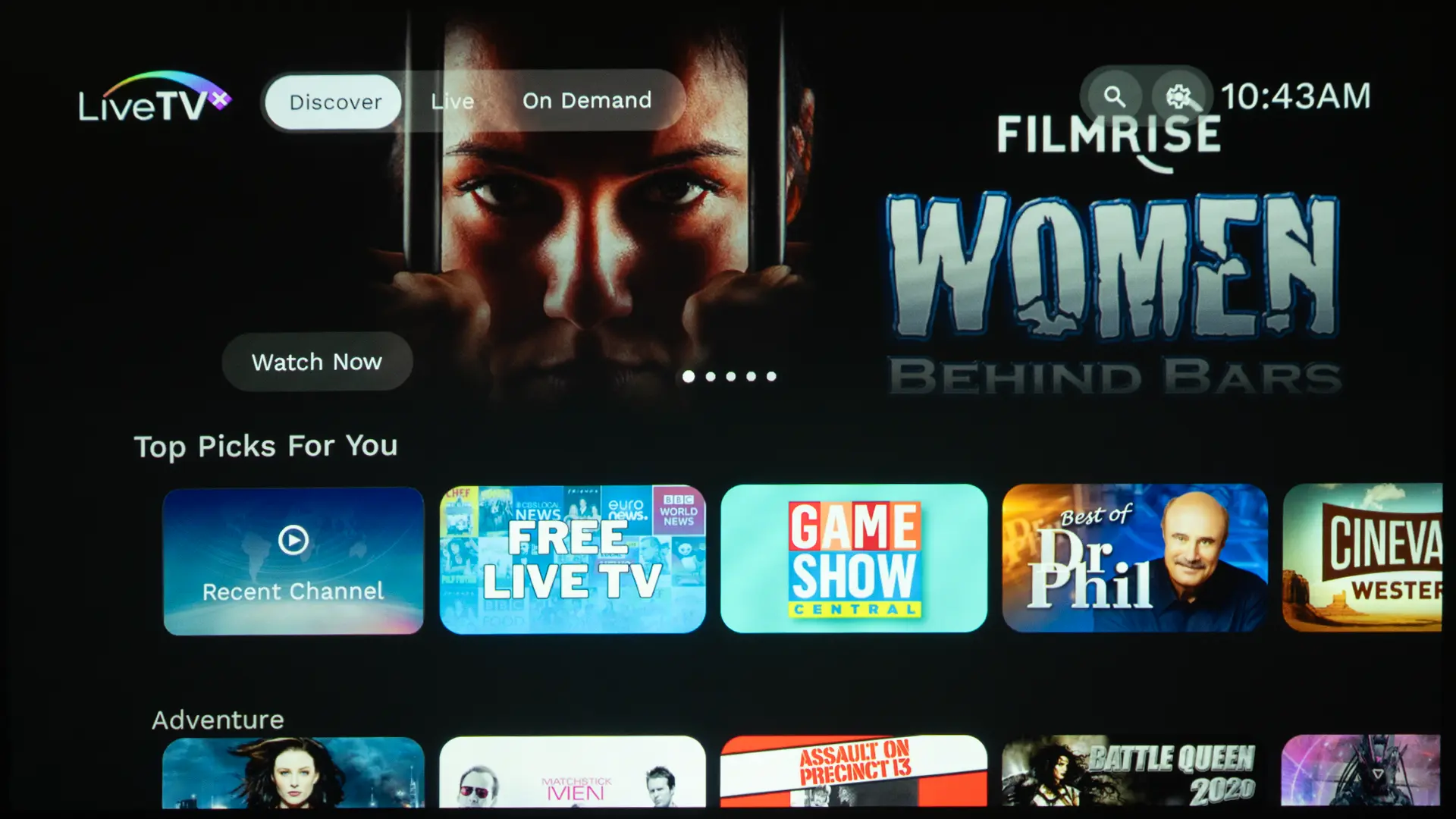
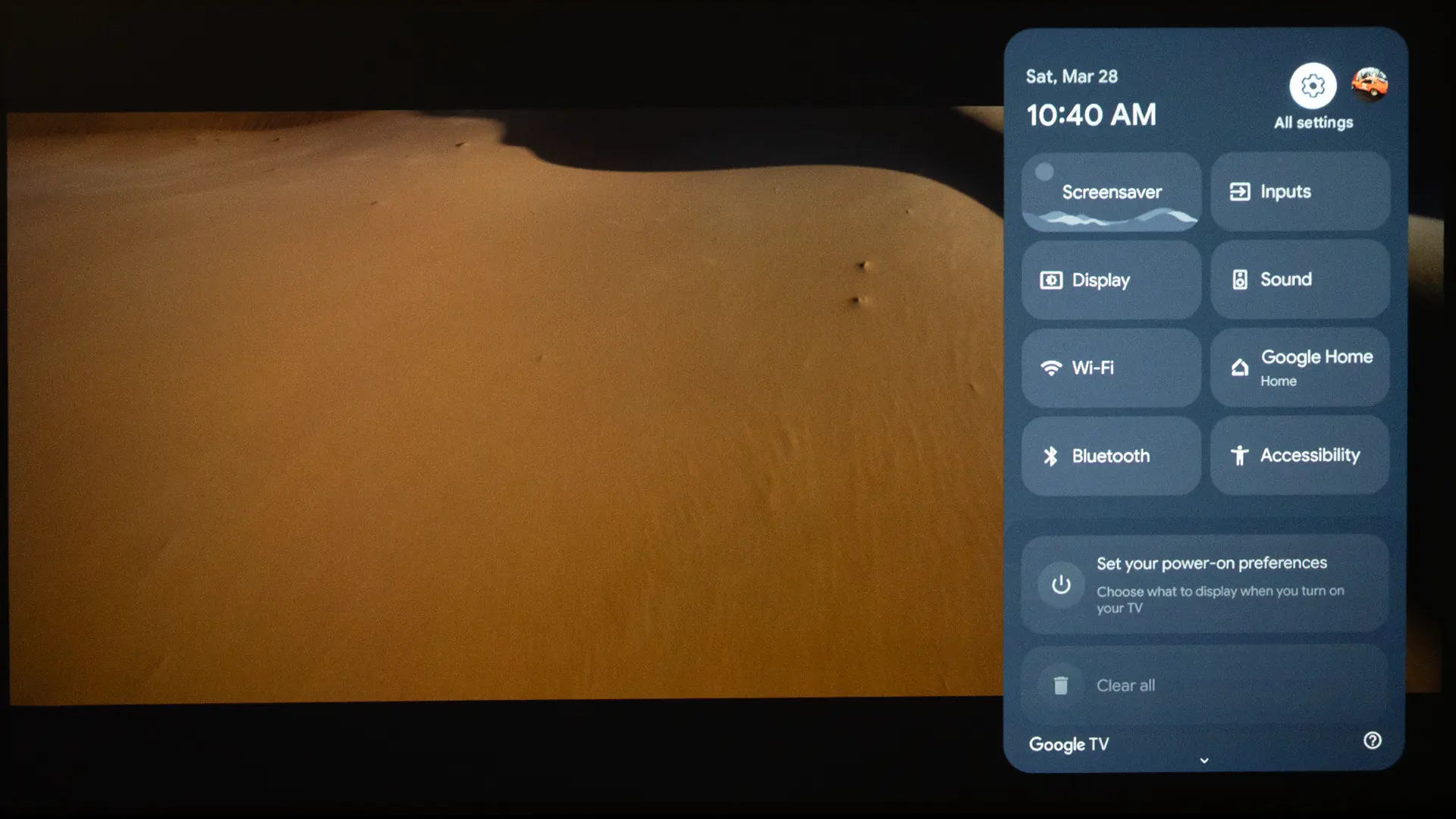
The Lifestudio Grand Plus uses a menu system based on the Google TV operating system. While the projector has two separate menu systems, Epson has done a good job of interweaving the projector settings menu with the Google TV interface. The integration between the two environments is almost seamless, and for the most part, behaves as one.

  • Epson LS970 Menu-9
  • Epson LS970 Menu-12
  • Epson LS970 Menu-11
  • Epson LS970 Menu-13
  • Epson LS970 Menu-14
  • Epson LS970 Menu-16
  • Epson LS970 Menu-18
    This is a block of text. Double-click this text to edit it.
  • Epson LS970 Menu-20
    This is a block of text. Double-click this text to edit it.
Google TV Menu System

The Lifestudio Grand Plus is the first projector equipped with Gemini for Google TV, which is a more advanced, AI-driven experience. Instead of just following commands, Gemini enables natural, conversational interaction, allowing users to ask open-ended or multi-step questions, such as requesting personalized recommendations based on mood or a summary of a TV series. It understands context, handles more complex queries, and can provide richer, more detailed responses.

So while Google Assistant is optimized for speed and simple control, Gemini transforms the Lifestudio Grand Plus into a conversational, context-aware assistant capable of deeper guidance, discovery, and interaction.

  • Epson LS970 Gemini-Example-1
  • Epson LS970 Gemini-Example-2
  • Epson LS970 Gemini-Example-3
The Lifestudio Grand Plus is the first projector equipped with Gemini For Google TV

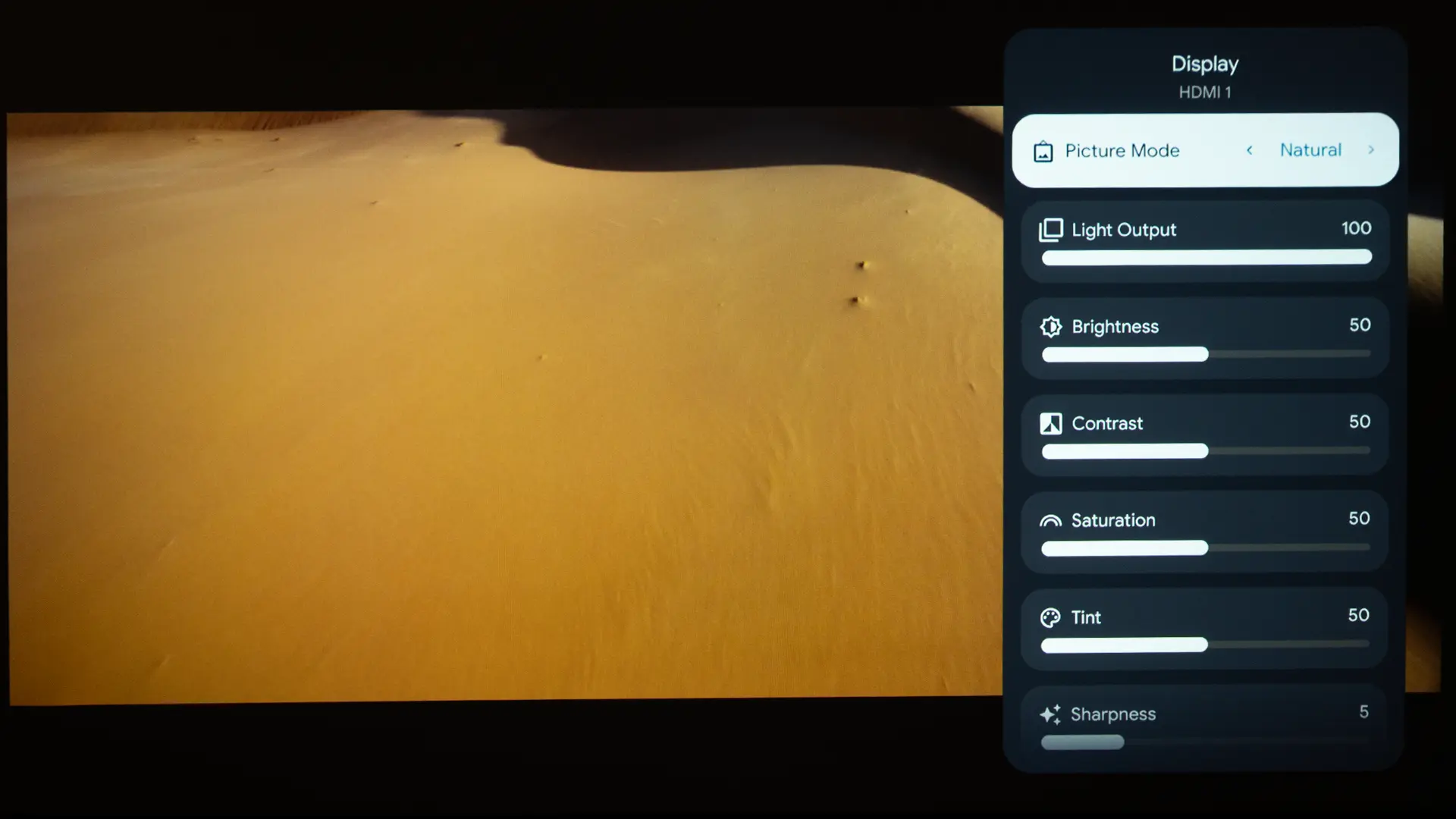
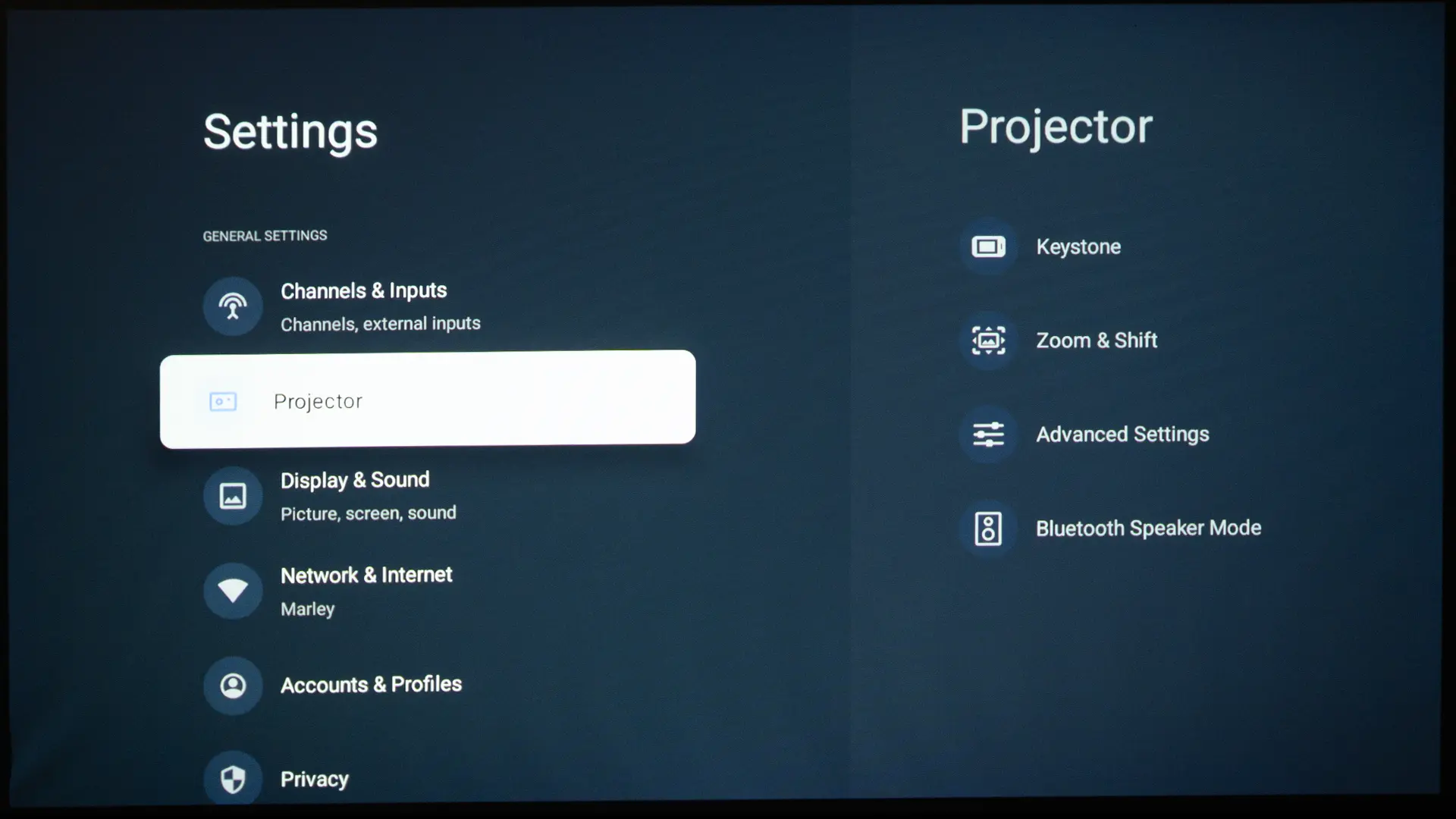
The projector's sound and image adjustments can be quickly accessed by pressing the Settings button on the remote with the gear icon. This button opens a separate menu system, the back end, where you can find controls like the projector’s preset picture modes and image adjustments like brightness, contrast, and sharpness.

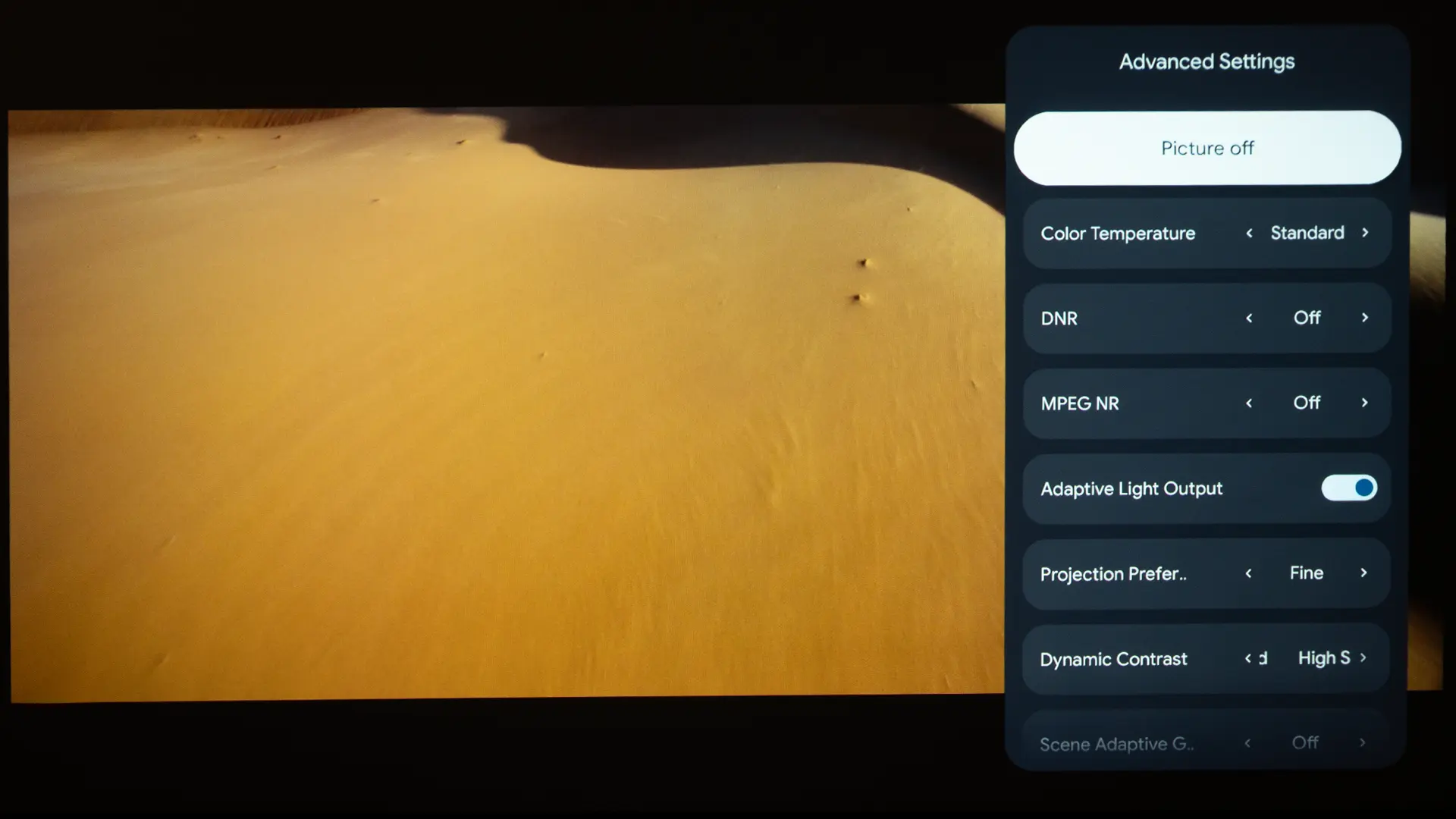
One major improvement over the LS800 is that the new Lifestudio Grand Plus includes detailed image adjustments like brightness, contrast, and sharpness, as well as other projector settings, such as setup and maintenance features. It includes extensive picture controls and calibration options. Notable image controls include Image Enhancement presets (which apply sharpening/detail processing), frame interpolation settings for motion smoothing.

  • Epson LS970 Menu-1
  • Epson LS970 Menu-2
  • Epson LS970 Menu-3
  • Epson LS970 Menu-6
  • Epson LS970 Menu-4
The Lifestudio Grand Plus includes an extensive amount of sound and image adjustments

There is a full Color Management System (CMS) to adjust the hue, saturation, and brightness of the primary and secondary colors (RGBCMY). There are detailed white balance controls, including two-point and (in the projector’s professional menu) a 13-point grayscale/gamma adjustment to dial in color temperature across the range. The projector offers several Gamma presets and the option to customize the gamma curve.

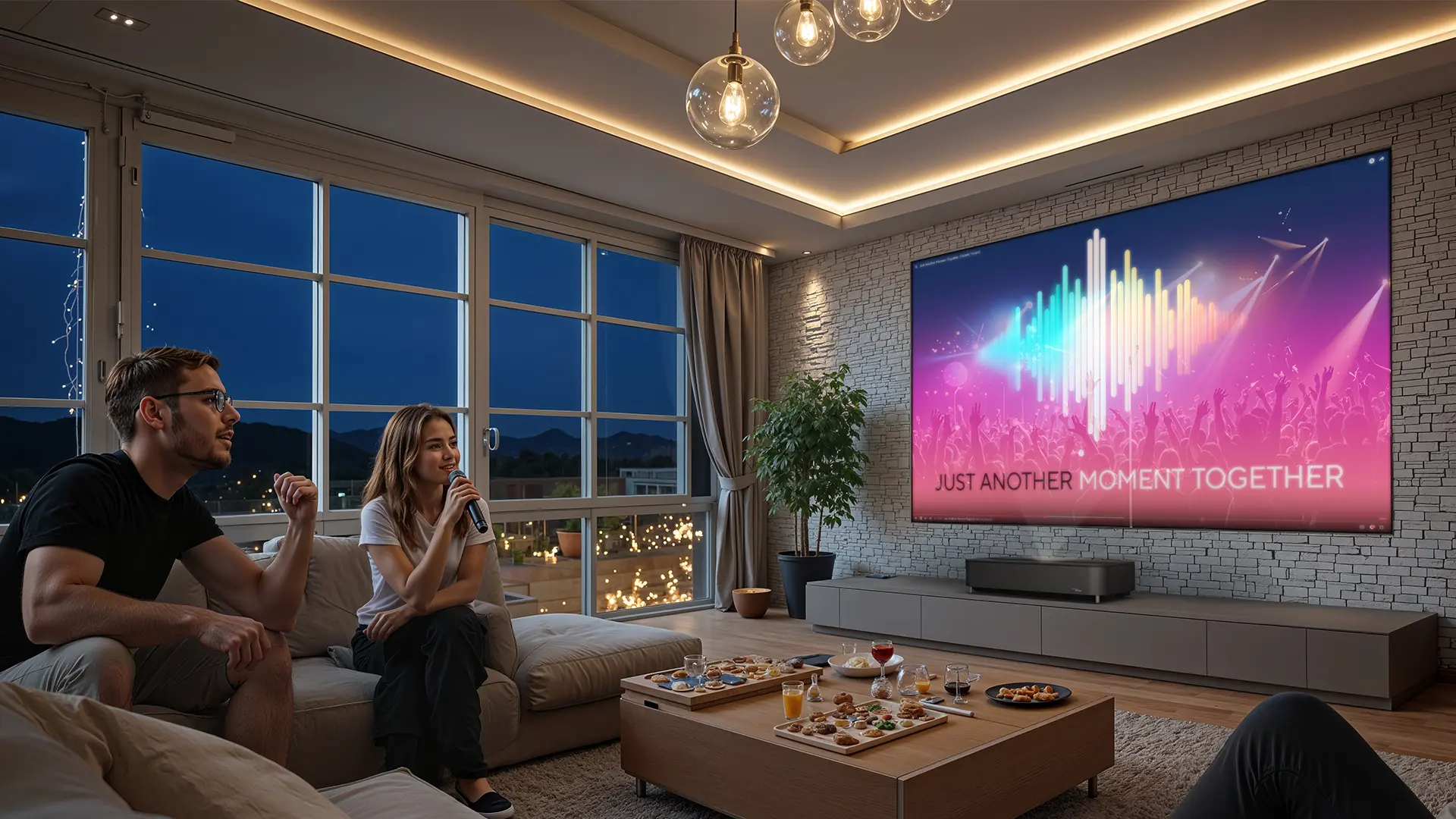
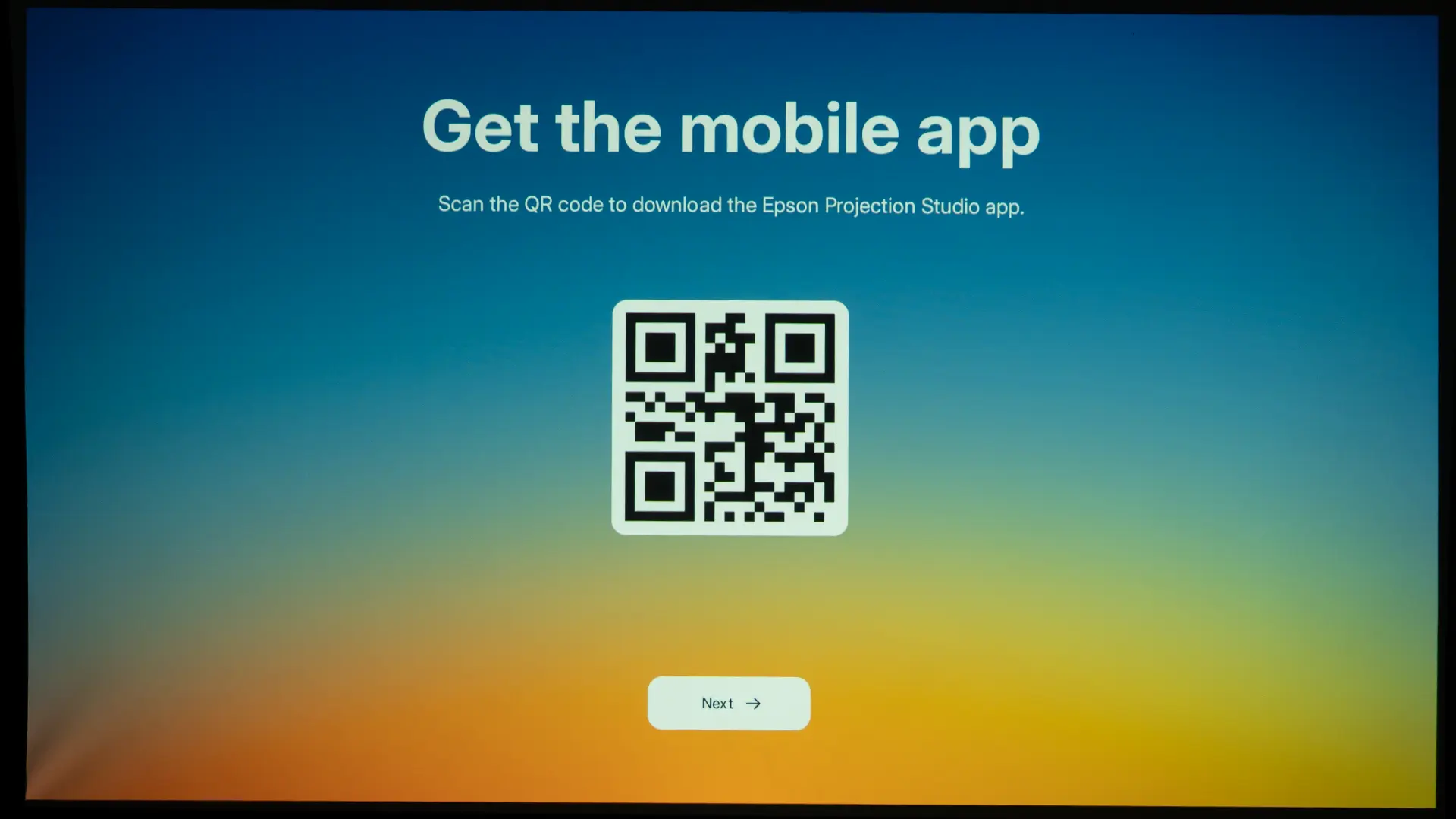
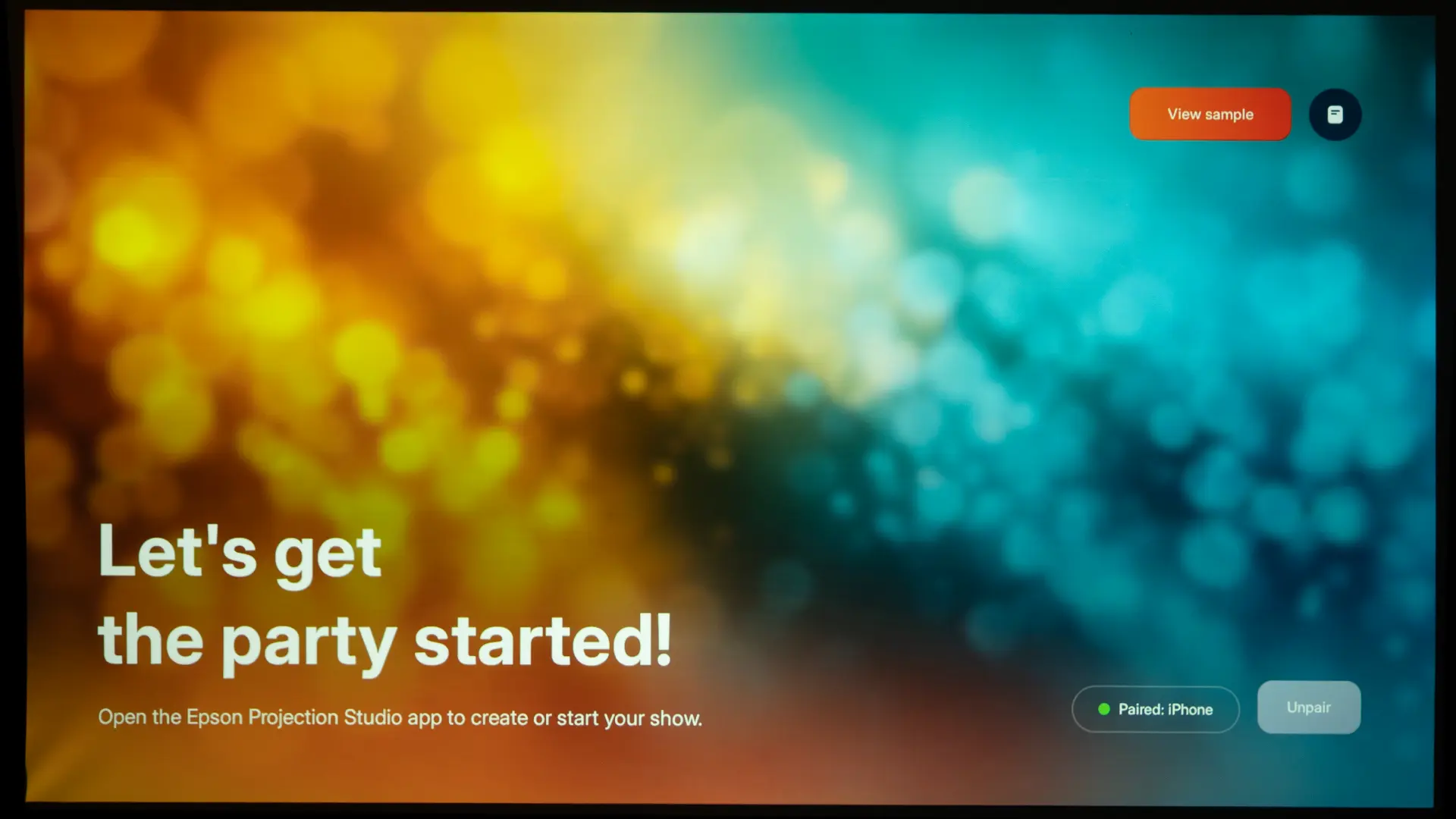
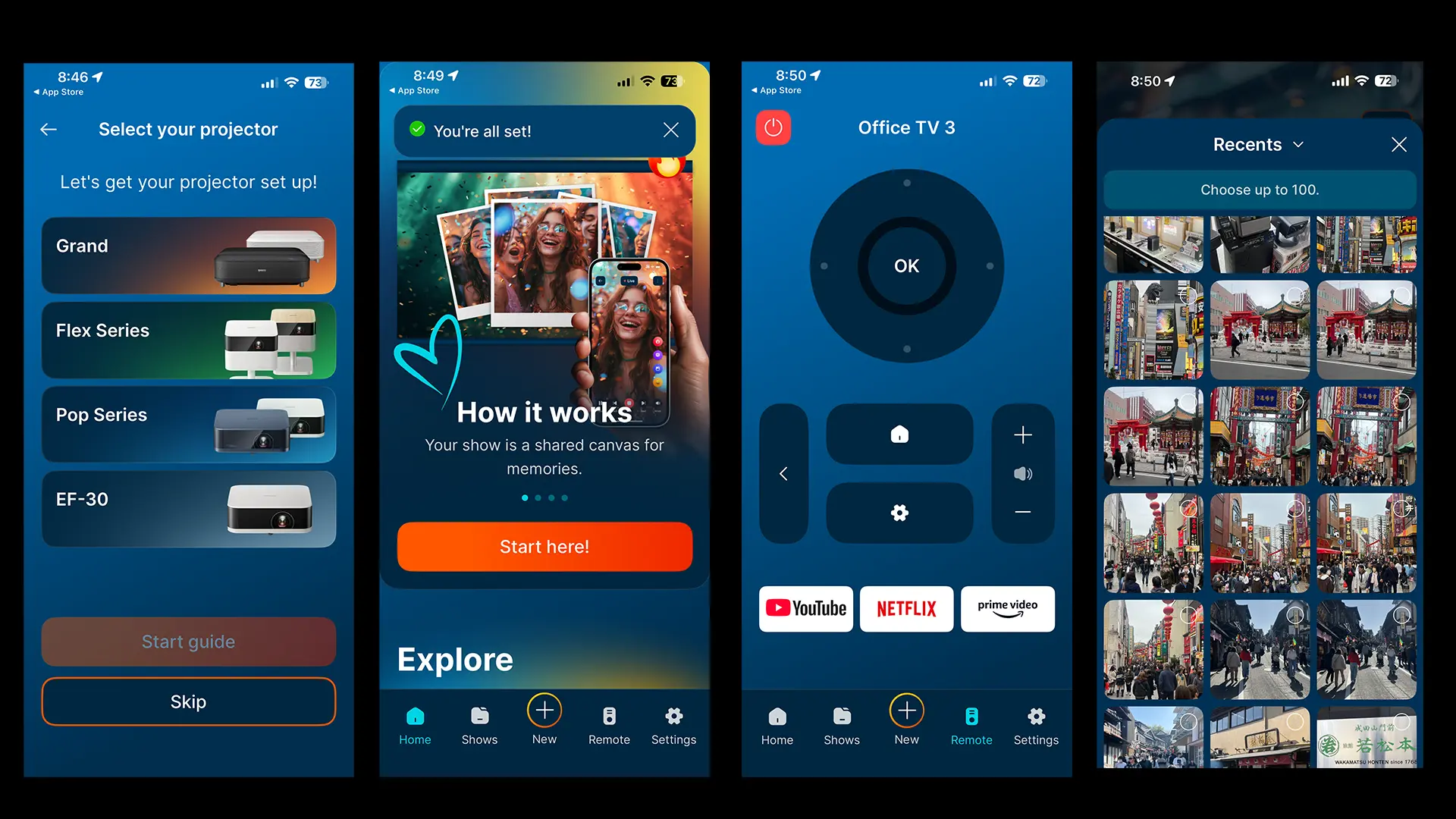
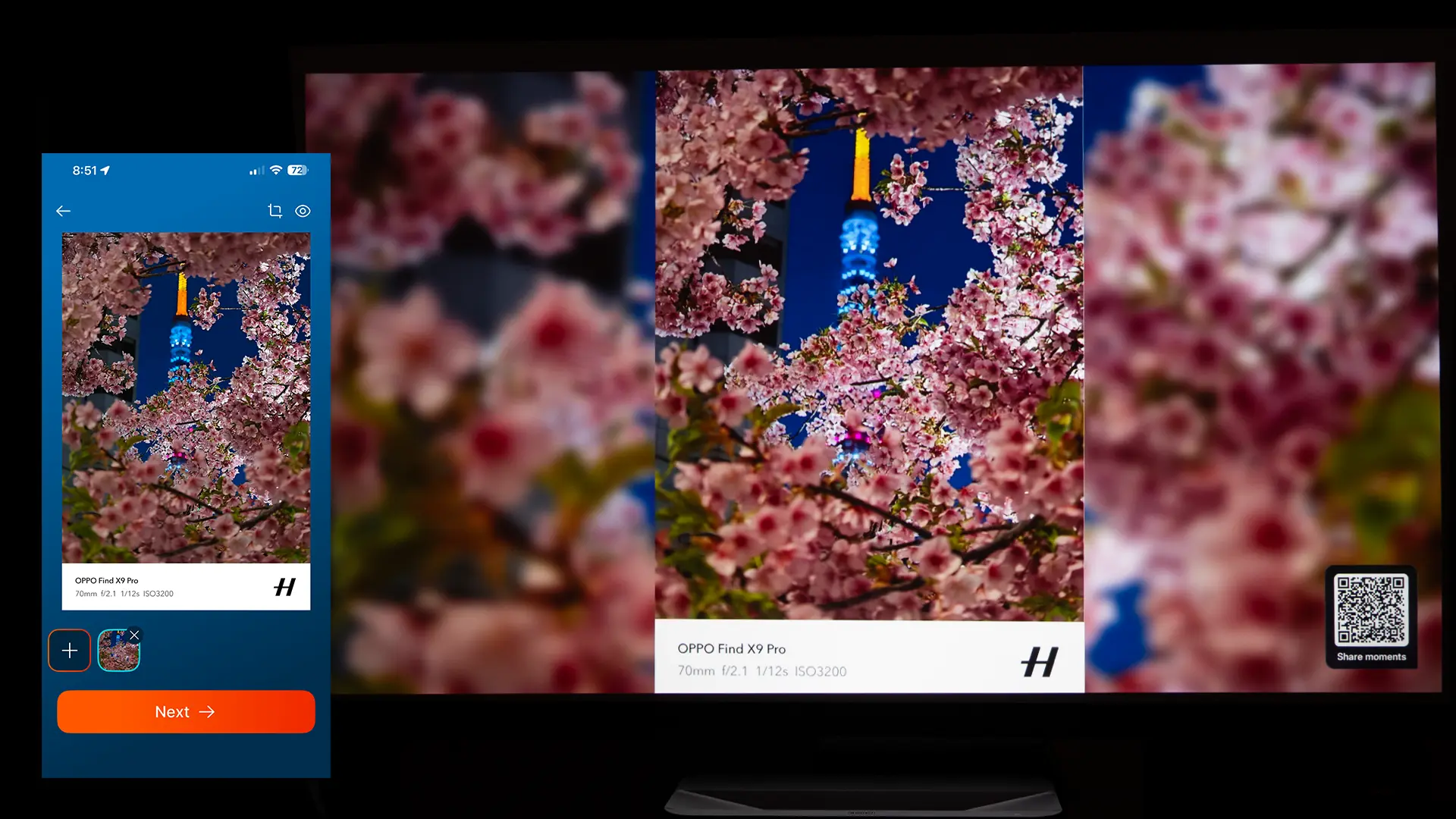
The Lifestudio Grand is also compatible with the Epson Projection Studio app, which lets users create custom photo and video “shows” directly from their smartphone and quickly project them on the projector. You can upload and organize content, add music or themes, and control playback from your phone, effectively using it as both a content creator and a remote control.

  • Epson Projection Studio App-3
  • Epson Projection Studio App-4
  • Epson Projection Studio App-5
  • Epson Projection Studio App-6
  • Epson Projection Studio App-1
Epson Projection Studio App

What makes the Epson Projection Studio app unique compared to apps like AirPlay and Chromecast is its focus on shared, real-time interaction. Multiple users can be invited to contribute photos and videos during an event, and guests can react with comments or emojis while the content is playing, creating a collaborative, live slideshow experience.

The Projection Studio is a great way to enhance parties, weddings, or family gatherings because it turns the projector into a hub for shared memories.

PERFORMANCE

COLOR REPRODUCTION

  • Epson LS970 PQ-4
  • Epson LS970 PQ-26
  • Epson LS970 PQ-43
  • Epson LS970 PQ-27
  • Epson LS970 PQ-42
  • Epson LS970 PQ-8

Like all Epson UST projectors, the Lifestudio Grand Plus delivers good color reproduction out of the box. It includes four preset SDR picture modes. The DYNAMIC mode was the brightest but also the least accurate. The STANDARD mode’s color temperature is cool with more saturated colors and boosted contrast. This mode would be good for watching content under warm ambient lighting.

The most accurate modes are NATURAL and CINEMA, which look similar in terms of color reproduction. The main difference is that the CINEMA mode has more picture enhancements engaged. These features include digital noise reduction, scene adaptive, gamma, local contrast control, and frame interpolation.

When CINEMA mode is selected, a new feature called AISR is also engaged. This feature has three settings and appears to improve the resolution of HD content. The unit also has a demo mode that lets you compare on and off. You can split the screen in half or just see how this feature impacts a small portion of the screen.

I did most of my viewing in the natural mode. Most viewers would be more than pleased with the picture quality this Projector delivers. However, if you do wish to fine-tune the image further, the Lifestudio Grand Plus offers more picture adjustments than the LS800. These include gamma, grayscale adjustments, and CMS.

  • Epson LS970 PQ-7
  • Epson LS970 PQ-36
  • Epson LS970 PQ-6
  • Epson LS970 PQ-44
  • Epson LS970 PQ-1
  • Epson LS970 PQ-51

I took the time to measure the Lifestudio Grand Plus's picture modes and make some picture-quality adjustments. Since your room and screen materials significantly affect the overall picture, we don’t recommend using someone else's calibration adjustments. If your room is brighter or darker, or if your walls are a different color, copying someone else's results can do more harm than good.

If you would like to make some quick adjustments to improve the picture quality of your projector in your room, check out our video called Optimize The Image of a Projector or TV Using Free Murideo Test Patterns. However, below are the before-and-after calibration results in my room. To test, measure, and calibrate the QS100, I used my Klein K10-A colorimeter, Murideo Six-G test pattern generator, and Portrait Displays Calman color calibration software.

Pre-Calibration Color Tracking and Grayscale

Epson L970 Cal-Pre Results

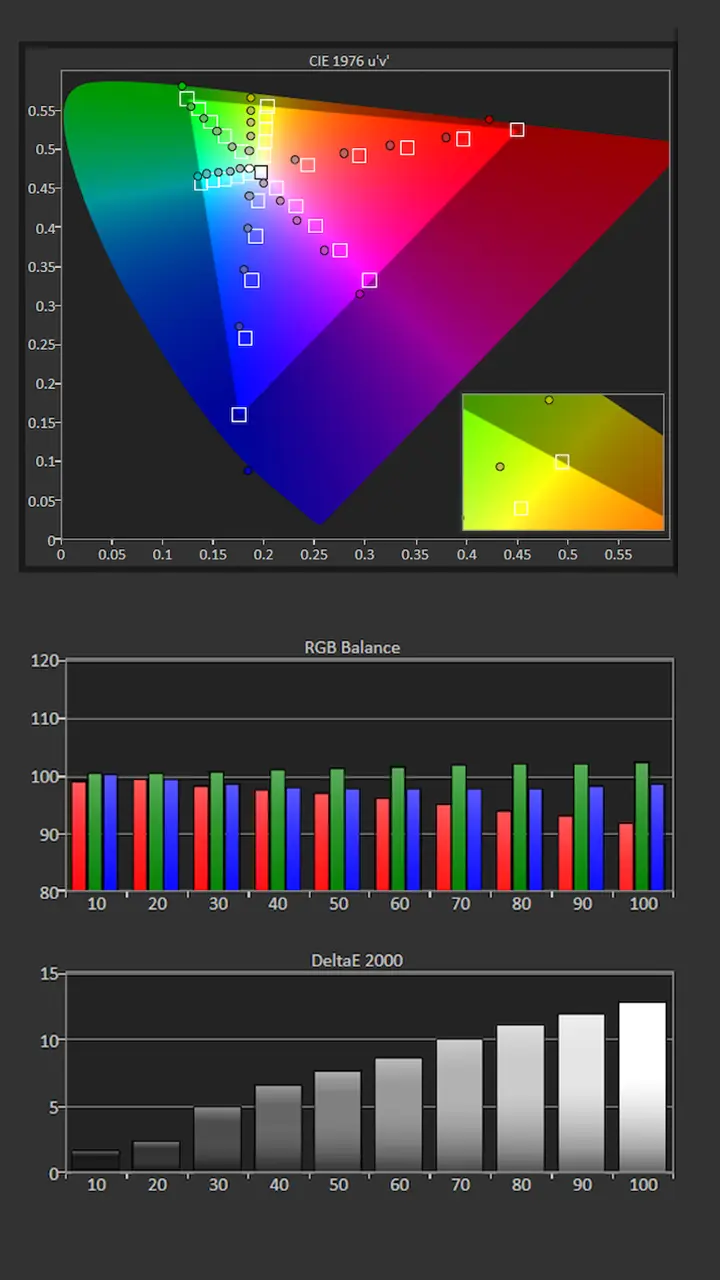
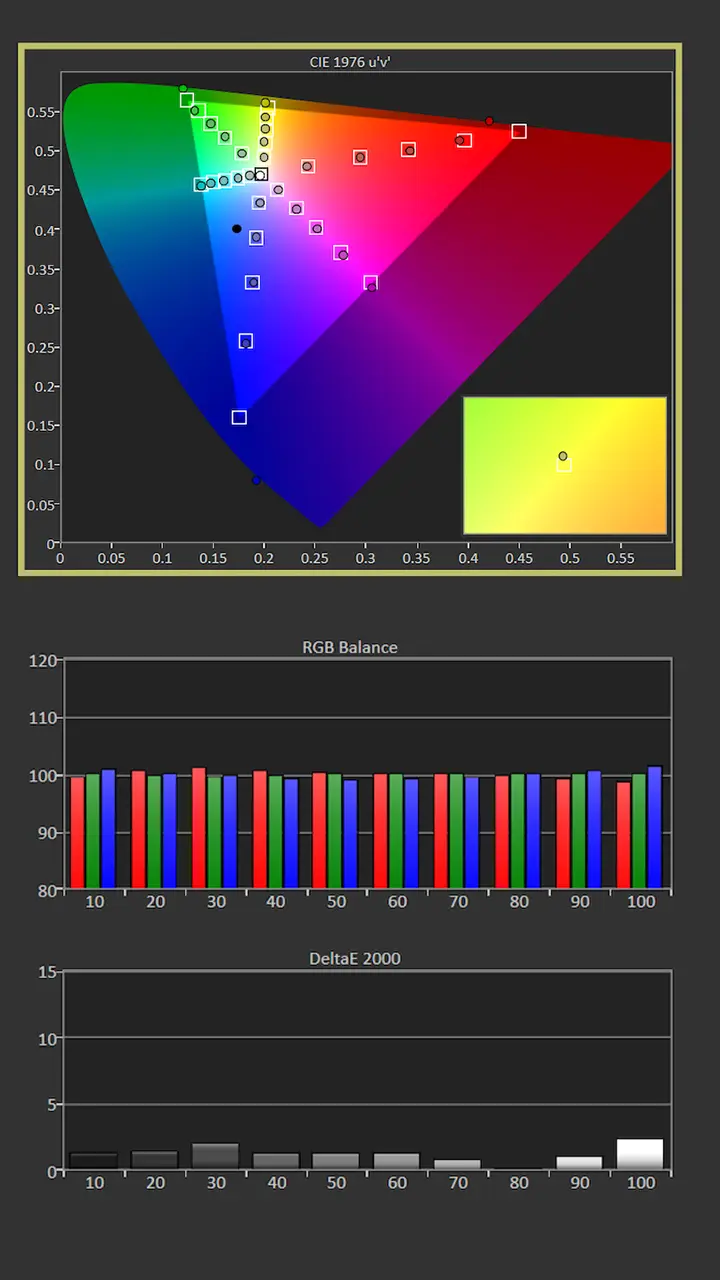
I chose to calibrate the NATURAL mode. The average color temperature before adjustment was 6736K, which was closest to my target of 6500K. While the mode was pleasing to the eye, our measurements showed an overemphasis on blue and green.

The natural mode’s overemphasis on green also led to a color shift, as evidenced by the saturation measurements. The Gamma was 2.0, which is brighter than my usual target of 2.2

The good news is that, unlike the older LS800, the Lifestudio Grand Plus has advanced image adjustments, including Gamma, Two-Point RGB balance, and CMS adjustments, so you can fine-tune the unit’s image quality. Pre-Calibration brightness was 271 nits

  • Picture Mode: NATURAL
  • Gamma: 2.1
  • Color Temperature: 6736K
  • Average Grayscale dE: 4.9
  • Average Color Tracking dE: 5.5

Post-Calibration Color Tracking and Grayscale

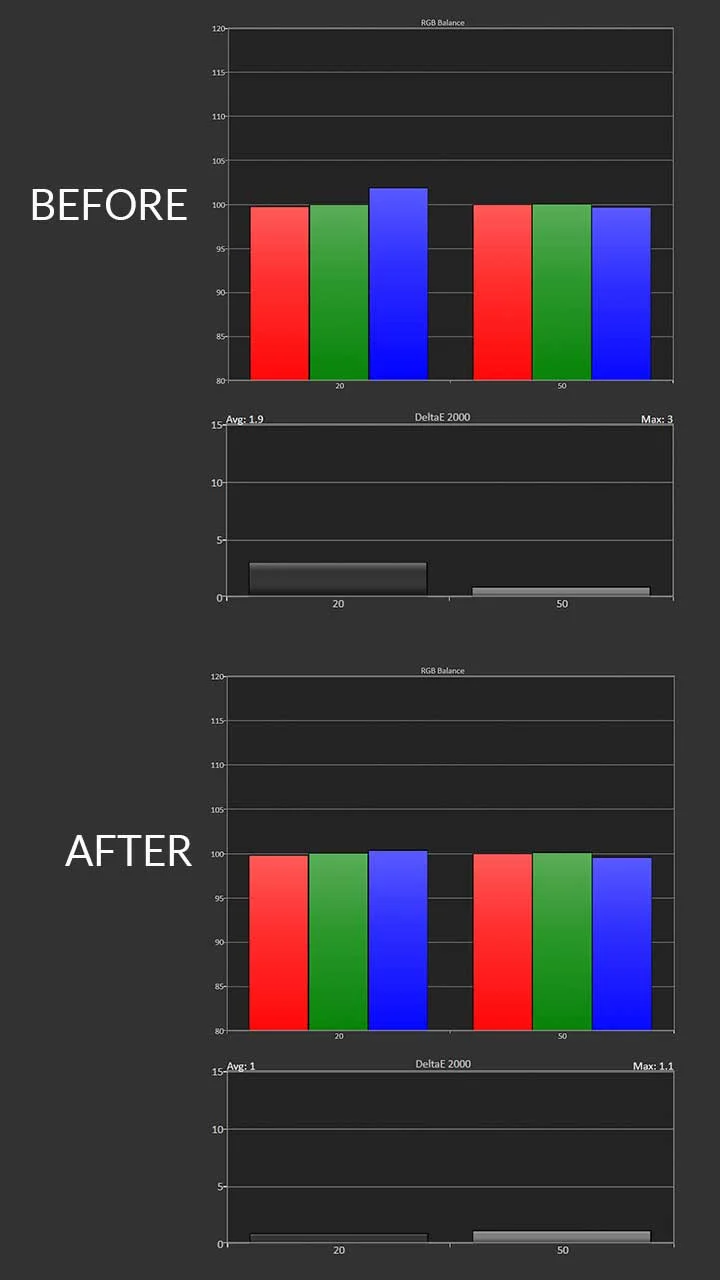
Since the color temperature was close to 6500K, I left the Color Temperature setting at its default, Normal. Gamma was brighter than desired. To achieve my target of 2.2, I changed the Gamma setting to Dark and made some Contrast and Brightness adjustments.

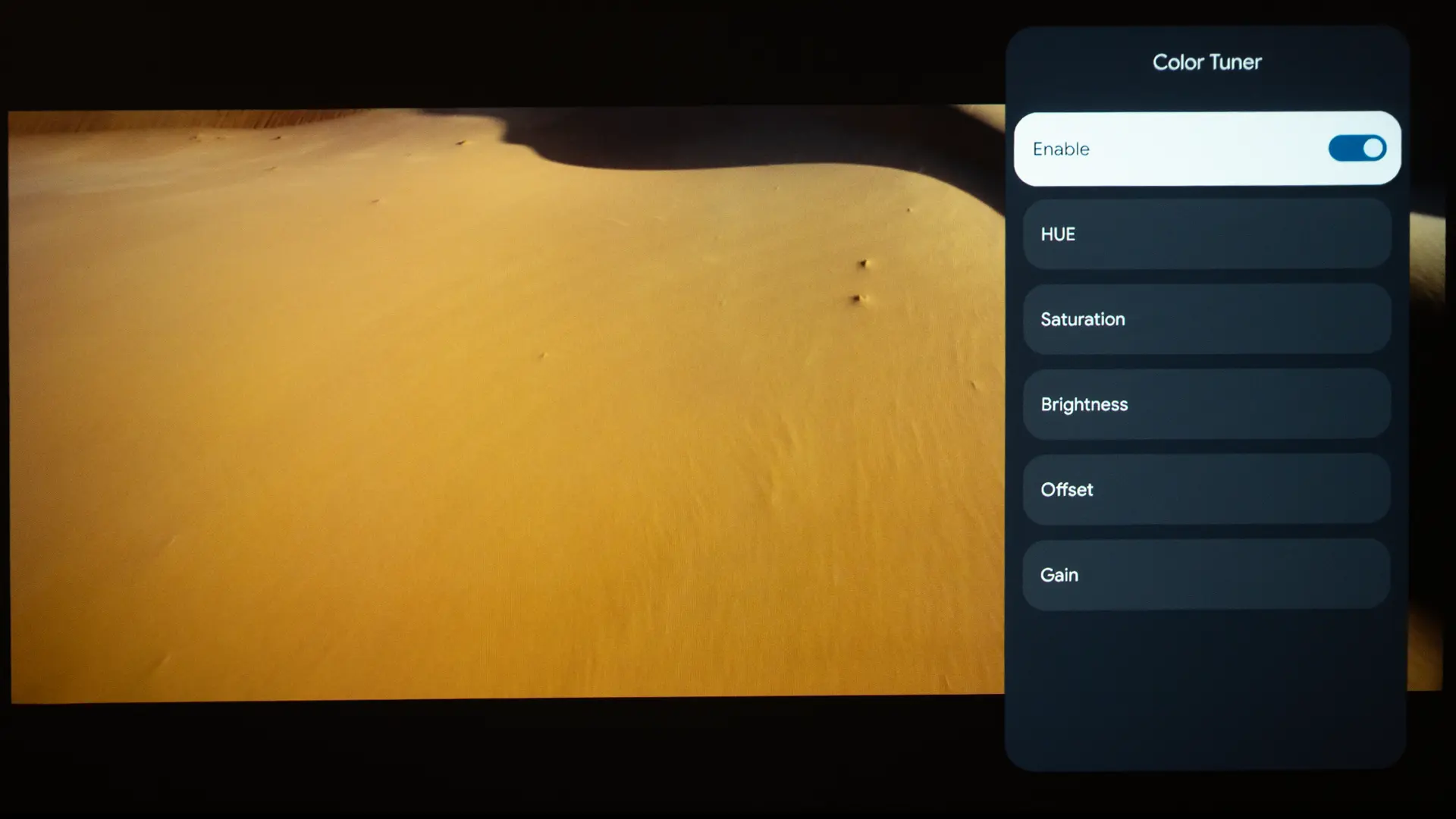
Using the Gain and Offset adjustments under the Color Tuning option, I reduced the Green and increased Red to deliver a more accurate grayscale.

Correcting the projector’s RGB balance also significantly improved the projector’s color tracking by eliminating the majority of the color shift shown in the pre-calibration saturation sweeps measurements. Bright color were still oversaturated, but most color points were spot-on.

  • Picture Mode: NATURAL
  • Gamma: 2.2
  • Color Temperature: 6561K
  • Average Grayscale dE: 1.4
  • Average Color Tracking dE: 1.6

The projector’s grayscale and color reproduction are good enough out of the box to satisfy the average Laser TV customer. However, many home entertainment Enthusiasts desire the best picture quality possible, so it is great that the QS100 includes a full suite of picture adjustments.

HDR Color Tracking and Grayscale

Epson QS100 Calibration Data - Projector Reviews - Images

When viewing HDR, I gravitated toward the CINEMA mode because it appears to increase overall screen brightness without excessively clipping highlights. Visually, contrast appears higher in NATURAL, but the overall frame looked brighter in the CINEMA. 

SDR /HDR color tuning adjustments are independent for each picture mode. Pre-Calibration, the GRAYSCALE Measurements in SDR and HDR look similar. To achieve better Grayscale, I made similar RGB adjustments in HDR as I did in SDR.  When viewing HDR adjustments, also set the Dynamic Contrast to High Speed and the Scene Adapt Gamma to Low. 

The Lifestudio Grand Plus can reproduce about 80% of the DCI P3 color gamut. While it cannot match the ultra-wide color gamut of a tri-laser-equipped projector, it can reproduce a wide enough color range to deliver an excellent-looking HDR image.

BRIGHTNESS

  • Epson LS970 PQ-33
  • Epson LS970 PQ-16
  • Epson LS970 PQ-21
  • Epson LS970 PQ-56
  • Epson LS970 PQ-14
  • Epson LS970 PQ-58

The Lifestudio Grand Plus has a rated brightness of 4000 lumens. To estimate the projector's maximum brightness, I switched the unit to its brightest mode, DYNAMIC. I set the laser light output to 100% (Normal) and zoomed the lens out fully (wide angle) to ensure the most light got through. I took 3-4 readings about 15-20% out from the center of the lens.

Epson Lifestudio Grand Plus Brightness  (Dynamic mode): 4081 Lumens

Many manufacturers exaggerate the brightness of their projectors, while Epson's brightness ratings are often very conservative. The DYNAMIC mode measured 4081 lumens, which is actually higher than the unit’s rated brightness. Measuring an ultra-short-throw projector is challenging due to its steep image projection angle, but I am confident that the Lifestudio Grand Plus meets or exceeds its brightness rating. I also measured the brightness of each SDR preset picture mode. 

Picture Modes: Brightness and Color Temperature

Picture ModeBrightness Measured (Lumens) Average Color Temperature
Dynamic40818147K
Standard35339362K
Cinema33027671K
Natural30286736K

I should note that you can switch the projector to high-brightness mode. Going deep into the Advanced Menu and changing the Projection Preference setting from Fine to Bright increases brightness to around 5500 lumens, but color reproduction is severely compromised.

Unlike many DLP projectors that include a greenish brightness mode designed solely for high brightness measurement, all the projector’s preset picture modes were usable. The Lifestudio Grand Plus can deliver a usable 4,000 lumens, makes it one of the brightest ultra-short-throw projectors on the market.

The projector’s rated brightness of 4000 lumens is useful when watching TV Shows and sporting events under ambient lighting or on a larger screen. Higher brightness also makes HDR look significantly better because it reduces the amount of tone mapping that needs to be applied to produce an image that more closely resembles what the content creator intended.

When high brightness is combined with effective Dynamic HDR Tone mapping, colors look rich and lifelike.  Thanks to its effective dynamic HDR tone mapping, the Lifestudio Grand Plus produced a brighter, more vibrant HDR image than many home entertainment projectors with higher-rated or measured brightness.

I used the Lifestudio Grand Plus on both matte white and ALR screens. The projector delivers 4,000 lumens, so when combined with an ambient-light-rejecting screen, it can easily be used to watch content in a room with low to moderate ambient light. 

BLACK LEVEL AND SHADOW DETAIL

The black’s produced by the Lifestudio Grand Plus were closer to dark gray. The black levels and native contrast are on par with a good DLP projector. Epson does not list the unit’s native contrast on its specification sheet. In my space, using a sequential test, I measured a ratio of 1478:1, which is about the same as a good DLP projector.

The projector features effective dynamic laser dimming, with Dynamic Contrast set to High Speed. I measured a contrast of around 6;000:1. When this feature is fully engaged, the projector’s dynamic contrast is nearly infinite. While the Lifestudio Grand Plus can’t deliver the same native contrast as some comparably priced home entertainment projectors, it is brighter.

  • Epson LS970 PQ-23
  • Epson LS970 PQ-52
  • Epson LS970 PQ-37
  • Epson LS970 Contrast-2
  • Epson LS970 Contrast-3
  • Epson LS970 Contrast-1

While deep blacks are great, in a room with ambient light, our eyes are less sensitive to black levels, so the benefit of high native contrast is reduced. In most viewing spaces where this projector will be used, the higher brightness provides a higher perceived contrast.

Most Lifestudio Grand Plus customers would be more than happy with the unit’s black levels, especially when combined with noticeably increased brightness. The projector’s rated brightness of 4000 lumens will make both SDR/HDR images pop in a family or game room under low to moderate ambient light.

STANDARD DYNAMIC RANGE

While the Lifestudio Grand Plus uses native 1080p panels, it can deliver 4K resolution onscreen. Epson’s dual-axis pixel-shifting technology quadruples the number of visible pixels onscreen, whereas previous single-axis technology, called 4K Pro UHD, only doubled them.

The Lifestudio Grand Plus can display 8.3 million pixels onscreen, whereas older Epson 4K Pro UHD models like LS800 could only reproduce around 4 million. Whether I was watching 720p sports on ESPN or 1080p Blu-ray content, the projector did a good job of upscaling HD content.

  • Epson LS970 PQ-18
  • Epson LS970 PQ-17
  • Epson LS970 PQ-9
  • Epson LS970 PQ-25
  • Epson LS970 PQ-12
  • Epson LS970 PQ-20

Motion handling is also superb, with 24 fps movies displayed cleanly. The Lifestudio Grand Plus includes a frame Interpolation system that can further smooth out motion in fast-action scenes and sports without introducing glaring artifacts. The Lifestudio Grand Plus does not support 3D, which isn’t a big deal since most users will not miss this feature.

The Lifestudio Grand Plus includes HDMI 2.1 inputs so it supports for higher frame rates, including up to 4K at 120Hz, along with features such as Auto Low Latency Model. These additions make it a more future-ready option for gamers who want to take full advantage of modern consoles.

HIGH DYNAMIC RANGE

  • Epson LS970 PQ-46
  • Epson LS970 PQ-35
  • Epson LS970 PQ-29
  • Epson LS970 PQ-34
  • Epson LS970 PQ-40
  • Epson LS970 PQ-47
  • Epson LS970 PQ-30

Due to its high brightness, good native contrast, and excellent video processing, the Lifestudio Grand Plus delivered excellent HDR image quality. The Lifestudio Grand Plus brightness is much higher than that of most comparable ultra-short throw projectors, which is beneficial when viewing HDR on screens over 120”. Higher brightness also reduces the amount of tone mapping required for HDR content.

Additionally, the Lifestudio Grand Plus includes Dynamic Tone Mapping. This feature does a good job of balancing screen brightness with highlight detail. When viewing HDR content, I selected the NATURAL mode, and I set the Dynamic Contrast to High Speed.

The Lifestudio Grand Plus can reproduce about 87% of DCI-P3 color gamut, so it can’t produce the massive color range of a tri-laser DLP projector. When viewing HDR on a projector, I have found that higher brightness is usually more beneficial than wider color gamut. Since the Lifestudio Grand Plus Q is a 3LCD projector, it can produce equal amounts of color and white lumens, resulting in colors that appear bright and saturated.

SOUND QUALITY

Epson LS970 Sound

The built-in Sound by Bose is one of the highlights of the Lifestudio Grand Plus. This 2.1 sound system delivers a fuller, more dynamic sound than most integrated projector speakers, with noticeable low-end presence.

I noticed that certain movies on my Kaleidescape would not output audio to the projector. While the unit supports Dolby audio, some of the files on my player were only encoded in Dolby Atmos, which could’ve been a problem. I didn’t experience any audio issues when using other sources, such as 4K Blu-ray, Apple TV, or the unit's internal streaming services.

For many users, this system will be sufficient for everyday viewing, including movies, sports, and casual gaming. However, enthusiasts who want a true cinematic experience will still benefit from pairing the projector with an external audio system via eARC.

Epson’s laser projectors are typically well controlled in terms of fan noise, and the Lifestudio Grand Plus continues that trend. In most viewing scenarios, fan noise is unlikely to be distracting. While we do not measure audible noise according to Epson’s product specifications, the Lifestudio Grand Plus is quiet. With the projector’s Light Output set to its default of 85%, I could barely hear the unit from my sitting position 8 feet away. However, fan noise increases noticeably when switching from Quiet (20dB) which is 50% light output to Normal (34dB).

SUMMARY

Epson LS970 Lifestyle-4

The Lifestudio Grand Plus (LS970) delivers excellent brightness, strong color performance, and a state-of-the-art smart TV experience, making it easy to integrate into everyday use. The Epson Lifestudio Grand Plus takes the foundation established by the award-winning LS800 and pushes it in a new direction. The addition of Gemini transforms the way users interact with their display, shifting the experience from simple content consumption to something more dynamic and engaging.

For home entertainment enthusiasts looking to replace a flat-panel TV with a large-screen solution, the Lifestudio Grand Plus offers a more advanced, interactive experience that reflects where home entertainment is heading. If you want a system that feels more like a smart, responsive centerpiece for your living space, the Lifestudio Grand Plus represents a meaningful step forward.

While the Lifestudio Grand Plus delivers good color reproduction right out of the box, for those who love to tinker or for installers optimizing it, the projector includes all the picture adjustments you could ever need. 

The projector's HDMI Inputs support 4K/120 Hz, which is great news for gamers. While the projector doesn’t have a dedicated gaming-focused picture mode, the projector includes ALLM auto low latency mode, automatically switching the projector’s Image Processor to Fast to minimize input lag time. When playing 4K games at 120fps, the input lag should be around 21ms.

COMPETITIVE COMPARISON

NexiGo Aurora Pro II

The NexiGo Aurora Pro II takes a very different approach. It uses a triple laser or hybrid light engine and offers native 4K resolution, which can produce extremely sharp images. It also delivers class-leading contrast and black levels, making it particularly strong in dark room environments. The Aurora Pro II is also cost less than Epson’s premium models while still offering features like Dolby Vision.
However, its lower brightness, typically around 2,400 lumens, limits its performance in brighter rooms. This is where Epson maintains a clear advantage. Due to its rated brightness of 4000 lumens, the Lifestudio Grand Plus is better suited for environments with lots of ambient light.

Hisense L9Q

The Hisense L9Q is one of the few ultra-throw projectors on the market that has a higher rated brightness than the Lifestudio Grand Plus. The L9Q employs a triple-laser RGB light source that can reproduce of 110% of BT.2020 color gamut. The L9Q's native contrast ratio also better and it can deliver better black levels. While Lifestudio Grand Plus supports HDR10 and HLG, the L9Q also supports Dolby Vision and HDR10+.

Both projector include a full suite of picture adjustments and they booth offer seamless integration with popular control systems including Control 4 and URC. The L9Q dominated last year's ultra-short throw projector showdown so it is arguably the best UST projector on the market..The retail price of  the L9Q is over $2000 higher than the Lifestudio Grand Plus its higher native contrast and class-leading HDR performance might justify its higher price especially for someone looking for an all in one TV replacement. 

FINAL THOUGHTS

Epson LS970 Lifestyle-2

The Epson Lifestudio Grand Plus is not just an incremental update to the LS800. It represents a meaningful evolution in how projectors are positioned within the home. By combining high brightness, improved gaming features, premium audio, and a truly next-generation smart platform, Epson has created a product that feels less like a projector and more like a complete entertainment system.

The Epson now offers two excellent consumer high brightness ultra short projectors, the Lifestudio Grand Plus and QS100. They are not direct competitors but complementary offerings aimed at different segments of the home entertainment market. While they share foundational technology. they diverge significantly in their intended use cases and feature sets, and performance tuning. 

The Lifestudio Grand Plus was designed for mainstream consumers looking for a simple and bright “laser TV” experience. Due to its integrated 2.1-channel Bose speaker system, and Gemini equipped Google TV operating system, the Lifestudio Grand Plus is great for users seeking minimal setup and maximum convenience. 

The QS100 removes the Google TV OS entirely in favor of Epson’s professional projector firmware, unlocking full calibration options including ISF Day/Night modes, grayscale adjustment, panel alignment, and CMS controls. This makes the QS100 a significantly better fit for custom installers and enthusiasts who expect precision and control in their display setup. In addition, the QS100 offers increased brightness of 4,500 lumens, and it is also in equipped with Epson's new QZX 32-bit processor which adds Dynamic HDR tone mapping. 

Another major distinction is in audio design. The Lifestudio Grand Plus offers an integrated speaker system and wireless connectivity options like Bluetooth and Wi-Fi. These features make it a self-contained entertainment hub, suitable for casual users who may not own external audio equipment. The QS100, by contrast, omits all internal speakers and smart features, instead emphasizing HDMI eARC support for high-fidelity audio passthrough and integration with AV receivers. It also adds professional control interfaces, including Ethernet, RS-232, and IP command compatibility with Crestron, Control4, and similar systems.

Epson LS970 w award-3
If you are interested in purchasing the projector mentioned in this article, we always appreciate it if you use one of the links in the article because Projector Reviews earns a small commission on the sale at no cost to you.
Buy Now- ProjectorScreen.com - Projector Reviews Images

The Epson Lifestudio Grand Plus is not just an incremental update to the LS800. It represents a meaningful evolution in how projectors are positioned within the home. By combining high brightness, improved gaming features, premium audio, and a truly next-generation smart platform, Epson has created a product that feels less like a projector and more like a complete entertainment system.

For users looking to replace a large flat panel TV with something more immersive, the Lifestudio Grand Plus is one of the most compelling options currently available.

PROS

  • 4000 lumens (color and white)
  • First smart projector equipped with Gemini
  • Good color out of the box (extensive calibration controls available)
  • HDMI 2.1 inputs are compatible with 4K@120p HDR content
  • Good motion performance and 4K upscaling
  • Low Game Lag with ALLM (Auto Low Latency) Support

CONS

  • Black Level and native contrast could be better for its price point
  • No 3D support
  • No support for Dolby Vision

Epson QS100- SPECIFICATIONS

Full Specifications
Projector ModelEH-LS970B / EH-LS970W
Price (MSRP)$3799
Imager Type3LCD
Displayed Resolution3840 x2160 (dual axis pixel shifting)
Native Resolution1920 x 1080 
Brightness (Manufacturer Claim)4500 Lumens
Light Source TypeBlue Laser Phosphor
Contrast Ratio5,000,000:1 (Dynamic)
Lens Throw Ratio0.16:1 to 0.40:1
Power Zoom/FocusNo
Lens ShiftNo
Interchangeable LensNo
Ultra Short ThrowYes
Native Aspect Ratio16:9 (Widescreen)
4K/120 fpsYes
3DNo
SpeakersBose 2.1 Ch (20 Watt)
Noise Level (-db)20 dB Quiet (32 dB Normal)
Low Lag GamingYes
Smart FunctionalityNo
BusinessNo
ClassroomNo
PortableNo
Special FeaturesDynamic HDR Tone mapping
NetworkingRJ45 Lan
Dimensions (WxHxD)27.4 x 5.7 x 13.4 inches (695 x 145 x 341 mm)
Weight27.34 lbs. (12.4 kg)
Warranty3-year Limited
Buy Now- ProjectorScreen.com - Projector Reviews Images

© 2025 Projector Reviews

crossmenu linkedin facebook pinterest youtube rss twitter instagram facebook-blank rss-blank linkedin-blank pinterest youtube twitter instagram