Please visit our sponsors

Optoma HD73 Darkchip 3DLP Home Theater Projector: OverviewOur Hot Product Award.
3/20/2007 - Art Feierman

Optoma HD73
Image Quality
General Performance
Warranty
Summary, Pros, Cons

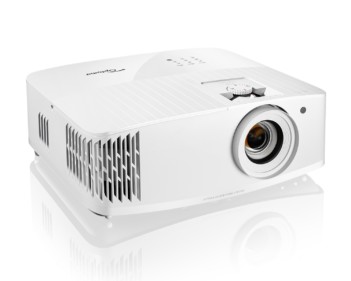
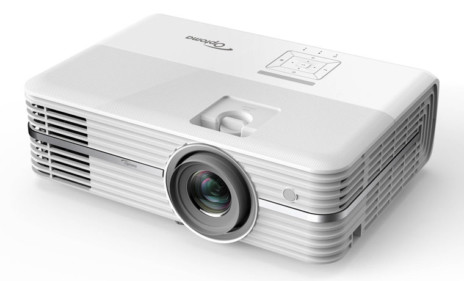
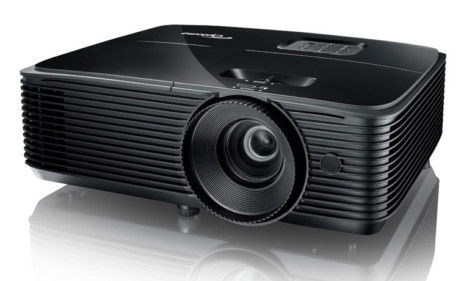
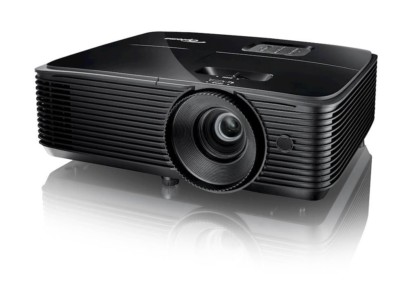
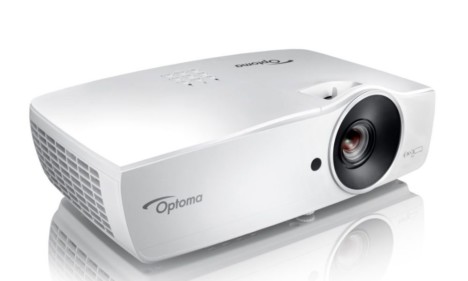
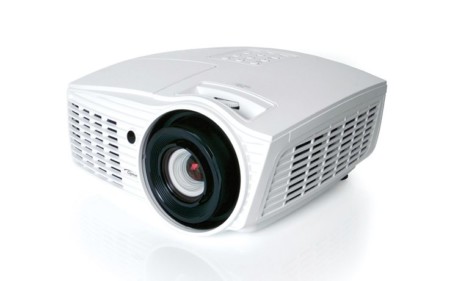
Optoma HD73 home theater projector complements the existing, extremely successful HD72 home theater projector which hit the market over a year ago. When the HD72 reached the market, it was in one way, a breakthrough product, being the brightest of the affordable home theater projectors. While a couple of others could match it's lumen output in "brightest mode", the HD72 was especially bright in "best modes", making it suitable for larger screen use for movie watching, and also for still producing an excellent image in rooms with very modest ambient light. In other words bright enough not to essentially require a fully darkened room.The Optoma HD73 projector.


The Optoma HD73 has a different focus and strength. The HD73 is definitely not as bright as the physically identical looking HD72, but, on the other hand, it raises the bar in terms of black levels, thanks to being the first home theater projector to break below the $2000 price point, to sport the Darkchip3 DLP chip.

So, what we have here, is a new Optoma projector that will appeal more to those looking for a great image. I'm talking about, in the under $2000 price catagory.
Optoma has initially set the MAP (minimum advertised price) of the HD73 at $1999, interestingly, the same price point as the HD72 sported when it shipped. Both now have the $1999 MAP, both typically sell for a bit less.

Fifth Element image from the Optoma HD73 projector.

Word has it, that there is even a free lamp rebate with the HD73. Of course various rebates come and go, that should make the HD73 an even better deal while it lasts.

This image below, demonstrates the HD73's deep black levels and rich, saturated colors. Click on the image for a larger version

Blue-Ray DVD image (click to enlarge):

Image from the Optoma HD73 projector.

As of this writing the HD72 remains in the Optoma lineup, so we have two similar (physically looking) and featured projectors to choose from. Again, the HD73, is more for move purists, with average brightness, but very good black levels and shadow detail. The other, the HD72, one of the brightest projectors available, but not a match for the HD73 in those black levels...

No word from Optoma how long the HD72 will remain a current product.

Castle image from the Optoma HD73 projector.

The overall performance of the Optoma HD73 is very good, however if I had to pick one aspect that best describes this projector, it would be "film-like" qualities that come with excellent "black levels" without having to resort to using a dynamic iris.

Optoma HD73 home theater projector's basic published specifications:

MSRP: $2995, MAP: $1999
Technology: Darkchip3 DLP projector
Native Resolution: WXGA 1280x768
Brightness: 1100 lumens
Contrast: 6000:1 (ImageAI mode), 4500 (AI off)
Zoom Lens ratio: 1.2:1
Lens shift: None
Lamp life: 3000 hours (eco-mode) 2000 hours (full power)
Weight: 7 lbs.
Warranty: 2 years

The Optoma HD73 picks up our Hot Product Award, with a minor reservation. That reservation comes from failed expectations in terms of brightness. Optoma claims 1100 lumens but even in brightest mode can only muster up about half of that amount. In other words, it's a very good projector, but I almost feel Optoma should be chastised for misleading potential owners about brightness. Those familiar with the HD72, one of the brightest affordable projectors out there, would expect the HD73 to be only slightly less bright (the HD72 is rated 1300 lumens), whereas, it's not even close.

Aeon boy image from the Optoma HD73 projector.

Physical Layout

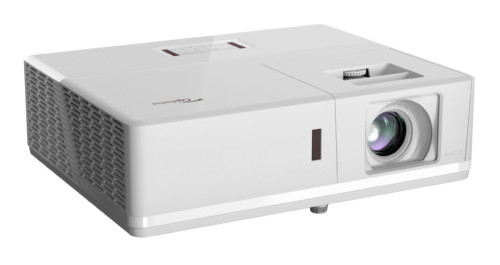
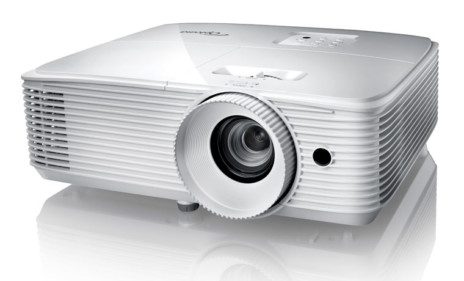
Starting from the front, the HD73 lens is mounted off center, (toward the left if you are facing the projector). The lens itself is recessed, but has a large outer (silver) guard, which is also the focus ring. (The inside of this trim ring is black, to absorb reflected light. On the right of the front is the IR sensor for the remote control. Below the front are the pair drop down feet - left and right, with the releases located at the bottom front of the left and right side of the projector. The Optoma HD73 projector lens.

On the top of the projector, just behind the lens, is the zoom lens control for the 1.2:1 raitio lens. 1.2:1 is a small amount of zoom, allowing very limited placement flexibility. This amount howeer is fairly typical of DLP based projectors, which due to their technology are more limited than LCD projectors which often have 1.5:1 or even 2:1 zoom ratios, for far moret deal of placement range. It's not that DLP projectors with more zoom aren't built, they just don't get down into this price range. Also, more expensive DLP projectors usually have variable lens shift, which the HD73 lacks.

The Optoma HD73 projector control panel.

Across the back top of the HD73 home theater projector are seven bar like buttons, and two indicator lamps. Facing the rear of the projector, from right to left: The lamp indicator, and a temperature indicator. Next is the Power/standby bar. Then after a space are the Menu and Select (enter) bars. another break and the down and up arrow keys, and finally two more bars, each with two functions. when the menus are in use, they are the right and left arrow keys. When you are not using the menus, one is the source (input) select. The other bar, labeled re-sync, triggers an auto adjust to provide the best possible image.

Review continues below this advertisement.


The bottom of the projector has 4 small recessed screw recepticles for attaching a ceiling mount. Optoma offers one for the HD73, or you can use one of many universal mounts on the market. As Optoma chose small (metric, I believe) threading, make sure, if you order a 3rd party mount confirm that it has the right sized screws for the HD73.

That takes us, finally to the back of the projector, where all the inputs are located. Facing the rear of the projector, from the left:

  • A 12 volt trigger for operating motorized screens
  • A USB service port
  • An RS-232 command and control port
  • S-video input
  • Composite video
  • A component video input (Red, Green, and Blue RCA jack inputs)
  • A DVI-I connector, which can handle a digital input, or analog computer
  • A separate HDMI digital connector
  • There is also the recepticle for the AC power cord and the master (hard wired) power switch
  • Lastly, a Kennsington lock slot (for physical security).

Review continues below this advertisement:


Of important note, the HD73 offers two digital inputs, a real plus for many users. Of course if you do plan to also hook up your computer, you will need the DVI-I for that. Note, you can buy a HDMI or DVI switch box, but they tend to cost about $250 or more at this time.

The HD72 vents hot air straight out the left side of the projector from vents mounted near the rear. Theoretically you could mount the projector on a rear shelf, but two things make that unlikely: First, the limited range of the zoom, makes it unlikely that most people will find that they can position the projector on a rear shelf in most rooms. Secondly, even if the distance works, the projector needs to be positioned below the bottom of the screen, or above the top of the screen. Below the bottom, shooting across the entire length of the room from a low angle probably won't work, with couches, chairs, etc. being in the way. Mounting up high, would require the projector to be inverted (as with a ceiling mount). That means either putting up a shelf and mounting below it, or building a cradle. If were to build a cradle, it would be extremely important to make sure you compensate for the lost ventilation. As I said, not very practical.

Time to get to the "good stuff" - the Optoma HD73 DLP home theater projectors image quality.

Optoma HD73
Image Quality
General Performance
Warranty
Summary, Pros, Cons