Please visit our sponsors

Optoma HD81-LV Home Theater Projector Review: Overview

8-30-2007 - Art FeiermanOur Hot Product Award.

Optoma HD81-LV
Image Quality
General Performance
Warranty
Summary, Pros, Cons

Check out how the Optoma HD81-LV fared in our comparison report.
View annual winners.

Optoma HD81-LV Projector Highlights:

  • By far, the brightest 1080p home theater projector selling for under $10K
  • Very good black levels, and shadow detail
  • Limited placement flexibility due to 1.2:1 and no lens shift
  • Extremely flexible in terms of lots of inputs, with outboard processor box, which also simplifies installation
  • Out of the box color accuracy is not good, but easy to correct
  • Optional motorized anamorphic lens for full Cinemascope aspect ratio
  • $12,999 MSRP, but MAP of only $6999 (lowest price that dealers are allowed to advertise)

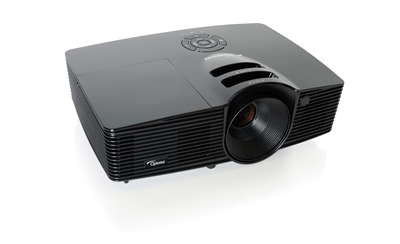
I The Optoma HD81-LV projector.am so jealous! The Optoma HD81-LV is so much brighter than my JVC RS1 (or any of the other under $10,000 competition). In fact, after doing a grayscale balance on the projector, for its best mode, it measured almost twice as many lumens as my JVC (which was close to the brightest previously tested, when in "best" movie mode).
Those with large projector screens - over 110" diagonal, and especially those that deal with some ambient light, or like content other than movies, with some lights on, such as watching sports, will be extremely pleased with the ability of the Optoma HD81-LV. It produces a very watchable image in conditions that will overwhelm its competition.

Basically the HD81-LV is just a brighter version of the HD81 that has been shipping since last fall, and we had already reviewed the HD81, and deemed it to be brighter than most.

Optoma has been showing the HD81-LV at trade shows for at least six months, and usually with a huge screen, and coupled with the optional anamorphic lens. This allows it to work with a cinemascope (2.35:1) screen, so that when watching Cinemascope movies (most), there is no letterboxing (black bars) at the top and bottom of the screen. You need to buy an extra wide screen (2.35:1), in conjuction with the anamorphic lens to take full advantage of Cinemascope movies.

Aeon image from the Optoma HD81-LV projector.

Image above from Aeon Flux, Blu-Ray DVD.

I do believe that the last time I saw it at a show, the screen was about 160" diagonal, in a fully dark room, and the image was more than bright enough.

After you get past the brightness, what you have is a DLP projector that definitely needs some calibration work (with a projector at this price point, do yourself a favor and hire a professional calibrator for $400 to $1000). Alternately, Plan B, would be to get yourself a calibration disk and use it. They are not hard to figure out. The colors of the HD81 are far enough off out of the box, that the adjustments are sorely needed. More on this in the General Performance section.

The HD81-LV's outboard processor lets you connect everything to the processor box, and just run two cables to the projector. This should definitely reduce the amount of long cables you need in wiring your room, saving you hundreds of dollars, for installation, and cables, at the same time.

Sword image from the Optoma HD81-LV projector.

Since the HD81-LV lacks lens shift, and has a zoom with only a 20% range, placement is limited. A few folks will be able to shelf mount on their back wall, but most will have to ceiling mount. Thanks to a lot of lens offset, the projector will need to be above the top of the screen surface, by about a foot and a half for a 110" screen, and more for larger ones. This will prevent many doing theaters in their basements, or other rooms with low ceilings from using this Optoma projector.

Gandalf image from the Optoma HD81-LV projector.

The Optoma HD81-LV most definitely receives our Hot Product Award. The lower powered HD81 is an excellent projector, and combining all of its capabilities, with this much extra brightness, is a real win-win. For those who prefer larger screens, or want the ability to put up a great looking image in an environment with enough ambient light to significantly wash out the competition, the HD81-LV is going to be at the top of their list, with only far more expensive 3 chip DLP projectors offering more brightness. There is no 3 chip 1080p projector, shipping or announced, with an MSRP below $35,000 at this time!

Optoma HD81-LV Projector: Basic Specs

MSRP: $12,999 MAP: $6999
Optional motorized Anamorphic lens: $3999
Technology: Single chip DLP front projector
Native Resolution: 1080p (1980x1080)
Brightness: 2500 lumens
Contrast: 10,000:1
Zoom Lens ratio: 1.2:1
Lens shift: None
Lamp life: 2000 hours full power, 3000 lumens eco-mode
Weight: 10 lbs. (excluding outboard processor)
Warranty: 3 years Parts and Labor, with express replacement program, 1 year lamp warranty.

Full specifiactions available: Optoma HD81-LV.

Optoma HD81-LV Home Theater Projector: Physical Tour

As noted above, the HD81-LV comes in two pieces, the projector itself, and its outboard Gennum processor. In addition we reviewed the HD81-LV with, and without the optional anamorphic lens.

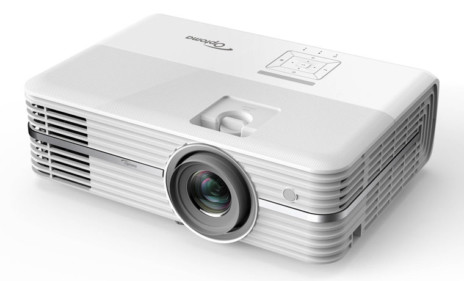
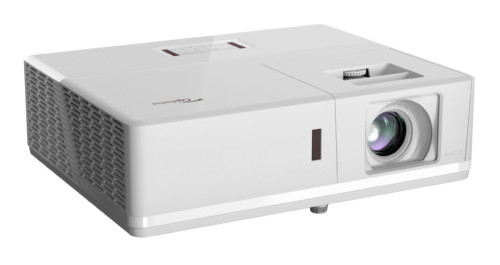
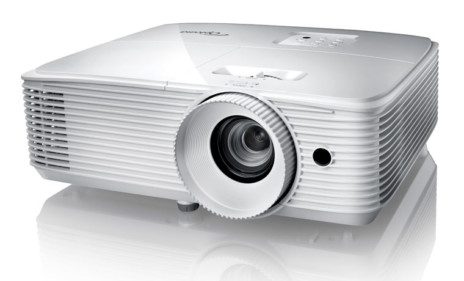
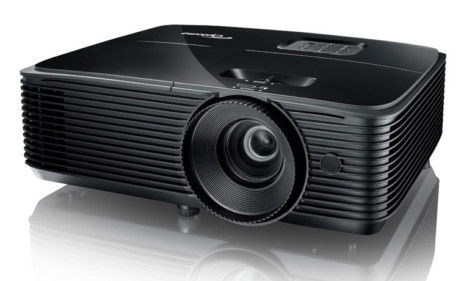
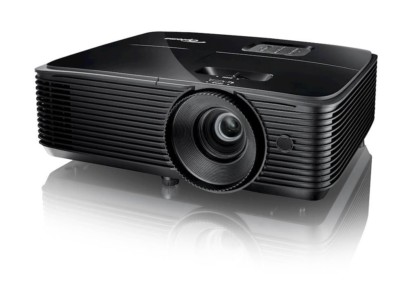
First, the Projector: The HD81-LV is finished in a shiney black cabinet with a fine silver speckling throughout, with chrome trim on the lens. The front of the Optoma HD81-LV projector.The outboard processor box is finished in basic black, with silver buttons (most - the control panel - are hidden behind a hinged door).

Facing the front of the projector, there is a large lens, mounted toward the left side. If you are ceiling mounting, you'll need to do your measurements to compensate for the lens being off center, as you would with any other home theater projector without a center mounted lens.

Throw distances: The HD81-LV (without anamorphic lens), can be placed as close as 13 feet, 6 inches, or as far back as 16 feet 2 inches, if you are filling a 100" diagonal, 16:9 screen. You can figure out the throw distances for any other screen size, simply, from these numbers. For example, if you went with a 120" screen, then, both the closest and furthest distances would increase by 20% respectively.

Review continues below this advertisement.


The outer ring of the lens handles the manual focus. Behind that, is a recessed area (at the top), on the lens barrel, for adjusting the manual 1.2:1 zoom lens. Also found in the front, low and almost centered (next to the DLP insignia), is the front Infra-Red sensor for the remote control.

There are two adjustable front feet, mounted on the left and right sides. There is a "press to release" button for each one, to allow users to adjust the leg height.

Venting is out the sides. This technically makes rear shelf mounting the projector possible, although other aspects of the projector make it unlikely that anyone will actually shelf mount it.

Moving to the top of the projector, not much to see, only three indicator lights on a bar across the back top. One indicator for Power, one each for Temperature, and Lamp.

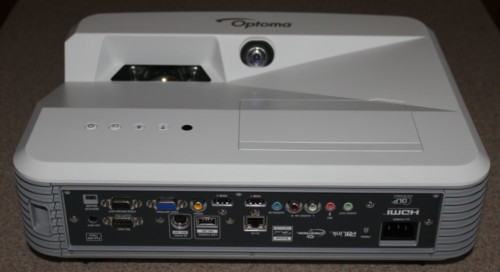
That takes us to an almost empty back panel, (shown above), found on the back of the HD81 projector. It's pretty sparse, since everything basically plugs into the outboard processor. The processor then connects to the HD81 itself by way of two cables. The first is an HDMI cable input, and the second, and RS-232 for control. There is also a service port, for upgrades (I assume), etc. There is also the usual power receptacle. That's it! Everything else is on the Gennum VXP scaler/processor.

I must also note that the HD81 DLP projector has two rear feet, which are screw thread adjustable.

That brings us to taking a close look at the Gennum XVP processor itself (It bares the Optoma logo).

The box itself is wide, suitable for rack mounting with an adapter. It is about 2 inches tall, and is finished in black.

From the front: Only the large power button toward the far right (and the IR sensor) is visible, with the front hinged door closed. Open it up, and you will find a basic control panel near the center. It offers (from the right), the usual Source button, which doubles as the Enter button when menus are in use. Next to the left is the Menu button. Further left are four silver buttons in the usual diamond layout, for left/right/up/down functionality when navigating the menus.

Far left on the HD81's processor (not shown), are three inputs, allowing for easy, fast hookup of temporary devices such as a camcorder or computer. The inputs are: Composite video (RCA jack), S-Video (DIN plug), and Analog Computer (VGA) - (HD15 connector).

That takes us to the rear of the Gennum processor, which is jam packed with inputs. This allows the HD81 to hook up to far more sources than any other 1080p projector in its price range. The only less expensive projector I can think of with outboard processing like the HD81, is one of the two versions of Epson's new Pro Cinema 810. The Epson too is loaded with inputs, but it is a lower resolution, 720p projector, so not a close competitor.

Review continues below this advertisement.


The HD81-LV's processor supports the following:

HDMI inputs: 3 standard HDMI inputs (all HDCP compliant), plus an HDMI input if you bring in a signal from an AV receiver equipped to output HDMI.

Component Video inputs: Two sets, each with separate R,G,B (RCA jack) connectors.

S-Video inputs: (standard DIN connectors)

Composite inputs: (standard RCA jack)

BNC inputs: 2 sets of 5 BNC connectors each, which can be used for analog computer inputs, or for additional Component video sources. Add all of that up, and you have a whopping 8 high resolution (computer, component and digital - HDMI) inputs, plus the four lower resolution ones (the composite and S-video).

Other input/outputs: There are two RS-232 connectors. One is mandatory, and connects to the projector (Optoma provides a short cable, and an extension, but in most mounting situations, you will need longer cables). The second one can be connected to external control devices, such as a room controller (ie. Crestron, AMX...), computer, etc, for remotely controlling the projector functions.

There is also an HDMI output to an AV receiver. This I found interesting. If you have an AV receiver with a sufficient number of HDMI inputs, normally you would let the Receiver handle the source switching between the various HDMI inputs, and then feed that to the projector's processor. If however, your receiver has only one HDMI input, or simply not enough of them to let it do your switching, you can run the HDMI sources to the Gennum processor, and have a single HDMI output to the AV receiver, which will pass along the audio information. (A big difference between HDMI and DVI, is that HDMI cables carry the audio as well as the picture). By connecting the output to the AV receiver, you are passing the sound portion of the data from your DVD player, Cable/Satellite box, etc., to the receiver, while the image portion is processed and sent to the projector. That pretty much covers the outboard processor for the HD81-LV.


Lastly, the processor box has 12 volt triggers for motorized screen control. A look at the manual indicates that the trigger can be programmed. This is ideal for those with masking screens (that basically bring down cloth or other method to change the visible surface area). You might use a masking screen in conjunction with (or without) an anamorphic lens. Once set up, the processor box would control the screen to use the right masking for the aspect ratio of the content you are watching. Cool!

The HD81-LV itself has no power switch. The Gennum processor turns on the projector when you hit the power switch on the processor, or use the remote control to power up.

Optoma HD81-LV Optional Anamorphic Lens

I received the HD81-LV and processor box in one shipping box, and their optional Anamorphic lens and motor drive in a separate box. The $3999 lens and motorized sled option allows you to view full Cinemascope movies (2.35:1) without any letter boxing. It does, however affect the throw distances. I will discuss in more depth in the general performance section.

Time to check out the HD81-LV's overall image quality.

Optoma HD81-LV
Image Quality
General Performance
Warranty
Summary, Pros, Cons

Projector Search
Projector Packages