Optoma HD72 Projector Review - Overview
02/21/06 -Art Feierman
Overview
Image Quality
General Performance
Warranty
Summary, Pros, Cons
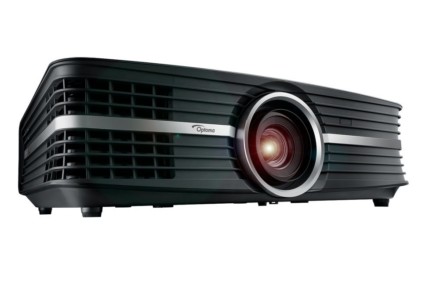
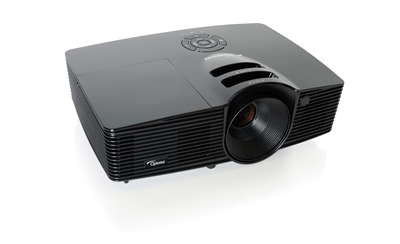
Optoma's HD72 home theater projector replaces their highly regarded H77. The HD72 has been built to compete directly against the latest crop of 720p resolution LCD and DLP home theater projectors. The older H77 was a feature laden model, but could not be brought down to the current sub- $2000 prices. Enter the HD72 projector with improved performance, a few less features and a highly competitive price.
Optoma has
initially set the MAP (minimum advertised price) of the HD72 at $1999, whereas the H77 sold for close to $3000 at the end of its life.
The overall performance of the Optoma HD72 is excellent, however if I had to pick one aspect that best describes this projector, it would be Vibrant, Bright Colors.
Here are the Optoma HD72 home theater projector's basic published specifications:
MSRP: $2995
Technology: Darkchip2 DLP projector
Native Resolution: WXGA 1280x768
Brightness: 1300 lumens
Contrast: 5000:1 (AI mode) 3500:1 (AI off)
Zoom Lens ratio: 1.2:1
Lens shift: Vertical and Horizontal
Lamp life: 3000 hours
Weight: 7 lbs.
Warranty: 2 years
Before we get started, I'll comment on the competitive field of under $2000 (selling priced) home theater projectors. There are several, highly regarded LCD projectors (which tend to offer more features, notably zoom lenses with more range, and variable optical lens shift). Some of the top rated LCD projecors with 720p resolution, include the Panasonic PT-AE900u, and the Sanyo PLV-Z4. There are other LCD projectors of this resolution, (that cost more), such as Epson's Cinema 550 and Sony's HS51A. On the DLP projector side, there is the recently upgraded BenQ PE7700. There is also Mitsubishi's new HC3000 (which we have not yet obtained for review as of this writing). The HC3000 has been priced well above the sub $2000 projectors.
The Optoma HD72 picks up our Hot Product Award, just as several other projectors in this class have done previously. The projectors in this
class are highly competitive, and our award indicates that this projector has features and performance that will make it the first choice for many potential buyers. You will find that there is really no one best projector out there for everyone. There are plenty of tradeoffs, in image quality, seating distance, cost of operation, projector positioning, and more.
Physical Layout
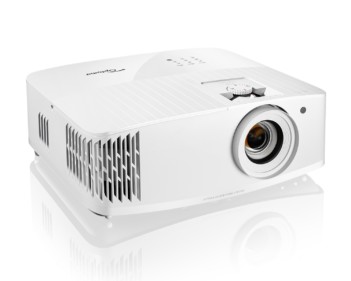
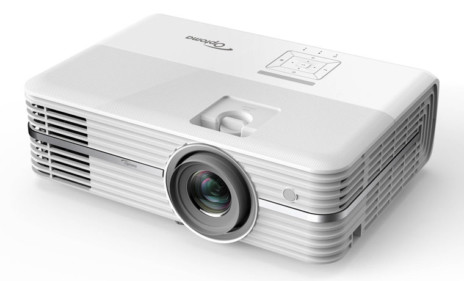
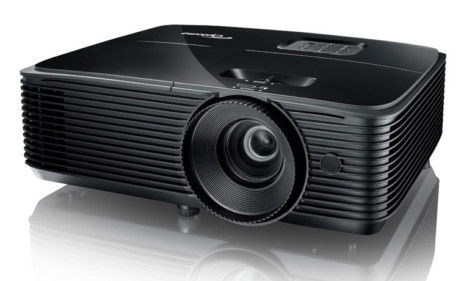
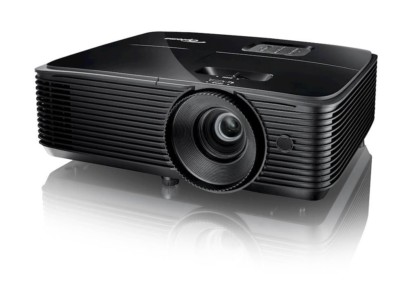
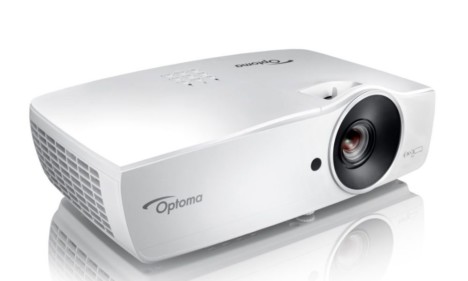
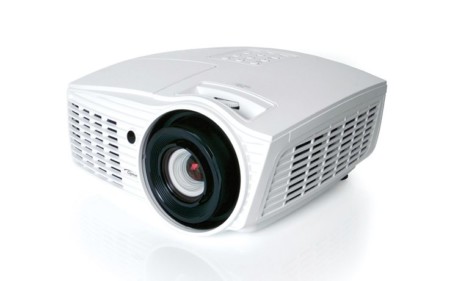
Starting from the front, the HD72 has a lens mounted off center, (toward the left if you are facing the projector). The lens itself is recessed, but has a large outer (silver) guard, which is also the focus ring. (The inside of this trim ring is black, no doubt to absorb any stray light coming from the lens assembly). On the right of the front is the IR sensor for the
remote control. Below the front are two drop down feet - left and right, with the releases located at the bottom front of the left and right side of the projector.
Moving to the top of the projector, just behind the lens is the adjustment control for the 1.2:1 zoom lens. It should be noted that 1.2:1 is a small amount of zoom, allowing limited placement flexibility. This amount howeer is fairly typical of DLP based projectors, which due to their technology are more limited
than LCD projectors which often have 1.5:1 or even 2:1 zoom ratios, for a great deal of placement range.
Across the back top of the HD72 home theater projector are seven bar like buttons, and two indicator lamps. Looking at the projector from the rear, from right to left: The lamp indicator, and a temperature indicator. Next is the Power/standby bar. Then after a space are the Menu and Select (enter) bars. another break and the down and up arrow keys, and finally two more bars, each with two functions. when the menus are in use, they are the right and left
arrow keys. When you are not using the menus, one is the source (input) select. The other bar, labeled re-sync, triggers an auto adjust to provide the best possible image.
The bottom of the projector has 4 small recessed screw recepticles for attaching a ceiling mount. Optoma offers one, or you can use one of many universal mounts on the market. As Optoma chose small (metric, I believe) threading, make sure, if you order a 3rd party mount that it has the correct screws included.
Of particular note there is also a large standard thread recepticle for a tripod. This allows some interesting options. If you need to shel mount up high (which means the projector is inverted, this could allow an extremely small, and neat alternative to adapting a ceiling mount, or building a cradle. It's a nice touch, and I'd like to see Optoma offer a custom wall bracket that would take advantage of this. I all ready mentioned that there are two drop down feet, at the front left and right. An additional nice touch - there are two rear adjustable feet as well, both screw thread style.
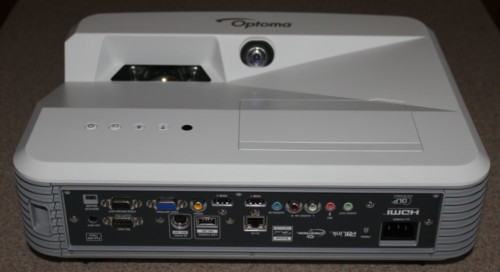
That takes us, finally to the back of the projector, where all the inputs are located. Facing the rear of the projector, from the left:

Review continues below this advertisement:
Of important note, the HD72, is the only projector I have reviewed to date, with two digital inputs, a real plus for many users. Of course if you do plan to also hook up your computer, you will need the DVI-I for that. Note, you can buy a HDMI or DVI switch box, but they tend to cost about $250 or more at this time.
Lastly, the venting of the HD72 projector, which is an important issue relating to whether you ceiling mount, shelf mount or place the projector on a table: The HD72 seems to have several intakes, on the bottom, and on the lower right side. The hot air vents straight out the left side of the projector from vents mounted near the rear. This should allow the projector to be shelf mounted fairly close to the back wall. In speaking with Optoma on this matter, they advise that you have about 6 inches between the back of the projector and the wall the shelf is on. As the projector is only about a foot deep, and you would need at least 3 inches for cables, that seems very reasonable, and it means that an 18 inch deep shelf should do the trick!

Time to get to the the all important image quality of the Optoma HD72 home theater projector. Please click on the Image Quality link.
Overview
Image Quality
General Performance
Warranty
Summary, Pros, Cons